
1. ບົດແນະນຳ
The Xigmatek Aqua V AIR is a high-performance mid-tower PC case designed for gaming enthusiasts. It features a spacious interior, optimized airflow, and tempered glass panels on the front and side to showcase your components. Equipped with seven 120mm ARGB fans, it supports graphics cards up to 410mm in length and is compatible with motherboards featuring hidden connectors for a clean build.
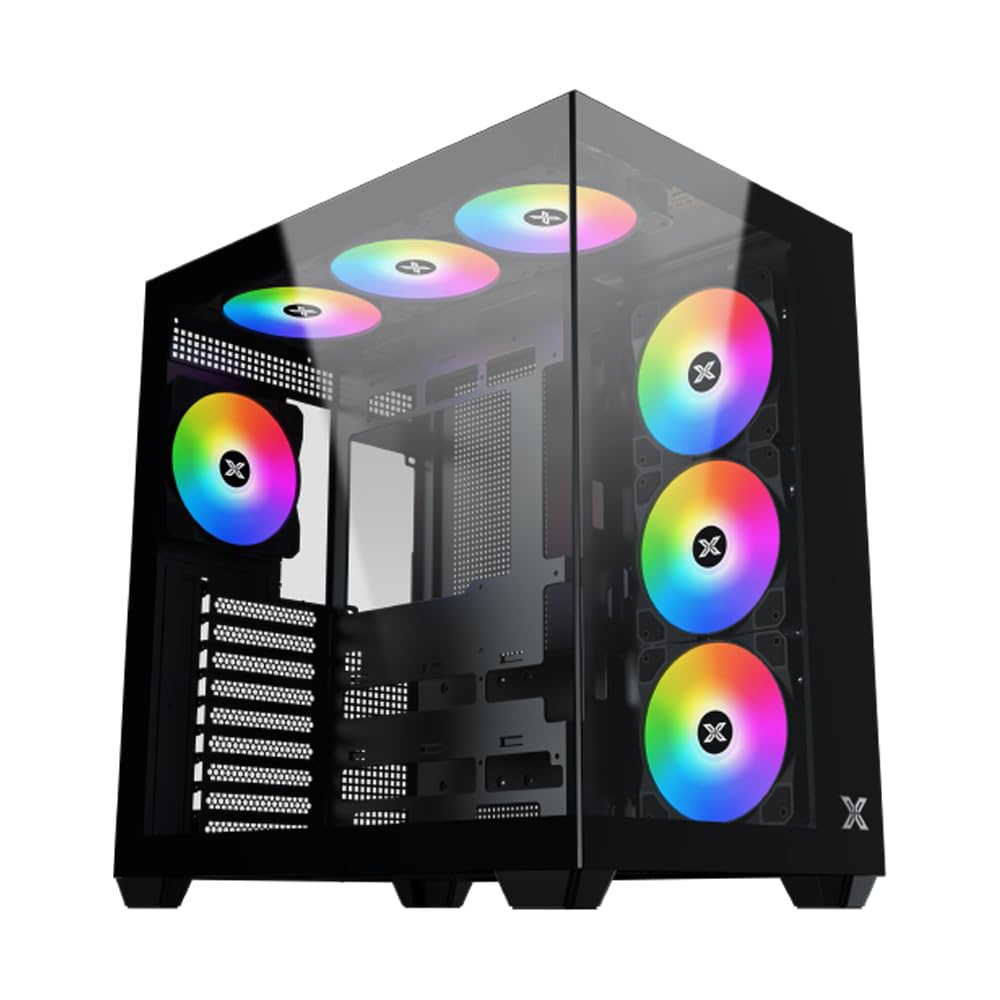
ຮູບທີ 1: ໂດຍລວມ view of the Xigmatek Aqua V AIR PC Case.
2. ຄຸນນະສົມບັດທີ່ສໍາຄັນ
- ວັດສະດຸ: Constructed from high-quality steel for durability and reliability.
- ຂະໜາດ: 427 x 285 x 455 mm (L x W x H), offering a spacious interior.
- ລະບົບເຮັດຄວາມເຢັນ: Supports up to three 120mm or two 140mm fans for optimal cooling performance.
- ສະຫນັບສະຫນູນລັງສີ: Compatible with 240/280/360mm radiators on the top, bottom, and rear for versatile cooling options.
- ແຜງ I/O: Features 2x USB 3.0 ports, 1x USB-C port, and HD audio for convenient connectivity.
- ຄວາມເຂົ້າກັນໄດ້ຂອງເມນບອດ: Supports ATX, Micro ATX, and Mini ITX motherboards, including those with hidden connectors.
- ຄວາມຍາວ GPU: ຮອງຮັບບັດກຣາບຟິກທີ່ມີຄວາມຍາວສູງສຸດ 410 ມມ.
- ສະຫນັບສະຫນູນການຈັດເກັບ: ສະຫນອງ ample space for multiple storage drives.
3. ຂໍ້ມູນຈໍາເພາະ
| ຄຸນສົມບັດ | ລາຍລະອຽດ |
|---|---|
| ຍີ່ຫໍ້ | Xigmatek |
| ໝາຍເລກຕົວແບບ | EN45820 |
| ຊຸດ | Aqua V AIR BLACK |
| ສີ | ດຳ |
| ຂະໜາດ (L x W x H) | 42.7 x 28.5 x 45.5 cm |
| ນ້ຳໜັກສິນຄ້າ | 8.8 ກິໂລກຣາມ |
| ວັດສະດຸ | ເຫຼັກກ້າປະສົມ, ແກ້ວອຸ່ນ |
| ຄວາມເຂົ້າກັນໄດ້ຂອງເມນບອດ | ATX, ໄມໂຄຣ ATX, ມິນິ ITX |
| ປະເພດກໍລະນີ | ຫໍກາງ |
| ການນໍາໃຊ້ທີ່ແນະນໍາ | Gaming, High-Performance Computing |
| ພອດ USB 3.0 | 2 |
| ພອດ USB-C | 1 |
| ວິທີການເຮັດຄວາມເຢັນ | Water (Liquid Cooling Support) |
| ຂະໜາດພັດລົມ | 120 Millimeters (Pre-installed ARGB fans) |
| ປະເພດການຕິດຕັ້ງ PSU | ພູລຸ່ມ |
4. ການຕິດຕັ້ງແລະການຕິດຕັ້ງ
This section provides general guidance for installing components into your Xigmatek Aqua V AIR PC case. Always refer to the specific manuals for your motherboard, power supply, and other components for detailed instructions.
4.1 ການກະກຽມກໍລະນີ
- ແກະກ່ອງ PC ອອກ ແລະ ເອົາວັດສະດຸຫຸ້ມຫໍ່ທັງໝົດອອກ.
- Carefully remove the tempered glass side panel(s) and front panel (if applicable) to access the interior. Store them safely to prevent damage.
- Identify the accessory box, which typically contains screws, cable ties, and other small parts.
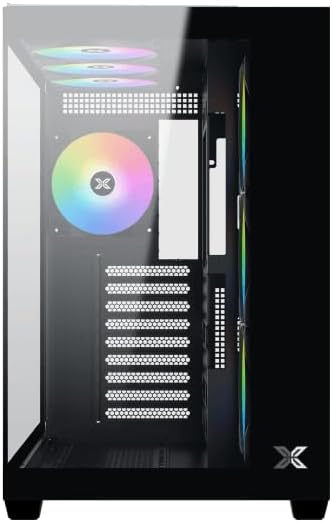
ຮູບ 2: ພາຍໃນ view ດ້ວຍການເອົາແຖບດ້ານຂ້າງອອກ.
4.2 ການຕິດຕັ້ງເມນບອດ
- ຕິດຕັ້ງແຜ່ນປ້ອງກັນ I/O (ຖ້າບໍ່ໄດ້ຕິດຕັ້ງໄວ້ລ່ວງໜ້າໃນເມນບອດຂອງທ່ານ) ເຂົ້າກັບຊ່ອງເປີດດ້ານຫຼັງຂອງເຄສ.
- Align your ATX, Micro ATX, or Mini ITX motherboard with the standoffs inside the case. Ensure all standoffs match the screw holes on your motherboard.
- Secure the motherboard with the appropriate screws provided in the accessory kit.

Figure 3: Motherboard tray and cable management area.
4.3 ການຕິດຕັ້ງຫນ່ວຍບໍລິການພະລັງງານ (PSU).
- ຊອກຫາພື້ນທີ່ຕິດຕັ້ງ PSU ຢູ່ທາງລຸ່ມດ້ານຫຼັງຂອງເຄສ.
- Slide your PSU into position, ensuring the fan faces downwards (if the case has a bottom vent) or upwards.
- ຮັບປະກັນ PSU ດ້ວຍ screws ຈາກດ້ານຫລັງຂອງກໍລະນີ.
4.4 ການຕິດຕັ້ງ Drive Storage
The case supports various storage configurations. Refer to the case diagram for specific drive bay locations.
- Install 2.5" SSDs or 3.5" HDDs into the designated drive bays or mounting brackets.
- Secure the drives with screws.
4.5 ການຕິດຕັ້ງບັດກາຟິກ (GPU).
- ເອົາຊ່ອງສຽບ PCIe ທີ່ຈໍາເປັນອອກຈາກດ້ານຫລັງຂອງກໍລະນີ.
- Insert your graphics card into the appropriate PCIe slot on the motherboard.
- ຮັບປະກັນບັດກາຟິກດ້ວຍສະກູ.
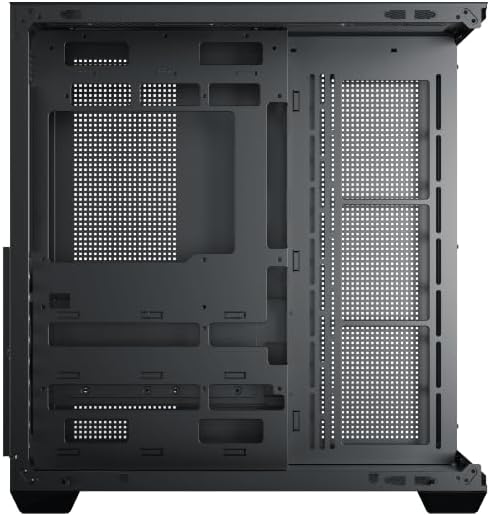
Figure 4: Components installed inside the case.
4.6 ການຈັດການສາຍ
Utilize the cable routing cutouts and tie-down points behind the motherboard tray to manage cables for improved airflow and aesthetics.
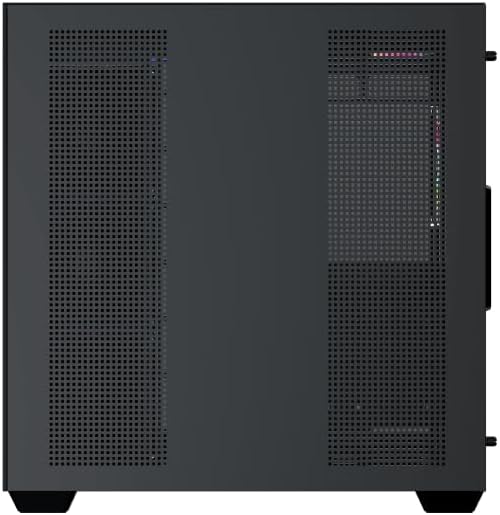
Figure 5: Top panel and I/O ports.
5. ຄໍາແນະນໍາການດໍາເນີນງານ
5.1 ການເປີດເຄື່ອງ
Once all components are securely installed and connected, close the side panels. Connect your power cable to the PSU and press the power button on the case's front I/O panel.
5.2 ການຄວບຄຸມພັດລົມ ARGB
The Xigmatek Aqua V AIR comes with pre-installed ARGB fans. These fans can typically be controlled via:
- ຊອບແວເມນບອດ: If your motherboard supports ARGB synchronization, connect the fan's ARGB cables to the motherboard's 3-pin 5V ARGB header and use the motherboard's software (e.g., ASUS Aura Sync, MSI Mystic Light, Gigabyte RGB Fusion) to customize lighting effects.
- ຕົວຄວບຄຸມປະສົມປະສານ: If your case includes a built-in ARGB controller, use the dedicated button on the I/O panel to cycle through various lighting modes and colors.
6. ບໍາລຸງຮັກສາ
ການບໍາລຸງຮັກສາເປັນປົກກະຕິຈະຊ່ວຍຮັບປະກັນການປະຕິບັດທີ່ດີທີ່ສຸດແລະອາຍຸຍືນຂອງອົງປະກອບ PC ຂອງທ່ານ.
6.1 ການເຮັດຄວາມສະອາດກອງຂີ້ຝຸ່ນ
The Xigmatek Aqua V AIR case is equipped with dust filters to prevent dust buildup. Locate and gently remove the dust filters (typically on the top, front, and bottom). Clean them with compressed air or by rinsing with water. Ensure they are completely dry before reattaching.
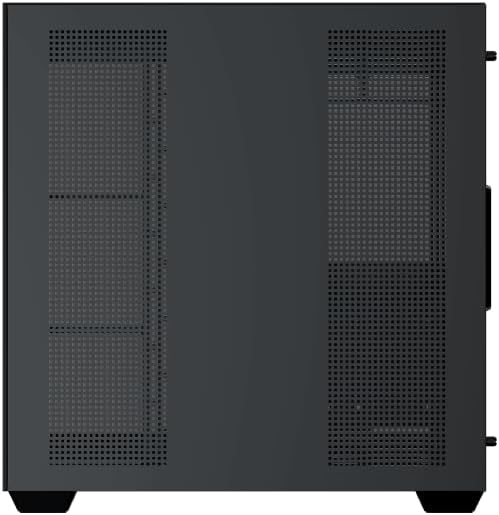
Figure 6: Bottom dust filter.
6.2 ການທໍາຄວາມສະອາດທົ່ວໄປ
Use a soft, dry cloth to wipe down the exterior of the case. For tempered glass panels, use a glass cleaner and a microfiber cloth to avoid streaks. Avoid using abrasive cleaners or solvents.
7. ການແກ້ໄຂບັນຫາ
ຖ້າທ່ານພົບບັນຫາ, ພິຈາລະນາຂັ້ນຕອນການແກ້ໄຂບັນຫາທົ່ວໄປຕໍ່ໄປນີ້:
- ບໍ່ມີພະລັງງານ:
- Ensure the PSU is switched on and properly connected to the wall outlet and motherboard.
- Check all power connections to components (motherboard, CPU, GPU, drives).
- ກວດສອບວ່າສາຍສະຫຼັບໄຟດ້ານໜ້າຖືກເຊື່ອມຕໍ່ກັບເມນບອດຢ່າງຖືກຕ້ອງ.
- ພັດລົມບໍ່ໝຸນ / RGB ບໍ່ເຮັດວຽກ:
- Check if fan power cables are securely connected to the motherboard or fan controller.
- Ensure ARGB cables are connected to the correct 3-pin 5V ARGB header (not 4-pin 12V RGB).
- If using a controller, ensure it has power and is functioning correctly.
- ຄວາມຮ້ອນເກີນ:
- Ensure all fans are spinning and oriented correctly for optimal airflow (intake/exhaust).
- ທຳຄວາມສະອາດຕົວກອງຝຸ່ນ ແລະ ອົງປະກອບພາຍໃນ.
- Verify CPU cooler and GPU cooler are properly seated and functioning.
8. ການຮັບປະກັນແລະການສະຫນັບສະຫນູນ
The Xigmatek Aqua V AIR PC Case comes with a ການຮັບປະກັນຂອງຜູ້ຜະລິດ 2 ປີ. For technical support, warranty claims, or further assistance, please contact Xigmatek customer service or visit their official webເວັບໄຊ.
ກະລຸນາຮັກສາຫຼັກຖານການຊື້ຂອງທ່ານໄວ້ເພື່ອຈຸດປະສົງການຮັບປະກັນ.