
ແນະນຳ
Thank you for choosing the UGREEN Zapix 65W 5-Port USB C GaN Desktop Charger. This manual provides essential information for the safe and efficient use of your device. Please read it thoroughly before operation and retain it for future reference.
ສິນຄ້າເກີນview
The UGREEN Zapix 65W 5-Port USB C GaN Desktop Charger is designed for efficient multi-device charging. It incorporates advanced GaN technology for compact size and superior performance.
ຄຸນນະສົມບັດທີ່ສໍາຄັນ:
- 65W ຜົນຜະລິດທັງຫມົດ: Provides up to 65W total power output across 5 ports (4 USB-C, 1 USB-A).
- High-Speed Single Port Charging: USB-C1 port delivers up to 45W, capable of charging a MacBook Air from 0% to 38% in approximately 30 minutes.
- ເຕັກໂນໂລຊີ GaN: Utilizes Gallium Nitride (GaN) for enhanced efficiency, smaller footprint, higher power density, and improved thermal management.
- ຄວາມປອດໄພທີ່ສົມບູນແບບ: Equipped with real-time temperature detection and protection against short circuits, overvoltage, overheating, and overcurrent.
- ຄວາມເຂົ້າກັນໄດ້ທົ່ວໂລກ: Supports a wide range of devices including iPhone 17/16/15/14/13/12/11 series, Galaxy S25/S24/S23/S22/S21, MacBook Air/Pro M4/M3/M2/M1, iPad Pro/Air/mini, Galaxy Tab S10/S9/S8/S7, Thinkpad, and Steam Deck.
- Desktop Design: Includes a 2-meter power cable for convenient desktop placement.
ເນື້ອໃນຊຸດ:
- UGREEN Zapix 65W 5-Port USB C GaN Desktop Charger (Model: 65195)
- 2-meter AC Power Cable
- ຄູ່ມືການສອນ

Image: The UGREEN Zapix 65W 5-Port USB C GaN Desktop Charger with its included 2-meter power cable.
ຄໍາແນະນໍາການຕິດຕັ້ງ
- ແກະກ່ອງ: ຖອດສາຍສາກ ແລະອຸປະກອນເສີມທັງໝົດອອກຈາກເຄື່ອງຫຸ້ມຫໍ່ຢ່າງລະມັດລະວັງ.
- ເຊື່ອມຕໍ່ສາຍໄຟ: Insert the 2-meter AC power cable into the power input port on the back of the charger.
- ສຽບໃສ່ Outlet: Connect the other end of the AC power cable to a standard wall outlet (230V).
- ແສງຕົວຊີ້ວັດ: The charger may have an indicator light that illuminates when powered on, confirming it is ready for use.

Image: The UGREEN Zapix 65W charger connected to its power cable with a European plug.
ຄໍາແນະນໍາການດໍາເນີນງານ
- ເຊື່ອມຕໍ່ອຸປະກອນ: Use appropriate USB-C to USB-C or USB-A to USB-C/Lightning cables (not included) to connect your devices to the charger's available ports.
- ການສາກໄຟທີ່ດີທີ່ສຸດ:
- For maximum 45W output to a single device, use the USB-C1 port.
- When charging multiple devices, the charger intelligently distributes power. Refer to the power distribution table in the Specifications section for details.
- ສະຖານະການສາກໄຟ: Your device's screen or indicator light will show its charging status.
- ກຳລັງຕັດການເຊື່ອມຕໍ່: Once charging is complete, disconnect your devices and then unplug the charger from the wall outlet.

Image: The UGREEN Zapix 65W charger connected to and simultaneously charging a laptop, smartphone, smartwatch, and wireless earbuds.

Image: A technical diagram illustrating the power distribution across the 5 ports of the UGREEN 65W charger under various load conditions.
ຂໍ້ມູນຄວາມປອດໄພ
- ຫ້າມບໍ່ໃຫ້ສາຍສາກຖືກຂອງແຫຼວ, ຄວາມຊຸ່ມຊື່ນ, ຫຼືອຸນຫະພູມສູງສຸດ.
- ຫຼີກລ່ຽງການລຸດ ຫຼື ວາງສາຍສາກໃຫ້ເກີດຜົນກະທົບທີ່ຮຸນແຮງ.
- ຢ່າພະຍາຍາມຖອດປະກອບ, ສ້ອມແປງ ຫຼືດັດແປງເຄື່ອງສາກ.
- Use only certified and compatible charging cables.
- ຮັກສາໃຫ້ໄກຈາກເດັກນ້ອຍ.
- ຖອດສາຍສາກອອກໃນລະຫວ່າງການມີພະຍຸຟ້າຜ່າ ຫຼືເມື່ອບໍ່ໄດ້ໃຊ້ເປັນເວລາດົນ.
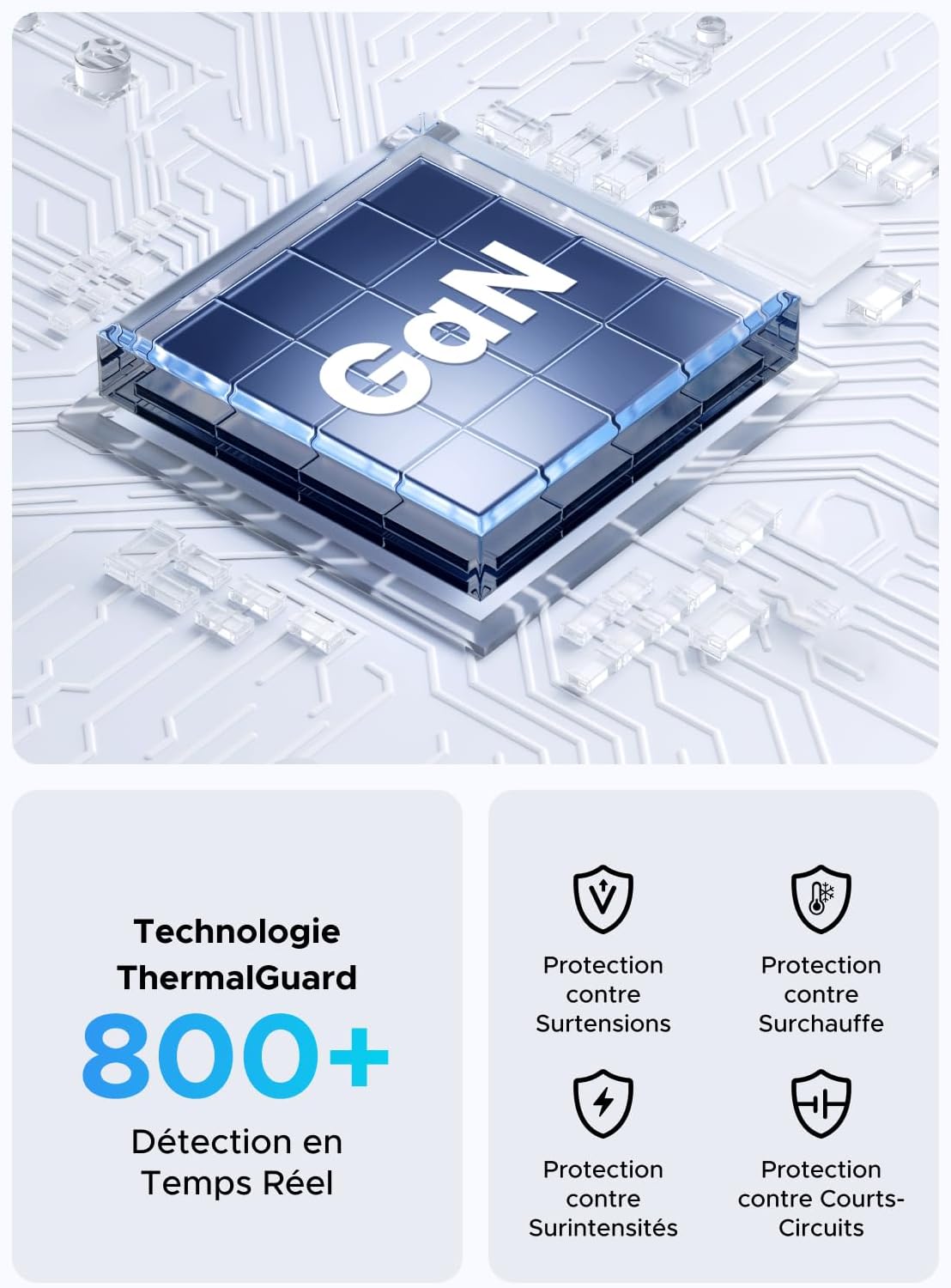
Image: An illustration highlighting the GaN chip and various safety features including protection against overvoltage, overheating, overcurrent, and short circuits.
ບໍາລຸງຮັກສາ
- ທໍາຄວາມສະອາດ: ຖອດສາຍສາກຈາກປລັກສຽບໄຟ ແລະອຸປະກອນທັງໝົດກ່ອນທຳຄວາມສະອາດ. ໃຊ້ຜ້າປຽກອ່ອນໆເຊັດພື້ນຜິວ. ຢ່າໃຊ້ເຄື່ອງເຮັດຄວາມສະອາດຂອງແຫຼວຫຼື aerosols.
- ການເກັບຮັກສາ: ເກັບຮັກສາເຄື່ອງສາກໄວ້ໃນບ່ອນທີ່ເຢັນ, ແຫ້ງ, ຫ່າງຈາກແສງແດດໂດຍກົງ ແລະອຸນຫະພູມທີ່ຮຸນແຮງ.
- ການດູແລສາຍໄຟ: Avoid bending or twisting the power cable excessively. Do not place heavy objects on the cable.
ການແກ້ໄຂບັນຫາ
| ບັນຫາ | ສາເຫດທີ່ເປັນໄປໄດ້ | ການແກ້ໄຂ |
|---|---|---|
| ອຸປະກອນບໍ່ໄດ້ສາກໄຟ. |
|
|
| ຄວາມໄວການສາກໄຟຊ້າ. |
|
|
| ເຄື່ອງສາກຮູ້ສຶກອົບອຸ່ນ. |
|
|
ຂໍ້ມູນຈໍາເພາະ
| ຍີ່ຫໍ້ | ສີຂຽວ |
| ໝາຍເລກຕົວແບບ | 65195 |
| ຜູ້ຜະລິດ | ກຸ່ມ Ugreen ຈຳກັດ |
| ປະເທດຕົ້ນກໍາເນີດ | ຈີນ |
| ປະເພດຕົວເຊື່ອມຕໍ່ | USB ປະເພດ A, USB ປະເພດ C |
| ພອດ USB ທັງໝົດ | 5 (4x USB-C, 1x USB-A) |
| ຜົນຜະລິດພະລັງງານ | 65 ວັດ (ສູງສຸດ) |
| ການປ້ອນຂໍ້ມູນ Voltage | 230 វ៉ុល AC |
| ຜົນໄດ້ຮັບ Voltage | 15 ໂວນ (ສູງສຸດ) |
| ປະຈຸບັນຜົນຜະລິດ | 3 Ampເອີເຣສ (ສູງສຸດ) |
| ອຸປະກອນທີ່ເຂົ້າກັນໄດ້ | Mobile phones, tablets, laptops (e.g., iPhone 16-8 series, Galaxy S25, S24, A15, Pixel 9, iPad, MacBook Air/Pro, Thinkpad, Steam Deck) |
| ຄຸນນະສົມບັດພິເສດ | Portable, GaN Technology |
| ປະເພດປລັກໄຟຟ້າ | European plug CEE 7/16, Type C/EF – 2 pins |
| ອົງປະກອບລວມ | 1 adapter, 1 x 2-meter extension cable |

ຮູບພາບ: A close-up view of the UGREEN Zapix 65W charger's 4 USB-C ports and 1 USB-A port, indicating individual and combined power outputs.
ການຮັບປະກັນແລະການສະຫນັບສະຫນູນ
ຜະລິດຕະພັນ UGREEN ນີ້ມາພ້ອມກັບ a ການຮັບປະກັນຂອງຜູ້ຜະລິດ 2 ປີ ຈາກວັນທີ່ຊື້. ການຮັບປະກັນນີ້ກວມເອົາຄວາມບົກຜ່ອງດ້ານການຜະລິດແລະການເຮັດວຽກພາຍໃຕ້ການນໍາໃຊ້ປົກກະຕິ.
ການຮັບປະກັນບໍ່ໄດ້ກວມເອົາຄວາມເສຍຫາຍທີ່ເກີດຈາກການນໍາໃຊ້ທີ່ບໍ່ຖືກຕ້ອງ, ອຸປະຕິເຫດ, ການປ່ຽນແປງທີ່ບໍ່ໄດ້ຮັບອະນຸຍາດ, ຫຼືໄພພິບັດທໍາມະຊາດ.
ສຳລັບການຊ່ວຍເຫຼືອດ້ານເຕັກນິກ, ການຮຽກຮ້ອງການຮັບປະກັນ, ຫຼື ການຊ່ວຍເຫຼືອເພີ່ມເຕີມ, ກະລຸນາຕິດຕໍ່ບໍລິການລູກຄ້າ UGREEN ຜ່ານທາງເວັບໄຊທ໌ທາງການຂອງເຂົາເຈົ້າ. webເວັບໄຊທ໌ ຫຼື ຮ້ານຄ້າປີກທີ່ຊື້ຜະລິດຕະພັນ. ກະລຸນາກຽມໝາຍເລກລຸ້ນ (65195) ແລະ ຫຼັກຖານການຊື້ຂອງທ່ານໃຫ້ພ້ອມ.
UGREEN ຢ່າງເປັນທາງການ Webເວັບໄຊ: www.ugreen.com