
ແນະນຳ
ຂອບໃຈສໍາລັບການຊື້asing the Andoer Digital Camera H12. This manual provides detailed instructions for the proper use and maintenance of your camera. Please read this manual thoroughly before using the camera to ensure optimal performance and longevity.
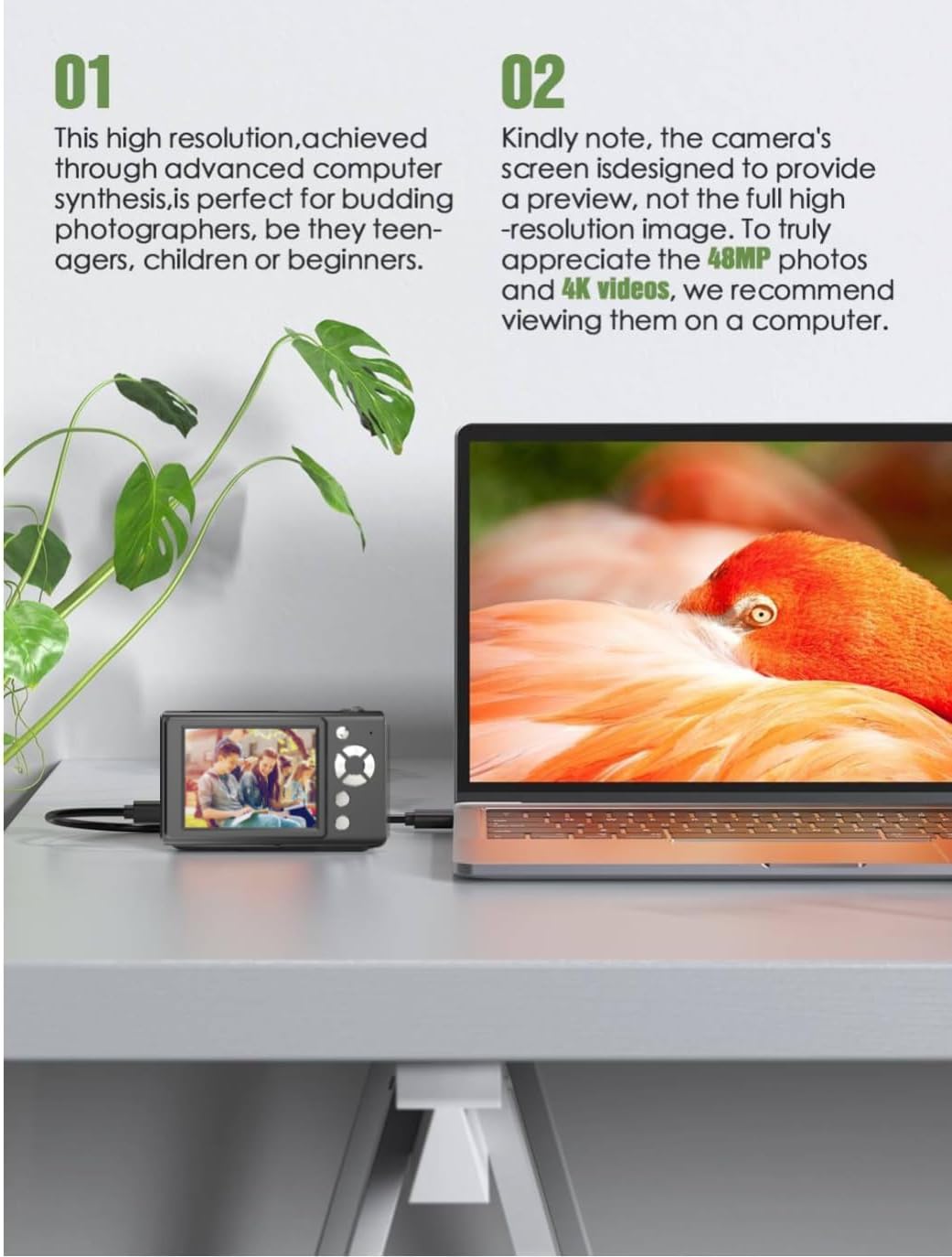
The Andoer H12 is a compact digital point-and-shoot camera featuring 1080P video recording, 48MP photo resolution, 16x digital zoom, autofocus, and an anti-shake function. It is designed for ease of use, making it suitable for various users.
ເນື້ອໃນຊຸດ
ກະລຸນາກວດເບິ່ງເນື້ອໃນຂອງແພັກເກັດໃນເວລາທີ່ unboxing ເພື່ອຮັບປະກັນວ່າລາຍການທັງຫມົດແມ່ນມີຢູ່:
- 1 x Andoer Digital Camera H12
- ສາຍ USB 1 ເສັ້ນ (ປະເພດ-C)
- 1 x ສາຍແຂນ
- ໜ່ວຍ ຄວາມ ຈຳ 1 x 32GB
- 1 x ເຄື່ອງອ່ານບັດ
- 1 x ຄູ່ມືຜູ້ໃຊ້
ຕັ້ງຄ່າ
1. ການສາກແບັດເຕີຣີ
The camera is equipped with a built-in 3.7V 700mAh lithium battery. Before first use, fully charge the battery.
- Connect the included Type-C USB cable to the camera's USB port.
- ເຊື່ອມຕໍ່ອີກສົ້ນຂອງສາຍ USB ກັບອະແດັບເຕີໄຟ USB (ບໍ່ລວມ) ຫຼືພອດ USB ຂອງຄອມພິວເຕີ.
- The charging indicator light will illuminate. Once charging is complete, the indicator light will change or turn off.
ໝາຍເຫດ: A full charge typically takes approximately 2-3 hours. Do not use the camera while it is charging.
2. ການໃສ່ແຜ່ນ Memory
The camera supports TF (MicroSD) cards up to 128GB. A 32GB memory card is included in the package.
- ຊອກຫາຊ່ອງໃສ່ກາດຫນ່ວຍຄວາມຈໍາຢູ່ດ້ານຂ້າງຂອງກ້ອງຖ່າຍຮູບ.
- Gently insert the TF card into the slot with the metal contacts facing the front of the camera until it clicks into place.
- ເພື່ອເອົາບັດອອກ, ຄ່ອຍໆຍູ້ມັນເຂົ້າໄປອີກຈົນກວ່າມັນຈະງໍອອກມາ.

3. ຕິດສາຍແຂນ
Attach the included wrist strap to the camera for added security and to prevent accidental drops.
- Thread the thin loop of the wrist strap through the strap eyelet on the camera body.
- Pass the larger end of the strap through the thin loop and pull tight to secure it.
ຄໍາແນະນໍາການດໍາເນີນງານ
1. ເປີດ/ປິດ
- ເພື່ອເປີດເຄື່ອງ, ກົດປຸ່ມເປີດປິດຄ້າງໄວ້ຈົນກວ່າໜ້າຈໍຈະສະຫວ່າງຂຶ້ນ.
- ເພື່ອປິດເຄື່ອງ, ໃຫ້ກົດປຸ່ມເປີດປິດຄ້າງໄວ້ອີກຄັ້ງຈົນກວ່າໜ້າຈໍຈະປິດ.
- The camera features an auto power-off function (off/3 mins/5 mins) which can be configured in the settings.
2. ຖ່າຍຮູບ
- ເປີດກ້ອງຖ່າຍຮູບ. ໂດຍປົກກະຕິແລ້ວ ກ້ອງຈະເລີ່ມໃນໂໝດຮູບ.
- Frame your shot using the 2.8-inch IPS display.
- Press the shutter button halfway down to activate autofocus. The camera will recognize and track subjects.
- Once focus is achieved (indicated by a green frame), press the shutter button fully to take the picture.

3. ການບັນທຶກວິດີໂອ
- Switch to video mode (refer to the camera's on-screen interface for the mode switch button).
- Press the shutter button to start recording. A red indicator or timer will appear on the screen.
- ກົດປຸ່ມ shutter ອີກເທື່ອຫນຶ່ງເພື່ອຢຸດການບັນທຶກ.
The camera supports 1080P and 720P video resolutions in AVI format. Loop recording can be set for 3, 5, or 10 minutes.
4. ຟັງຊັນຊູມ
Use the zoom buttons (usually marked 'W' for Wide and 'T' for Telephoto) to adjust the 16x digital zoom. This allows you to magnify distant subjects.

5. ໄຟ LED ຕື່ມ
The camera features a built-in ring LED fill light with three lighting modes to assist in low-light conditions.
- ແສງສີຂາວ: Bright, even, and soft illumination.
- ແສງສີຂາວອົບອຸ່ນ: Pure natural light, soft and comfortable.
- ແສງສີເຫຼືອງ: Warm color adjustment for a warm atmosphere.
Access and cycle through these modes via the camera's menu or a dedicated button (refer to the on-screen interface).

6. ຫນ້າທີ່ອື່ນໆ
- ຈັບເວລາເຊວຟີ: Options for off, 2s, 5s, or 10s delay before taking a photo.
- ການຍິງຢ່າງຕໍ່ເນື່ອງ: Capture a series of photos rapidly.
- ຕ້ານການສັ່ນສະເທືອນ: ຊ່ວຍຫຼຸດຜ່ອນຄວາມມົວທີ່ເກີດຈາກການເຄື່ອນໄຫວຂອງກ້ອງຖ່າຍຮູບ.
- ຜົນກະທົບການກັ່ນຕອງ: Various built-in filters to enhance your photos.
- ເກມ: Includes 4 simple games for entertainment.
- ການຫຼິ້ນ MP3: Download MP3 music to the memory card and play it through the camera.

ບໍາລຸງຮັກສາ
- ທໍາຄວາມສະອາດຮ່າງກາຍກ້ອງຖ່າຍຮູບ: ໃຊ້ຜ້າປຽກແຫ້ງເພື່ອເຊັດຕົວກ້ອງ. ສໍາລັບຝຸ່ນ stubborn, ເລັກນ້ອຍ dampen ຜ້າທີ່ມີນ້ໍາແລະຫຼັງຈາກນັ້ນເຊັດໃຫ້ແຫ້ງ. ຫຼີກເວັ້ນການນໍາໃຊ້ເຄື່ອງເຮັດຄວາມສະອາດສານເຄມີ.
- ການທໍາຄວາມສະອາດເລນແລະຫນ້າຈໍ: Use a specialized lens cleaning cloth or brush to gently remove dust and smudges. Do not use abrasive materials or excessive force.
- ການເກັບຮັກສາ: When not in use for extended periods, store the camera in a cool, dry place away from direct sunlight and extreme temperatures. Remove the memory card if not in use.
- ການດູແລຫມໍ້ໄຟ: Avoid fully discharging the battery frequently. Charge the battery regularly, even if the camera is not in use, to maintain battery health.
- ຄວາມຕ້ານທານນ້ໍາ: ກ້ອງນີ້ແມ່ນ ບໍ່ທົນທານຕໍ່ນ້ໍາຫຼີກລ່ຽງການສຳຜັດກັບນ້ຳ, ຝົນ ຫຼື ຄວາມຊຸ່ມຊື່ນສູງ.
ການແກ້ໄຂບັນຫາ
| ບັນຫາ | ສາເຫດທີ່ເປັນໄປໄດ້ | ການແກ້ໄຂ |
|---|---|---|
| ກ້ອງຖ່າຍຮູບບໍ່ເປີດ. | ແບັດເຕີຣີໝົດ ຫຼືບໍ່ໄດ້ສາກ. | Charge the camera battery fully using the provided USB cable. |
| ບໍ່ສາມາດຖ່າຍຮູບ/ບັນທຶກວິດີໂອໄດ້. | Memory card is full, not inserted correctly, or corrupted. | Check if the memory card is inserted correctly. Delete unnecessary files or replace the memory card. Format the card if necessary (this will erase all data). |
| ຮູບພາບແມ່ນມົວ. | Autofocus failed, camera shake, or dirty lens. | Ensure autofocus is engaged. Hold the camera steady or use the anti-shake function. Clean the lens with a soft cloth. |
| ໜ້າຈໍຫວ່າງເປົ່າ ຫຼື ຈຶ້ງ. | System error or temporary malfunction. | Press and hold the power button for 10 seconds to force a shutdown, then restart the camera. If the issue persists, contact customer support. |
| ບໍ່ສາມາດໂອນຍ້າຍໄດ້ files ກັບຄອມພິວເຕີ. | Incorrect cable connection or driver issue. | Ensure the USB cable is securely connected. Try a different USB port or computer. Use the included card reader to transfer files ໂດຍກົງຈາກກາດຫນ່ວຍຄວາມຈໍາ. |
ຂໍ້ມູນຈໍາເພາະ
| ຄຸນສົມບັດ | ລາຍລະອຽດ |
|---|---|
| ຊື່ຕົວແບບ | H12 |
| ຈໍສະແດງຜົນ | 2.8 ນິ້ວ IPS LCD |
| ຄວາມລະອຽດຮູບ | Up to 48MP (48M, 40M, 24M, 20M, 18M, 16M, 12M, 10M, 8M, 5M, 3M, 2M, 1M) |
| ຮູບແບບຮູບພາບ | JPG |
| ຄວາມລະອຽດວິດີໂອ | 1080P, 720P |
| ຮູບແບບວິດີໂອ | AVI |
| ຊູມດິຈິຕອລ | 16X |
| ໂຟກັສອັດຕະໂນມັດ | Yes (Contrast Detection, 9 points) |
| ສະຖຽນລະພາບຮູບພາບ | Optical |
| ປະເພດເຊັນເຊີ | CMOS (1/4 ນິ້ວ) |
| ການເກັບຮັກສາ | TF card, max. 128GB (32GB included) |
| ແບັດເຕີຣີ | Built-in Lithium Battery (3.7V 700mAh) |
| ການໂຕ້ຕອບການສາກໄຟ | USB Type-C |
| ຈັບເວລາເຊວຟີ | Off/ 2s/ 5s/ 10s |
| ປິດເຄື່ອງອັດຕະໂນມັດ | Off/ 3 mins/ 5 mins |
| ການບັນທຶກ Loop | 3 mins/ 5 mins/ 10 mins |
| ຄຸນນະສົມບັດໃນຕົວ | LED Fill Light (3 modes), Filter Effects, 4 Games, MP3 Playback |
| ຂະຫນາດຜະລິດຕະພັນ | 103 x 31 x 65 ມມ |
| ນ້ຳໜັກສິນຄ້າ | 149g (camera body) / 260g (item weight including packaging/accessories) |
| ລະດັບຄວາມຕ້ານທານນ້ໍາ | ບໍ່ທົນທານຕໍ່ນ້ໍາ |
ຂໍ້ມູນການຮັບປະກັນ
The Andoer Digital Camera H12 comes with a ຮັບປະກັນ 1 ປີ ນັບຈາກວັນທີ່ຊື້. ການຮັບປະກັນນີ້ກວມເອົາຂໍ້ບົກພ່ອງຈາກການຜະລິດ ແລະ ການເຮັດວຽກຜິດປົກກະຕິພາຍໃຕ້ການນໍາໃຊ້ປົກກະຕິ. ມັນບໍ່ກວມເອົາຄວາມເສຍຫາຍທີ່ເກີດຈາກການໃຊ້ຜິດວິທີ, ອຸບັດຕິເຫດ, ການສ້ອມແປງທີ່ບໍ່ໄດ້ຮັບອະນຸຍາດ, ຫຼື ໄພພິບັດທາງທໍາມະຊາດ.
ກະລຸນາຮັກສາຫຼັກຖານການຊື້ຂອງທ່ານສໍາລັບການຮຽກຮ້ອງການຮັບປະກັນ.
ການຊ່ວຍເຫຼືອລູກຄ້າ
If you encounter any issues or have questions not covered in this manual, please contact Andoer customer support. You can typically find support contact information on the official Andoer webເວັບໄຊທ໌ຫຼືຜ່ານຮ້ານຂາຍຍ່ອຍຂອງທ່ານ.
ສໍາລັບການຊ່ວຍເຫຼືອເພີ່ມເຕີມ, ກະລຸນາໄປຢ້ຽມຢາມ ຮ້ານ Andoer ໃນ Amazon.