
Ergear EGESD7W-CA
ຄູ່ມືຜູ້ໃຊ້ໂຕະຢືນໄຟຟ້າ ErGear
Model: EGESD7W-CA | Brand: ErGear
ແນະນຳ
Thank you for choosing the ErGear Electric Standing Desk. This manual provides detailed instructions for assembly, operation, maintenance, and troubleshooting to ensure optimal performance and longevity of your desk. Please read this manual thoroughly before installation and use, and retain it for future reference.
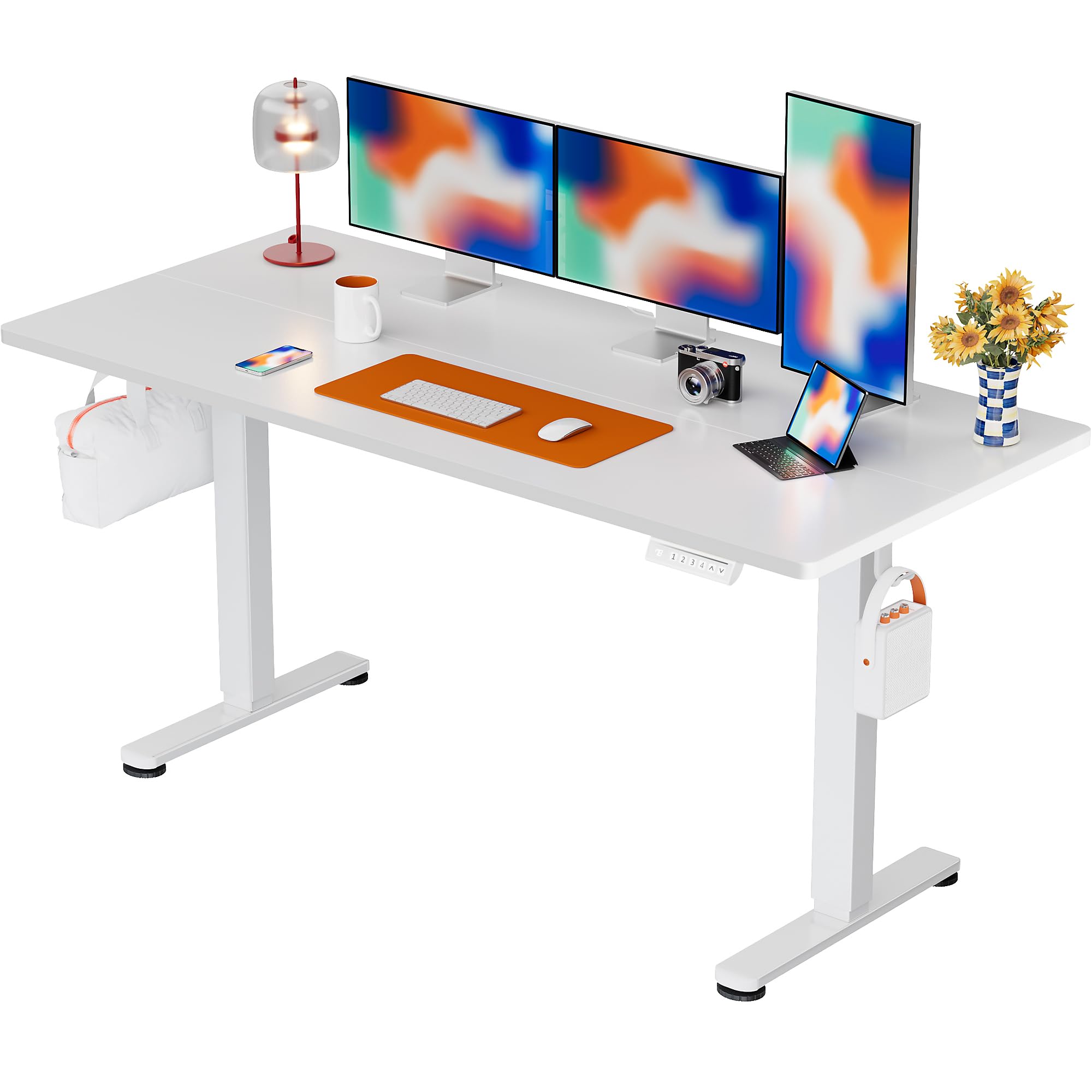
The ErGear Electric Standing Desk, 63x28 inch, in a white finish, featuring a spacious desktop and electric height adjustment capabilities.
ຂໍ້ມູນຄວາມປອດໄພ
- ໃຫ້ແນ່ໃຈວ່າອົງປະກອບທັງຫມົດມີຢູ່ແລະບໍ່ເສຍຫາຍກ່ອນທີ່ຈະປະກອບ. ຢ່າໃຊ້ຖ້າພາກສ່ວນໃດຂາດຫາຍໄປຫຼືມີຂໍ້ບົກພ່ອງ.
- ຮັກສາເດັກນ້ອຍ ແລະສັດລ້ຽງຢູ່ຫ່າງຈາກໂຕະເຮັດວຽກໃນລະຫວ່າງການເຮັດວຽກເພື່ອປ້ອງກັນການບາດເຈັບ.
- Do not overload the desk. The maximum weight recommendation is 176 pounds (80 kg).
- Ensure the power cord is not pinched or damaged. Connect to a grounded outlet.
- ຫຼີກເວັ້ນການວາງຂອງແຫຼວໂດຍກົງໃສ່ກະດານຄວບຄຸມຫຼືຢູ່ໃກ້ກັບອົງປະກອບໄຟຟ້າ.
- ກວດສອບສະກູ ແລະ ຈຸດເຊື່ອມຕໍ່ທັງໝົດເປັນປະຈຳເພື່ອຮັບປະກັນວ່າພວກມັນແໜ້ນ ແລະ ໝັ້ນຄົງ.
- ໂຕະນີ້ຖືກອອກແບບມາສໍາລັບການນໍາໃຊ້ພາຍໃນເຮືອນເທົ່ານັ້ນ.
ເນື້ອໃນຊຸດ
ກ່ອນທີ່ຈະເລີ່ມປະກອບ, ກະລຸນາກວດສອບວ່າອົງປະກອບທັງໝົດຕໍ່ໄປນີ້ໄດ້ລວມຢູ່ໃນຊຸດຂອງທ່ານແລ້ວ:
- Desktop Boards ×2
- Leg with Motor ×1
- ຂາ×1
- Leg Bases ×2
- Crossbar & Transmission Rod
- Controller & Power Cable
- ເຄື່ອງມືປະກອບ ແລະຮາດແວທີ່ຈຳເປັນທັງໝົດ
ຄໍາແນະນໍາຂອງສະພາແຫ່ງ
Follow these steps carefully to assemble your ErGear Electric Standing Desk. An assembly video is also provided for visual guidance.
Official ErGear Electric Standing Desk Assembly Video. This video demonstrates the step-by-step process for setting up your desk.
Step 1: Assemble the Desk Legs
Attach the leg bases to the desk legs using the provided screws. Ensure they are securely fastened.

The stable T-shaped desk legs provide a sturdy foundation for the electric standing desk.
Step 2: Attach Side Plates and Transmission Rod
Connect the side plates to the desk legs. Insert the transmission rod fully into the left leg and secure it. If the two desk legs are not at the same height, insert the rod into the left leg and turn to adjust.
Step 3: Assemble and Attach the Desktop
Place the two desktop boards together, aligning the dowels. Secure the desktop to the assembled frame using the provided screws and brackets. Ensure all connections are tight.
ຂັ້ນຕອນທີ 4: ເຊື່ອມຕໍ່ສາຍ
Connect the motor and control panel cables to the main control box. Ensure all connections are firm and correctly oriented.
Step 5: Install Cable Hole Covers
Place the cable hole covers into the designated openings on the desktop to manage wires neatly.

Ergonomic guidelines for using the standing desk, showing optimal monitor and arm positions for both sitting and standing.
ຄໍາແນະນໍາການດໍາເນີນງານ
ແຜງຄວບຄຸມຜ່ານview
The desk features an intuitive control panel with height adjustment buttons and memory presets.
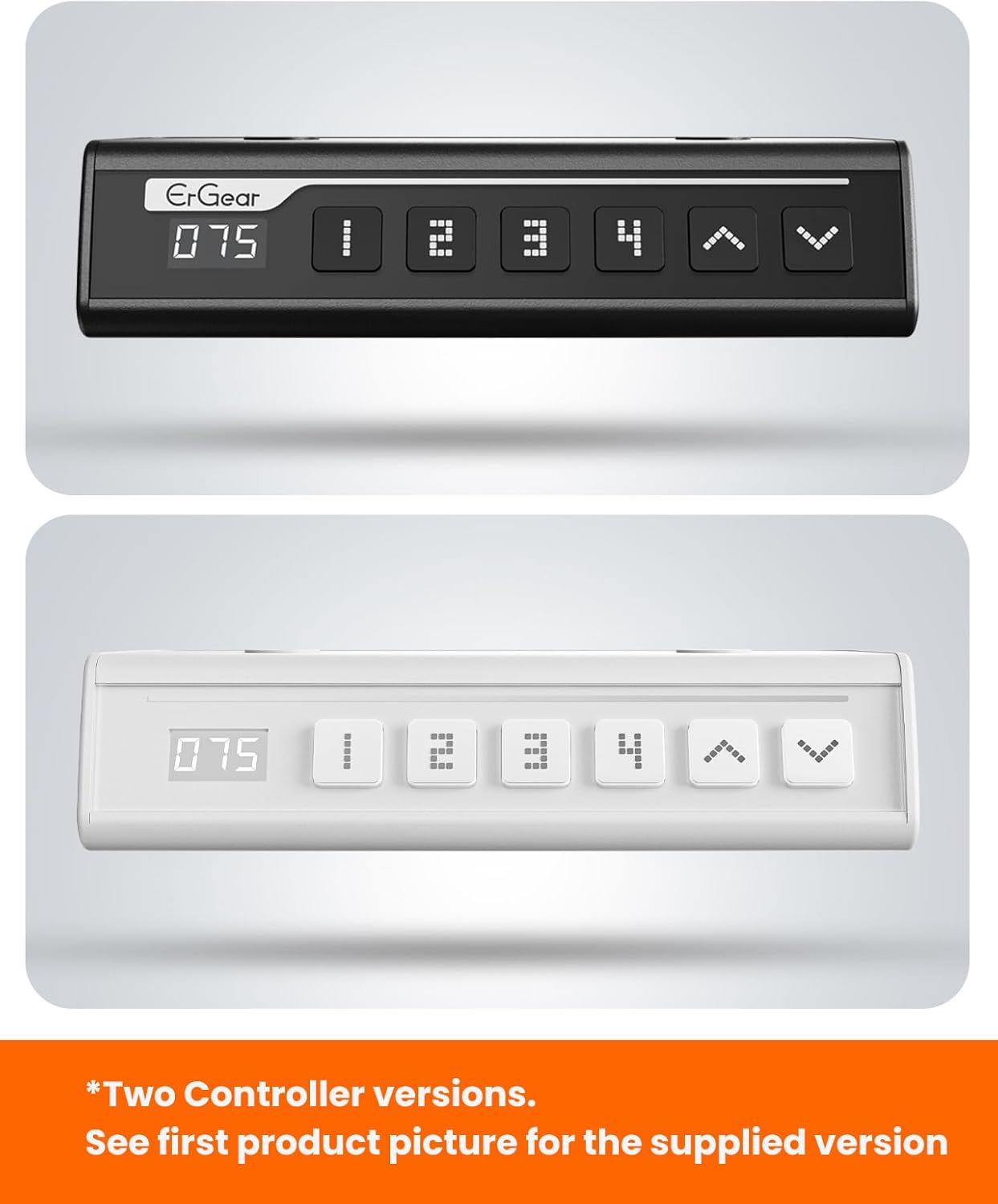
The ErGear control panel, available in two versions, features a digital height display and four programmable memory settings.
ການປັບຄວາມສູງ
- ໃຊ້ ຂຶ້ນ (^) ແລະ ລົງ (v) arrows to smoothly adjust the desk height between 28.35 inches and 46.46 inches.
- ປ່ອຍປຸ່ມຕາມຄວາມສູງທີ່ທ່ານຕ້ອງການ.
ຕັ້ງຄ່າຄວາມຈຳໄວ້ລ່ວງໜ້າ
ໂຕະຊ່ວຍໃຫ້ທ່ານສາມາດບັນທຶກລະດັບຄວາມສູງທີ່ຕ້ອງການໄດ້ສູງສຸດ 4 ລະດັບ.
- ປັບໂຕະກັບຄວາມສູງທີ່ທ່ານຕ້ອງການໂດຍໃຊ້ລູກສອນຂຶ້ນ/ລົງ.
- ກົດ M button (or equivalent memory set button). The display will flash.
- ກົດປຸ່ມໃດນຶ່ງທີ່ຕັ້ງໄວ້ເປັນຕົວເລກ (1, 2, 3, ຫຼື 4) ພາຍໃນ 3 ວິນາທີເພື່ອບັນທຶກຄວາມສູງປັດຈຸບັນໄວ້ໃນຄ່າທີ່ກຳນົດໄວ້ລ່ວງໜ້ານັ້ນ.
- ເພື່ອເອີ້ນຄວາມສູງທີ່ບັນທຶກໄວ້, ພຽງແຕ່ກົດປຸ່ມທີ່ກຳນົດໄວ້ລ່ວງໜ້າທີ່ມີຕົວເລກທີ່ສອດຄ້ອງກັນ. ໂຕະຈະຍ້າຍໄປທີ່ຕຳແໜ່ງທີ່ບັນທຶກໄວ້ໂດຍອັດຕະໂນມັດ.
This video demonstrates the smooth and quiet operation of the ErGear Electric Standing Desk, showcasing its height adjustment and memory preset features.
ບໍາລຸງຮັກສາ
- ທໍາຄວາມສະອາດ: ເຊັດ desktop ແລະກອບດ້ວຍຜ້າອ່ອນ, damp ຜ້າ. ຫຼີກເວັ້ນການສານເຄມີທີ່ຮຸນແຮງຫຼືເຄື່ອງເຮັດຄວາມສະອາດຂັດ.
- ການກວດກາ: Periodically check all screws and connections for tightness. Re-tighten if necessary.
- ການຄຸ້ມຄອງສາຍໄຟ: Ensure cables are neatly organized and not tangled or pinched to prevent damage.
ການແກ້ໄຂບັນຫາ
If you encounter any issues with your ErGear Electric Standing Desk, please refer to the following common problems and solutions:
| ບັນຫາ | ສາເຫດທີ່ເປັນໄປໄດ້ | ການແກ້ໄຂ |
|---|---|---|
| ໂຕະບໍ່ເຄື່ອນຍ້າຍ | Power cable disconnected, motor error, overloaded desk. | Check power connections. Unplug for 30 seconds and plug back in. Reduce weight on the desk. |
| ຄວາມສູງບໍ່ເທົ່າກັນ | Transmission rod not fully inserted or adjusted. | Refer to Step 2 of assembly to ensure the transmission rod is correctly installed and adjusted. |
| ສິ່ງລົບກວນໃນລະຫວ່າງການປະຕິບັດງານ | Normal operation sound, loose screws. | A slight motor sound is normal. Check and tighten any loose screws on the frame. |
| ຄ່າທີ່ຕັ້ງໄວ້ລ່ວງໜ້າຂອງໜ່ວຍຄວາມຈຳບໍ່ເຮັດວຽກ | ຂັ້ນຕອນການປະຢັດບໍ່ຖືກຕ້ອງ. | Follow the memory preset instructions carefully (press M, then the number within 3 seconds). |
ຂໍ້ມູນຈໍາເພາະ
| ຄຸນສົມບັດ | ລາຍລະອຽດ |
|---|---|
| ຍີ່ຫໍ້ | ErGear |
| ໝາຍເລກຕົວແບບ | EGESD7W-CA |
| ການອອກແບບໂຕະ | ໂຕະຢືນ |
| ຮູບຮ່າງ | ຮູບສີ່ຫລ່ຽມ |
| ຂະໜາດສິນຄ້າ (ກວ້າງ x ຍາວ x ສູງ) | 71.1D x 160W x 118H ຊັງຕີແມັດ |
| ຂະໜາດ | 63*28ນິ້ວ |
| ສີ | ສີຂາວ |
| ຄວາມສູງຕໍາ່ສຸດທີ່ | 28.35 ນິ້ວ |
| ຄວາມສູງສູງສຸດ | 46.46 ນິ້ວ |
| ຄວາມໜາຂອງໂຕະ | 1.5 ຊັງຕີແມັດ |
| ວັດສະດຸພື້ນຖານ | ເຫຼັກໂລຫະປະສົມ |
| ປະເພດວັດສະດຸສູງສຸດ | Engineered Wood (Walnut Wood finish) |
| ຄຸນນະສົມບັດພິເສດ | Adjustable Height, Electric, Ergonomic |
| ຄໍາແນະນໍານ້ໍາຫນັກສູງສຸດ | 176 ປອນ (80 ກິໂລ) |
| ຕ້ອງການສະພາແຫ່ງ | ແມ່ນແລ້ວ (ລວມທັງເຄື່ອງມືປະກອບທັງໝົດ) |
ການຮັບປະກັນແລະການສະຫນັບສະຫນູນ
ErGear is committed to providing high-quality products and customer satisfaction. This product comes with:
- ການປົກປ້ອງ 5 ປີ on the desktop and desk frame.
- ການປົກປ້ອງ 2 ປີ on motors and electrical components.
For any questions, concerns, or warranty claims, please contact ErGear customer support. You can typically find contact information on the product packaging or the official ErGear website. Please have your model number (EGESD7W-CA) and purchase details ready when contacting support.

The ErGear Electric Standing Desk seamlessly integrates into various home office environments.
Ask a question about this manual
Ask about setup, troubleshooting, compatibility, parts, safety, or missing instructions. Manuals+ will review the question and use this page’s manual context to help answer it.