
ແນະນຳ
Thank you for choosing the Phomemo M836 A4 Portable Thermal Printer. This device offers convenient, inkless printing for various document types, making it ideal for business, travel, and personal use. This manual will guide you through the setup, operation, and maintenance of your printer to ensure optimal performance.
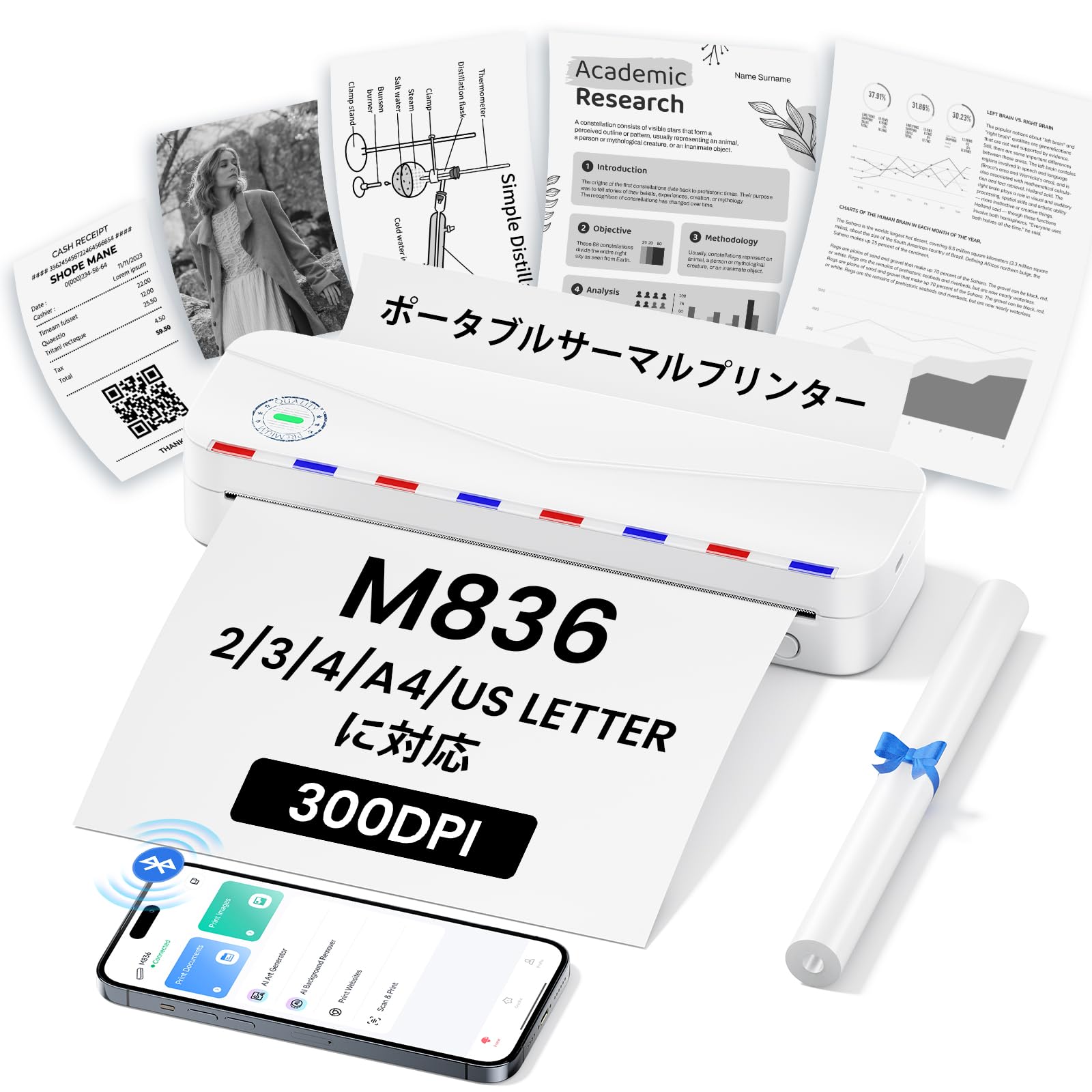
Image: The Phomemo M836 A4 Portable Thermal Printer, showcasinການອອກແບບທີ່ກະທັດຮັດ ແລະ ງ່າຍຕໍ່ການພົກພາ.
ສິນຄ້າເກີນview
ຄຸນນະສົມບັດທີ່ສໍາຄັນ
- Inkless ການພິມຄວາມຮ້ອນ: Utilizes advanced thermal printing technology, eliminating the need for ink cartridges or toner.
- ກະທັດຮັດ ແລະ ແບບພົກພາ: Weighing approximately 750g, it is designed for easy transport in a bag, perfect for on-the-go printing.
- ຮອງຮັບເຈ້ຍຫຼາຍຂະໜາດ: Compatible with A4 (8.27 x 11.69 inches) and other thermal paper sizes including 53mm, 80mm, and 110mm. Supports standard thermal sheets, roll paper, and fanfold thermal paper.
- ຄວາມລະອຽດສູງ: Delivers clear and vivid prints at 304dpi resolution.
- ຄວາມເຂົ້າກັນໄດ້ຢ່າງກວ້າງຂວາງ: Connects via Bluetooth to iPhones, Android phones, and iPads, and via USB cable to laptops and computers (Windows, macOS).
- ແບດເຕີຣີທີ່ຍາວນານ: Equipped with an upgraded 2600mAh battery, ensuring extended use throughout the day.
- ການພິມອະເນກປະສົງ: Capable of printing PDF, Word, image (JPG), web pages, TXT, office documents, receipts, contracts, resumes, invoices, drawings, and school notes.

Image: The Phomemo M836 printer highlighting its compact dimensions (264mm length, 78mm width, 45mm height) and light weight (715g).

Image: The printer demonstrating compatibility with single sheets, fanfold paper, and roll paper. Note: Only thermal paper is supported, not ordinary copy paper.
ຄໍາແນະນໍາການຕິດຕັ້ງ
1. ການໂຫຼດເຈ້ຍຄວາມຮ້ອນ
- Open the paper cover of the printer.
- Insert the thermal paper with the printable side facing up. Ensure the paper is aligned correctly.
- Close the paper cover. The printer will automatically adjust the paper.

Image: Illustration of how to load thermal paper into the printer, showing the adjustable snaps for different paper widths.
2. ການເຊື່ອມຕໍ່ອຸປະກອນມືຖື (Bluetooth)
- Download the "Phomemo" app from the Apple App Store or Google Play Store.
- Turn on your mobile phone's Bluetooth.
- Press and hold the power button on the M836 printer to turn it on.
- Open the "Phomemo" app and connect to the printer via Bluetooth within the app.

Image: Step-by-step guide for connecting the Phomemo M836 to a smartphone via the Phomemo app and Bluetooth.
3. ການເຊື່ອມຕໍ່ຄອມພິວເຕີ (USB)
- Turn on the printer by pressing and holding the power button. Ensure thermal paper is loaded.
- Connect the printer to your computer using the provided Type-C USB cable.
- Download and install the printer driver from M836.phomemo.com.
- After driver installation, select "[M836] Printer" from your computer's print options to begin printing.

Image: Instructions for connecting the Phomemo M836 to a PC via USB, including driver download and print selection.
ຄໍາແນະນໍາການດໍາເນີນງານ
General Printing Steps
- Ensure the printer is powered on and connected to your device (mobile or PC) as described in the Setup section.
- ເປີດເອກະສານ ຫຼືຮູບພາບທີ່ທ່ານຕ້ອງການພິມໃນອຸປະກອນຂອງທ່ານ.
- Initiate the print function from your application (e.g., "Print" in the Phomemo app, or "File" > "Print" on PC).
- Select the "M836 Printer" from the list of available printers.
- Adjust print settings such as paper size, orientation, and number of copies as needed.
- Confirm and send the print job to the printer.

Image: The Phomemo app interface, showing options to print various file types like Word, TXT, PDF, Excel, Web pages, and images, along with scanning functionality.
ບໍາລຸງຮັກສາ
ການເຮັດຄວາມສະອາດຫົວເຄື່ອງພິມ
- ປິດເຄື່ອງພິມ ແລະ ຖອດມັນອອກຈາກແຫຼ່ງພະລັງງານໃດໆ.
- ເປີດຝາເຈ້ຍ.
- ເຊັດຫົວພິມຄວາມຮ້ອນດ້ວຍສຳລີຄ່ອຍໆ.ampປະກອບດ້ວຍເຫຼົ້າ isopropyl.
- ປ່ອຍໃຫ້ຫົວພິມແຫ້ງໝົດກ່ອນທີ່ຈະປິດຝາປິດ ແລະ ສືບຕໍ່ນຳໃຊ້.
- Do not touch the print head with bare hands to avoid damage or residue transfer.
ການດູແລຫມໍ້ໄຟ
- Charge the printer regularly, especially if it will not be used for an extended period, to maintain battery health.
- Use the provided Type-C USB cable for charging.
- Avoid exposing the printer to extreme temperatures, which can affect battery life.
ການແກ້ໄຂບັນຫາ
| ບັນຫາ | ສາເຫດທີ່ເປັນໄປໄດ້ | ການແກ້ໄຂ |
|---|---|---|
| ເຄື່ອງພິມເປີດບໍ່ໄດ້. | ບັນຫາແບັດເຕີຣີ ຫຼື ພະລັງງານຕໍ່າ. | Charge the printer using the Type-C USB cable. Ensure the power adapter is working. |
| ບໍ່ສາມາດເຊື່ອມຕໍ່ຜ່ານ Bluetooth ໄດ້. | Bluetooth is off, incorrect pairing, or app issue. | Ensure Bluetooth is enabled on your device. Restart the printer and your device. Try pairing again through the Phomemo app. |
| Poor print quality (faint or blank). | Incorrect paper loading, non-thermal paper, or dirty print head. | Ensure thermal paper is loaded correctly with the printable side up. Verify you are using thermal paper. Clean the print head as described in the Maintenance section. |
| Printer not recognized by PC. | Driver not installed or USB cable issue. | Install the correct driver from M836.phomemo.com. Try a different USB port or cable. |
| ເຈ້ຍຕິດ. | ການໃສ່ເຈ້ຍບໍ່ຖືກຕ້ອງ ຫຼື ມີວັດຖຸແປກປອມ. | Turn off the printer. Carefully open the paper cover and remove any jammed paper or obstructions. Reload paper correctly. |
ຂໍ້ມູນຈໍາເພາະ
| ຄຸນສົມບັດ | ລາຍລະອຽດ |
|---|---|
| ຍີ່ຫໍ້ | Phomemo |
| ຊື່ຕົວແບບ | M836 |
| ເຕັກໂນໂລຊີການເຊື່ອມຕໍ່ | Bluetooth, USB |
| ເຕັກໂນໂລຊີການພິມ | ຄວາມຮ້ອນ |
| ຄຸນນະສົມບັດພິເສດ | ແບບພົກພາ |
| ສີ | ສີຂາວ |
| ຜົນຜະລິດເຄື່ອງພິມ | ໂມໂນໂຄມ |
| ຄວາມໄວການພິມສູງສຸດ (ໂມໂນໂຄມ) | 20 ໜ້າ/ນາທີ |
| ຂະໜາດສິນຄ້າ (ກວ້າງ x ຍາວ x ສູງ) | 210mm x 47mm x 65mm |
| Max Media (Paper) Size | 8.5 x 11 ນິ້ວ (A4) |
| ປະເພດສື່ສິ່ງພິມ | ເຈ້ຍຄວາມຮ້ອນ |
| ຟັງຊັນເຄື່ອງພິມເພີ່ມເຕີມ | ພິມເທົ່ານັ້ນ |
| ຄວາມລະອຽດ | 304 dpi |
| ຄວາມອາດສາມາດຂອງແຜ່ນປ້ອນຂໍ້ມູນສູງສຸດ | 10 ແຜ່ນ |
| ການໂຕ້ຕອບຮາດແວ | USB-C |
| ການພິມສອງຊັ້ນ | ບໍ່ (ງ່າຍ) |
| ຄວາມອາດສາມາດຫມໍ້ໄຟ | 2600mAh |
ການຮັບປະກັນແລະການສະຫນັບສະຫນູນ
The Phomemo M836 A4 Portable Thermal Printer comes with a ການຮັບປະກັນຂອງຜູ້ຜະລິດ 1 ປີ ຈາກວັນທີ່ຊື້. ການຮັບປະກັນນີ້ກວມເອົາຂໍ້ບົກພ່ອງຂອງວັດສະດຸແລະການເຮັດວຽກພາຍໃຕ້ການນໍາໃຊ້ປົກກະຕິ.
For technical support, warranty claims, or any questions regarding your product, please contact Phomemo customer service through their official website or the retailer where you purchased the product. Please have your model number (M836) and proof of purchase ready when contacting support.