
1. ບົດແນະນຳ
The MiBOXER K3S Rotating Wheel Remote provides intuitive control over LED lighting systems, allowing for precise adjustment of both color temperature and brightness. Utilizing 2.4GHz wireless technology, this remote ensures stable and responsive operation. Its ergonomic design facilitates easy handling and accurate adjustments, making it suitable for various lighting applications.
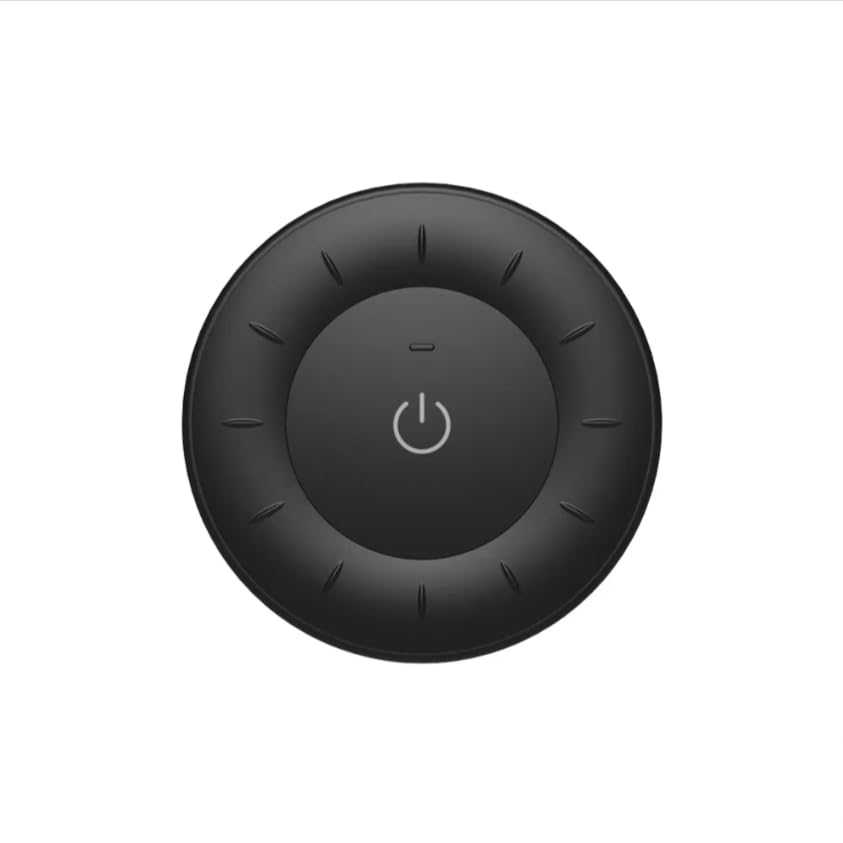
Image 1.1: MiBOXER K3S Rotating Wheel Remote (Black)
This image displays the MiBOXER K3S remote control in black, highlighting its circular design and central power button.
2. ຄຸນລັກສະນະຂອງຜະລິດຕະພັນ
- Adjustable Brightness & Color Temperature: Allows fine-tuning of lighting intensity and warmth.
- Rotating Wheel Design: Provides smooth and intuitive control for easy adjustments.
- ເຕັກໂນໂລຊີໄຮ້ສາຍ 2.4GHz: Ensures stable, interference-free connectivity with compatible devices.
- ການອອກແບບ Ergonomic: ສະດວກສະບາຍໃນການຖື ແລະ ໃຊ້ງານ.
- Multi-Environment Compatibility: Suitable for various settings including homes, offices, and commercial spaces.
3. ເນື້ອໃນຊຸດ
ເມື່ອເປີດແພັກເກັດ, ໃຫ້ກວດເບິ່ງວ່າອົງປະກອບທັງໝົດມີຢູ່:
- ຣີໂມດລໍ້ໝູນ MiBOXER K3S
- ຄູ່ມືຜູ້ໃຊ້
Note: CR2032 battery is purchased separately and is not included in the package.
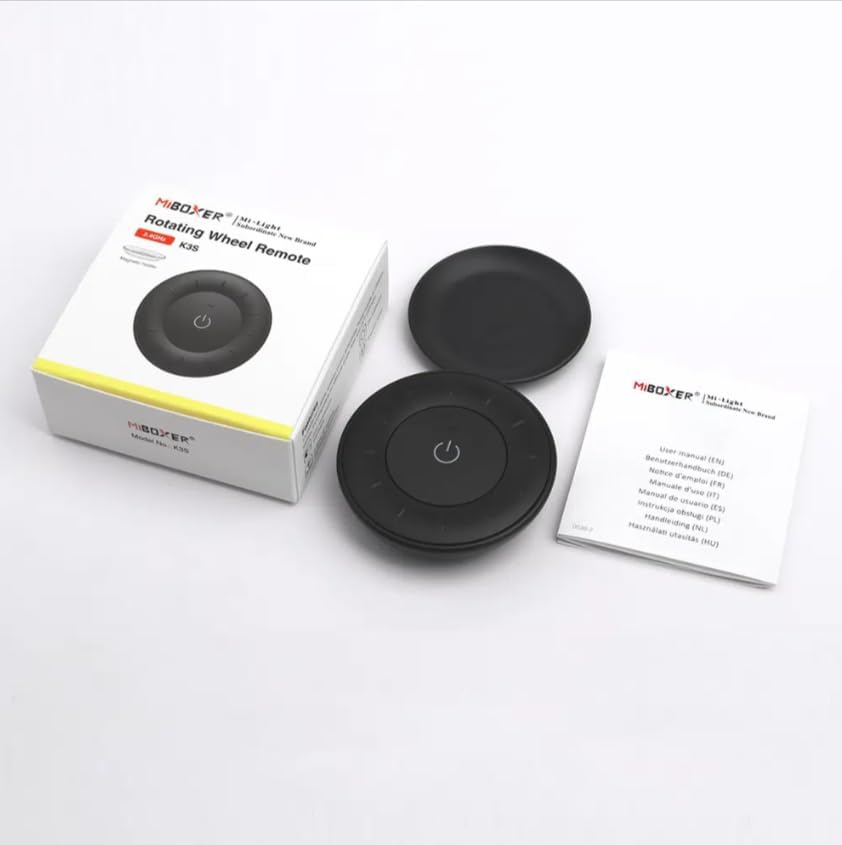
ຮູບພາບ 3.1: ເນື້ອໃນຊຸດview
This image shows the MiBOXER K3S remote, its packaging box, and the included user manual, laid out on a surface.
4. ແຜນວາດຜະລິດຕະພັນ

Image 4.1: Remote Control Components
This diagram illustrates the main components of the MiBOXER K3S remote, including the ON/OFF button, brightness/color temperature rotating wheel, and the battery compartment with Link/Unlink button.
- ປຸ່ມເປີດ/ປິດ: Central button to power the connected light on or off.
- Brightness / Color Temperature Rotating Wheel: The outer ring used to adjust brightness by default. Long press the ON/OFF button for 3 seconds to switch to color temperature adjustment mode.
- Link / Unlink Button: Located inside the battery compartment, used for pairing the remote with compatible lighting devices.
5. ຕັ້ງຄ່າ
5.1 ການຕິດຕັ້ງຫມໍ້ໄຟ
- ຊອກຫາຊ່ອງໃສ່ຫມໍ້ໄຟຢູ່ດ້ານຫຼັງຂອງການຄວບຄຸມໄລຍະໄກ.
- ເປີດຝາປິດຊ່ອງໃສ່ຫມໍ້ໄຟ.
- ໃສ່ແບັດ CR2032 ໜ່ວຍໜຶ່ງ, ຮັບປະກັນການຂົ້ວທີ່ຖືກຕ້ອງ (+/-).
- ປິດຝາປິດຊ່ອງໃສ່ຫມໍ້ໄຟຢ່າງປອດໄພ.
Image 5.1: Battery Installation Area
This image shows the underside of the remote, indicating the location for the CR2032 battery and the Link/Unlink button.
5.2 Linking / Unlinking the Remote
The K3S remote uses 2.4GHz RF wireless technology to communicate with compatible MiBOXER lighting devices.
Linking Procedure:
- Ensure the light fixture you wish to control is powered off.
- Power on the light fixture.
- Within 3 seconds of powering on the light, press the "Link/Unlink" button (located inside the battery compartment) on the K3S remote ສາມເທື່ອ.
- The light should flash three times slowly, indicating successful linking.
Unlinking Procedure:
- Ensure the light fixture you wish to unlink is powered off.
- Power on the light fixture.
- Within 3 seconds of powering on the light, press the "Link/Unlink" button (located inside the battery compartment) on the K3S remote ຫ້າເທື່ອ.
- The light should flash ten times quickly, indicating successful unlinking.
6. ຄໍາແນະນໍາການດໍາເນີນງານ
6.1 ເປີດ/ປິດ
- ກົດສູນກາງ ⏻ (ON/OFF) button once to turn the connected light on or off.
6.2 ການປັບຄວາມສະຫວ່າງ
- By default, rotating the outer wheel adjusts the brightness of the light.
- ໝຸນຕາມເຂັມໂມງເພື່ອເພີ່ມຄວາມສະຫວ່າງ.
- ໝຸນທວນເຂັມໂມງເພື່ອຫຼຸດຄວາມສະຫວ່າງ.
6.3 ການປັບອຸນຫະພູມສີ
- To switch to color temperature adjustment mode, ກົດຍາວ the central ⏻ (ON/OFF) button for 3 seconds.
- Once in color temperature mode, rotate the outer wheel to adjust the color temperature.
- Rotate clockwise for cooler (bluer) light.
- Rotate counter-clockwise for warmer (yellower) light.
- To switch back to brightness adjustment, long press the ⏻ (ON/OFF) button for another 3 seconds.
7. ຂໍ້ມູນຈໍາເພາະ
| ຊື່ຕົວແບບ | K3S |
| ຍີ່ຫໍ້ | MiBOXER |
| ເຕັກໂນໂລຊີການເຊື່ອມຕໍ່ | 2.4G RF Wireless |
| ປະເພດການຄວບຄຸມ | ຄວາມສະຫວ່າງ, ອຸນຫະພູມສີ |
| ຂອບເຂດສູງສຸດ | 30 ແມັດ |
| ປະເພດຫມໍ້ໄຟ | CR2032 (purchased separately) |
| ຂະໜາດ (ເສັ້ນຜ່າສູນກາງ x ສູງ) | Ø60mm x 15mm (approx.) |
| Weight (Gross Weight per box) | 0.05 KGS (approx.) |

Image 7.1: Remote Control Dimensions
This diagram provides the physical dimensions of the MiBOXER K3S remote, showing a diameter of 60mm and a thickness of 15mm (or 19.5mm with the base).
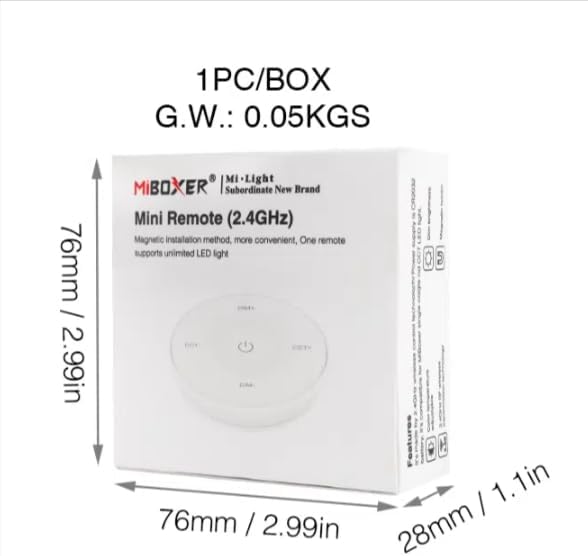
Image 7.2: Packaging Dimensions
This image displays the dimensions of the product packaging, indicating it is 76mm x 76mm x 28mm with a gross weight of 0.05 KGS.
8. ບໍາລຸງຮັກສາ
- ຮັກສາຣີໂໝດຄວບຄຸມໃຫ້ສະອາດໂດຍການເຊັດມັນດ້ວຍຜ້າອ່ອນແລະແຫ້ງ.
- ຫຼີກລ່ຽງການໃຫ້ຣີໂໝດຖືກຄວາມຊຸ່ມຊື່ນ, ອຸນຫະພູມທີ່ຮຸນແຮງ ຫຼື ແສງແດດໂດຍກົງ.
- If the remote is not used for an extended period, remove the battery to prevent leakage.
- Replace the battery when the remote's performance degrades or it stops responding.
9. ການແກ້ໄຂບັນຫາ
| ບັນຫາ | ສາເຫດທີ່ເປັນໄປໄດ້ | ການແກ້ໄຂ |
|---|---|---|
| ຣີໂດບໍ່ຕອບສະ ໜອງ | ແບັດເຕີຣີຕໍ່າ ຫຼືຕາຍ | ປ່ຽນແບັດ CR2032. |
| Light not linking | Incorrect linking procedure or light not compatible | Ensure the light is powered on within 3 seconds of pressing the link button. Verify light compatibility with MiBOXER 2.4G RF remotes. |
| ຂອບເຂດຈໍາກັດ | ຂັດຂວາງຫຼືແຊກແຊງ | Reduce distance between remote and light. Remove obstructions. Avoid areas with strong 2.4GHz interference. |
| Brightness/Color Temp adjustment not working | ຣີໂໝດຢູ່ໃນໂໝດຜິດ | Long press the ON/OFF button for 3 seconds to switch between brightness and color temperature adjustment modes. |
10. ການຮັບປະກັນແລະການສະຫນັບສະຫນູນ
The product comes with a manufacturer's warranty. For specific warranty details and duration, please refer to the documentation included with your purchase or contact MiBOXER customer support.
For technical support or inquiries, please visit the official MiBOXER webເວັບໄຊ ຫຼືຕິດຕໍ່ພະແນກບໍລິການລູກຄ້າຂອງເຂົາເຈົ້າ.
ຜູ້ຜະລິດ: Miboxer