
ແນະນຳ
Thank you for choosing the Parsonver 5ATM Waterproof Smart Watch. This manual provides essential information for setting up, operating, and maintaining your device. Please read it carefully to ensure proper use and to maximize the watch's features.

Image: The Parsonver 5ATM Waterproof Smart Watch, showcasing ການອອກແບບ sleek ຂອງຕົນ.
ຄູ່ມືການຕິດຕັ້ງ
1. ການສາກອຸປະກອນ
Before first use, fully charge your Parsonver Smart Watch. Connect the magnetic charging cable to the charging contacts on the back of the watch and plug the USB end into a standard USB power adapter (not included).
- ໂດຍປົກກະຕິການສາກເຕັມຈະໃຊ້ເວລາປະມານ 2 ຊົ່ວໂມງ.
- ຈໍສະແດງຜົນໂມງຈະສະແດງສະຖານະການສາກໄຟ.
2. ການດາວໂຫຼດແອັບ ແລະ ການຈັບຄູ່
To unlock all features, download the official Parsonver app on your smartphone.
- Scan the QR code provided in the watch's packaging or search for "Parsonver" in your smartphone's app store (iOS App Store or Google Play Store).
- ຕິດຕັ້ງແລະເປີດ app ໄດ້.
- ໃຫ້ແນ່ໃຈວ່າ Bluetooth ຖືກເປີດໃຊ້ຢູ່ໃນໂທລະສັບສະຫຼາດຂອງທ່ານ.
- In the app, follow the on-screen instructions to add your device. Select your Parsonver Smart Watch from the list of available devices.
- ຢືນຢັນຄຳຮ້ອງຂໍການຈັບຄູ່ຢູ່ໃນທັງໂມງ ແລະສະມາດໂຟນຂອງທ່ານ.
Note: If you have a 2-pack, repeat the pairing process for the second watch with the same or a different smartphone as desired.
3. ການຕັ້ງຄ່າເບື້ອງຕົ້ນ
After successful pairing, you can customize basic settings through the app, such as time format, unit preferences, and personal profile ຂໍ້ມູນ.
ຄໍາແນະນໍາການດໍາເນີນງານ
ການນໍາທາງພື້ນຖານ
- ໜ້າຈໍສຳຜັດ: ປັດຂຶ້ນ, ລົງ, ຊ້າຍ, ຫຼືຂວາເພື່ອນຳທາງຜ່ານເມນູ ແລະການແຈ້ງເຕືອນ. ແຕະເພື່ອເລືອກລາຍການ.
- ປຸ່ມດ້ານຂ້າງ: Typically, a short press returns to the previous screen or watch face. A long press may access power options or a quick menu. Refer to the watch's on-screen prompts for specific button functions.
Smart Calls & Notifications
Stay connected by receiving call, text, and app notifications directly on your wrist.
- ສາຍໂທເຂົ້າ: The watch will display caller ID. You can reject calls directly from the watch. Answering calls is not supported directly on the watch.
- ຂໍ້ຄວາມ: View SMS, emails, and alerts from apps like WhatsApp, LinkedIn, Instagram, ແລະ Twitter.
- ຕັ້ງຄ່າ: Enable desired notifications through the Parsonver app on your smartphone.
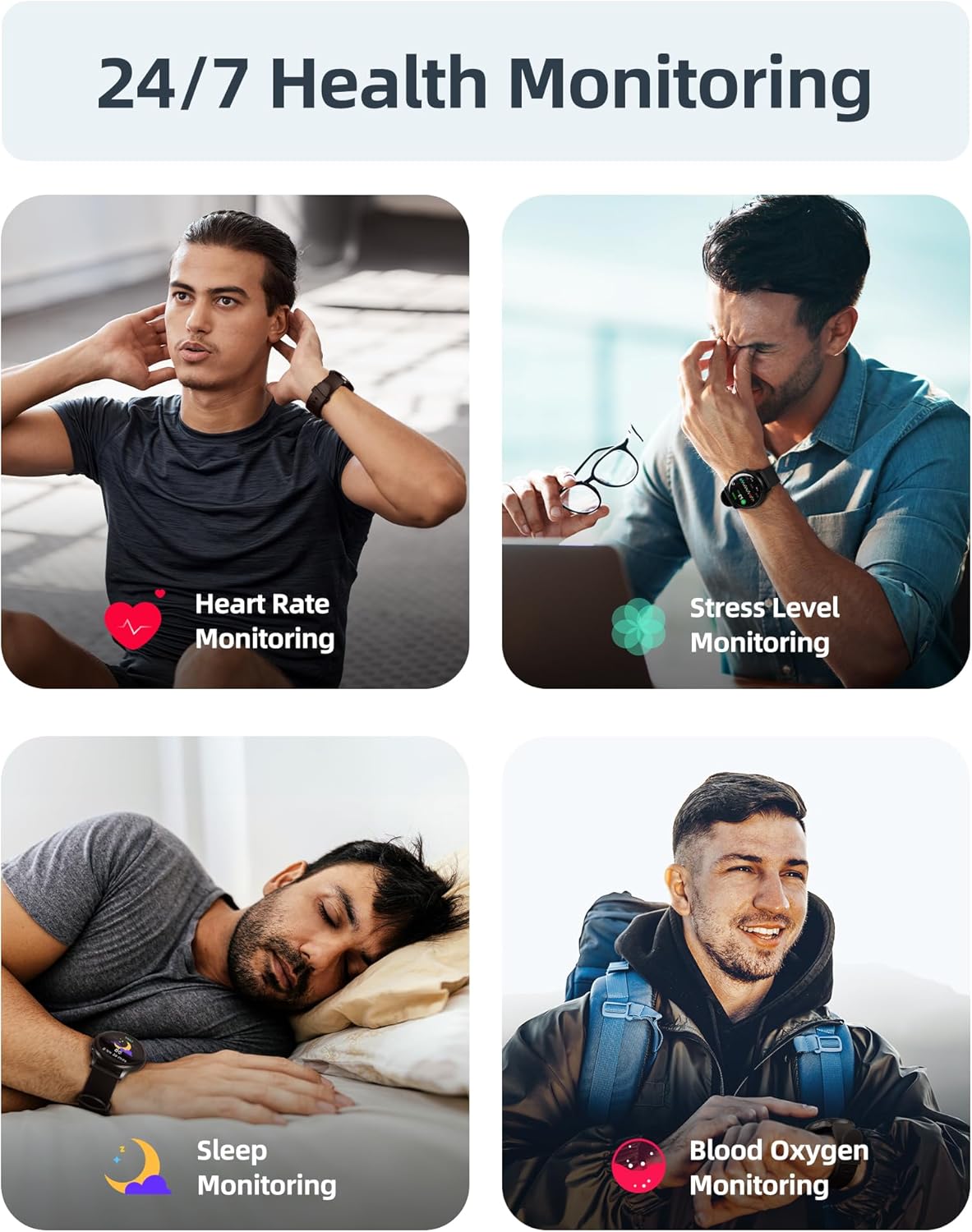
Image: A user interacting with the smartwatch to manage incoming calls and view ການແຈ້ງເຕືອນແອັບ.
ການຕິດຕາມສຸຂະພາບ 24/7
The watch continuously monitors various health metrics to help you stay informed about your well-being.
- ການກວດສອບອັດຕາການເຕັ້ນຫົວໃຈ: ຕິດຕາມອັດຕາການເຕັ້ນຂອງຫົວໃຈແບບເວລາຈິງຕະຫຼອດມື້.
- ການວັດແທກອົກຊີເຈນໃນເລືອດ (SpO2): On-demand or continuous blood oxygen level monitoring.
- ການວິເຄາະການນອນ: ຕິດຕາມການນອນ stages (ເລິກ, ແສງສະຫວ່າງ, REM) ແລະສະຫນອງຄວາມເຂົ້າໃຈກ່ຽວກັບຄຸນນະພາບການນອນ.
- ການຕິດຕາມລະດັບຄວາມຄຽດ: Helps identify periods of high stress.
- ການແຈ້ງເຕືອນການນັ່ງຢູ່เฉยๆ: ເຕືອນໃຫ້ທ່ານຍ້າຍຫຼັງຈາກໄລຍະເວລາທີ່ບໍ່ມີການເຄື່ອນໄຫວ.
- ການຕິດຕາມຮອບວຽນປະຈຳເດືອນ: Specialized tracking for female users.

Image: Visual representation of the smartwatch's health monitoring capabilities, including heart rate, stress, sleep, and blood oxygen tracking.
110+ Sports Modes & Fitness Tracking
Track your workouts with a wide range of sports modes, both indoors and outdoors.
- ການຕິດຕາມການເຄື່ອນໄຫວ: Monitors steps, calories burned, distance, and active time.
- ໂໝດທີ່ຮອງຮັບ: Includes walking, running, cycling, swimming, yoga, gym workouts, and many more.
- ຊິງຂໍ້ມູນ: All workout data is synced to the Parsonver app for detailed analysis and progress tracking.

Image: A person cycling while wearing the smartwatch, with an overlay showing different sports modes like treadmill, outdoor running, and yoga.
5ATM Waterproof & Swim Tracking
The Parsonver Smart Watch is rated 5ATM waterproof, suitable for swimming and daily water exposure up to 50 meters.
- Swimming Metrics: Automatically detects swim strokes (Butterfly, Backstroke, Breaststroke, Freestyle) and provides data on stroke count, stroke rate, and SWOLF score.
- ການນຳໃຊ້: Ideal for pool swimming and open water activities. Not suitable for diving or high-pressure water activities.
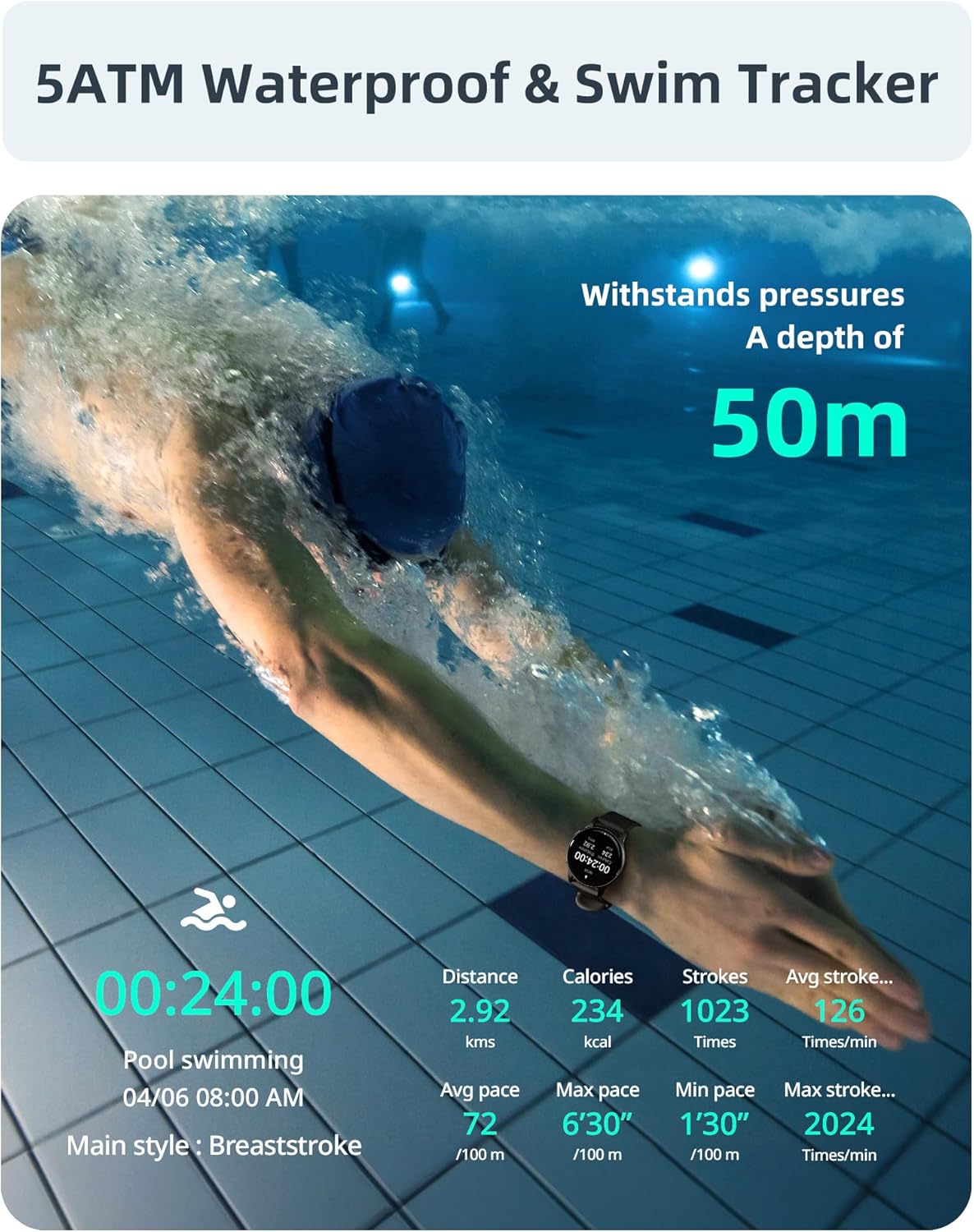
Image: A swimmer in a pool, with the smartwatch displaying swim tracking data such as distance, calories, strokes, and average pace.
ໃບ ໜ້າ ເບິ່ງທີ່ສາມາດປັບແຕ່ງໄດ້
Personalize your watch with over 200 customizable watch faces available through the Parsonver app.
- ການຄັດເລືອກ: Choose from a wide variety of built-in and dynamic watch faces.
- ການປັບແຕ່ງສ່ວນຕົວ: Upload your own photos to create unique watch faces.

Image: The smartwatch screen showing various customizable watch face options, including a photo of a family.
ການບໍາລຸງຮັກສາແລະການດູແລ
- ທໍາຄວາມສະອາດ: ເຮັດຄວາມສະອາດໂມງ ແລະສາຍຂອງທ່ານຢ່າງເປັນປະຈໍາດ້ວຍຜ້າອ່ອນ, ງamp ຜ້າ. ຫຼີກເວັ້ນການສານເຄມີທີ່ຮຸນແຮງຫຼືວັດສະດຸຂັດ.
- ການເປີດເຜີຍນ້ໍາ: While 5ATM waterproof, it is recommended to rinse the watch with fresh water after exposure to saltwater or chlorinated water to prevent corrosion. Dry thoroughly.
- ການດູແລສາຍ: The watch features an anti-allergic, soft, and comfortable strap. Ensure it is not too tight or too loose for optimal comfort and sensor accuracy.
- ການດູແລຫມໍ້ໄຟ: Avoid extreme temperatures. Do not fully discharge the battery for extended periods. Charge regularly to prolong battery life.
- ການເກັບຮັກສາ: ເກັບຮັກສາໂມງໄວ້ໃນບ່ອນທີ່ເຢັນ, ແຫ້ງເມື່ອບໍ່ໄດ້ໃຊ້.

Image: Close-up of the smartwatch, emphasizing its lightweight design (37g) and the anti-allergic, soft, and comfortable strap material.
ການແກ້ໄຂບັນຫາ
- ເບິ່ງບໍ່ໄດ້ເປີດ: ກວດໃຫ້ແນ່ໃຈວ່າໂມງຖືກສາກເຕັມແລ້ວ. ເຊື່ອມຕໍ່ມັນກັບເຄື່ອງສາກຢ່າງໜ້ອຍ 30 ນາທີ.
- Cannot Pair with Smartphone:
- ກວດໃຫ້ແນ່ໃຈວ່າ Bluetooth ເປີດຢູ່ໃນໂທລະສັບ ແລະໂມງຂອງທ່ານ.
- ໃຫ້ແນ່ໃຈວ່າໂມງຢູ່ໃນຂອບເຂດ Bluetooth ຂອງໂທລະສັບຂອງທ່ານ.
- ຣີສະຕາດທັງໂທລະສັບ ແລະໂມງຂອງເຈົ້າ.
- Try unpairing and re-pairing through the Parsonver app.
- ຂໍ້ມູນສຸຂະພາບບໍ່ຖືກຕ້ອງ:
- ໃຫ້ແນ່ໃຈວ່າໂມງຖືກໃສ່ຢູ່ໃນຂໍ້ມືຂອງເຈົ້າຢ່າງສະບາຍ, ແຕ່ບໍ່ແຫນ້ນເກີນໄປ.
- ເຮັດຄວາມສະອາດເຊັນເຊີຢູ່ດ້ານຫຼັງຂອງໂມງ.
- ຫຼີກເວັ້ນການເຄື່ອນໄຫວຫຼາຍເກີນໄປໃນລະຫວ່າງການວັດແທກ.
- ການແຈ້ງເຕືອນບໍ່ປາກົດ:
- Check notification settings in the Parsonver app.
- ໃຫ້ແນ່ໃຈວ່າການແຈ້ງເຕືອນແອັບຖືກເປີດໃຊ້ງານຢູ່ໃນການຕັ້ງຄ່າລະບົບຂອງໂທລະສັບຂອງທ່ານ.
- ກວດສອບວ່າໂມງເຊື່ອມຕໍ່ຜ່ານ Bluetooth.
- ປັບຄ່າໂຮງງານ: If issues persist, you may perform a factory reset via the watch's settings menu. This will erase all data on the watch and restore it to its original state.
ຂໍ້ມູນຈໍາເພາະ
| ຍີ່ຫໍ້ | Parsonver |
| ຕົວແບບ | Parsonver 5ATM Waterproof Smart Watch |
| ການຕໍ່ຕ້ານນ້ໍາ | 5ATM (ເຖິງ 50 ແມັດ) |
| ຈໍສະແດງຜົນ | ໜ້າຈໍ HD ຂະໜາດ 1.8 ນິ້ວ |
| ຄຸນນະສົມບັດພິເສດ | Heart Rate Monitor, Blood Oxygen Monitor, Sleep Tracker, Stress Monitor, 110+ Sports Modes, Smart Notifications |
| ຮູບຮ່າງ | ຮອບ |
| ນ້ຳໜັກ | 37g (approximate, watch body only) |
| ASIN | B0DH2P2SJP |
ການຮັບປະກັນແລະການສະຫນັບສະຫນູນ
For warranty information, please refer to the documentation included with your product or visit the official Parsonver website. If you encounter any issues or require technical assistance, please contact Parsonver customer support through their official channels.
ທ່ານສາມາດຊອກຫາລາຍລະອຽດການຕິດຕໍ່ຝ່າຍສະໜັບສະໜູນໄດ້ເລື້ອຍໆໃນ website or within the Parsonver application.