
ແນະນຳ
This manual provides detailed instructions for the safe and effective use of your Acouto F6 Three-Axis Handheld Stabilizer. Please read this manual thoroughly before operating the device and retain it for future reference.
The Acouto F6 is designed to provide enhanced stability for smartphone video recording, eliminating unwanted picture shake with its high-precision brushless motor and advanced anti-shake technology. It supports both horizontal and vertical shooting modes and offers intelligent tracking features for dynamic content creation.
ສ່ວນປະກອບຂອງຜະລິດຕະພັນ
Carefully unpack your Acouto F6 Stabilizer and ensure all components are present:
- Acouto F6 Three-Axis Handheld Stabilizer
- ຂາຕັ້ງມິນິ
- ສາຍສາກ USB
- ຄູ່ມືຜູ້ໃຊ້ (ເອກະສານນີ້)

Image: The Acouto F6 Three-Axis Handheld Stabilizer, mini tripod, USB charging cable, and a small instruction booklet.
ຄູ່ມືການຕິດຕັ້ງ
1. ການສາກໄຟ Stabilizer
Before first use, fully charge the stabilizer. Connect the provided USB charging cable to the charging port on the stabilizer and to a 5V USB power adapter (not included). The charging time is approximately 2.5 hours.
2. Attaching the Mini Tripod (Optional)
For stable standing, live broadcasting, or time-lapse photography, attach the mini tripod to the 1/4-inch screw hole located at the bottom of the stabilizer handle. Rotate clockwise until secure.
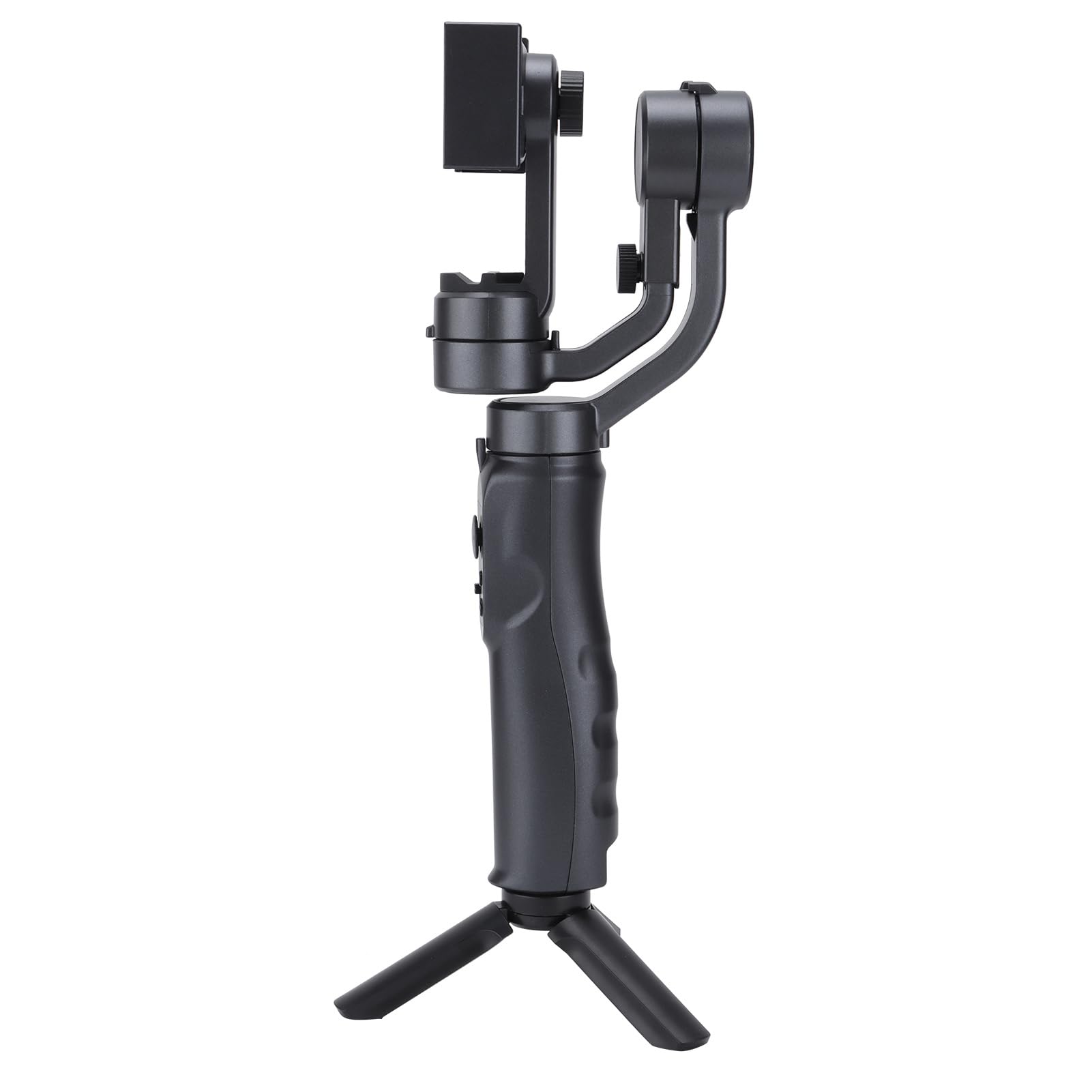
Image: The Acouto F6 Stabilizer shown upright with the mini tripod attached to its base.
3. ການຕິດຕັ້ງໂທລະສັບສະຫຼາດຂອງທ່ານ
- ຂະຫຍາຍຊ່ອງໂທລະສັບamp on the stabilizer.
- ລະມັດລະວັງວາງໂທລະສັບສະຫຼາດຂອງທ່ານລົງໃນ clamp, ensuring it is centered and secure.
- Adjust the horizontal bar by stretching it to quickly level the screen, whether for horizontal or vertical orientation. The stabilizer supports phones up to 280g.

ຮູບພາບ: A close-up view of the phone clamp mechanism on the Acouto F6 Stabilizer, ready to hold a smartphone.
ຄໍາແນະນໍາການດໍາເນີນງານ
1. ເປີດ/ປິດ
Locate the power button on the handle. Press and hold for a few seconds to power on or off the stabilizer.

ຮູບພາບ: A ລາຍລະອຽດ view of the control panel on the Acouto F6 Stabilizer handle, showing buttons and ports.
2. Switching Between Horizontal and Vertical Modes
The stabilizer allows seamless switching between horizontal (landscape) and vertical (portrait) shooting modes. When your arm tilts to the left more than 70 degrees, the stabilizer can automatically rotate the phone to vertical portrait mode. You can also manually adjust as needed.

Image: The Acouto F6 Stabilizer displayed with a smartphone mounted in both horizontal and vertical orientations, demonstrating its versatility.
3. Anti-Shake and Tracking Features
The high-precision brushless motor provides real-time compensation to eliminate picture shake. In full follow mode, the DC stepping motor upgrades to 150°/SEC, allowing quick locking onto targets.
The stabilizer also features accurate human face tracking and object tracking, ensuring your subjects remain in focus during recording.
4. ການໃຊ້ແອັບ Companion
Connect your smartphone to the stabilizer's companion app (if available, check your phone's app store for "Acouto Stabilizer" or similar). The app may offer additional features such as:
- ການຖ່າຍຮູບເວລາ
- Slow-motion photography
- Advanced camera controls
ບໍາລຸງຮັກສາ
To ensure the longevity and optimal performance of your Acouto F6 Stabilizer, follow these maintenance guidelines:
- ທໍາຄວາມສະອາດ: Use a soft, dry cloth to wipe the stabilizer. Do not use harsh chemicals or abrasive materials.
- ການເກັບຮັກສາ: Store the stabilizer in a cool, dry place away from direct sunlight and extreme temperatures.
- ການດູແລຫມໍ້ໄຟ: ສຳລັບການເກັບຮັກສາໄລຍະຍາວ, ໃຫ້ສາກແບັດເຕີຣີໃຫ້ປະມານ 50% ທຸກໆສາມເດືອນເພື່ອປ້ອງກັນການຄາຍປະຈຸໄຟຟ້າຫຼາຍເກີນໄປ.
- ຫຼີກເວັ້ນຜົນກະທົບ: Protect the stabilizer from drops and impacts, which can damage internal components.
ການແກ້ໄຂບັນຫາ
If you encounter issues with your Acouto F6 Stabilizer, refer to the following common problems and solutions:
- Stabilizer does not power on:
- ກວດໃຫ້ແນ່ໃຈວ່າແບັດເຕີຣີເຕັມແລ້ວ.
- Press and hold the power button for the required duration.
- Phone is not stable/shaking:
- Ensure the smartphone is properly centered and securely clamped.
- Verify the horizontal bar is stretched to level the phone correctly.
- Check if the phone's weight exceeds the maximum load capacity (280g).
- Gimbal motors are unresponsive:
- Restart the stabilizer.
- Ensure there are no obstructions preventing motor movement.
- ບໍ່ສາມາດເຊື່ອມຕໍ່ກັບແອັບໄດ້:
- ໃຫ້ແນ່ໃຈວ່າ Bluetooth ຖືກເປີດໃຊ້ຢູ່ໃນໂທລະສັບສະຫຼາດຂອງທ່ານ.
- Restart both the stabilizer and your smartphone.
- ກວດເບິ່ງວ່າແອັບໄດ້ຖືກອັບເດດເປັນເວີຊັນຫຼ້າສຸດຫຼືບໍ່.
If problems persist, please contact Acouto customer support.
ຂໍ້ມູນຈໍາເພາະ
| ປະເພດລາຍການ | Three-axis Handheld Stabilizer |
| ຍີ່ຫໍ້ | ອາກູໂຕ |
| ຕົວແບບ | Acouto4smwt0ihg1 |
| ສີ | ດຳ |
| ວັດສະດຸ | ABS |
| ນ້ຳໜັກ | ປະມານ. 595g / 21oz |
| ປະຈຸບັນເຮັດວຽກ | Minimum 80mA, Standard 120mA, Maximum 3000mA |
| ການເຮັດວຽກ Voltage | 5V |
| ອຸນຫະພູມເຮັດວຽກ | 0°C - 40°C |
| Pitch Axis Movement Range | -165° ເຖິງ +165° |
| Roll Axis Movement Range | -90° ເຖິງ +90° |
| Yaw Axis Movement Range | -165° ເຖິງ +165° |
| ເວລາສາກໄຟ | 2.5 ຊົ່ວໂມງ |
| ເວລາເຮັດວຽກ | 6-8 Hours (depending on balance and phone size) |
| ຄວາມສາມາດໃນການໂຫຼດສູງສຸດ | 280 ກຣາມ |
| ອຸປະກອນທີ່ເຂົ້າກັນໄດ້ | ໂທລະສັບສະຫຼາດ |
ຂໍ້ມູນຄວາມປອດໄພ
ກະລຸນາສັງເກດການລະມັດລະວັງດ້ານຄວາມປອດໄພຕໍ່ໄປນີ້:
- Do not disassemble or modify the stabilizer.
- ຮັກສາອຸປະກອນໃຫ້ຫ່າງຈາກນ້ໍາແລະຂອງແຫຼວອື່ນໆ.
- Avoid exposing the stabilizer to extreme temperatures or direct heat sources.
- ໃຊ້ພຽງແຕ່ສາຍສາກທີ່ສະໜອງໃຫ້ ຫຼືສາຍທຽບເທົ່າທີ່ໄດ້ຮັບການຮັບຮອງ.
- ຮັກສາໃຫ້ໄກຈາກເດັກນ້ອຍ.