
ຂໍ້ມູນຄວາມປອດໄພທີ່ສໍາຄັນ
Please read all instructions and safety warnings carefully before using the HANDY Oh! Smart Vibrator. Keep this manual for future reference.
- ອຸປະກອນນີ້ມີຈຸດປະສົງສໍາລັບຜູ້ໃຫຍ່ເທົ່ານັ້ນ.
- Clean the device thoroughly before and after each use with warm water and a mild, toy-safe cleaner.
- Do not use with silicone-based lubricants, as these can damage the silicone material. Use only water-based lubricants.
- Discontinue use immediately if you experience any discomfort, irritation, or pain.
- ຮັກສາໃຫ້ໄກຈາກເດັກນ້ອຍ.
- Do not use if the device appears damaged or faulty.
ສິນຄ້າເກີນview
The HANDY Oh! Smart Vibrator utilizes ResoTouch technology to deliver pleasure through soundwaves, offering customizable frequencies and intensities. It features app control for music synchronization and remote operation, providing a unique and immersive experience.
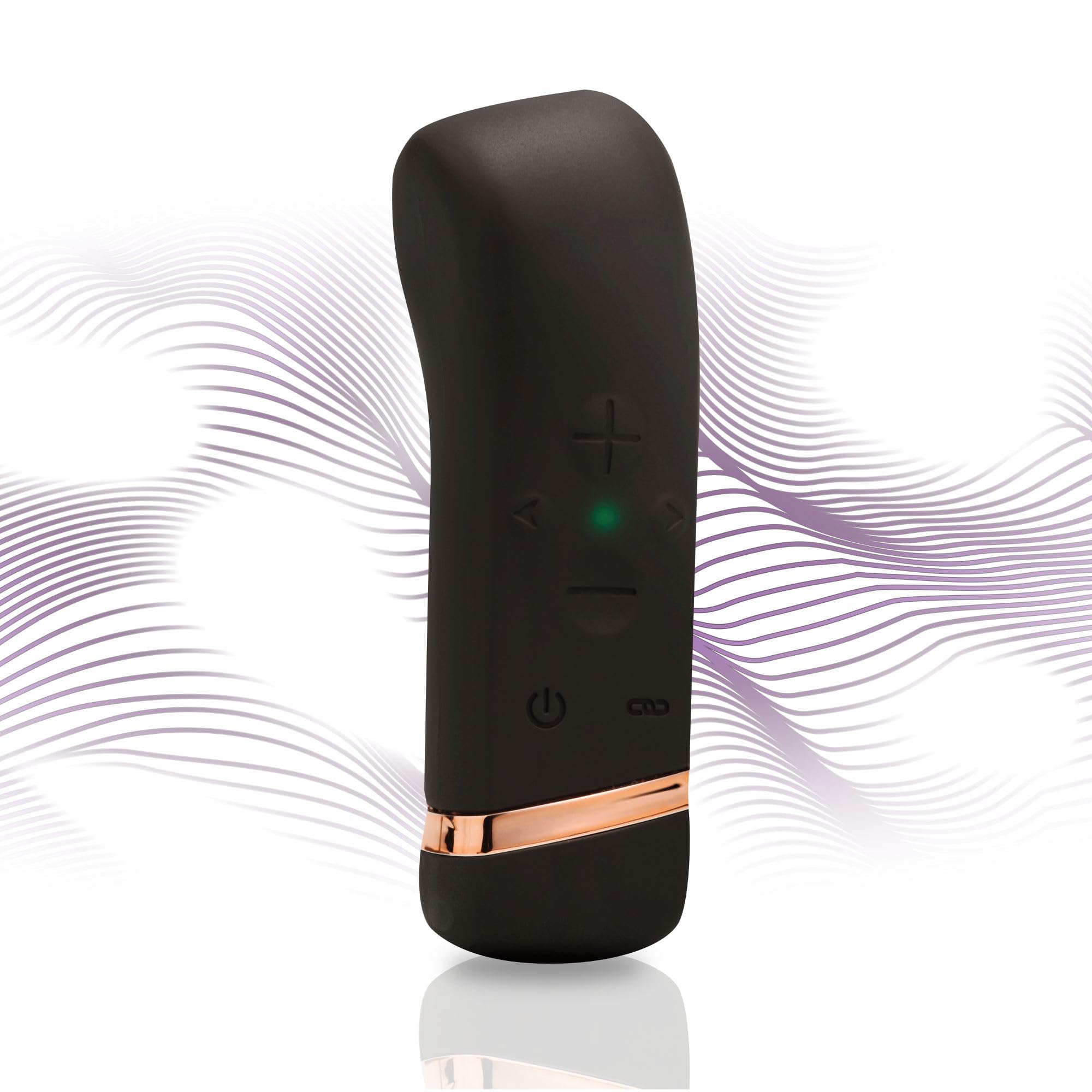
Image: The HANDY Oh! Smart Vibrator, a sleek black device with gold accents, held in a hand, highlighting its ergonomic shape and accessible control buttons.
ມີຫຍັງແດ່
Your HANDY Oh! Smart Vibrator package includes the following items:
- HANDY Oh! Smart Vibrator
- ສາຍສາກ USB
- ຄູ່ມືຜູ້ໃຊ້
- ກະເປົ໋າເກັບຮັກສາ

Image: The HANDY Oh! Smart Vibrator, its charging cable, and a small storage pouch laid out, representing the complete package contents.
ຕັ້ງຄ່າ
ການສາກໄຟເບື້ອງຕົ້ນ
Before first use, fully charge your HANDY Oh! Smart Vibrator. Connect the magnetic USB charging cable to the charging port located at the base of the device. Plug the USB end into a compatible power source (e.g., computer USB port, USB wall adapter). The indicator light will show charging status.

ຮູບພາບ: A ລາຍລະອຽດ view of the HANDY Oh! Smart Vibrator's base, showing the magnetic charging contacts and the attached USB cable.
ການດາວໂຫຼດແອັບ ແລະ ການຈັບຄູ່
Download the free HANDY app from your device's app store. Follow the in-app instructions to pair your Oh! Smart Vibrator via Bluetooth. Ensure your device is charged and Bluetooth is enabled on your smartphone.
ຄໍາແນະນໍາການດໍາເນີນງານ
ການດໍາເນີນງານພື້ນຖານ
- ເປີດ/ປິດ: Press and hold the power button (usually indicated by a universal power symbol) for 2-3 seconds until the device vibrates or the indicator light illuminates/extinguishes.
- Adjust Intensity/Pattern: Use the '+' and '-' buttons on the device to cycle through different vibration intensities and patterns.

Image: A close-up of the HANDY Oh! Smart Vibrator's control interface, clearly labeling the power button, intensity adjustment buttons, and frequency buttons.
ຄຸນນະສົມບັດການຄວບຄຸມ App
- Music Sync: Connect the device to the app and select the music sync feature. The vibrator will respond to the beats and rhythms of your music playlists.
- ການຊິງຄ໌ເນື້ອໃນ: For an immersive experience, sync the vibrator with compatible adult content (VR, visual, or audio) through the app.
- ການຄວບຄຸມໄລຍະໄກ: The app allows for remote control of the device, enabling shared experiences with a partner from anywhere.
Video: An official product video demonstrating the features and operation of the HANDY Oh! Smart Vibrator, including its app connectivity and various modes.
ການບໍາລຸງຮັກສາແລະການດູແລ
ທໍາຄວາມສະອາດ
The HANDY Oh! Smart Vibrator is made from body-safe silicone. To clean:
- Wash the device with warm water and a mild, toy-safe soap or specialized cleaner.
- ລ້າງອອກຢ່າງລະອຽດເພື່ອເອົາສິ່ງທີ່ຕົກຄ້າງຂອງສະບູອອກທັງຫມົດ.
- ເຊັດໃຫ້ແຫ້ງດ້ວຍຜ້າທີ່ບໍ່ມີຂົນ ຫຼື ປ່ອຍໃຫ້ແຫ້ງໂດຍລະບາຍອາກາດໃຫ້ສະນິດກ່ອນເກັບຮັກສາ.
ການເກັບຮັກສາ
Store the device in its provided storage pouch in a cool, dry place, away from direct sunlight and extreme temperatures. Avoid storing with other toys made of different materials to prevent damage.

Image: A close-up shot emphasizing the smooth, body-safe silicone material of the HANDY Oh! Smart Vibrator.
ການແກ້ໄຂບັນຫາ
If you encounter any issues with your HANDY Oh! Smart Vibrator, please refer to the following common solutions:
- ອຸປະກອນບໍ່ເປີດ: Ensure the device is fully charged. Connect it to the charger and wait for the indicator light to confirm charging.
- Vibrations are weak or inconsistent: Recharge the device. If the issue persists, ensure there are no obstructions or damage to the device.
- ບັນຫາການເຊື່ອມຕໍ່ແອັບ: Ensure Bluetooth is enabled on your smartphone and the device is within range. Try restarting both the device and the app.
- Device not responding to controls: Fully charge the device. If using the app, ensure it is properly connected.
For more detailed troubleshooting or persistent issues, please consult the full user manual included in your package or visit the HANDY support webເວັບໄຊ.
ຂໍ້ມູນຈໍາເພາະ
| ຄຸນສົມບັດ | ລາຍລະອຽດ |
|---|---|
| ໝາຍເລກຕົວແບບ | 54058400000 |
| ຍີ່ຫໍ້ | ມື |
| ຂະໜາດສິນຄ້າ | 4.5 x 1.38 x 1.38 ນິ້ວ |
| ນ້ຳໜັກ | 3.84 ອອນ |
| ວັດສະດຸ | Body-safe Silicone |
| ການເຊື່ອມຕໍ່ | ບລູທູດ (ການຄວບຄຸມແອັບ) |
| ກຳລັງສາກໄຟ | USB ແມ່ເຫຼັກ |
ການຮັບປະກັນແລະການສະຫນັບສະຫນູນ
For warranty information, please refer to the specific details provided in your product packaging or on the official HANDY webເວັບໄຊ. ຮັກສາຫຼັກຖານການຊື້ຂອງທ່ານສໍາລັບການຮຽກຮ້ອງການຮັບປະກັນໃດໆ.
ການຊ່ວຍເຫຼືອລູກຄ້າ
If you require further assistance or have questions not covered in this manual, please contact HANDY customer support through their official webເວັບໄຊ ຫຼືຂໍ້ມູນຕິດຕໍ່ທີ່ສະໜອງໃຫ້ຢູ່ໃນເອກະສານຜະລິດຕະພັນຂອງທ່ານ.