
MOOER GE150
MOOER GE150 Multi Effects Pedal and AIR P05 Wireless System User Manual
Model: GE150 | Brand: MOOER
ແນະນຳ
The MOOER GE150 is a portable multi-effects pedal designed for electric, acoustic, and bass guitars, offering a wide range of tones and features. It integrates 151 effects, 55 amplifier models, a looper, drum machine, and an expression pedal. This manual also covers the included AIR P05 2.4 GHz wireless system, providing high-quality, low-latency audio transmission for enhanced performance flexibility.
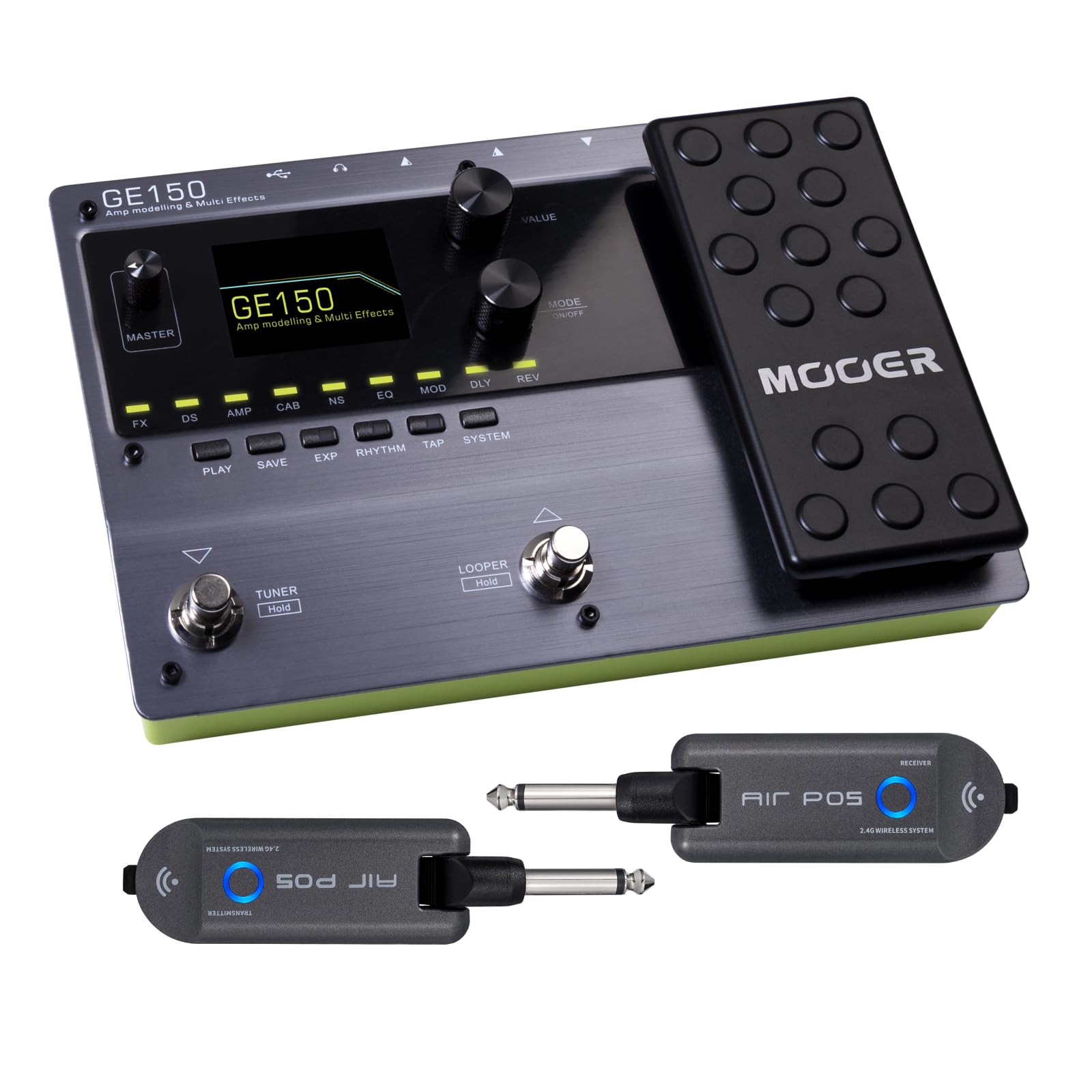
ດ້ານໜ້າ view of the MOOER GE150 Multi Effects Pedal, showing the display, control knobs, footswitches, and expression pedal.
ຕັ້ງຄ່າ
GE150 Pedal Connection
- ການເຊື່ອມຕໍ່ພະລັງງານ: Connect the included DC 9V 300mA power adapter to the GE150's power input.
- ການປ້ອນຂໍ້ມູນເຄື່ອງມື: Connect your guitar to the GE150's 1/4" mono input jack.
- ສຽງອອກ: Connect the GE150's 1/4" mono output jacks (L/R) to your amplifier, mixer, ຫຼືການໂຕ້ຕອບສຽງ.
- ຫູຟັງ: ສຳລັບການຝຶກຊ້ອມແບບງຽບໆ, ໃຫ້ເຊື່ອມຕໍ່ຫູຟັງເຂົ້າກັບຊ່ອງສຽບຫູຟັງສະເຕີລິໂອຂະໜາດ 1/8 ນິ້ວ.
- AUX Input: Use the 1/8" stereo AUX IN to connect external audio sources like an MP3 player for jamming.
- ການເຊື່ອມຕໍ່ USB: Connect the GE150 to a computer via the USB port for firmware updates, software editing, or USB audio recording.

The GE150 connected in a home studio setup, demonstrating connections to a laptop and headphones.

ຂ້າງ view of the GE150 showing input, output, and power connections.
AIR P05 Wireless System Setup
- ຄ່າບໍລິການ: Ensure both the transmitter and receiver units are fully charged using the included USB cable. The built-in 400mAh rechargeable battery provides up to 8 hours of operation.
- ເຊື່ອມຕໍ່ເຄື່ອງສົ່ງສັນຍານ: Plug the AIR P05 transmitter into your guitar's output jack.
- ເຊື່ອມຕໍ່ຜູ້ຮັບ: Plug the AIR P05 receiver into the GE150's input jack or directly into your ampມີຊີວິດຊີວາ.
- ການຈັບຄູ່: The units should automatically pair. If not, press the pairing button on both units to establish a connection.
- ເລືອກຊ່ອງ: The AIR P05 offers 4 selectable channels. Press the channel button to cycle through available channels and find the optimal one for interference-free performance.
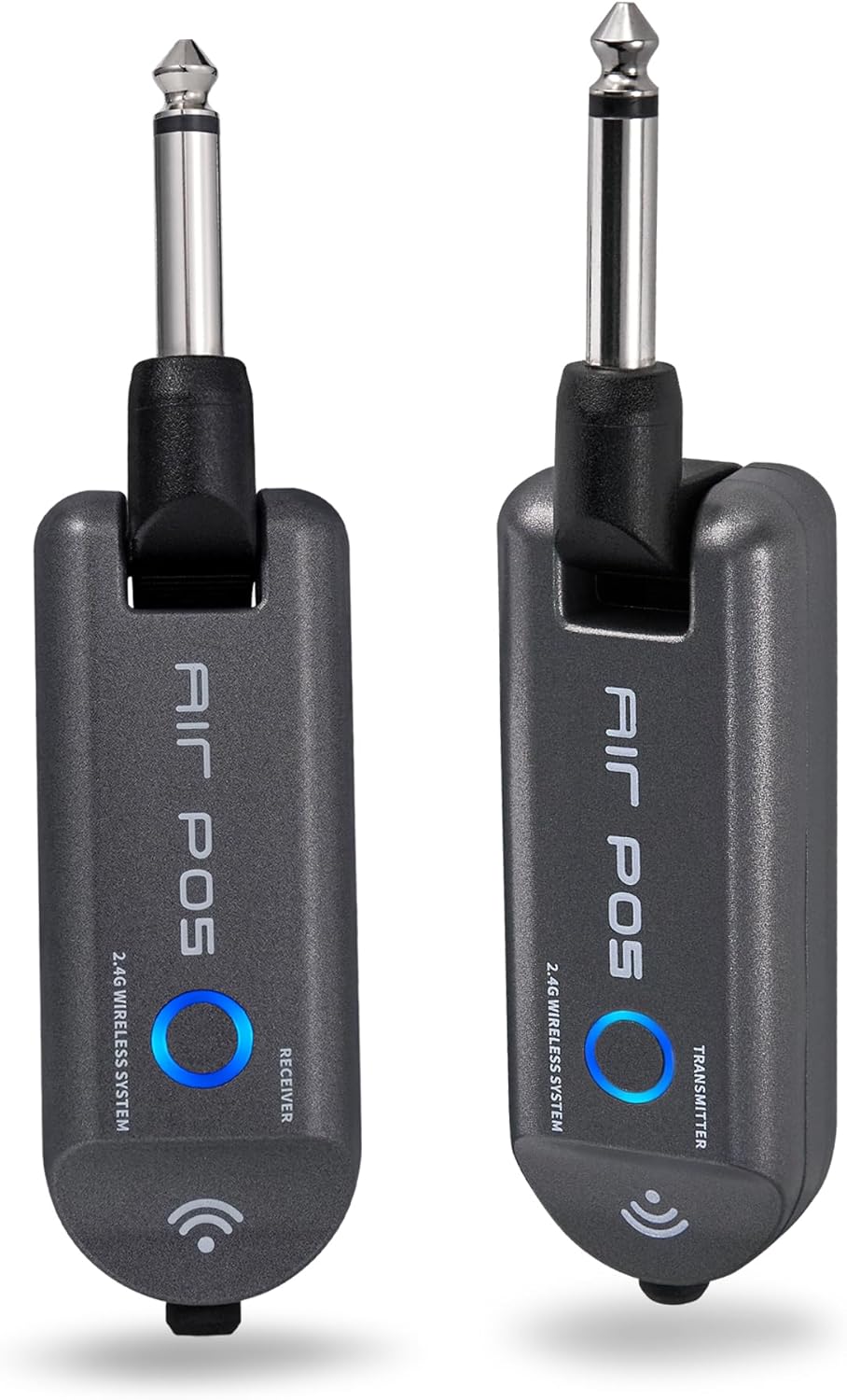
The MOOER AIR P05 wireless system, showing the transmitter and receiver units.

The AIR P05 wireless system highlighting its 4 selectable channels for optimal signal.

Diagram illustrating the wireless connection from guitar to pedal and amplifier using the AIR P05 system.
ຄໍາແນະນໍາການດໍາເນີນງານ
GE150 Multi-Effects Pedal
- ເປີດ/ປິດ: ກົດປຸ່ມເປີດປິດຄ້າງໄວ້ເພື່ອເປີດ ຫຼືປິດເຄື່ອງ.
- ການນໍາທາງ: Use the main display and control knobs to navigate through menus and adjust parameters.
- ຜົນກະທົບ: The GE150 features 151 different effects. Use the dedicated FX, DS, AMP, CAB, NS, EQ, MOD, DLY, REV buttons to access and edit effect blocks.
- AMP ຮຸ່ນ: Access 55 high-quality AMP models utilizing MNRS technology. These models simulate the dynamics and feel of real tube ampຜູ້ຊ່ວຍຊີວິດ.
- IR Files: The pedal supports 26 user slots for loading third-party Impulse Response (IR) files, allowing for custom cabinet simulations.
- Expression Pedal: Utilize the built-in expression pedal to control various effects parameters or volume levels in real-time.
- Looper: The 80-second looper allows for recording and overdubbing phrases. Activate it using the dedicated footswitch.
- Drum Rhythms & Metronome: Access 40 types of drum rhythms and 10 metronome settings for practice or songwriting.
- ຕົວຈູນເນີ: Engage the built-in tuner by holding the designated footswitch.
- ບັນທຶກການຕັ້ງຄ່າໄວ້ລ່ວງໜ້າ: After adjusting effects and settings, save your custom tones to user presets for quick recall.

The GE150 display showing a selected preset and the active effect modules.
AIR P05 Wireless System
- ໂໝດນອນອັດຕະໂນມັດ: The AIR P05 features an automatic sleep mode to conserve battery life when not in use. It will reactivate upon detecting signal.
- 2.4GHz ISM Technology: The system uses 2.4GHz ISM worldwide technology for low-distortion and low-signal-loss audio transmission.
- ຄວາມເຂົ້າກັນໄດ້: The wireless system is suitable for electric guitar, bass guitar, acoustic guitar, and other instruments with a 1/4" output.

The AIR P05 wireless system demonstrating its plug-and-play functionality with various instruments and a multi-effects pedal.
ບໍາລຸງຮັກສາ
- ທໍາຄວາມສະອາດ: Use a soft, dry cloth to clean the pedal and wireless units. Avoid abrasive cleaners or solvents.
- ການເກັບຮັກສາ: ເກັບຮັກສາອຸປະກອນໄວ້ໃນບ່ອນທີ່ເຢັນ, ແຫ້ງ, ຫ່າງຈາກແສງແດດໂດຍກົງ ແລະອຸນຫະພູມທີ່ຮ້າຍກາດ.
- Battery Care (AIR P05): For optimal battery life, avoid fully discharging the AIR P05 units frequently. Recharge regularly.
- ການອັບເດດເຟີມແວ: Periodically check the MOOER official website for firmware updates to ensure optimal performance and access new features.
ການແກ້ໄຂບັນຫາ
- ບໍ່ມີສຽງອອກ:
-
- Check all cable connections (instrument, output, power).
- Ensure the GE150 is powered on and not in bypass mode.
- Verify volume levels on the GE150, your amplifier, and instrument.
- For the AIR P05, ensure both transmitter and receiver are charged, paired, and on the same channel.
- Wireless Signal Interference:
-
- Change the channel on the AIR P05 wireless system to avoid interference from other 2.4GHz devices.
- Ensure there are no large metal objects or other wireless transmitters directly between the AIR P05 units.
- ກະເບື້ອງຕີນບໍ່ຕອບສະໜອງ:
-
- ຕັດການເຊື່ອມຕໍ່ແລະເຊື່ອມຕໍ່ການສະຫນອງພະລັງງານໃຫມ່.
- Perform a factory reset if necessary (refer to the full manual for specific instructions).
ຂໍ້ມູນຈໍາເພາະ
| ຍີ່ຫໍ້ | MOOER |
| ຊື່ຕົວແບບ | GE150 |
| ຜົນກະທົບສຽງອອກ | Distortion, Delay, Chorus, Reverb, Modulation, Preamp, Pitch-Shifting, Overdrive, Flanger, Multi-Effect |
| ປະເພດການຄວບຄຸມ | Footswitch, Expression Pedal |
| ແຫຼ່ງພະລັງງານ | Battery Powered (AIR P05), DC 9V 300mA (GE150) |
| ການໂຕ້ຕອບຮາດແວ | HP-HSC, USB |
| ຮູບແບບສັນຍານ | ອະນາລັອກ |
| ປະເພດຕົວເຊື່ອມຕໍ່ | USB, 1/4" Mono Jack, 1/8" Stereo Jack |
| ອົງປະກອບລວມ | AIR P05 Wireless System |
| Sampອັດຕາການລິງ | 44.1 KHz |
| Sampຄວາມຖືກຕ້ອງ | 24 ບິດ |
| ຊ່ວງໄດນາມິກ | 98dB |
| IR Format | WAV |
| IR Sampອັດຕາການລິງ | 44.1K |
| IR Sampຄວາມຖືກຕ້ອງ | 24 ບິດ |
| IR Sampຈຸດ ling | 512 |
| ຂະໜາດ | 230 X 155.99 X 32.8 ມມ |
| ນ້ຳໜັກ | 1 ກິໂລກຣາມ |

Detailed specifications for the MOOER GE150 and AIR P05 wireless system.
ຂໍ້ມູນການຮັບປະກັນ
MOOER products typically come with a manufacturer's warranty. Please refer to the warranty card included with your product or visit the official MOOER webເວັບໄຊທ໌ສຳລັບຂໍ້ກຳນົດ ແລະ ເງື່ອນໄຂການຮັບປະກັນລະອຽດສະເພາະສຳລັບພາກພື້ນ ແລະ ວັນທີຊື້ຂອງທ່ານ. ເກັບຫຼັກຖານການຊື້ຂອງທ່ານໄວ້ເພື່ອການຮຽກຮ້ອງການຮັບປະກັນ.
ສະຫນັບສະຫນູນ
For further assistance, technical support, or to download the latest firmware and software, please visit the official MOOER webເວັບໄຊ:
You may also contact MOOER customer service through the contact information provided on their webເວັບໄຊ.
Ask a question about this manual
Ask about setup, troubleshooting, compatibility, parts, safety, or missing instructions. Manuals+ will review the question and use this page’s manual context to help answer it.