
1. ບົດແນະນຳ
Welcome to the SIMATE 6.5-inch Bluetooth Scooter user manual. This guide provides essential information for the safe and efficient operation, setup, and maintenance of your new electric scooter. Please read this manual thoroughly before first use to ensure proper function and to prevent damage or injury.
2. ຂໍ້ແນະນຳຄວາມປອດໄພ
ຄໍາເຕືອນ: ການບໍ່ປະຕິບັດຕາມຄໍາແນະນໍາດ້ານຄວາມປອດໄພເຫຼົ່ານີ້ອາດຈະເຮັດໃຫ້ເກີດການບາດເຈັບຮ້າຍແຮງຫຼືເສຍຊີວິດ.
- Always wear appropriate safety gear, including a helmet, knee pads, and elbow pads, when operating the scooter.
- Ensure the scooter is fully charged and in good working condition before each use.
- Do not ride on public roads, near motor vehicles, or in heavy pedestrian traffic.
- Avoid riding on uneven surfaces, steep inclines (maximum 15-degree slope), or slippery conditions.
- The maximum load capacity for this scooter is 220 lbs (approximately 100 kg). Do not exceed this limit.
- ເດັກນ້ອຍຄວນໃຊ້ສະກູດເຕີພາຍໃຕ້ການຊີ້ນຳໂດຍກົງຂອງຜູ້ໃຫຍ່ເທົ່ານັ້ນ.
- This product has achieved UL2272 Safety Certification from SGS, complying with U.S. safety regulations.
- Do not attempt to modify the scooter or its components.
- ຄຸ້ນເຄີຍກັບກົດໝາຍ ແລະ ກົດລະບຽບທ້ອງຖິ່ນກ່ຽວກັບການໃຊ້ scooter ໄຟຟ້າ.
3. ສິ່ງທີ່ຢູ່ໃນກ່ອງ
Upon opening your SIMATE 6.5-inch Bluetooth Scooter package, you should find the following items:
- SIMATE 6.5-inch Bluetooth Scooter
- ຄູ່ມືຜູ້ໃຊ້ (ເອກະສານນີ້)
- ອະແດບເຕີການສາກໄຟ
4. ຕັ້ງຄ່າ
4.1. Charging the Scooter
Before first use, fully charge your SIMATE scooter. A full charge typically takes 2-3 hours.
- Locate the charging port on the side of the scooter.
- Connect the charging adapter to the scooter's charging port.
- ສຽບອະແດບເຕີສາກໄຟເຂົ້າກັບປລັກສຽບຝາມາດຕະຖານ.
- The battery indicator light on the scooter will show the charging status. It will typically turn green when fully charged.

4.2. ການເປີດເຄື່ອງເບື້ອງຕົ້ນ
To power on your scooter:
- Press and hold the power button located near the center of the scooter.
- The scooter will emit an audible signal, and the LED lights will illuminate, indicating it is ready for use.
4.3. ການຕິດຕັ້ງແອັບຯ ແລະການເຊື່ອມຕໍ່
Enhance your riding experience by connecting your scooter to the exclusive SIMATE app, "XsCar".
- Download the "XsCar" app from your device's app store.
- Ensure your scooter is powered on and Bluetooth is enabled on your mobile device.
- Open the "XsCar" app and follow the on-screen instructions to pair with your SIMATE scooter.
- Through the app, you can control various functions including power on/off, adjusting lights, monitoring speed and battery power, and setting speed modes.

5. Operating Your SIMATE Scooter
5.1. ການດໍາເນີນງານພື້ນຖານ
The SIMATE scooter features a self-balancing control system designed for ease of use. Practice in a safe, open area before riding in more challenging environments.
- Step onto the footpads one foot at a time, ensuring the scooter remains level.
- Lean gently in the direction you wish to move. Slight pressure from your feet on the footpads controls acceleration and turning.
- To stop, slowly shift your weight back to a neutral position.
5.2. ໂໝດຄວາມໄວ
The scooter offers three adjustable speed modes to suit different skill levels:
- ໂໝດປອດໄພ: Maximum speed 5 mph (suitable for beginners).
- ໂໝດເລີ່ມຕົ້ນ: Maximum speed 6.5 mph (suitable for novices).
- ໂໝດກິລາ: Maximum speed 7.5 mph (suitable for proficient users).
These modes can be selected via the "XsCar" app.
5.3. ລຳໂພງ Bluetooth
Your SIMATE scooter includes a built-in Bluetooth speaker for music playback.
- ໃຫ້ແນ່ໃຈວ່າ scooter ຖືກເປີດຢູ່.
- ເປີດໃຊ້ Bluetooth ໃນອຸປະກອນມືຖືຂອງທ່ານ.
- ຊອກຫາ and connect to the scooter's Bluetooth device name (usually "SIMATE Scooter" or similar).
- Once connected, you can play audio from your device through the scooter's speaker.
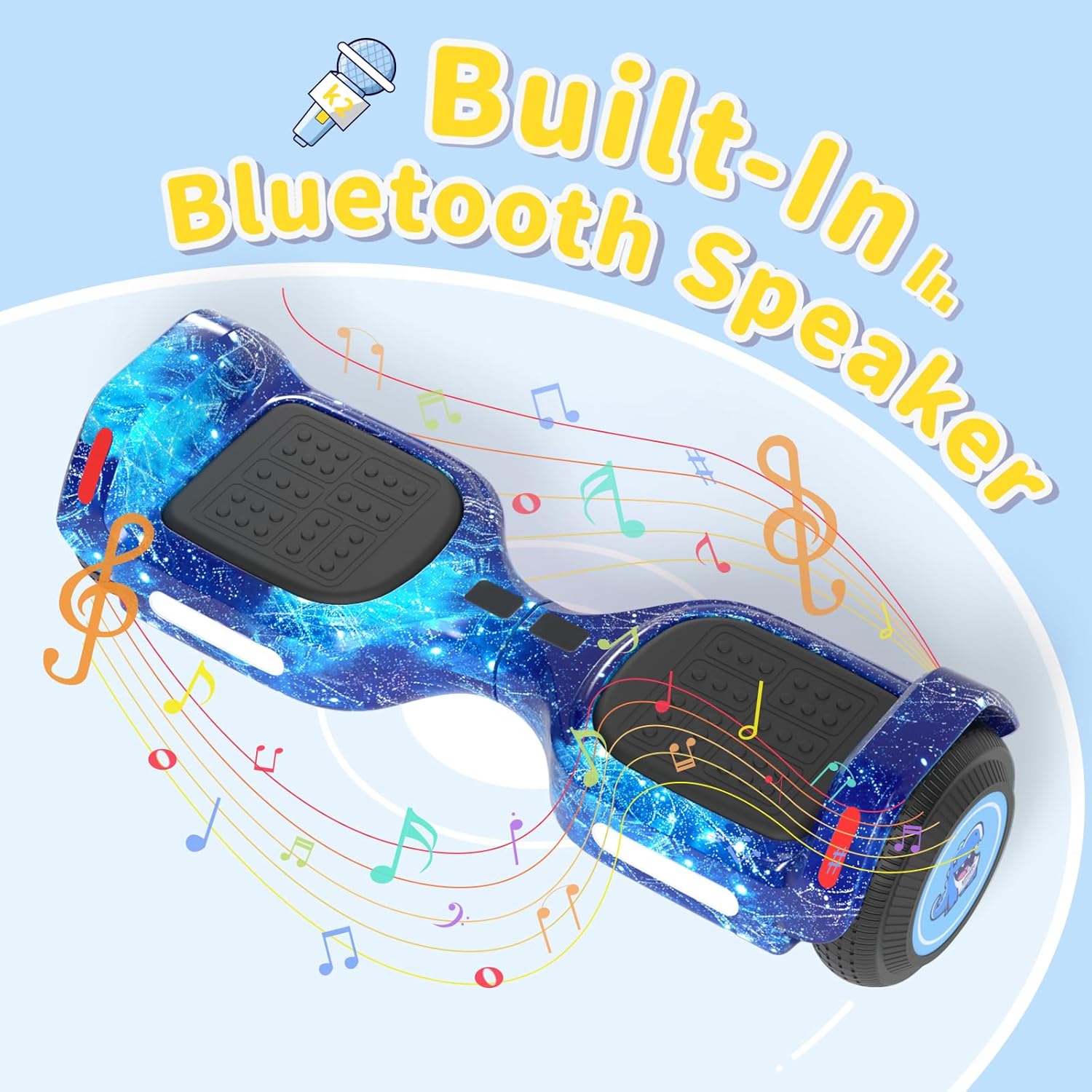
5.4. ໄຟ LED
The scooter is equipped with colorful LED lights and flashing wheels for enhanced visibility and aesthetics.
- The LED lights automatically activate when the scooter is powered on.
- Light patterns and colors may be adjustable via the "XsCar" app.

6. ບໍາລຸງຮັກສາ
Regular maintenance ensures the longevity and optimal performance of your SIMATE scooter.
- ທໍາຄວາມສະອາດ: ເຊັດ scooter ດ້ວຍການໂຄສະນາamp cloth after use. Do not use harsh chemicals or abrasive cleaners. Avoid direct water spray.
- ການເກັບຮັກສາ: ເກັບຮັກສາສະກູດເຕີໄວ້ໃນບ່ອນທີ່ເຢັນ, ແຫ້ງ, ຫ່າງຈາກແສງແດດໂດຍກົງແລະອຸນຫະພູມທີ່ສຸດ.
- ການດູແລຫມໍ້ໄຟ: Charge the battery regularly, even if not in use, to maintain battery health. Do not allow the battery to fully discharge for extended periods.
- ຢາງລົດ: The scooter features 6.5-inch solid rubber wheels, which require minimal maintenance. Periodically check for debris or damage.
7. ການແກ້ໄຂບັນຫາ
If you encounter issues with your SIMATE scooter, refer to the following common problems and solutions:
| ບັນຫາ | ສາເຫດທີ່ເປັນໄປໄດ້ | ການແກ້ໄຂ |
|---|---|---|
| Scooter ບໍ່ເປີດ. | ແບດເຕີລີ່ຕ່ໍາຫຼືປຸ່ມພະລັງງານຖືກກົດບໍ່ຖືກຕ້ອງ. | Charge the scooter fully. Ensure the power button is pressed firmly for a few seconds. |
| Scooter is not balancing correctly. | Incorrect foot placement or calibration issue. | Ensure feet are centered on the footpads. Refer to the app for calibration options if available. Practice balancing in a safe area. |
| ລຳໂພງ Bluetooth ບໍ່ໄດ້ເຊື່ອມຕໍ່. | Bluetooth not enabled on device, scooter not discoverable, or already paired. | Ensure scooter is on and Bluetooth is active on your phone. Forget previous connections and try pairing again. |
| ຫຼຸດໄລຍະ ຫຼືຄວາມໄວ. | Low battery, riding conditions, or excessive load. | Charge the scooter fully. Avoid riding on steep inclines or with loads exceeding 220 lbs. |
8. ຂໍ້ມູນຈໍາເພາະ
| ຄຸນສົມບັດ | ລາຍລະອຽດ |
|---|---|
| ໝາຍເລກຕົວແບບ | K2 |
| ຂະໜາດລໍ້ | 6.5 ນິ້ວ (ຢາງແຂງ) |
| ຄວາມໄວສູງສຸດ | 7.5 Miles per Hour (adjustable modes) |
| ຂອບເຂດສູງສຸດ | Up to 7.5 miles (on a full charge) |
| ພະລັງງານມໍເຕີ | ມໍເຕີຄູ່ 250W |
| ໂຫຼດສູງສຸດ | 220 lbs |
| Incline ສູງສຸດ | 15 ອົງສາ |
| ເວລາສາກໄຟ | 2-3 ຊົ່ວໂມງ |
| ວັດສະດຸ | ອະລູມິນຽມ, ຢາງ |
| ຄຸນນະສົມບັດພິເສດ | Built-In Bluetooth Speaker, Colorful LED Lights, Light-Up Wheels, App Control |
| ການຢັ້ງຢືນຄວາມປອດໄພ | UL2272 (SGS Certified) |
| ຂະໜາດລາຍການ (LxWxH) | 24 x 8 x 8 ນິ້ວ |
| ນ້ໍາຫນັກຊຸດ | 6.35 ກິໂລກຣາມ |
9. ການຮັບປະກັນແລະການສະຫນັບສະຫນູນ
9.1. ຂໍ້ມູນການຮັບປະກັນ
The SIMATE 6.5-inch Bluetooth Scooter comes with a ຮັບປະກັນ 1 ປີ ນັບຈາກວັນທີ່ຊື້. ການຮັບປະກັນນີ້ກວມເອົາຂໍ້ບົກພ່ອງຈາກການຜະລິດພາຍໃຕ້ການນໍາໃຊ້ປົກກະຕິ. ມັນບໍ່ກວມເອົາຄວາມເສຍຫາຍທີ່ເກີດຈາກການໃຊ້ຜິດ, ອຸບັດຕິເຫດ, ການດັດແປງທີ່ບໍ່ໄດ້ຮັບອະນຸຍາດ, ຫຼືການບໍ່ປະຕິບັດຕາມຄໍາແນະນໍາໃນຄູ່ມືນີ້.
ກະລຸນາຮັກສາຫຼັກຖານການຊື້ຂອງທ່ານສໍາລັບການຮຽກຮ້ອງການຮັບປະກັນ.
9.2. ການຊ່ວຍເຫຼືອລູກຄ້າ
For any questions, technical assistance, or warranty inquiries, please contact SIMATE US customer support. Our team is available to assist you with any issues you may encounter.
Contact information for SIMATE US can typically be found on the product packaging, the official SIMATE webເວັບໄຊທ໌, ຫຼືຜ່ານແພລດຟອມການຊື້ຂອງທ່ານ.