
1. ບົດແນະນຳ
Thank you for choosing the Holyton Drone Strobe Light. This anti-collision lamp is designed to enhance the visibility of your drone during night flights and in various other scenarios. It features multiple colors and modes, ensuring compliance with aviation regulations and improving safety. Please read this manual thoroughly before use to ensure proper operation and maintenance.
2. ຂໍ້ມູນຄວາມປອດໄພ
- Always ensure the strobe light is securely attached to your drone or other object before operation.
- Adhere to all local aviation authority regulations regarding drone lighting, especially for night flying. This light meets FAA requirements for anti-collision lighting.
- Do not expose the device to extreme temperatures, direct sunlight for prolonged periods, or moisture.
- ຮັກສາໃຫ້ໄກຈາກເດັກນ້ອຍ.
- ຢ່າພະຍາຍາມຖອດອອກ ຫຼື ດັດແປງໄຟ, ເພາະສິ່ງນີ້ຈະເຮັດໃຫ້ການຮັບປະກັນເປັນໂມຄະ ແລະ ອາດຈະເຮັດໃຫ້ເກີດຄວາມເສຍຫາຍໄດ້.
3. ເນື້ອໃນຊຸດ
- Holyton Drone Strobe Light (1 unit)
- ສາຍສາກ USB
- Mounting Accessories (e.g., adhesive pads, rubber bands)
- ຄູ່ມືຜູ້ໃຊ້
4. ຄຸນລັກສະນະຂອງຜະລິດຕະພັນ
- ການເບິ່ງເຫັນສູງ: 120 lumens brightness with 360° coverage.
- Multiple Colors & Modes: 7 switchable colors and 7 adjustable flashing modes.
- ແບັດເຕີຣີທີ່ສາມາດສາກໄດ້: Provides extended use time after a quick charge.
- ນ້ຳໜັກເບົາ ແລະກະທັດຮັດ: Weighs only 6.5g, ideal for various drones and other applications.
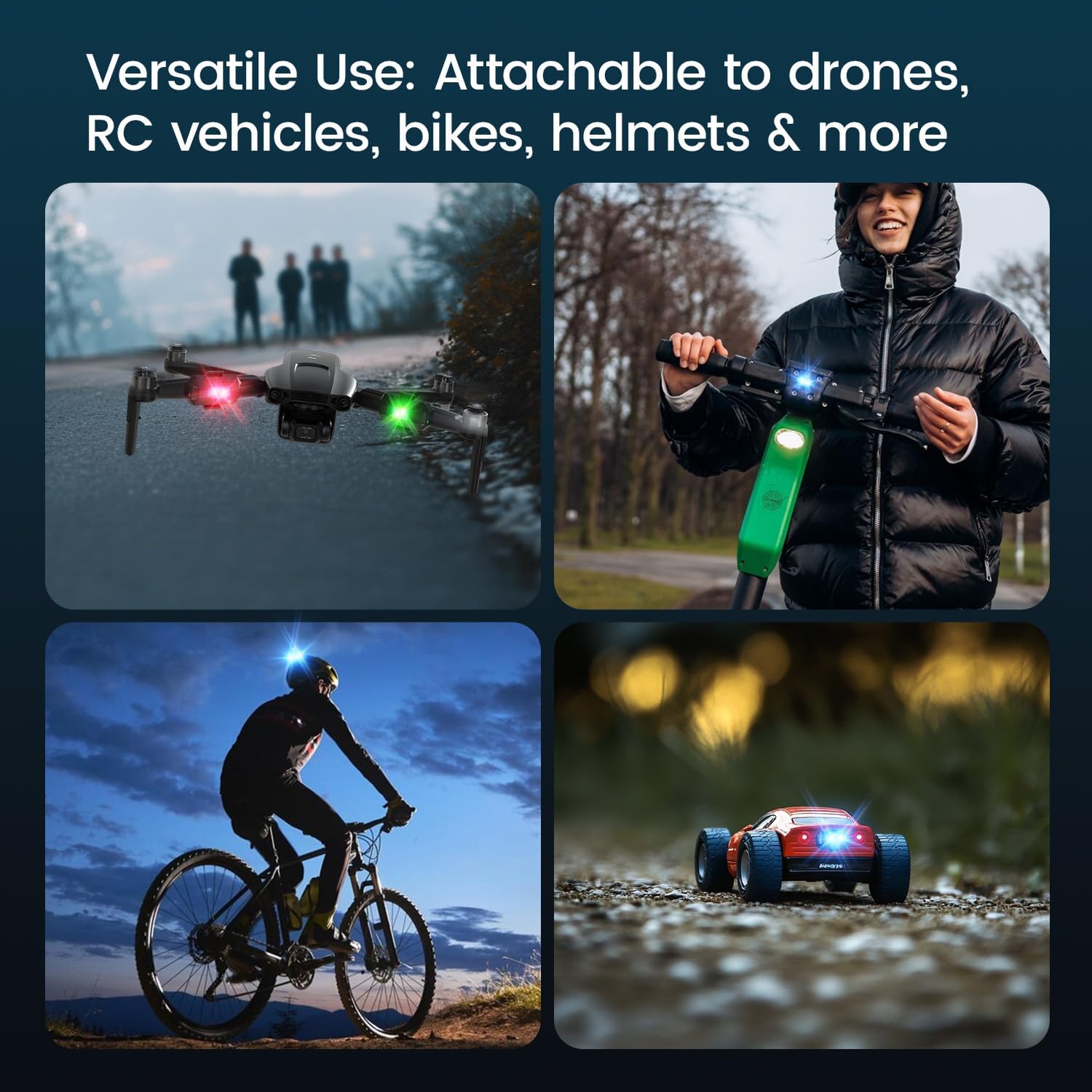
- ຄໍາຮ້ອງສະຫມັກອະເນກປະສົງ: Suitable for drones, RC vehicles, bicycles, motorcycles, helmets, and more.
- FAA Compliant: Meets requirements for anti-collision lighting during night flights.
5. ການຕິດຕັ້ງແລະການຕິດຕັ້ງ
5.1 ຄ່າບໍລິການເບື້ອງຕົ້ນ
Before first use, fully charge the strobe light. Refer to Section 6 for charging instructions.
5.2 Mounting the Strobe Light
The Holyton Drone Strobe Light can be attached to various objects using the provided mounting accessories. For drones, ensure the light does not interfere with propellers, sensors, or flight stability.
- ພື້ນຜິວສະອາດ: Ensure the mounting surface on your drone or object is clean and dry.
- ນຳໃຊ້ກາວ: Peel the backing from an adhesive pad and firmly press it onto the designated area on the strobe light.
- Attach to Drone: Peel the remaining backing from the adhesive pad and attach the strobe light to your drone. Apply firm pressure for a few seconds to ensure a secure bond. Alternatively, use rubber bands or other suitable fasteners for temporary attachment.

6. ຄໍາແນະນໍາການດໍາເນີນງານ
6.1 ເປີດ/ປິດ
- ເປີດ: Press and hold the power button for approximately 2 seconds until the light illuminates.
- ປິດພະລັງງານ: ກົດປຸ່ມເປີດປິດຄ້າງໄວ້ປະມານ 2 ວິນາທີຈົນກວ່າໄຟຈະດັບ.
6.2 Changing Colors and Modes
The strobe light offers 7 different colors and 7 distinct flashing modes.
- ປ່ຽນສີ: While the light is on, short press the power button to cycle through the available colors (e.g., white, red, green, blue, yellow, pink, ice blue).
- ປ່ຽນໂໝດ: Double-press the power button quickly to cycle through the different flashing modes (e.g., constant, slow flash, fast flash, alternating colors).

7. ການສາກໄຟ
The Holyton Drone Strobe Light is equipped with a rechargeable Lithium Ion battery.
- ຊ່ອງສາກໄຟ: Micro USB
- ເວລາສາກໄຟ: ປະມານ 12 ນາທີ ສຳລັບການສາກໄຟເຕັມ.
- ເວລາໃຊ້: Up to 5 hours on a full charge, depending on the selected mode and color.
To charge, connect the provided USB charging cable to the Micro USB port on the strobe light and plug the other end into a standard USB power source (e.g., computer, wall adapter).

8. ບໍາລຸງຮັກສາ
- ທໍາຄວາມສະອາດ: Use a soft, dry cloth to clean the light. Do not use harsh chemicals or abrasive materials.
- ການເກັບຮັກສາ: Store the strobe light in a cool, dry place away from direct sunlight when not in use.
- ການດູແລຫມໍ້ໄຟ: For optimal battery life, avoid fully discharging the battery frequently. Charge the device regularly, even if not in use, to maintain battery health.
9. ການແກ້ໄຂບັນຫາ
| ບັນຫາ | ສາເຫດທີ່ເປັນໄປໄດ້ | ການແກ້ໄຂ |
|---|---|---|
| ແສງບໍ່ໄດ້ເປີດ. | ແບັດເຕີຣີໝົດ. | Charge the strobe light fully. |
| ແສງສະຫວ່າງບໍ່ຄິດຄ່າ. | Charging cable or power source is faulty. | Try a different USB cable or power adapter. Ensure the Micro USB connector is inserted correctly. |
| ແສງສະຫວ່າງບໍ່ສະຫວ່າງພຽງພໍ. | Low battery or incorrect mode. | Charge the device. Ensure a bright mode is selected (e.g., constant white light). |
| Light falls off during use. | Improper mounting or worn adhesive. | Ensure the mounting surface is clean and dry. Use new adhesive pads or more secure fastening methods. |
10. ຂໍ້ມູນຈໍາເພາະ
| ຄຸນສົມບັດ | ລາຍລະອຽດ |
|---|---|
| ໝາຍເລກຕົວແບບ | US03A76731000HT70402 |
| ຍີ່ຫໍ້ | ໂຮລີຕັນ |
| ສີ | ດຳ |
| ຮູບຮ່າງ | ຮູບສີ່ຫລ່ຽມ |
| ປະເພດສໍາເລັດຮູບ | ທາສີ |
| ປະເພດແຫຼ່ງແສງ | ໄດໂອດປ່ອຍແສງ (LED) |
| ວັດສະດຸຮົ່ມ | ພາດສະຕິກ |
| ນ້ໍາຫນັກລາຍການ | 0.352 ອອນສ໌ (ປະມານ 10 ກຣາມ) |
| ຈໍານວນຫມໍ້ໄຟ | 1 Lithium Ion (ລວມ) |
| ແບບ | ກະທັດຮັດ |
| ຄວາມສະຫວ່າງ | 120 ລູເມັນ (ຜົນຜະລິດແສງສະຫວ່າງສູງສຸດ) |
| ປະເພດການຕິດຕັ້ງ | Drone Mount (Adhesive/Strap) |
| ຄຸນລັກສະນະຂອງຫລອດໄຟ | Strobe, Flashing, Anti-Collision, Search and Rescue |
| ຂະໜາດສິນຄ້າ | 1"L x 1"W x 1"H (approximately) |

11. ການຮັບປະກັນແລະການສະຫນັບສະຫນູນ
Holyton products are designed for reliability and performance. This product comes with a standard manufacturer's warranty against defects in materials and workmanship. Please refer to the product packaging or our official webເວັບໄຊສໍາລັບເງື່ອນໄຂການຮັບປະກັນສະເພາະ.
For technical support, troubleshooting assistance, or warranty claims, please contact our customer service team:
- ອີເມວ: holyton@foxmail.com
- ໂທລະສັບ: +1 (866) 514-8669
ທີມງານຊ່ວຍເຫຼືອຂອງພວກເຮົາພ້ອມໃຫ້ການຊ່ວຍເຫຼືອທ່ານພາຍໃນ 24 ຊົ່ວໂມງ.