
ແນະນຳ
Welcome to the user manual for your new realme C65 5G smartphone. This guide provides essential information to help you set up, operate, maintain, and troubleshoot your device. Please read this manual carefully to ensure optimal performance and longevity of your realme C65 5G.
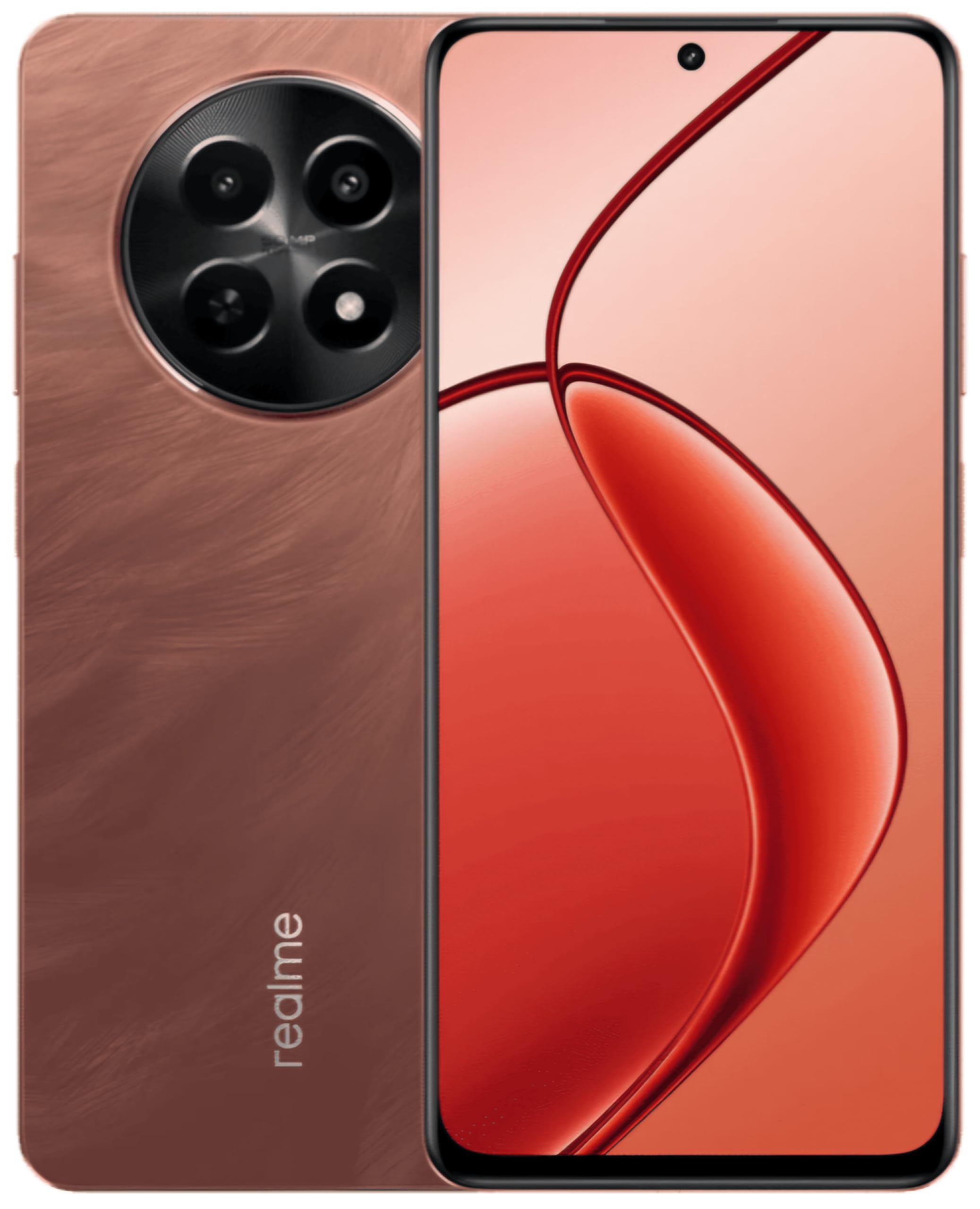
This image displays the realme C65 5G smartphone, highlighting its vibrant Speedy Red finish and the design of its screen and camera setup.
1. ຄູ່ມືການຕິດຕັ້ງ
1.1. ການໃສ່ SIM ແລະບັດຄວາມຈໍາ
Your realme C65 5G supports a single Nano SIM card and a microSD card for expandable storage up to 2 TB.
- ຊອກຫາຖາດຊິມກາດຢູ່ດ້ານຂ້າງຂອງອຸປະກອນຂອງທ່ານ.
- ສຽບເຄື່ອງຖອດຊິມເຂົ້າໄປໃນຮູນ້ອຍຂ້າງຖາດແລະຍູ້ຄ່ອຍໆຈົນກວ່າຖາດຈະປົ່ງອອກ.
- Place your Nano SIM card into the designated slot with the gold contacts facing down. If using a microSD card, place it in its respective slot.
- ຍູ້ຖາດໃສ່ໂທລະສັບຄືນໃສ່ໂທລະສັບຢ່າງລະມັດລະວັງຈົນກວ່າມັນຈະໄຫຼກັບຕົວອຸປະກອນ.
1.2. ເປີດອຸປະກອນຂອງທ່ານ
Press and hold the Power button (usually on the right side) until the realme logo appears on the screen. The device will then boot up.
1.3. ການຕິດຕັ້ງເບື້ອງຕົ້ນ
Follow the on-screen prompts to complete the initial setup process. This includes selecting your language, connecting to a Wi-Fi network, setting up your Google account, and configuring security features like fingerprint recognition.
2. ຄໍາແນະນໍາການດໍາເນີນງານ
2.1. ການນໍາທາງພື້ນຖານ
Your realme C65 5G uses a touch-sensitive display for navigation. Swipe up from the bottom to go to the home screen, swipe left or right to switch between home screens, and swipe down from the top for notifications and quick settings.
2.2. ການນໍາໃຊ້ກ້ອງຖ່າຍຮູບ
The realme C65 5G features a 50MP rear camera and an 8MP front camera.
- ເປີດແອັບກ້ອງຖ່າຍຮູບຈາກໜ້າຈໍຫຼັກ ຫຼືແຖບລິ້ນຊັກແອັບຂອງທ່ານ.
- ເລືອກຮູບແບບທີ່ທ່ານຕ້ອງການ (ຮູບພາບ, ວິດີໂອ, ຮູບຄົນ, ແລະອື່ນໆ).
- ແຕະປຸ່ມຊັດເຕີເພື່ອຖ່າຍຮູບ ຫຼືເລີ່ມ/ຢຸດການບັນທຶກວິດີໂອ.
- Use the on-screen controls to zoom, switch between front and rear cameras, and apply filters.
2.3. ການເຊື່ອມຕໍ່
- Wi-Fi: ໄປທີ່ການຕັ້ງຄ່າ > ເຄືອຂ່າຍ ແລະອິນເຕີເນັດ > Wi-Fi ເພື່ອເຊື່ອມຕໍ່ກັບເຄືອຂ່າຍທີ່ມີຢູ່.
- Bluetooth: ໄປທີ່ການຕັ້ງຄ່າ > ອຸປະກອນທີ່ເຊື່ອມຕໍ່ > Bluetooth ເພື່ອຈັບຄູ່ກັບອຸປະກອນ Bluetooth ອື່ນໆ.
- ຂໍ້ມູນມືຖື (5G/4G): ໃຫ້ແນ່ໃຈວ່າຊິມກາດຂອງທ່ານເປີດໃຊ້ງານຢູ່ ແລະ ອິນເຕີເນັດມືຖືຖືກເປີດໃຊ້ງານຢູ່ໃນການຕັ້ງຄ່າດ່ວນ ຫຼື ການຕັ້ງຄ່າເຄືອຂ່າຍ ແລະ ອິນເຕີເນັດ.
- USB: Connect your phone to a computer using a USB cable for file ໂອນ ຫຼືສາກໄຟ.
2.4. ການຮັບຮູ້ລາຍນິ້ວມື
The device features fingerprint recognition for secure unlocking. Set up your fingerprint by going to Settings > Security > Fingerprint. Follow the instructions to register your fingerprint(s).
3. ບໍາລຸງຮັກສາ
3.1. ການເຮັດຄວາມສະອາດອຸປະກອນຂອງທ່ານ
Use a soft, lint-free cloth to clean the screen and body of your phone. Avoid using harsh chemicals or abrasive materials. For ports, use a soft brush to gently remove dust.
3.2. ການປັບປຸງຊອບແວ
Regularly check for and install software updates to ensure your device has the latest features, security patches, and performance improvements. Go to Settings > About phone > Software update.
3.3. ການດູແລຫມໍ້ໄຟ
Your realme C65 5G is equipped with a 5000 mAh battery. To maximize battery life:
- ຫຼີກເວັ້ນອຸນຫະພູມທີ່ຮຸນແຮງ.
- Do not let the battery drain completely too often.
- ໃຊ້ເຄື່ອງສາກ ແລະ ສາຍສາກຕົ້ນສະບັບທີ່ມາພ້ອມກັບອຸປະກອນຂອງທ່ານ.
- ຈັດການການໃຊ້ແອັບພື້ນຫຼັງ ແລະ ຄວາມສະຫວ່າງຂອງໜ້າຈໍ.
4. ການແກ້ໄຂບັນຫາ
4.1. ອຸປະກອນບໍ່ເປີດ
Ensure the battery is charged. Connect the phone to its charger and wait a few minutes before attempting to power it on again. If it still doesn't turn on, try holding the Power button for an extended period (10-15 seconds).
4.2. ແອັບຂັດຂ້ອງ ຫຼື ຄ້າງ
Try force-closing the app and reopening it. If the issue persists, clear the app's cache and data (Settings > Apps > [App Name] > Storage > Clear cache/Clear data). As a last resort, uninstall and reinstall the app.
4.3. ບັນຫາການເຊື່ອມຕໍ່ເຄືອຂ່າຍ
Check if Airplane Mode is off. Restart your device. Verify your SIM card is properly inserted. If using Wi-Fi, restart your router. For mobile data, ensure your plan is active and you have signal coverage.
4.4. ເຊັນເຊີລາຍນິ້ວມືບໍ່ເຮັດວຽກ
Ensure your finger is clean and dry. Re-register your fingerprint in the settings. If the issue continues, try restarting your device.
5. ຂໍ້ມູນຈໍາເພາະ
| ຄຸນສົມບັດ | ຂໍ້ມູນຈໍາເພາະ |
|---|---|
| ຕົວແບບ | realme C65 5G |
| RAM | 8 GB |
| ການເກັບຮັກສາພາຍໃນ | 128 GB (ສາມາດຂະຫຍາຍໄດ້ເຖິງ 2 TB ຜ່ານ microSD) |
| ໂຮງງານຜະລິດ | Mediatek Dimensity 6300 |
| ຈໍສະແດງຜົນ | 6.67 inch HD+ LCD (1604 x 720 Pixels) |
| ກ້ອງຫຼັງ | 50 MP |
| ກ້ອງໜ້າ | 8 MP |
| ຄວາມອາດສາມາດຫມໍ້ໄຟ | 5000 mAh |
| ປະເພດຊິມກາດ | Single Nano SIM |
| ຄວາມປອດໄພທາງຊີວະມິຕິ | ການຮັບຮູ້ລາຍນິ້ວມື |
| ການຕໍ່ຕ້ານນ້ໍາ | ກັນນ້ຳ |
| Jack ຫູຟັງ | 3.5 ມມ |
| ເຕັກໂນໂລຊີໂທລະສັບມືຖື | 5G, 4G |
| ການເຊື່ອມຕໍ່ໄຮ້ສາຍ | Wi-Fi, Bluetooth, LTE |
6. ຂໍ້ມູນການຮັບປະກັນ
For detailed warranty information, please refer to the warranty card included in your product packaging or visit the official realme webເວັບໄຊ. ຂໍ້ກໍານົດແລະເງື່ອນໄຂການຮັບປະກັນອາດຈະແຕກຕ່າງກັນໄປຕາມພາກພື້ນແລະວັນທີຊື້.
7. ການຊ່ວຍເຫຼືອລູກຄ້າ
If you encounter issues not covered in this manual or require further assistance, please contact realme customer support. You can find contact details on the official realme webເວັບໄຊ ຫຼືຜ່ານພາກສ່ວນສະຫນັບສະຫນູນຂອງການຕັ້ງຄ່າອຸປະກອນຂອງທ່ານ.
ສຳລັບແຫຼ່ງຂໍ້ມູນອອນໄລນ໌, ເຂົ້າເບິ່ງທີ່ realme Store ໃນ Amazon.
8. ວິດີໂອຜະລິດຕະພັນຢ່າງເປັນທາງການ
No relevant official product videos with 'Seller' as creator type and m3u8 format were found in the provided product data for embedding.