
ແນະນຳ
This manual provides detailed instructions for the safe and efficient operation of your Longer Ray5 20000mW Laser Engraver with Air Assist Kit. Please read this manual thoroughly before using the device to ensure proper setup, operation, and maintenance. Retain this manual for future reference.
ຂໍ້ມູນຄວາມປອດໄພ
ຄຳເຕືອນ: Laser engravers are powerful tools that can cause serious injury if not used correctly. Always follow these safety guidelines:
- Always wear appropriate laser safety goggles when operating the machine.
- Never look directly into the laser beam or at its reflection.
- ຮັບປະກັນວ່າພື້ນທີ່ເຮັດວຽກມີລະບາຍອາກາດດີເພື່ອກຳຈັດຄວັນ ແລະ ຄວັນ.
- ຮັກສາວັດສະດຸໄວໄຟໃຫ້ຫ່າງຈາກເສັ້ນທາງຂອງເລເຊີ.
- ຢ່າປະໄວ້ເຄື່ອງໂດຍບໍ່ໄດ້ໃສ່ເຄື່ອງໃນເວລາເຮັດວຽກ.
- ໃຫ້ແນ່ໃຈວ່າເຄື່ອງຖືກວາງຢູ່ເທິງພື້ນຜິວທີ່ມີຄວາມຫມັ້ນຄົງ.
- ຮັກສາເດັກນ້ອຍ ແລະສັດລ້ຽງຢູ່ຫ່າງຈາກພື້ນທີ່ປະຕິບັດງານ.
- ຕັດການເຊື່ອມຕໍ່ໄຟຟ້າກ່ອນທີ່ຈະດໍາເນີນການບໍາລຸງຮັກສາຫຼືການປັບ.
- ເຮັດຄວາມຄຸ້ນເຄີຍກັບຂັ້ນຕອນການປິດສຸກເສີນ.
ເນື້ອໃນຊຸດ
ກວດສອບວ່າອົງປະກອບທັງໝົດມີຢູ່ໃນຊຸດ:
- Longer Ray5 20000mW Laser Engraver Unit
- ປັ໊ມຊ່ວຍທາງອາກາດ
- Air Assist Nozzle and Tubing
- Power Adapter
- ສາຍ USB
- ແວ່ນຕານິລະໄພ
- ຄູ່ມືຜູ້ໃຊ້ (ເອກະສານນີ້)
- ວັດສະດຸ Samples (may vary)

Image: Air assist kit components including the pump, nozzle, and tubing.
ຕັ້ງຄ່າ
- ການຫຸ້ມຫໍ່: ເອົາສ່ວນປະກອບທັງຫມົດອອກຈາກການຫຸ້ມຫໍ່ຢ່າງລະມັດລະວັງ.
- ສະພາແຫ່ງ: Follow the included quick start guide for assembling the main laser engraver frame and attaching the laser module.
- Air Assist Installation:
- Connect the air assist pump to the designated port on the laser module using the provided tubing.
- Ensure the air assist nozzle is securely attached to direct airflow to the engraving/cutting point.
- ການເຊື່ອມຕໍ່ພະລັງງານ: ເຊື່ອມຕໍ່ອະແດບເຕີໄຟຟ້າກັບເຄື່ອງແກະສະຫຼັກແລະຫຼັງຈາກນັ້ນໄປຫາປລັກສຽບໄຟທີ່ເຫມາະສົມ.
- ການເຊື່ອມຕໍ່ຄອມພິວເຕີ: Connect the engraver to your computer via USB, or prepare for Wi-Fi/TF card connection.

Image: The Longer Ray5 laser engraver with the air assist pump connected and ready for operation.
ຄໍາແນະນໍາການດໍາເນີນງານ
1. ຊອບແວ ແລະ ການເຊື່ອມຕໍ່
The Longer Ray5 supports various software and connection methods:
- ຊອບແວທີ່ເຂົ້າກັນໄດ້: LaserGRBL and LightBurn.
- ລະບົບປະຕິບັດການ: Supports Windows 7+, MacOS, and Linux.
- ວິທີການເຊື່ອມຕໍ່: Wi-Fi, USB, App, and TF card.
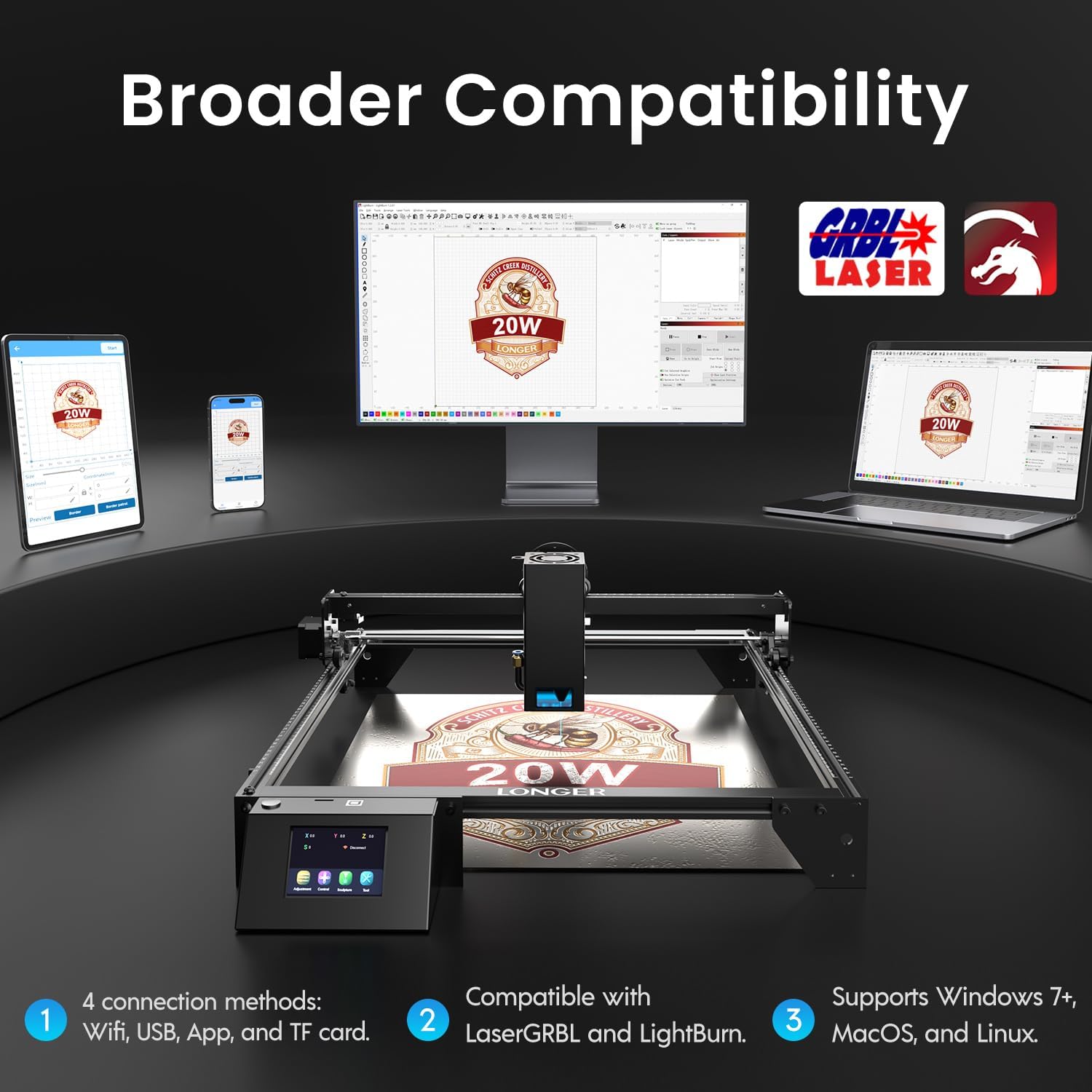
Image: Display showing the Longer Ray5's compatibility with LaserGRBL and LightBurn software, and various connection options including Wi-Fi, USB, App, and TF card across Windows, MacOS, and Linux operating systems.
2. Engraving and Cutting Capabilities
The 20W diode laser offers high-efficiency performance for various materials.
- ການຕັດ: Capable of cutting up to 25mm of wood and 35mm of acrylic. It can also cut 0.05mm metal.
- ການແກະສະຫຼັກ: Engrave hundreds of colors on metallic steel and a wide range of other materials.
- ວັດສະດຸ: Acrylic, metal, wood, stainless steel, and more.
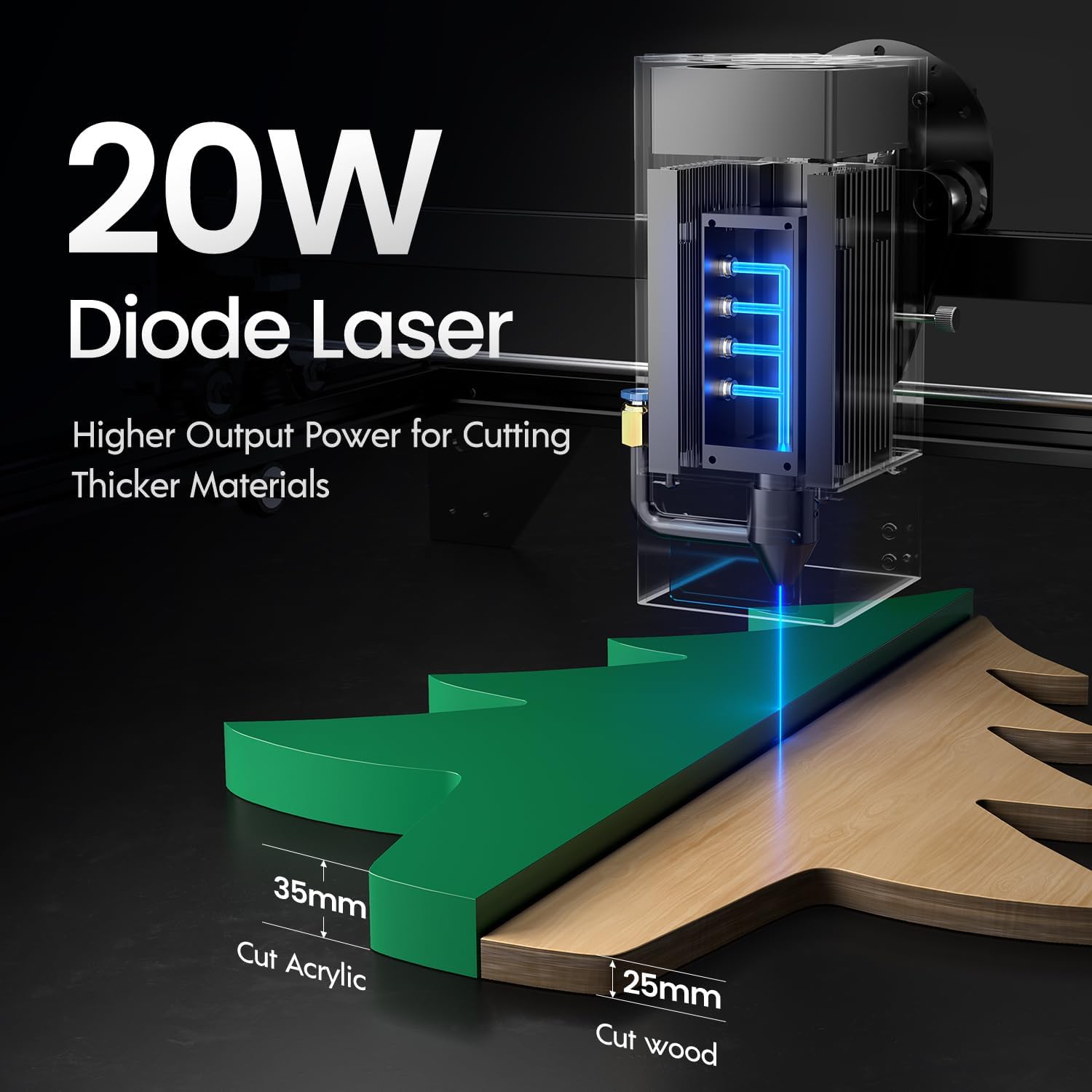
Image: Illustration demonstrating the 20W diode laser's capability to cut 25mm wood and 35mm acrylic.

ຮູບພາບ: Examples of engraving capabilities, showcasing over 380 colors on metallic surfaces and other DIY artworks.

Image: A collection of various items demonstrating the versatile material selection for engraving and cutting, including wood, metal, and acrylic.
3. Air Assist Function
The integrated air assist kit significantly improves cutting and engraving quality.
- Enhanced Cutting: The adjustable airflow (10-30L/min) suppresses smoke and dust, preventing laser energy attenuation and ensuring cleaner, smoother edges.
- Reduced Yellowing: Air assist helps prevent charring and yellowing on materials during laser processing, especially for wood and acrylic.

Image: A visual comparison showing the benefits of air assist, resulting in cleaner cuts and reduced processing time (e.g., 12 minutes with air assist vs. 20 minutes without).
4. ການດຳເນີນງານຢ່າງຕໍ່ເນື່ອງ
The Longer Ray5 is designed for powerful continuous working capacity, supporting 24/7 continuous engraving. A single computer can control multiple machines.

Image: Depiction of multiple Longer Ray5 machines working simultaneously, illustrating continuous operation and the ability for one computer to control several units.
ບໍາລຸງຮັກສາ
ການບຳລຸງຮັກສາເປັນປະຈຳຮັບປະກັນປະສິດທິພາບທີ່ດີທີ່ສຸດ ແລະ ຍືດອາຍຸການໃຊ້ງານຂອງເຄື່ອງແກະສະຫຼັກເລເຊີຂອງທ່ານ.
- ທຳຄວາມສະອາດເລນເລເຊີ: ເຮັດຄວາມສະອາດເລນເລເຊີເປັນໄລຍະດ້ວຍຜ້າອ່ອນໆທີ່ບໍ່ມີຂົນ ແລະ ນ້ຳຢາທຳຄວາມສະອາດເລນເພື່ອຮັກສາຄຸນນະພາບຂອງລຳແສງ.
- ລຶບລ້າງສິ່ງເສດເຫຼືອ: Remove any accumulated dust or debris from the work area and machine components.
- Check Belts and Rails: Inspect drive belts for tension and wear. Keep linear rails clean and lubricated as per manufacturer recommendations.
- Air Assist Filter: If your air assist pump has a filter, clean or replace it regularly to ensure efficient airflow.
- ການອັບເດດເຟີມແວ: ກວດເບິ່ງຜູ້ຜະລິດ webເວັບໄຊທ໌ສຳລັບການອັບເດດເຟີມແວທີ່ມີຢູ່ເພື່ອປັບປຸງປະສິດທິພາບ ຫຼື ເພີ່ມຄຸນສົມບັດຕ່າງໆ.
ການແກ້ໄຂບັນຫາ
ພາກສ່ວນນີ້ແກ້ໄຂບັນຫາທົ່ວໄປທີ່ທ່ານອາດຈະພົບ.
| ບັນຫາ | ສາເຫດທີ່ເປັນໄປໄດ້ | ການແກ້ໄຂ |
|---|---|---|
| ເລເຊີບໍ່ຍິງ | Power not connected, software error, laser module fault. | Check power connections. Verify software settings. Contact support if laser module is suspected faulty. |
| Poor engraving/cutting quality | Incorrect focus, dirty lens, wrong power/speed settings, material issues, no air assist. | Adjust laser focus. Clean the laser lens. Optimize power/speed settings for the material. Ensure air assist is active. |
| Machine not connecting to computer | USB cable issue, driver not installed, Wi-Fi configuration error. | Try a different USB port/cable. Install necessary drivers. Reconfigure Wi-Fi connection. |
| Excessive smoke/fumes | Insufficient ventilation, air assist not active or weak. | Ensure proper ventilation. Check air assist pump and tubing for blockages. Increase air assist flow. |
ຂໍ້ມູນຈໍາເພາະ
| ຄຸນສົມບັດ | ລາຍລະອຽດ |
|---|---|
| ໝາຍເລກຕົວແບບ | RAY5 |
| ພະລັງງານອອກເລເຊີ | 20000mW (20W) |
| ປະເພດເລເຊີ | Diode ເລເຊີ |
| Cutting Depth (Wood) | ເຖິງ 25 ມມ |
| Cutting Depth (Acrylic) | ເຖິງ 35 ມມ |
| Metal Cutting Capability | 0.05ມມ |
| Air Assist Flow | 10-30 L/min (Adjustable) |
| ໜ້າຈໍສຳຜັດ | 3.5 ນິ້ວ |
| ການເຊື່ອມຕໍ່ | Wi-Fi, USB, App, TF Card |
| ຊອບແວທີ່ເຂົ້າກັນໄດ້ | LaserGRBL, LightBurn |
| ຮອງຮັບ OS | Windows 7+, MacOS, Linux |
| ຜູ້ຜະລິດ | ຍາວກວ່າ |
| ວັນທີທໍາອິດທີ່ມີ | ວັນທີ 1 ສິງຫາ 2024 |
ການຮັບປະກັນແລະການສະຫນັບສະຫນູນ
For warranty information and technical support, please refer to the official Longer webເວັບໄຊ ຫຼືຕິດຕໍ່ບໍລິການລູກຄ້າຂອງເຂົາເຈົ້າໂດຍກົງ. ຮັກສາໃບຮັບເງິນການຊື້ຂອງທ່ານໄວ້ເປັນຫຼັກຖານການຊື້ສໍາລັບການຮ້ອງຂໍການຮັບປະກັນ.
ຊັບພະຍາກອນອອນໄລນ໌: ຢ້ຽມຢາມ Longer Store on Amazon ສໍາລັບຂໍ້ມູນເພີ່ມເຕີມແລະການສະຫນັບສະຫນູນຜະລິດຕະພັນ.