
BUGANI Brief Pro M192 Bluetooth Speaker Instruction Manual
ຮຸ່ນ: M192
1. ບົດແນະນຳ
ຂອບໃຈສໍາລັບການຊື້asing the BUGANI Brief Pro M192 Bluetooth Speaker. This manual provides essential information for setting up, operating, and maintaining your speaker. Please read it thoroughly before use and retain it for future reference.
The BUGANI Brief Pro M192 is a high-performance portable Bluetooth speaker designed to deliver powerful and clear audio. Featuring advanced Bluetooth 5.3 connectivity, TWS pairing, and a robust design, it is suitable for various indoor and outdoor environments.
2. ເນື້ອໃນຊຸດ
ໃຫ້ແນ່ໃຈວ່າທຸກລາຍການຢູ່ໃນຊຸດ:
- BUGANI Brief Pro M192 Bluetooth Speaker
- ສາຍສາກ USB-C
- ສາຍ AUX IN
- ຄູ່ມືຜູ້ໃຊ້ (ເອກະສານນີ້)
- ຄູ່ມືເລີ່ມຕົ້ນດ່ວນ

ຮູບທີ 2.1: ເນື້ອໃນຊຸດ
3. ຜະລິດຕະພັນເກີນview
Familiarize yourself with the physical features and controls of your BUGANI Brief Pro M192 speaker.

ຮູບ 3.1: ດ້ານຫນ້າ View ຂອງປະທານ
3.1. ການຄວບຄຸມແລະພອດ
- ປຸ່ມລະດັບສຽງ: Rotate to adjust volume. Press to play/pause.
- ປຸ່ມເປີດປິດ: ກົດຄ້າງໄວ້ເພື່ອເປີດ/ປິດ.
- ປຸ່ມຈັບຄູ່ Bluetooth: ກົດເພື່ອເຂົ້າສູ່ໂໝດການຈັບຄູ່ Bluetooth.
- ຜອດ USB-C: ສໍາລັບການສາກໄຟລໍາໂພງ.
- AUX ໃນຜອດ: ສໍາລັບການເຊື່ອມຕໍ່ສຽງມີສາຍ.
- ປຸ່ມຣີເຊັດ: ຮູນ້ອຍໆສຳລັບຕັ້ງຄ່າໂຮງງານຄືນໃໝ່.

Figure 3.2: Side Ports
3.2. ອົງປະກອບພາຍໃນ
The speaker features a powerful audio setup for high-quality sound.
- Subwoofer: Two 4-inch subwoofers for deep bass.
- ທະວີດເຕີ: Two 44mm tweeters for clear high frequencies.
- Passive Radiator: ປັບປຸງການຕອບສະໜອງສຽງເບດ.

ຮູບທີ 3.3: ອົງປະກອບລຳໂພງພາຍໃນ
4. ການຕິດຕັ້ງແລະການເຊື່ອມຕໍ່
4.1. ຄ່າບໍລິການເບື້ອງຕົ້ນ
Before first use, fully charge the speaker using the provided USB-C cable and a compatible power adapter (not included). The charging indicator light will show charging status.
4.2. ເປີດ/ປິດ
Press and hold the Power button for 2-3 seconds to turn the speaker on or off.
4.3. ການຈັບຄູ່ Bluetooth
- ເປີດລຳໂພງ. ມັນຈະເຂົ້າສູ່ໂໝດການຈັບຄູ່ Bluetooth ໂດຍອັດຕະໂນມັດ, ສະແດງໂດຍໄຟ LED ກະພິບ.
- ໃນອຸປະກອນຂອງທ່ານ (ໂທລະສັບສະຫຼາດ, ແທັບເລັດ, ແລະອື່ນໆ), ເປີດໃຊ້ Bluetooth ແລະຊອກຫາອຸປະກອນທີ່ມີຢູ່.
- Select "BUGANI Brief Pro" from the list.
- ເມື່ອເຊື່ອມຕໍ່ແລ້ວ, ຕົວຊີ້ວັດ LED ຈະແຂງ, ແລະທ່ານຈະໄດ້ຍິນສຽງຢືນຢັນ.
ລຳໂພງຈະເຊື່ອມຕໍ່ຄືນໃໝ່ໂດຍອັດຕະໂນມັດກັບອຸປະກອນທີ່ຈັບຄູ່ສຸດທ້າຍເມື່ອເປີດ, ຖ້າອຸປະກອນຢູ່ໃນຂອບເຂດ ແລະ Bluetooth ຖືກເປີດໃຊ້.
4.4. AUX IN Connection
For devices without Bluetooth, use the provided 3.5mm AUX IN cable to connect to the speaker's AUX IN port. The speaker will automatically switch to AUX mode.
5. ການດໍາເນີນງານ
5.1. ການຄວບຄຸມປະລິມານ
ໝຸນປຸ່ມກາງຕາມເຂັມໂມງເພື່ອເພີ່ມລະດັບສຽງ ແລະ ໝຸນທວນເຂັມໂມງເພື່ອຫຼຸດລະດັບສຽງ.
5.2. ການຄວບຄຸມການຫຼິ້ນ
- ຫຼິ້ນ/ຢຸດ: Press the central volume knob once.
- ເພງຕໍ່ໄປ: Double-press the central volume knob.
- ຕິດຕາມກ່ອນ ໜ້າ ນີ້: Triple-press the central volume knob.
5.3. ການຈັບຄູ່ TWS (ສະເຕຣິໂອໄຮ້ສາຍແທ້).
To achieve a true stereo sound experience, you can pair two BUGANI Brief Pro M192 speakers together.
- ກວດໃຫ້ແນ່ໃຈວ່າລຳໂພງທັງສອງເປີດຢູ່ ແລະບໍ່ໄດ້ເຊື່ອມຕໍ່ກັບອຸປະກອນ Bluetooth ໃດ.
- On one speaker (this will be the primary speaker), press the TWS button (usually indicated by a chain link icon). The speaker will enter TWS pairing mode.
- The primary speaker will automatically search for the secondary speaker. Once connected, you will hear an audible confirmation, and the TWS indicator light will become solid on both speakers.
- ດຽວນີ້, ເຊື່ອມຕໍ່ອຸປະກອນຂອງທ່ານກັບລຳໂພງຫຼັກຜ່ານ Bluetooth ຕາມທີ່ໄດ້ອະທິບາຍໄວ້ໃນພາກ 4.3. ສຽງຈະຫຼິ້ນໃນສະເຕຣິໂອຜ່ານລຳໂພງທັງສອງ.
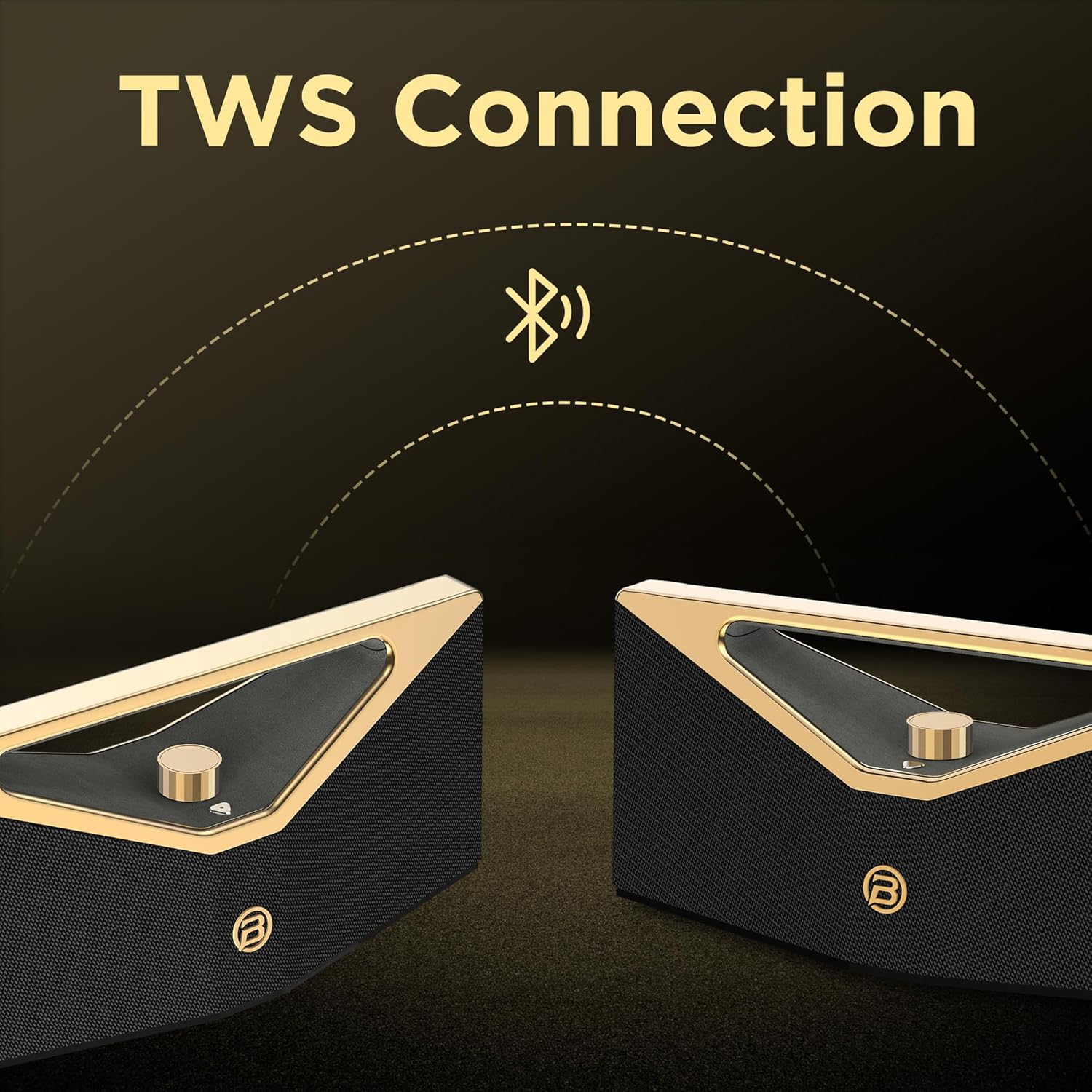
ຮູບທີ 5.1: ການຈັບຄູ່ TWS
6. ການສາກໄຟ
The BUGANI Brief Pro M192 is equipped with a rechargeable battery providing up to 12 hours of playtime at 50% volume. Actual playtime may vary based on volume level and audio content.
- Connect the USB-C charging cable to the speaker's USB-C port and the other end to a USB power source (e.g., wall adapter, computer USB port).
- ໄຟສະແດງການສາກໄຟຈະສະຫວ່າງໃນລະຫວ່າງການສາກໄຟ.
- ໂດຍປົກກະຕິການສາກເຕັມຈະໃຊ້ເວລາປະມານ 5 ຊົ່ວໂມງ.

Figure 6.1: Extended Playtime
7. Water Resistance
The BUGANI Brief Pro M192 features an IPX5 water-resistant rating, protecting it from splashes and light rain. This makes it suitable for outdoor use, such as campການເດີນທາງຫຼືຫາດຊາຍ.
ໝາຍເຫດ: IPX5 rating means it can resist a sustained, low-pressure water jet spray. It is not designed to be submerged in water.

ຮູບທີ 7.1: ການກັນນ້ໍາ IPX5
8. ຂໍ້ມູນຈໍາເພາະ
| ຄຸນສົມບັດ | ຂໍ້ມູນຈໍາເພາະ |
|---|---|
| ໝາຍເລກຕົວແບບ | M192 |
| ພະລັງງານຜົນຜະລິດ | 160W (Peak) / 80W (RMS) |
| ເຕັກໂນໂລຊີການເຊື່ອມຕໍ່ | Bluetooth 5.3, AUX |
| ຮູບແບບການອອກສຽງ | ສະເຕຣິໂອ |
| Woofer ເສັ້ນຜ່າສູນກາງ | 2 x 4 ນິ້ວ |
| Tweeter ເສັ້ນຜ່າສູນກາງ | 2 x 44 ມມ |
| ປະເພດຫມໍ້ໄຟ | 1 A battery (included) / 52.92Wh |
| ຊີວິດສະເລ່ຍຂອງຫມໍ້ໄຟ | ສູງສຸດເຖິງ 12 ຊົ່ວໂມງ (ໃນລະດັບສຽງ 50%) |
| ເວລາສາກໄຟ | ປະມານ. 5 ຊົ່ວໂມງ |
| ພອດສາກໄຟ | USB-C |
| ການຕໍ່ຕ້ານນ້ໍາ | IPX5 |
| ວິທີການຄວບຄຸມ | Touch / Mechanical Knob |
| ຂະໜາດສິນຄ້າ | 42 x 14.7 x 17 cm |
| ນ້ຳໜັກສິນຄ້າ | 4.62 ກິໂລ |
| ວັດສະດຸ | ພາດສະຕິກຫຼືໂລຫະ |
| ອຸປະກອນທີ່ເຂົ້າກັນໄດ້ | Smartphone, Tablet, Laptop, Television, Desktop, Gaming Console, Projector, Karaoke Machine |
ຕາຕະລາງ 8.1: ຂໍ້ມູນສະເພາະທາງດ້ານວິຊາການ
9. ການແກ້ໄຂບັນຫາ
ຖ້າເຈົ້າພົບບັນຫາກັບຜູ້ເວົ້າຂອງເຈົ້າ, ໃຫ້ອ້າງອີງເຖິງບັນຫາ ແລະວິທີແກ້ໄຂບັນຫາທົ່ວໄປຕໍ່ໄປນີ້:
- ລຳໂພງບໍ່ເປີດ: Ensure the battery is charged. Connect the USB-C cable and try again.
- ບໍ່ສາມາດຈັບຄູ່ຜ່ານ Bluetooth: Make sure the speaker is in pairing mode (flashing LED). Ensure your device's Bluetooth is enabled and within range. Try forgetting the device on your phone and re-pairing.
- ບໍ່ມີສຽງ: Check the volume level on both the speaker and your connected device. Ensure the correct input mode (Bluetooth or AUX) is selected.
- ຄຸນະພາບສຽງບໍ່ດີ: ຍ້າຍລຳໂພງໃຫ້ໃກ້ກັບອຸປະກອນ Bluetooth ຂອງທ່ານຫຼາຍຂຶ້ນເພື່ອຫຼຸດຜ່ອນການລົບກວນ. ກວດສອບຄຸນນະພາບແຫຼ່ງສຽງ.
- ການຈັບຄູ່ TWS ລົ້ມເຫລວ: ໃຫ້ແນ່ໃຈວ່າລຳໂພງທັງສອງຕົວໄດ້ສາກໄຟເຕັມແລ້ວ ແລະ ບໍ່ໄດ້ເຊື່ອມຕໍ່ກັບອຸປະກອນ Bluetooth ອື່ນກ່ອນທີ່ຈະເລີ່ມການຈັບຄູ່ TWS.
- Speaker unresponsive: Use a small pin to press the reset button located near the charging port. This will restore factory settings.
10. ຂໍ້ມູນຄວາມປອດໄພ
Please read and follow these safety guidelines to prevent damage to the speaker or injury to yourself:
- ຢ່າໃຫ້ລຳໂພງຖືກອຸນຫະພູມສູງ, ແສງແດດໂດຍກົງ ຫຼື ແປວໄຟ.
- Do not submerge the speaker in water, despite its IPX5 rating.
- ຮັກສາລໍາໂພງໃຫ້ຫ່າງຈາກສະຫນາມແມ່ເຫຼັກທີ່ເຂັ້ມແຂງ.
- ຢ່າພະຍາຍາມຖອດປະກອບ, ສ້ອມແປງ ຫຼື ດັດແປງລຳໂພງ. ການເຮັດແບບນີ້ຈະເຮັດໃຫ້ການຮັບປະກັນເປັນໂມຄະ.
- ໃຊ້ພຽງແຕ່ສາຍສາກທີ່ສະໜອງໃຫ້ ຫຼືສາຍ USB-C ທີ່ໄດ້ຮັບການຮັບຮອງສຳລັບການສາກໄຟ.
- ເຮັດຄວາມສະອາດລໍາໂພງດ້ວຍຜ້າອ່ອນໆ, ແຫ້ງ. ຢ່າໃຊ້ເຄື່ອງເຮັດຄວາມສະອາດຂັດຫຼືສານລະລາຍ.
11. ການຮັບປະກັນແລະການສະຫນັບສະຫນູນ
Your BUGANI Brief Pro M192 Bluetooth Speaker comes with a standard manufacturer's warranty. For detailed warranty information, please refer to the warranty card included in your package or visit the official BUGANI webເວັບໄຊ.
For technical support, troubleshooting assistance, or any questions regarding your product, please contact BUGANI customer service through the contact information provided in your warranty documentation or on the official BUGANI webເວັບໄຊ.
12. ວິດີໂອຜະລິດຕະພັນ
12.1. Unboxing and Features Overview
This video provides an unboxing experience of the BUGANI Brief Pro M192 speaker, showcasing its premium packaging, physical design, and key features like the aluminum alloy mechanical knob, Hi-Res Audio certification, and silicone heat-pressed logo. It also demonstrates Bluetooth 5.3 connectivity and precise volume control.
12.2. Animated Features Showcase
This animated video highlights the core features of the BUGANI Brief Pro M192, including its 160W peak power, internal speaker configuration (4-inch subwoofers and 41mm tweeters), Bluetooth 5.3 technology, and TWS pairing capability for an immersive stereo experience.