
1. ບົດແນະນຳ
Thank you for choosing the KIDYWOLF KIDYMICPARENT Bluetooth Microphone. This all-in-one microphone features a built-in speaker, light effects, and Bluetooth connectivity, designed to provide an engaging music experience. This manual provides essential information for the safe and effective use of your device. Please read it thoroughly before use and retain it for future reference.
2. ຂໍ້ມູນຄວາມປອດໄພ
- Keep the microphone away from water and moisture.
- ຢ່າເຮັດໃຫ້ອຸປະກອນຖືກອຸນຫະພູມທີ່ຮຸນແຮງ ຫຼືແສງແດດໂດຍກົງ.
- ຫຼີກລ່ຽງການລຸດລົງ ຫຼື ວາງໄມໂຄຣໂຟນຕໍ່ກັບຜົນກະທົບທີ່ຮຸນແຮງ.
- ຢ່າພະຍາຍາມຖອດປະກອບ ຫຼືສ້ອມແປງອຸປະກອນດ້ວຍຕົນເອງ. ຕິດຕໍ່ພະນັກງານບໍລິການທີ່ມີຄຸນວຸດທິ.
- ໃຊ້ພຽງແຕ່ສາຍສາກ USB-C ທີ່ສະໜອງໃຫ້ ຫຼືສາຍທຽບເທົ່າທີ່ໄດ້ຮັບການຮັບຮອງ.
- This product contains a rechargeable battery. Do not dispose of it in fire.
- Ensure children use the microphone under adult supervision.
3. ເນື້ອໃນຊຸດ
ກະລຸນາກວດເບິ່ງຊຸດສຳລັບລາຍການຕໍ່ໄປນີ້:
- 1 x KIDYWOLF KIDYMICPARENT Bluetooth Microphone
- ສາຍໄຟສາກແບັດ USB-C 1 x
4. ຜະລິດຕະພັນເກີນview
The KIDYWOLF KIDYMICPARENT is a versatile microphone designed for entertainment. It integrates a 5W speaker, dynamic light effects, and various voice modulation features.
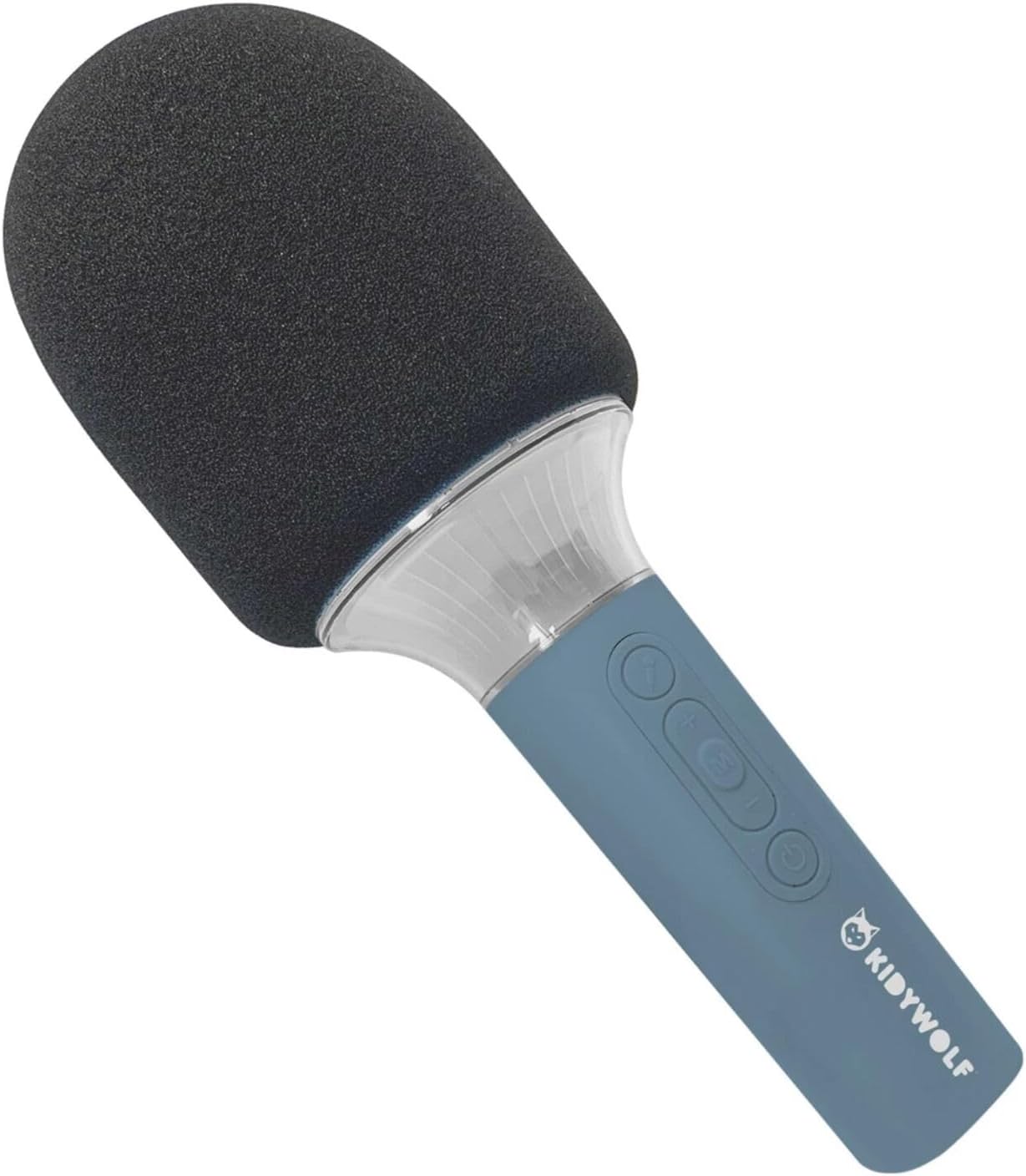
ຮູບທີ 4.1: ດ້ານໜ້າ view of the KIDYWOLF KIDYMICPARENT Bluetooth Microphone. This image shows the microphone head with its foam cover and the main body with control buttons.
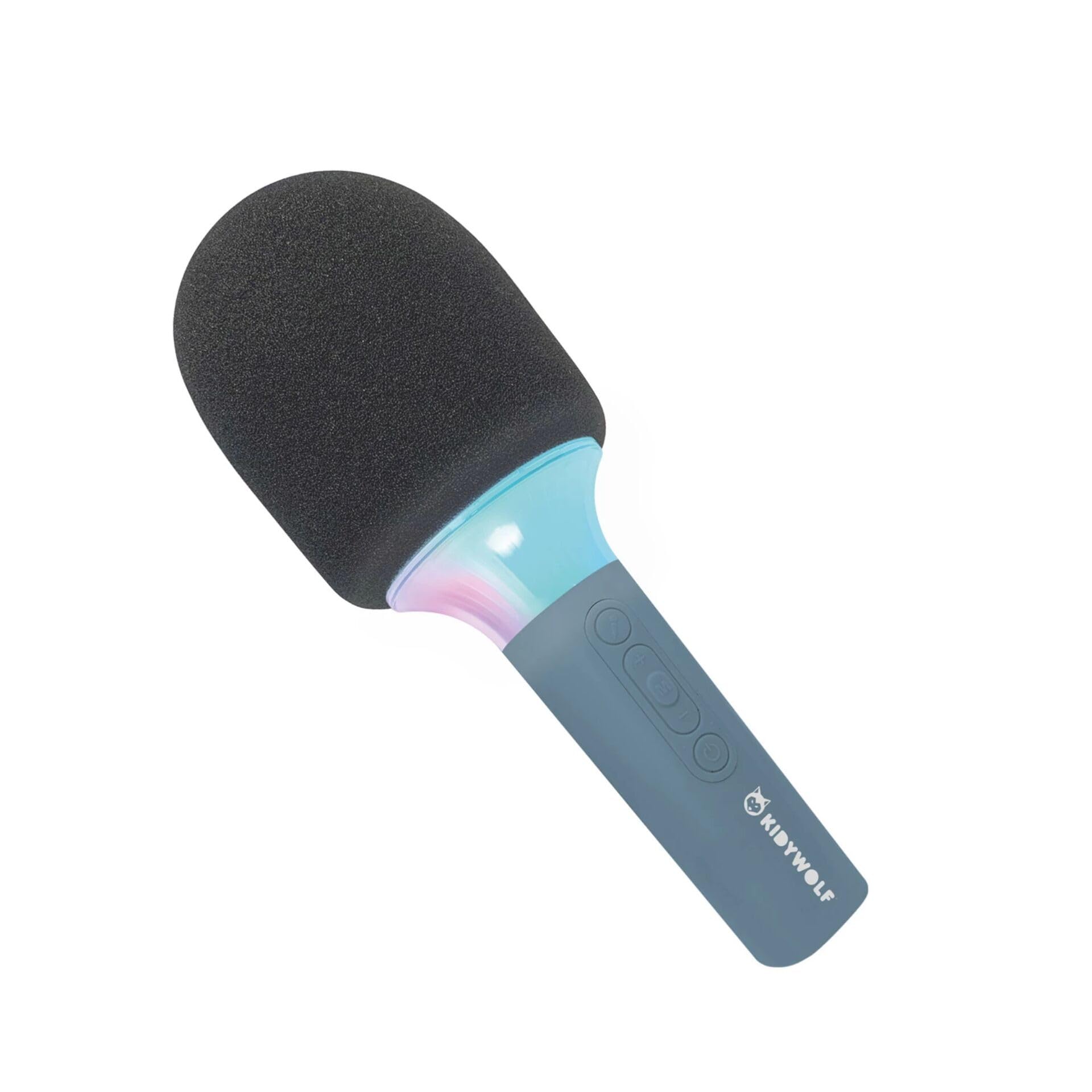
ຮູບທີ 4.2: ມຸມ view of the KIDYWOLF KIDYMICPARENT Bluetooth Microphone. This perspective highlights the ergonomic design of the handle and the placement of the control buttons.

ຮູບທີ 4.3: The KIDYWOLF KIDYMICPARENT Bluetooth Microphone with its integrated light effects active, showcasing the illuminated section below the microphone head.
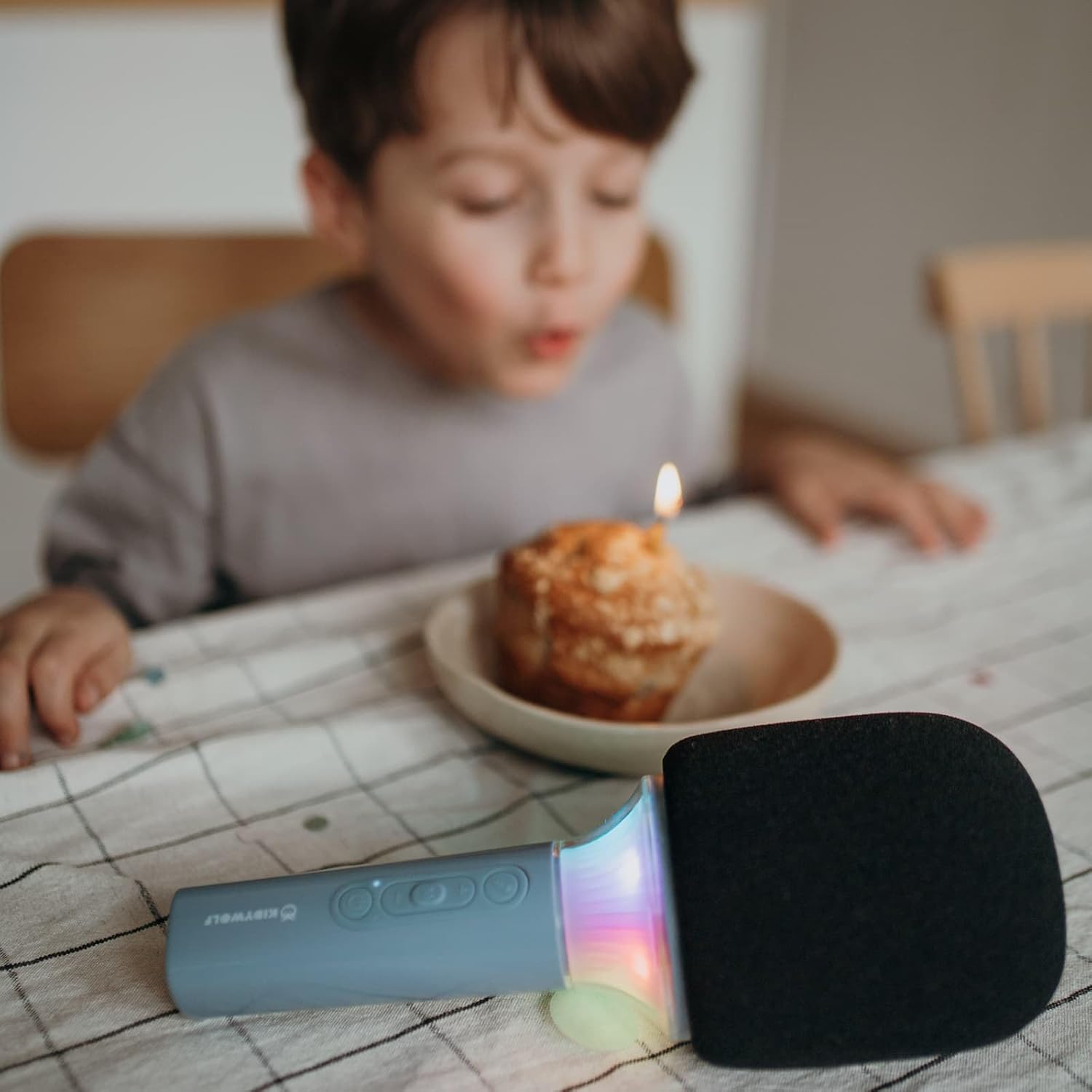
ຮູບທີ 4.4: A child using the KIDYWOLF KIDYMICPARENT Bluetooth Microphone, demonstrating its intended use for entertainment.
5. ຕັ້ງຄ່າ
5.1 ການສາກໄມໂຄຣໂຟນ
- Locate the USB-C charging port on the microphone.
- Connect the provided USB-C cable to the microphone's charging port.
- ເຊື່ອມຕໍ່ອີກສົ້ນຂອງສາຍ USB-C ກັບອະແດັບເຕີໄຟ USB ທີ່ເຂົ້າກັນໄດ້ (ບໍ່ລວມ) ຫຼືພອດ USB ຂອງຄອມພິວເຕີ.
- ໄຟສະແດງການສາກໄຟຈະສະຫວ່າງໃນລະຫວ່າງການສາກໄຟ ແລະປິດ ຫຼືປ່ຽນສີເມື່ອສາກເຕັມ.
- ໂດຍປົກກະຕິການສາກເຕັມຈະໃຊ້ເວລາປະມານ 2-3 ຊົ່ວໂມງ.
5.2 ການຈັບຄູ່ Bluetooth
- ເປີດ: Press and hold the Power button (usually marked with a power symbol) on the microphone until the indicator light turns on and you hear an audible prompt.
- ເປີດໃຊ້ Bluetooth: The microphone will automatically enter Bluetooth pairing mode, indicated by a flashing light or an audible prompt.
- ເປີດໃຊ້ Bluetooth ໃນອຸປະກອນຂອງທ່ານ: ໃນໂທລະສັບສະຫຼາດ, ແທັບເລັດ ຫຼື ອຸປະກອນອື່ນໆທີ່ເປີດໃຊ້ງານ Bluetooth, ໃຫ້ໄປທີ່ການຕັ້ງຄ່າ Bluetooth ແລະ ຮັບປະກັນວ່າ Bluetooth ເປີດຢູ່.
- ເລືອກອຸປະກອນ: Look for "KIDYMICPARENT" or a similar name in the list of available Bluetooth devices and select it to pair.
- ການຢືນຢັນ: Once successfully paired, you will hear a confirmation sound from the microphone, and the indicator light will stop flashing and remain solid.
ໝາຍເຫດ: If pairing fails, turn off the microphone and your device's Bluetooth, then repeat the steps. The microphone will automatically attempt to reconnect to the last paired device when powered on.
6. ຄໍາແນະນໍາການດໍາເນີນງານ
6.1 ເປີດ/ປິດ
- ເພື່ອເປີດເຄື່ອງ: ກົດປຸ່ມເປີດປິດຄ້າງໄວ້ປະມານ 3 ວິນາທີ.
- ປິດເຄື່ອງ: ກົດປຸ່ມເປີດປິດຄ້າງໄວ້ປະມານ 3 ວິນາທີ.
6.2 ການຄວບຄຸມປະລິມານ
- ໃຊ້ '+' button to increase the microphone and speaker volume.
- ໃຊ້ '-' button to decrease the microphone and speaker volume.
6.3 ການຫລີ້ນດົນຕີ
Once paired via Bluetooth, you can play music from your connected device. The microphone's built-in speaker will output the audio. Use your connected device to control music playback (play, pause, skip tracks).
6.4 ຜົນກະທົບແສງສະຫວ່າງ
The microphone features integrated light effects. Refer to the specific button (if available, often marked with a light bulb symbol or integrated with another function) to cycle through different light modes or turn them on/off. If no dedicated button is present, the lights may activate automatically with sound or be controlled via a multi-function button.
7. Voice Effects
The KIDYWOLF KIDYMICPARENT microphone offers 6 different voice settings to enhance your singing experience. To change voice effects:
- Locate the dedicated voice effect button (often marked with a microphone icon or "FX").
- Press the button repeatedly to cycle through the available voice effects.
- Listen to the audio output to select your desired voice effect.
8. ບໍາລຸງຮັກສາ
8.1 ການທໍາຄວາມສະອາດ
- Wipe the microphone's exterior with a soft, dry, or slightly damp ຜ້າ.
- ຫ້າມໃຊ້ສານເຄມີທີ່ຮຸນແຮງ, ເຄື່ອງຂັດຂັດ, ຫຼືສານລະລາຍ.
- Ensure no liquid enters the microphone's openings.
8.2 ການເກັບຮັກສາ
- Store the microphone in a cool, dry place away from direct sunlight.
- Keep it away from dust and extreme temperatures.
9. ການແກ້ໄຂບັນຫາ
| ບັນຫາ | ສາເຫດທີ່ເປັນໄປໄດ້ | ການແກ້ໄຂ |
|---|---|---|
| ໄມໂຄຣໂຟນບໍ່ເປີດ. | ແບັດເຕີຣີໝົດ. | ສາກໄມໂຄຣໂຟນໂດຍໃຊ້ສາຍ USB-C. |
| ບໍ່ສາມາດເຊື່ອມຕໍ່ຜ່ານ Bluetooth ໄດ້. | Bluetooth is off on the device; microphone is not in pairing mode; device is too far. | Ensure Bluetooth is enabled on your device. Put the microphone into pairing mode. Move the device closer to the microphone (within 10 meters). |
| ບໍ່ມີສຽງຈາກ ລຳ ໂພງ. | Volume is too low; microphone is muted; device is not playing audio. | Increase volume using the '+' button. Check if the microphone is muted. Ensure audio is playing on the connected device. |
| Voice effects are not changing. | Incorrect button pressed; feature not active. | Ensure you are pressing the correct voice effect button. |
10. ຂໍ້ມູນຈໍາເພາະ
| ຊື່ຕົວແບບ | KIDYMICPARENT |
| ຍີ່ຫໍ້ | KIDYWOLF |
| ປັດໄຈແບບຟອມ | ມືຖື |
| ຂະໜາດ (LxWxH) | 24 x 9 x 9 cm |
| ນ້ຳໜັກ | 414 g |
| ແຫຼ່ງພະລັງງານ | ແບັດເຕີຣີທີ່ສາມາດສາກໄດ້ |
| ວັດສະດຸ | ພາດສະຕິກ |
| ຈໍານວນຊ່ອງ | 1 |
| ເຕັກໂນໂລຊີການເຊື່ອມຕໍ່ | Bluetooth |
| ປະເພດການເຊື່ອມຕໍ່ | USB Type-C |
| ຄຸນນະສົມບັດພິເສດ | Volume Control, Light Effects, Voice Modulation (6 settings) |
| ອົງປະກອບລວມ | Microphone, USB-C Charging Cable |
| ການນໍາໃຊ້ທີ່ແນະນໍາ | ຄາຣາໂອເກະ |
11. ການຮັບປະກັນແລະການສະຫນັບສະຫນູນ
For warranty information and customer support, please refer to the documentation provided at the time of purchase or contact your retailer. You may also visit the official KIDYWOLF webເວັບໄຊທ໌ສຳລັບຊັບພະຍາກອນສະໜັບສະໜູນລ່າສຸດ ແລະ ລາຍລະອຽດການຕິດຕໍ່.