
ROSESELSA EI5
ROSESELSA Earfree i5 Wireless Earbuds User Manual
ຮູບແບບ: EI5
1. ບົດແນະນຳ
Welcome to the user manual for your ROSESELSA Earfree i5 Wireless Earbuds. These earbuds are designed to provide a high-quality audio experience with advanced features such as Hybrid Active Noise Cancellation (ANC), HiFi sound, extended battery life, and a low-latency game mode. Please read this manual carefully to ensure proper use and maintenance of your device.
2. ເນື້ອໃນຊຸດ
ກວດສອບວ່າລາຍການທັງຫມົດແມ່ນມີຢູ່ໃນຊຸດຂອງທ່ານ:
- ROSESELSA Earfree i5 Wireless Earbuds (Left and Right)
- ກ່ອງສາກ
- ສາຍສາກ USB-C
- Multiple Sizes of Eartips (Small, Medium, Large)
- ຄູ່ມືຜູ້ໃຊ້
3. ຜະລິດຕະພັນເກີນview
Familiarize yourself with the components of your Earfree i5 earbuds and charging case.

Image: ROSESELSA Earfree i5 wireless earbuds in their champagne gold charging case, showcasing the earbuds seated within the open case.
ອົງປະກອບຂອງຫູຟັງ:
- ແຕະພື້ນທີ່ຄວບຄຸມ
- Microphone (4 per earbud)
- ຫູຟັງ
- ກໍາລັງສາກ
ອົງປະກອບຂອງການສາກໄຟ:
- ຊ່ອງສຽບຫູຟັງຫູຟັງ
- ພອດສາກໄຟ USB-C
- ແສງຕົວຊີ້ວັດ LED
4. ຕັ້ງຄ່າ
4.1 ການສາກໄຟເບື້ອງຕົ້ນ
ກ່ອນທີ່ຈະໃຊ້ຄັ້ງທຳອິດ, ໃຫ້ສາກຫູຟັງຫູຟັງ ແລະ ຊ່ອງສາກໃຫ້ເຕັມ.
- ວາງຫູຟັງເອຍບັດທັງສອງໃສ່ໃນກ່ອງສາກ.
- ເຊື່ອມຕໍ່ສາຍສາກ USB-C ກັບຜອດສາກໄຟຢູ່ເຄສ ແລະກັບແຫຼ່ງພະລັງງານ.
- The LED indicator on the case will show charging status. A full charge for the case provides approximately 50 hours of total playtime, with earbuds offering up to 10 hours on a single charge. A 10-minute charge can provide up to 12 hours of playback.

Image: A USB-C cable being plugged into the Earfree i5 charging case, illustrating the charging process.
4.2 ການຈັບຄູ່ Bluetooth
To connect your Earfree i5 earbuds to a device:
- ກວດໃຫ້ແນ່ໃຈວ່າໄດ້ສາກຫູຟັງຫູຟັງ ແລະຢູ່ພາຍໃນກ່ອງສາກ.
- Open the charging case. The earbuds will automatically enter pairing mode (LED indicator will flash).
- On your device (smartphone, laptop, etc.), enable Bluetooth and search for new devices.
- Select "Earfree i5" from the list of available devices.
- Once connected, the LED indicator on the case will stop flashing or change color (refer to specific LED behavior in the full manual if available).
The Earfree i5 supports Bluetooth 5.3 for a stable connection up to 10 meters.
5. ຄໍາແນະນໍາການດໍາເນີນງານ
5.1 ແຕະການຄວບຄຸມ
The Earfree i5 earbuds feature touch-sensitive controls on each earbud. Specific functions can often be customized via the companion app.
- ຫຼິ້ນ/ຢຸດ: ແຕະເທື່ອດຽວໃສ່ຫູຟັງຫູຟັງ.
- ເພງຕໍ່ໄປ: ແຕະສອງເທື່ອໃສ່ຫູຟັງເບື້ອງຂວາ.
- ຕິດຕາມກ່ອນ ໜ້າ ນີ້: ແຕະສອງເທື່ອໃສ່ຫູຟັງທາງຊ້າຍ.
- ຮັບ/ສາຍໂທ: ແຕະເທື່ອດຽວໃສ່ຫູຟັງຫູຟັງ.
- ປະຕິເສດການໂທ: ກົດຄ້າງໃສ່ຫູຟັງທັງສອງຂ້າງ.
- ກະຕຸ້ນຜູ້ຊ່ວຍສຽງ: ແຕະສາມເທື່ອໃສ່ຫູຟັງຂ້າງໃດກໍໄດ້ (ສາມາດປັບແຕ່ງໄດ້).
- ປ່ຽນໂໝດ ANC: Press and hold on either earbud (cycles through ANC On, Transparency Mode, ANC Off).
5.2 Active Noise Cancellation (ANC) ແລະ ໂໝດຄວາມໂປ່ງໃສ
The Earfree i5 features Hybrid ANC technology, capable of reducing noise by up to 48dB across a 4000Hz width, providing an undisturbed listening experience. Transparency Mode allows you to hear your surroundings without removing the earbuds.
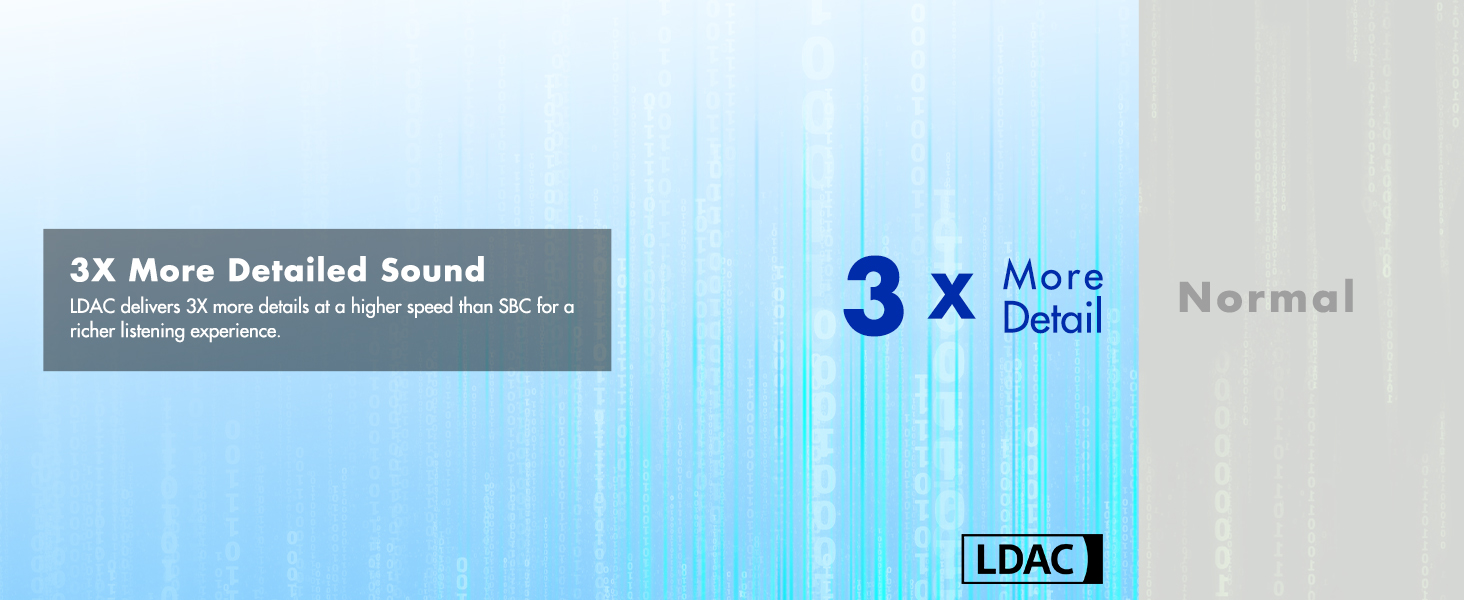
Image: Diagram illustrating the noise reduction capability of the Earfree i5 earbuds, showing a reduction of up to 98.9% with 48dB depth and 4000Hz width.
5.3 ໂໝດເກມ
Activate Game Mode for ultra-low latency audio, reducing audio delay to 54ms. This is beneficial for gaming where audio synchronization is critical.

Image: Image depicting gamers with text '54ms Imperceptible Latency', illustrating the low-latency game mode feature.
5.4 Roselink App
Download the "Roselink" app for enhanced control and customization options, including:
- ການຄວບຄຸມການສໍາພັດທີ່ສາມາດປັບແຕ່ງໄດ້
- Equalizer (EQ) presets
- ອັບເດດເຟີມແວ
- ການສະແດງສະຖານະຫມໍ້ໄຟ
- Dual-device connectivity management

Image: Screenshot of the 'Roselink' app interface on a smartphone, showing various control and customization options for the Earfree i5 earbuds.
6. ຄຸນນະສົມບັດທີ່ສໍາຄັນ
6.1 High-Fidelity Audio Experience
The Earfree i5 is equipped with HiFi 5 DSP and new-generation decoder and amplifier modules. The HR2 Technology Planck Unit and Topology Diaphragm enhance unit efficiency and sound quality, supporting LDAC codec for a rich listening experience.

Image: Two Earfree i5 earbuds with sound waves, highlighting 'High Fidelity Audio Experience' and mentioning HR2 topologic diaphragm, HiFi 5 DSP, and LDAC codec support.
6.2 Superior Clear Call Quality
Featuring GoerTek Silicon Crystal 4 Microphones and a DNN deep neural network algorithm, the earbuds effectively reduce environmental noise, ensuring clear and natural voice clarity during calls.

Image: A person smiling while wearing an Earfree i5 earbud, with text 'GoerTek HD Mics for Clear Calls', illustrating the advanced microphone technology for clear communication.
6.3 ກັນນ້ຳ IPX5
The Earfree i5 earbuds are IPX5 rated, making them resistant to sweat and light splashes. This makes them suitable for workouts and outdoor activities.

Image: A woman exercising on a stationary bike while wearing Earfree i5 earbuds, demonstrating their IPX5 water resistance for workouts.
6.4 Ergonomic Design and Premium Build
Designed for comfort, each earbud weighs only 4.2g. The charging case is crafted from aviation-grade aluminum alloy, processed with precision CNC, polishing, sandblasting, and anodizing for durability and a premium feel.
7. ບໍາລຸງຮັກສາ
To ensure the longevity and optimal performance of your Earfree i5 earbuds:
- ທໍາຄວາມສະອາດ: ອະນາໄມຫູຟັງຫູຟັງ, ຫູຟັງ ແລະ ແຜ່ນຕິດຕໍ່ສາກໄຟເປັນປະຈຳດ້ວຍຜ້າແພອ່ອນ, ແຫ້ງ, ບໍ່ມີສານດ່າງ. ຢ່າໃຊ້ສານເຄມີທີ່ຮຸນແຮງຫຼືວັດສະດຸຂັດ.
- Eartips: Remove and clean eartips periodically. Ensure they are completely dry before reattaching.
- ການເກັບຮັກສາ: ເມື່ອບໍ່ໄດ້ໃຊ້, ໃຫ້ເກັບຫູຟັງເອຍບັດໃສ່ໃນກະເປົ໋າສາກໄຟເພື່ອປົກປ້ອງພວກມັນ ແລະ ສືບຕໍ່ສາກໄຟ.
- ຫຼີກລ້ຽງສະພາບທີ່ຮ້າຍແຮງ: Do not expose the earbuds or case to extreme temperatures, humidity, or direct sunlight for extended periods.
8. ການແກ້ໄຂບັນຫາ
If you encounter issues with your Earfree i5 earbuds, try the following solutions:
8.1 ຫູຟັງບໍ່ຈັບຄູ່/ເຊື່ອມຕໍ່
- ກວດໃຫ້ແນ່ໃຈວ່າໄດ້ສາກຫູຟັງຫູຟັງ ແລະຢູ່ໃນໂໝດຈັບຄູ່ (ກໍລະນີເປີດ).
- ປິດ ແລະເປີດ Bluetooth ໃນອຸປະກອນຂອງທ່ານ.
- Forget "Earfree i5" from your device's Bluetooth list and try pairing again.
- ປິດເປີດອຸປະກອນຂອງທ່ານຄືນໃໝ່.
8.2 ບໍ່ມີສຽງຫຼືສຽງຕ່ໍາ
- ກວດເບິ່ງລະດັບສຽງໃນທັງອຸປະກອນຂອງທ່ານ ແລະຫູຟັງ.
- ໃຫ້ແນ່ໃຈວ່າຫູຟັງເອຍບັດຢູ່ໃນຫູຂອງທ່ານຢ່າງຖືກຕ້ອງ.
- ອະນາໄມສິ່ງເສດເຫຼືອຈາກຫົວຫູຟັງຫູຟັງ.
- ລອງໃຊ້ແຫຼ່ງສຽງ ຫຼືແອັບພລິເຄຊັນອື່ນ.
8.3 ບັນຫາການສາກໄຟ
- ໃຫ້ແນ່ໃຈວ່າສາຍສາກໄດ້ເຊື່ອມຕໍ່ຢ່າງປອດໄພກັບທັງກໍລະນີ ແລະແຫຼ່ງພະລັງງານ.
- ກວດສອບວ່າແຫຼ່ງພະລັງງານມີການເຄື່ອນໄຫວ.
- ເຮັດຄວາມສະອາດລາຍຊື່ຜູ້ຕິດຕໍ່ການສາກໄຟຢູ່ທັງຫູຟັງຫູຟັງ ແລະ ເຄສ.
- ລອງໃຊ້ສາຍ USB-C ຫຼືອະແດັບເຕີໄຟອື່ນ.
8.4 ANC ບໍ່ເຮັດວຽກຢ່າງມີປະສິດທິພາບ
- Ensure ANC mode is activated (press and hold touch control).
- Adjust the fit of the earbuds in your ears to ensure a proper seal. Try different eartip sizes.
- ໃຫ້ແນ່ໃຈວ່າໄມໂຄຣໂຟນບໍ່ຖືກກີດຂວາງ.
9. ຂໍ້ມູນຈໍາເພາະ
| ຊື່ຕົວແບບ | EI5 |
| ເຕັກໂນໂລຊີການເຊື່ອມຕໍ່ | ໄຮ້ສາຍ (Bluetooth 5.3) |
| ການຄວບຄຸມສິ່ງລົບກວນ | Hybrid Noise Cancellation (48 dB) |
| ປະເພດໄດເວີສຽງ | ໄດຣເວີໄດນາມິກ (12 ມມ) |
| ຊ່ວງຄວາມຖີ່ | 20 Hz - 20,000 Hz |
| impedance | 32 ໂອມ |
| ອາຍຸແບັດເຕີຣີ (ຫູຟັງ) | ສູງສຸດ 10 ຊົ່ວໂມງ |
| ເວລາຫຼິ້ນທັງໝົດ (ພ້ອມກໍລະນີ) | ສູງສຸດ 50 ຊົ່ວໂມງ |
| ຄວາມອາດສາມາດສາກໄຟໄດ້ | 500 mAh |
| ຄວາມແຝງທາງສຽງ (ໂໝດເກມ) | 54 ມິນລິວິນາທີ |
| ລະດັບຄວາມຕ້ານທານນ້ໍາ | IPX5 (Moisture Resistant) |
| ນ້ ຳ ໜັກ ຕຸ້ມຫູ | 4.2 ກຣາມ (ຫູຟັງຂ້າງດຽວ) |
| ອຸປະກອນການສາກໄຟ | Metal (Aviation-grade aluminum alloy) |
| ປະເພດການຄວບຄຸມ | ແຕະການຄວບຄຸມ, ການຄວບຄຸມແອັບ |
10. ຂໍ້ມູນຄວາມປອດໄພ
- ຢ່າຖອດຫຼືດັດແປງຜະລິດຕະພັນ.
- ຮັກສາໃຫ້ໄກຈາກເດັກນ້ອຍ ແລະສັດລ້ຽງ.
- ຫຼີກເວັ້ນການສໍາຜັດກັບລະດັບສຽງສູງເປັນເວລາດົນນານເພື່ອປ້ອງກັນຄວາມເສຍຫາຍຂອງການໄດ້ຍິນ.
- Do not use the earbuds in situations where inability to hear surroundings could be dangerous (e.g., driving, cycling, walking in traffic).
- ຖິ້ມຜະລິດຕະພັນ ແລະ ໝໍ້ໄຟຢ່າງມີຄວາມຮັບຜິດຊອບຕາມລະບຽບທ້ອງຖິ່ນ.
11. ການຮັບປະກັນແລະການສະຫນັບສະຫນູນ
For warranty information, technical support, or customer service inquiries, please refer to the official ROSESELSA webເວັບໄຊ ຫຼືຕິດຕໍ່ຮ້ານຄ້າປີກບ່ອນທີ່ທ່ານຊື້ຜະລິດຕະພັນ. ຮັກສາຫຼັກຖານການຊື້ຂອງທ່ານສໍາລັບການຮ້ອງຂໍການຮັບປະກັນ.