
1. ຂໍ້ມູນຄວາມປອດໄພທີ່ສໍາຄັນ
Please read these safety instructions carefully before operating your TV and retain them for future reference. Always follow basic safety precautions to reduce the risk of fire, electric shock, and injury.
- ພະລັງງານ: Connect the TV to an AC power outlet only. Do not overload wall outlets. Ensure the power cord is not damaged or pinched.
- ການລະບາຍອາກາດ: Do not block ventilation openings. Install the TV in a location with adequate airflow.
- ທໍາຄວາມສະອາດ: ຖອດປລັກໂທລະພາບອອກກ່ອນທຳຄວາມສະອາດ. ໃຊ້ຜ້າອ່ອນໆແລະແຫ້ງ. ຢ່າໃຊ້ນໍ້າຢາທຳຄວາມສະອາດ ຫຼື ສະເປຣສີດ.
- ນ້ໍາແລະຄວາມຊຸ່ມ: ຢ່າເຮັດໃຫ້ໂທລະທັດຖືກຝົນຫຼືຄວາມຊຸ່ມຊື່ນ. ຫ້າມວາງສິ່ງຂອງທີ່ເຕັມໄປດ້ວຍນ້ຳໃສ່ໂທລະພາບ.
- ຄວາມໝັ້ນຄົງ: Ensure the TV is placed on a stable surface or securely mounted to prevent it from falling.
2. ມີຫຍັງແດ່
ກວດສອບວ່າອົງປະກອບທັງຫມົດແມ່ນມີຢູ່ໃນການຫຸ້ມຫໍ່:
- LG 55QNED85T 55-inch 4K QNED Smart TV
- Base (Stand)
- ສາຍໄຟທີ່ຖອດອອກໄດ້
- Magic Remote (MR 24Y)
- ແບັດເຕີຣີ AA x 2
3. ຕັ້ງຄ່າ
3.1 ການຫຸ້ມຫໍ່
Carefully remove the TV and all accessories from the packaging. It is recommended to keep the packaging materials for future transport or service needs.
3.2 ການຕິດຕັ້ງຂາຕັ້ງ
ການຕິດຕັ້ງ TV Stand:
- ວາງໂທລະທັດໜ້າລົງເທິງພື້ນຜິວທີ່ຮາບພຽງເພື່ອປ້ອງກັນຄວາມເສຍຫາຍຂອງໜ້າຈໍ.
- ຈັດວາງອົງປະກອບຂາຕັ້ງກັບຊ່ອງທີ່ສອດຄ້ອງກັນຢູ່ດ້ານລຸ່ມຂອງໂທລະພາບ.
- ຮັບປະກັນຂາຕັ້ງໂດຍໃຊ້ສະກູທີ່ໃຫ້ໄວ້. ໃຫ້ແນ່ໃຈວ່າ screws ທັງຫມົດໄດ້ຖືກ tightened ຢ່າງແຫນ້ນຫນາ.

ດ້ານໜ້າ view of the LG 55QNED85T 55-inch 4K QNED Smart TV with its stand installed.

ຂ້າງ view of the LG 55QNED85T 55-inch 4K QNED Smart TV showing its slim profile ແລະຢືນ.
3.3 ການຕິດຝາ (ທາງເລືອກ)
If you choose to wall mount your TV, refer to the instructions provided with your wall mount bracket. Ensure the bracket is compatible with VESA standards for your TV model and installed by a qualified professional.
3.4 ການເຊື່ອມຕໍ່ອຸປະກອນຕໍ່
Connect external devices such as set-top boxes, gaming consoles, or sound systems to the TV's ports. The TV features HDMI, USB, Ethernet, Bluetooth, and Wi-Fi connectivity.

ຫລັງ view of the LG 55QNED85T 55-inch 4K QNED Smart TV showing various input and output ports.
3.5 ການເຊື່ອມຕໍ່ພະລັງງານ
After connecting all desired devices, plug the detachable power cable into the TV's power input and then into a wall outlet.
3.6 ການຕິດຕັ້ງເບື້ອງຕົ້ນ
Upon first power-on, the TV will guide you through the initial setup process. This includes selecting your language, connecting to a network (Wi-Fi or Ethernet), and scanning for channels.
4. ການປະຕິບັດໂທລະພາບຂອງທ່ານ
4.1 Magic Remote (MR 24Y)
The LG Magic Remote allows for intuitive control of your TV. It functions like an air mouse, allowing you to point and click. It also features a dedicated AI button for smart functions.

The LG AI Magic Remote offers dedicated buttons and features for AI functions, including AI Chatbot, AI Concierge, AI Search, AI Picture Wizard, AI Voice ID, and AI Sound Wizard.
4.2 WebOS 24 ຄຸນສົມບັດອັດສະລິຍະ
LG QNED TV ຂອງທ່ານເປີດຢູ່ webOS 24, offering a smart and user-friendly interface. Key features include:
- LG ThinQ AI: Integrated artificial intelligence for enhanced control and personalization.
- Amazon Alexa ໃນຕົວ: Use voice commands for various TV functions and smart home control.
- ການຮັບຮູ້ສຽງອັດສະລິຍະ: Control your TV and search for content using your voice.
- App Remote Control (LG ThinQ): Control your TV from your smartphone using the LG ThinQ app.
- AI Concierge: Provides personalized keyword suggestions and recommendations based on your viewໃນປະຫວັດສາດ.

The AI Concierge feature provides personalized keyword suggestions and recommendations based on your search and viewໃນປະຫວັດສາດ.
- ຄົ້ນຫາ AI: Offers personalized recommendations for your queries and additional solutions with Microsoft Copilot.

AI Search provides personalized recommendations for your queries and can integrate with Microsoft Copilot for additional solutions.
- AI Voice ID: Recognizes each user's vocal signature and offers personalized recommendations as you speak.

AI Voice ID recognizes individual user voices to provide personalized content recommendations.
4.3 ການຕັ້ງຄ່າຮູບ
Your QNED TV combines Quantum Dot and NanoCell technologies for vibrant and accurate colors. The α8 AI Processor Gen 2 optimizes picture quality.
- QNED Dynamic Colors: LG's wide color gamut technology provides enhanced color reproduction.
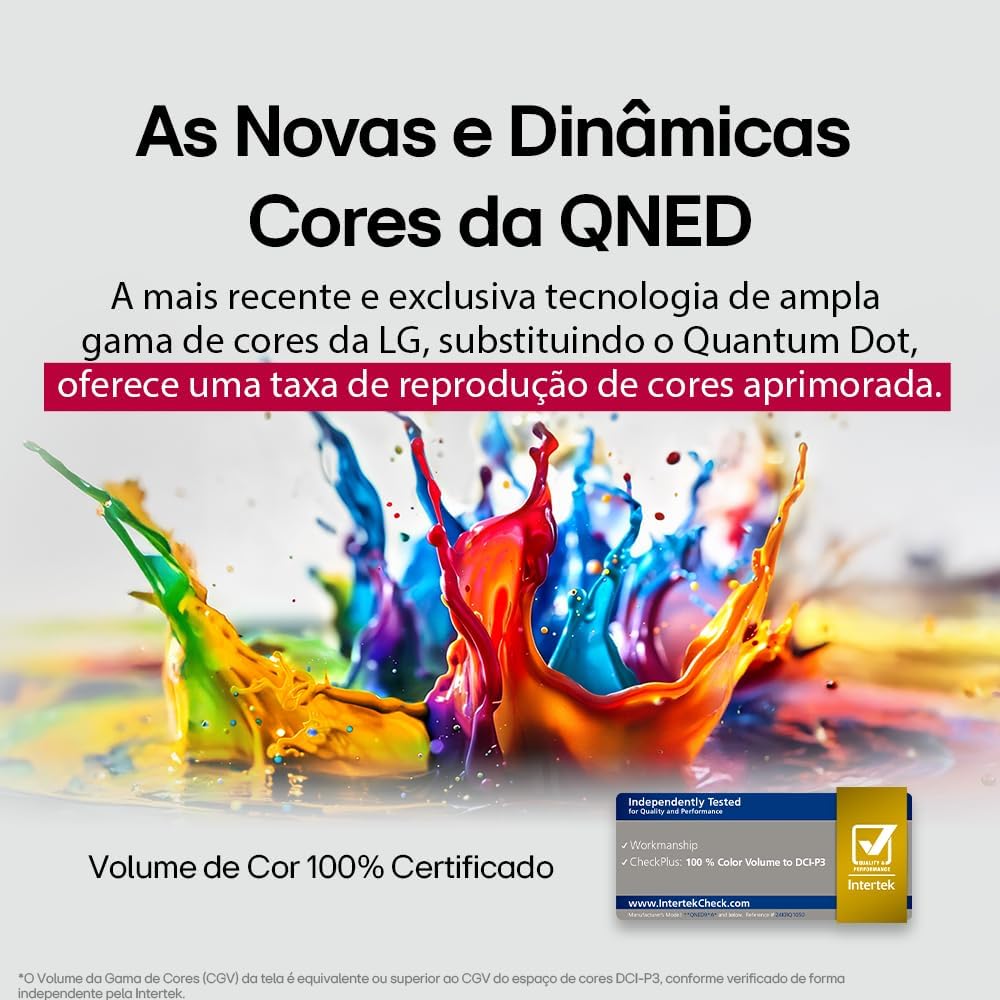
LG's QNED technology delivers new and dynamic colors, offering an improved color reproduction rate with 100% Certified Color Volume to DCI-P3.
- MiniLED: This technology enhances sharpness and provides superior contrast for an immersive viewປະສົບການ.
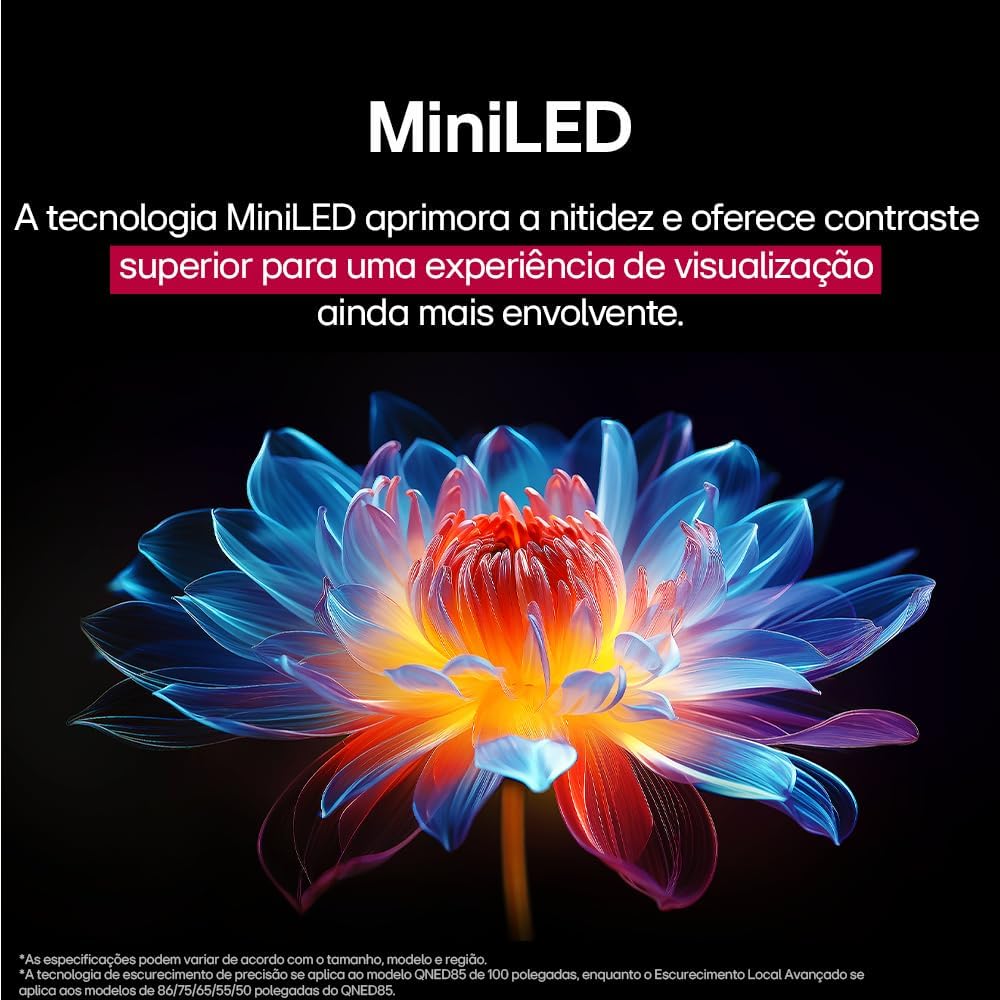
MiniLED technology improves sharpness and offers superior contrast for an immersive viewປະສົບການ.
- α8 AI Processor Gen 2: This processor enhances 4K visuals with impressive colors and brightness.
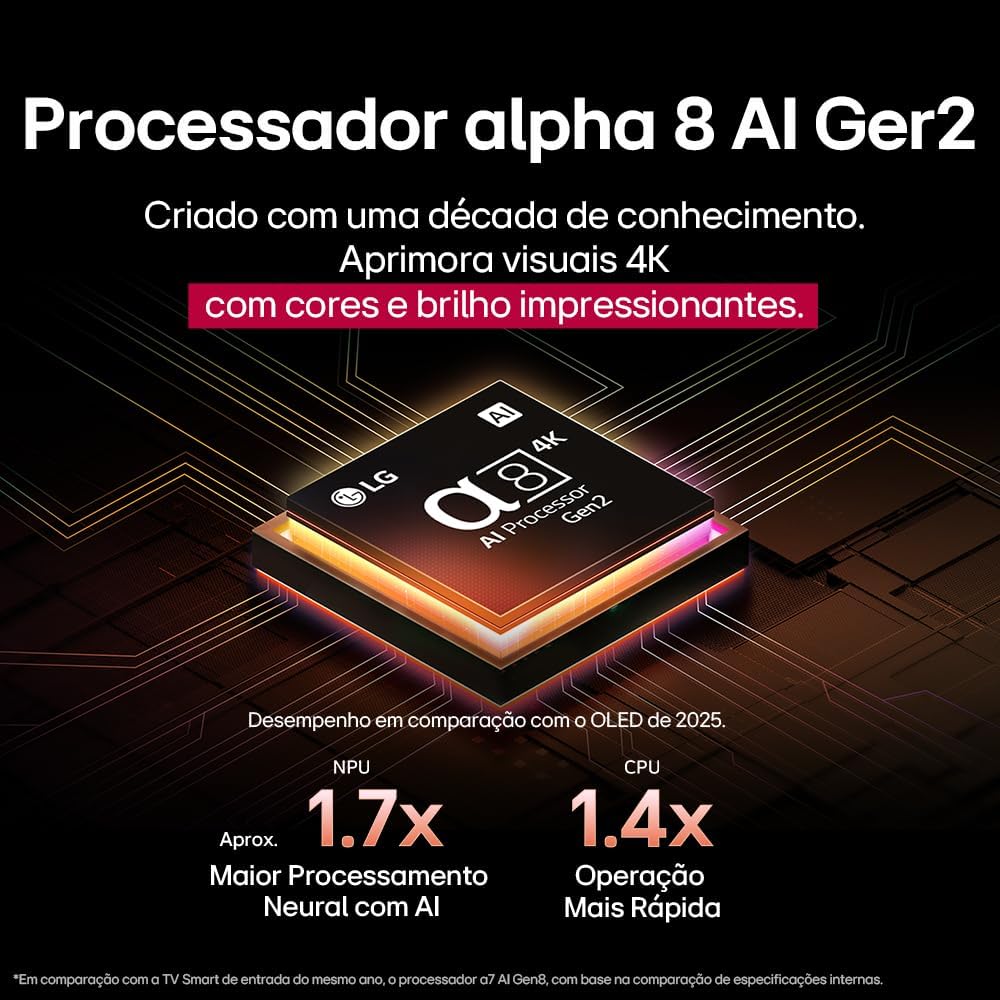
The Alpha 8 AI Processor Gen 2 enhances 4K visuals with impressive colors and brightness, offering approximately 1.7x greater neural processing with AI and 1.4x faster operation compared to previous generations.
- AI ຮູບພາບ Pro: Analyzes each frame, enhancing resolution, brightness, depth, and clarity to bring every scene to life.

AI Picture Pro analyzes each frame, enhancing resolution, brightness, depth, and clarity to bring every scene to life.
4.4 ການຕັ້ງຄ່າສຽງ
The TV includes AI Sound Wizard features to optimize audio output based on your environment and content.
4.5 ການເຊື່ອມຕໍ່
ໂທລະພາບຂອງທ່ານຮອງຮັບຕົວເລືອກການເຊື່ອມຕໍ່ທີ່ຫຼາກຫຼາຍ:
- Wi-Fi: ເຊື່ອມຕໍ່ກັບເຄືອຂ່າຍໄຮ້ສາຍໃນເຮືອນຂອງທ່ານສຳລັບການເຂົ້າເຖິງອິນເຕີເນັດ ແລະ ຄຸນສົມບັດອັດສະລິຍະຕ່າງໆ.
- ອີເທີເນັດ: ໃຊ້ການເຊື່ອມຕໍ່ແບບມີສາຍເພື່ອການເຂົ້າເຖິງອິນເຕີເນັດທີ່ໝັ້ນຄົງ.
- HDMI: Connect high-definition devices like Blu-ray players, game consoles, and soundbars.
- USB: ຫຼີ້ນສື່ files ຈາກອຸປະກອນເກັບຮັກສາ USB.
- Bluetooth: Connect wireless headphones, speakers, or other compatible devices.
4.6 ຄຸນສົມບັດການຫຼິ້ນເກມ
The LG 55QNED85T is equipped with features for an enhanced gaming experience:
- 120Hz Panel: Provides smoother motion for fast-paced games.
- FreeSync: Reduces screen tearing and stuttering when connected to compatible gaming devices.
5. ບໍາລຸງຮັກສາ
5.1 ການທໍາຄວາມສະອາດ
- ໜ້າຈໍ: ເຊັດໜ້າຈໍຢ່າງອ່ອນໂຍນດ້ວຍຜ້າອ່ອນໆ, ບໍ່ມີເຈັ້ຍ. ສໍາລັບຮອຍແຂງ, ເບົາບາງ dampໃສ່ຜ້າດ້ວຍນ້ໍາຫຼືເຄື່ອງເຮັດຄວາມສະອາດຫນ້າຈໍພິເສດ (ຢ່າສີດໃສ່ຫນ້າຈໍໂດຍກົງ).
- ຂອບແລະຂາຕັ້ງ: ເຊັດດ້ວຍຜ້າອ່ອນໆ, ແຫ້ງ.
- ການຄວບຄຸມໄລຍະໄກ: Use a soft, dry cloth to clean the remote.
5.2 ການປັບປຸງຊອບແວ
Your TV may receive software updates to improve performance and add new features. You can usually check for and install updates through the TV's settings menu (Settings > General > About This TV > Check for Updates).
6. ການແກ້ໄຂບັນຫາ
ຖ້າຫາກທ່ານພົບບັນຫາກັບໂທລະພາບຂອງທ່ານ, ເບິ່ງວິທີແກ້ໄຂທົ່ວໄປດັ່ງຕໍ່ໄປນີ້:
| ບັນຫາ | ການແກ້ໄຂທີ່ເປັນໄປໄດ້ |
|---|---|
| ບໍ່ມີພະລັງງານ | ກວດເບິ່ງວ່າສາຍໄຟເຊື່ອມຕໍ່ຢ່າງປອດໄພກັບໂທລະທັດ ແລະປລັກສຽບຝາຫຼືບໍ່. ຮັບປະກັນວ່າປລັກສຽບເຮັດວຽກໄດ້. |
| ບໍ່ມີຮູບພາບ, ແຕ່ສຽງແມ່ນປະຈຸບັນ | Check the input source. Ensure external devices are powered on and connected correctly via HDMI. |
| ບໍ່ມີສຽງ, ແຕ່ຮູບພາບແມ່ນປະຈຸບັນ | ກວດເບິ່ງລະດັບສຽງ ແລະສະຖານະປິດສຽງ. ກວດສອບການຕັ້ງຄ່າສຽງອອກ (ເຊັ່ນ: ລຳໂພງພາຍໃນ, ແຖບສຽງພາຍນອກ). |
| ການຄວບຄຸມໄລຍະໄກບໍ່ເຮັດວຽກ | ປ່ຽນແບັດເຕີລີ. ໃຫ້ແນ່ໃຈວ່າບໍ່ມີສິ່ງກີດຂວາງລະຫວ່າງຣີໂໝດ ແລະໂທລະພາບ. ຈັບຄູ່ Magic Remote ຄືນໃໝ່ຖ້າຈໍາເປັນ. |
| ບັນຫາການເຊື່ອມຕໍ່ເຄືອຂ່າຍ | ຣີສະຕາດເຣົາເຕີ ແລະໂມເດັມຂອງທ່ານ. ກວດເບິ່ງລະຫັດຜ່ານ Wi-Fi. ລອງເຊື່ອມຕໍ່ອີເທີເນັດແບບມີສາຍຖ້າເປັນໄປໄດ້. |
| ບັນຫາຄຸນນະພາບຮູບ | ປັບການຕັ້ງຄ່າຮູບພາບ (ຄວາມສະຫວ່າງ, ກົງກັນຂ້າມ, ຄວາມຄົມຊັດ). ໃຫ້ແນ່ໃຈວ່າແຫຼ່ງປ້ອນຂໍ້ມູນແມ່ນໃຫ້ສັນຍານຄຸນນະພາບສູງ. |
ຖ້າບັນຫາຍັງຄົງຢູ່, ລອງຕັ້ງຄ່າໂຮງງານຄືນໃໝ່ (ອ້າງອີງໃສ່ເມນູການຕັ້ງຄ່າຂອງໂທລະພາບ) ຫຼື ຕິດຕໍ່ຝ່າຍສະໜັບສະໜູນລູກຄ້າ LG.
7. ຂໍ້ມູນຈໍາເພາະ
Detailed specifications for the LG 55QNED85T 55-inch 4K QNED Smart TV:
| ຄຸນສົມບັດ | ຂໍ້ມູນຈໍາເພາະ |
|---|---|
| ຂະໜາດໜ້າຈໍ | 55 ນິ້ວ |
| ຍີ່ຫໍ້ | LG |
| ເຕັກໂນໂລຊີການສະແດງ | LED (QNED, MiniLED) |
| ຄວາມລະອຽດ | 4K (3840 x 2160) |
| ອັດຕາການໂຫຼດຂໍ້ມູນຄືນໃໝ່ | 120 Hz |
| ຄຸນນະສົມບັດພິເສດ | QNED Dynamic Colors, MiniLED, α8 AI Processor Gen 2 |
| ເຕັກໂນໂລຊີການເຊື່ອມຕໍ່ | Bluetooth, Ethernet, HDMI, USB, Wi-Fi |
| ອັດຕາສ່ວນ | 16:9 |
| ຂະໜາດຜະລິດຕະພັນ (DxWxH) | 25.7D x 123.6W x 78.3H centimeters (with stand) |

Dimensions of the LG 55QNED85T 55-inch TV. Indicated values and actual measurements may differ.
8. ການຮັບປະກັນແລະການສະຫນັບສະຫນູນ
Your LG 55QNED85T Smart TV comes with a manufacturer's warranty. Please refer to the warranty card included in your product packaging for specific terms and conditions.
ສໍາລັບການສະຫນັບສະຫນູນດ້ານວິຊາການ, ການບໍລິການ, ຫຼືການຮ້ອງຂໍການຮັບປະກັນ, ກະລຸນາຕິດຕໍ່ບໍລິການລູກຄ້າ LG ຜ່ານທາງການຂອງພວກເຂົາ webເວັບໄຊ ຫຼືຂໍ້ມູນການຕິດຕໍ່ທີ່ສະໜອງໃຫ້ຢູ່ໃນເອກະສານການຮັບປະກັນຂອງທ່ານ.