
STRONG SRT32HG6733C
STRONG SRT32HG6733C 32-inch HD Android Smart TV User Manual
Model: SRT32HG6733C
ແນະນຳ
This manual provides essential information for the setup, operation, and maintenance of your STRONG SRT32HG6733C 32-inch HD Android Smart TV. Please read these instructions carefully before using the product to ensure proper functionality and safety.
ແມ່ນຫຍັງຢູ່ໃນກ່ອງ
ເມື່ອຖອດຫໍ່ອອກແລ້ວ, ໃຫ້ກວດສອບວ່າທຸກລາຍການທີ່ມີລາຍການຂ້າງລຸ່ມນີ້ມີຢູ່ແລະຢູ່ໃນສະພາບທີ່ດີ:
- STRONG SRT32HG6733C TV Unit
- Remote control with voice recognition
- 2 x ຫມໍ້ໄຟ AAA
- ຄູ່ມືຜູ້ໃຊ້ (ເອກະສານນີ້)

Image: The STRONG SRT32HG6733C TV unit with its central stand, remote control, and included accessories.
ຕັ້ງຄ່າ
1. ຕິດຂາຕັ້ງ
Carefully place the TV screen-down on a soft, clean surface to prevent scratches. Align the central stand with the mounting holes on the bottom of the TV. Secure the stand using the provided screws. Ensure the stand is firmly attached before proceeding.

ຮູບພາບ: ດ້ານຫລັງ view of the TV showing the central stand attachment points and various input ports.
2. ການເຊື່ອມຕໍ່ພະລັງງານ
ສຽບສາຍໄຟໃສ່ບ່ອນສຽບໄຟຂອງໂທລະທັດ, ຈາກນັ້ນໃສ່ຮູສຽບໃສ່ຝາ. ໂທລະພາບຈະເຂົ້າສູ່ໂໝດສະແຕນບາຍ.
3. ການຕິດຕັ້ງເບື້ອງຕົ້ນ ແລະການເຊື່ອມຕໍ່ເຄືອຂ່າຍ
Upon first power-on, the TV will guide you through the initial setup process. This includes language selection, country, and network connection. For optimal Smart TV functionality, connect to your Wi-Fi network. You can also connect via an Ethernet cable for a stable wired connection.

Image: The TV screen displaying connectivity options, highlighting Wi-Fi and Bluetooth symbols.
ຄໍາແນະນໍາການດໍາເນີນງານ
ຟັງຊັນພື້ນຖານ
- ເປີດ/ປິດ: ກົດປຸ່ມເປີດປິດໃນການຄວບຄຸມໄລຍະໄກຫຼືໂທລະພາບ.
- ການເລືອກຊ່ອງ: Use the CH+/- buttons or the number pad on the remote.
- ການຄວບຄຸມລະດັບສຽງ: ໃຊ້ປຸ່ມ VOL+/-.
- ແຫຼ່ງປ້ອນຂໍ້ມູນ: Press the SOURCE button to select between HDMI, AV, DVB-T/T2, DVB-C, DVB-S/S2 inputs.
ຄຸນສົມບັດໂທລະທັດອັດສະລິຍະ (Google TV)
Your TV runs on Google TV, providing access to a wide range of applications and services.
- ໜ້າຈໍຫຼັກ: Access your favorite apps, movies, and shows directly from the customizable home screen.
- ແອັບພລິເຄຊັນສະຕຣີມມິງ: Pre-installed apps include Netflix, Prime Video, YouTube, and Disney+. Additional apps can be downloaded from the Google Play Store.
- ຜູ້ຊ່ວຍ Google: Use the voice recognition remote to control your TV, search for content, and get information by pressing the Google Assistant button and speaking your command.
- Google Cast: Stream content from your compatible smartphone or tablet directly to the TV.

Image: The TV screen showing the Google TV interface with icons for Netflix, YouTube, Prime Video, Disney+, and other streaming services.

Image: A user holding the voice-controlled remote, with a visual representation of Google Assistant responding to a voice command on the TV screen.
ການເຊື່ອມຕໍ່
ໂທລະພາບມີພອດຕ່າງໆເພື່ອເຊື່ອມຕໍ່ອຸປະກອນພາຍນອກ:
- ຜອດ HDMI (x2): ເຊື່ອມຕໍ່ເຄື່ອງຫຼິ້ນ Blu-ray, ເຄື່ອງຫຼິ້ນເກມ, ຫຼືອຸປະກອນອື່ນໆທີ່ຮອງຮັບ HDMI.
- ພອດ USB (x1): ຫຼີ້ນສື່ file(ຮູບພາບ, ວິດີໂອ, ເພງ) ຈາກອຸປະກອນເກັບຂໍ້ມູນ USB.
- Ethernet (RJ45) Port: ສໍາລັບການເຊື່ອມຕໍ່ອິນເຕີເນັດແບບມີສາຍ.
- Antenna (ANT in) / Satellite (SAT in) Inputs: Connect your terrestrial or satellite antenna for live TV.
- ສະລັອດຕິງ CI: ສຳລັບໂມດູນການເຂົ້າເຖິງແບບມີເງື່ອນໄຂ (CAM) ເພື່ອຖອດລະຫັດຊ່ອງທາງທີ່ຖືກເຂົ້າລະຫັດ.
- ຜົນອອກ SPDIF: For digital audio output to a soundbar or home theater system.
- AV ໃນ: ສໍາລັບການເຊື່ອມຕໍ່ອຸປະກອນເກົ່າໂດຍໃຊ້ວິດີໂອປະກອບແລະສຽງສະເຕີລິໂອ.
- ຫູຟັງ Output: ສໍາລັບການເຊື່ອມຕໍ່ຫູຟັງ.

ຮູບພາບ: ລາຍລະອຽດດ້ານຫລັງ view of the TV highlighting all available input and output ports, including AV in, HDMI, USB, Ethernet, S/PDIF, ANT in, SAT in, CI slot, and Headphone output.
ວິດີໂອ: ຫຍໍ້ກ່ອນview demonstrating the TV's use in a mobile setting, such as a camper van, showing its compact size and clear display for entertainment on the go.
ບໍາລຸງຮັກສາ
ທໍາຄວາມສະອາດໂທລະພາບ
ເພື່ອເຮັດຄວາມສະອາດໜ້າຈໍ, ຄ່ອຍໆເຊັດມັນດ້ວຍຜ້າທີ່ອ່ອນໆ, ບໍ່ມີສານຂັດ. ສໍາລັບຮອຍແຂງ, ເລັກນ້ອຍ dampen the cloth with water or a screen-cleaning solution. Avoid using harsh chemicals or abrasive materials. Clean the TV casing ແຫ້ງ, ຜ້າອ່ອນ.
ອັບເດດຊອບແວ
Your Android TV may receive software updates periodically. Ensure your TV is connected to the internet to receive these updates. Updates can improve performance, add new features, and enhance security. You can check for updates manually in the TV's settings menu.
ການແກ້ໄຂບັນຫາ
| ບັນຫາ | ການແກ້ໄຂທີ່ເປັນໄປໄດ້ |
|---|---|
| ບໍ່ມີພະລັງງານ | ກວດສອບວ່າສາຍໄຟໄດ້ສຽບເຂົ້າກັບໂທລະພາບ ແລະ ປລັກສຽບຝາຢ່າງແໜ້ນໜາແລ້ວ. ໃຫ້ແນ່ໃຈວ່າປລັກສຽບເຮັດວຽກໄດ້. |
| ບໍ່ມີຮູບ, ແຕ່ສຽງແມ່ນປະຈຸບັນ | ກວດສອບແຫຼ່ງປ້ອນຂໍ້ມູນທີ່ຖືກຕ້ອງຖືກເລືອກ. ກວດເບິ່ງການເຊື່ອມຕໍ່ສາຍກັບອຸປະກອນພາຍນອກ. |
| ບໍ່ມີສຽງ, ແຕ່ມີຮູບພາບ | Check the volume level and mute status. Ensure audio cables are correctly connected if using external speakers. |
| ການຄວບຄຸມໄລຍະໄກບໍ່ເຮັດວຽກ | ປ່ຽນແບັດເຕີລີ. ກວດໃຫ້ແນ່ໃຈວ່າບໍ່ມີສິ່ງກີດຂວາງລະຫວ່າງຣີໂໝດ ແລະເຊັນເຊີ IR ຂອງໂທລະທັດ. |
| ບໍ່ສາມາດເຊື່ອມຕໍ່ກັບ Wi-Fi ໄດ້ | ໃຫ້ແນ່ໃຈວ່າເຣົາເຕີຂອງທ່ານເປີດຢູ່ ແລະ ເຮັດວຽກໄດ້. ໃສ່ລະຫັດຜ່ານ Wi-Fi ຄືນໃໝ່. ລອງເປີດທັງໂທລະພາບ ແລະ ເຣົາເຕີຄືນໃໝ່. |
| Smart TV apps are slow or unresponsive | Check your internet connection speed. Close unused applications. Restart the TV. |
ຂໍ້ມູນຈໍາເພາະ
| ຄຸນສົມບັດ | ລາຍລະອຽດ |
|---|---|
| ໝາຍເລກຕົວແບບ | SRT32HG6733C |
| ຂະໜາດໜ້າຈໍ | 32 ນິ້ວ (81 ຊຕມ) |
| ເຕັກໂນໂລຊີການສະແດງ | LED |
| ຄວາມລະອຽດ | HD Ready (1366 x 768p) |
| ລະບົບປະຕິບັດການ | Google TV |
| ການເຊື່ອມຕໍ່ | Wi-Fi, Bluetooth, 2x HDMI, 1x USB, Ethernet (RJ45), AV In, SPDIF, ANT in, SAT in, CI Slot |
| ເຄື່ອງຮັບສັນຍານ | DVB-T/T2, DVB-C, DVB-S/S2 (HEVC 265 codec) |
| ຄຸນນະສົມບັດພິເສດ | Google Assistant, Google Cast, Dolby Audio |
| ຂະໜາດ (ກວ້າງ x ສູງ) | 71.8 x 22.3 x 45.2 cm (ມີຂາຕັ້ງ) |
| ອົງປະກອບລວມ | TV, Voice Remote, 2x AAA Batteries, Manual |
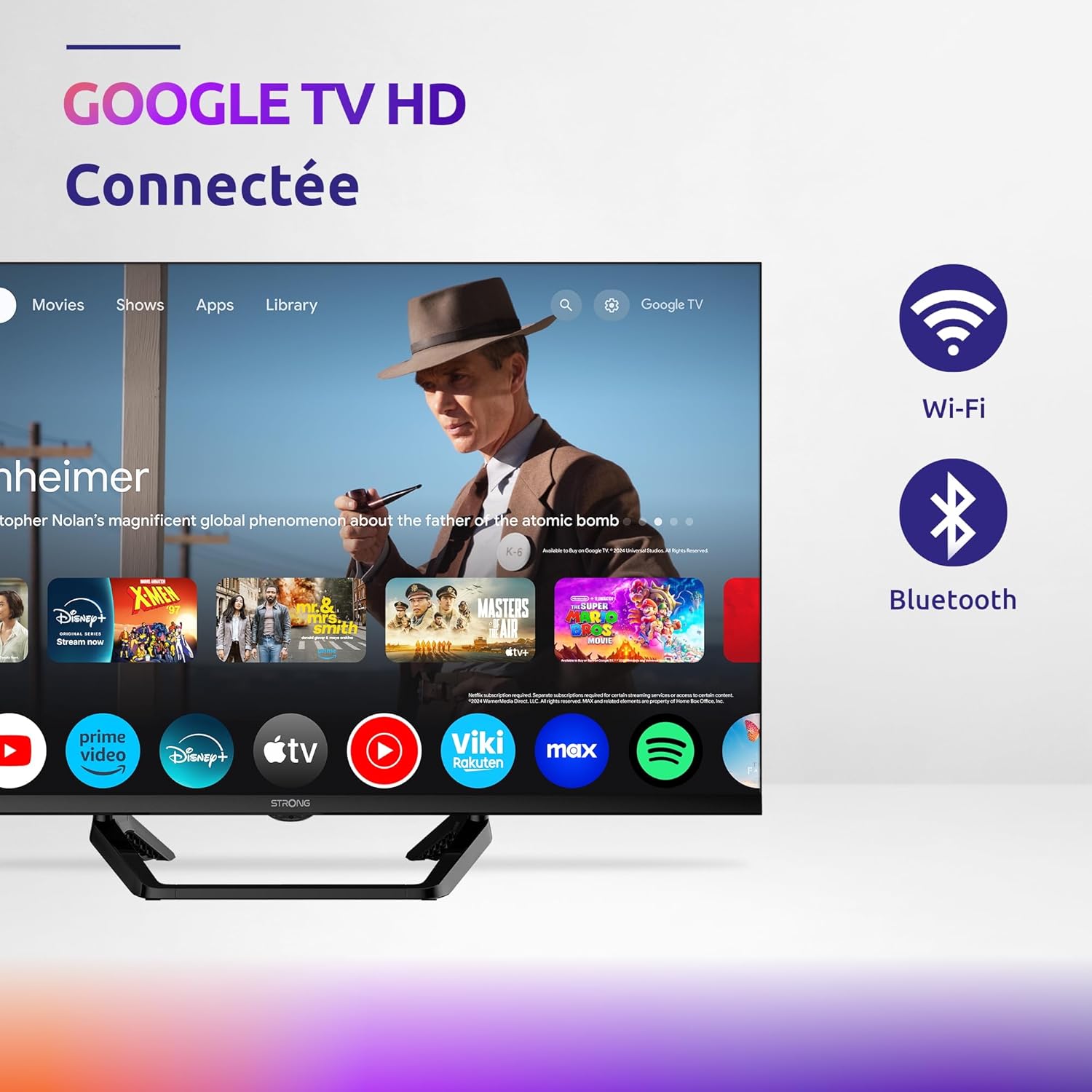
Image: Diagram showing the dimensions of the STRONG SRT32HG6733C TV, including width, height, and depth with the central stand.
ການຮັບປະກັນແລະການສະຫນັບສະຫນູນ
This product comes with a manufacturer's warranty of 24 months. For warranty claims or technical support, please refer to the contact information provided on the official STRONG webເວັບໄຊ ຫຼືເອກະສານການຊື້ຂອງທ່ານ.
For frequently asked questions and additional resources, visit the STRONG Brand Store.


Images: Icons representing warranty information and frequently asked questions.
Ask a question about this manual
Ask about setup, troubleshooting, compatibility, parts, safety, or missing instructions. Manuals+ will review the question and use this page’s manual context to help answer it.