
ແນະນຳ
Thank you for choosing the KOORUI 2.4G Silent Full Size Ergonomic Wireless Keyboard and Mouse Combo. This manual provides essential information for setting up, operating, maintaining, and troubleshooting your new wireless peripheral set. Please read this manual thoroughly before use to ensure optimal performance and longevity of your product.

Figure 0: KOORUI Wireless Keyboard and Mouse Combo
1. ຕັ້ງຄ່າ
1.1 ເນື້ອໃນຊຸດ
- ແປ້ນພິມໄຮ້ສາຍ
- ເມົາສ໌ໄຮ້ສາຍ
- 2-in-1 USB Receiver
- ຄູ່ມືຜູ້ໃຊ້
1.2 ການຕິດຕັ້ງຫມໍ້ໄຟ
- Locate the battery compartment on the underside of the keyboard. Insert one AAA battery (not included), ensuring correct polarity.
- Locate the battery compartment on the underside of the mouse. The 2-in-1 USB receiver is stored inside this compartment. Remove the receiver, then insert one AA battery (not included), ensuring correct polarity.
- ປິດຊ່ອງໃສ່ແບັດເຕີຣີທັງສອງຂ້າງໃຫ້ແໜ້ນ.

ຮູບທີ 1: ການຕິດຕັ້ງແບັດເຕີຣີ ແລະ ຕົວຮັບສັນຍານ USB
1.3 ການເຊື່ອມຕໍ່ກັບອຸປະກອນຂອງທ່ານ
- Ensure both the keyboard and mouse are switched to the "ON" position using their respective power switches.
- Plug the 2-in-1 USB receiver into an available USB port on your computer (Laptop/PC/Gaming Console).
- Your operating system should automatically detect and install the necessary drivers. The keyboard and mouse are ready for use once the installation is complete.
Video 1: Demonstrating the setup and functionality of the KOORUI 104-key wireless keyboard and mouse combo.
2. ຄໍາແນະນໍາການດໍາເນີນງານ
2.1 ຄຸນສົມບັດແປ້ນພິມ
- Full Size Layout: The keyboard features a full-size layout with 104 keys, including a numeric keypad, for comprehensive input.
- ການພິມແບບງຽບໆ: Soft and responsive keys provide a quiet typing experience, reducing noise in shared environments.
- ການອອກແບບ Ergonomic: Designed for comfort, the keyboard includes an 8° tilt angle to reduce wrist strain during extended use.
- Multimedia & Shortcut Keys: Access 5 multimedia keys and 12 shortcut functions (primarily for Windows systems) for quick control over media, applications, and system functions.

Figure 2: Ergonomic Design with 8° Tilt
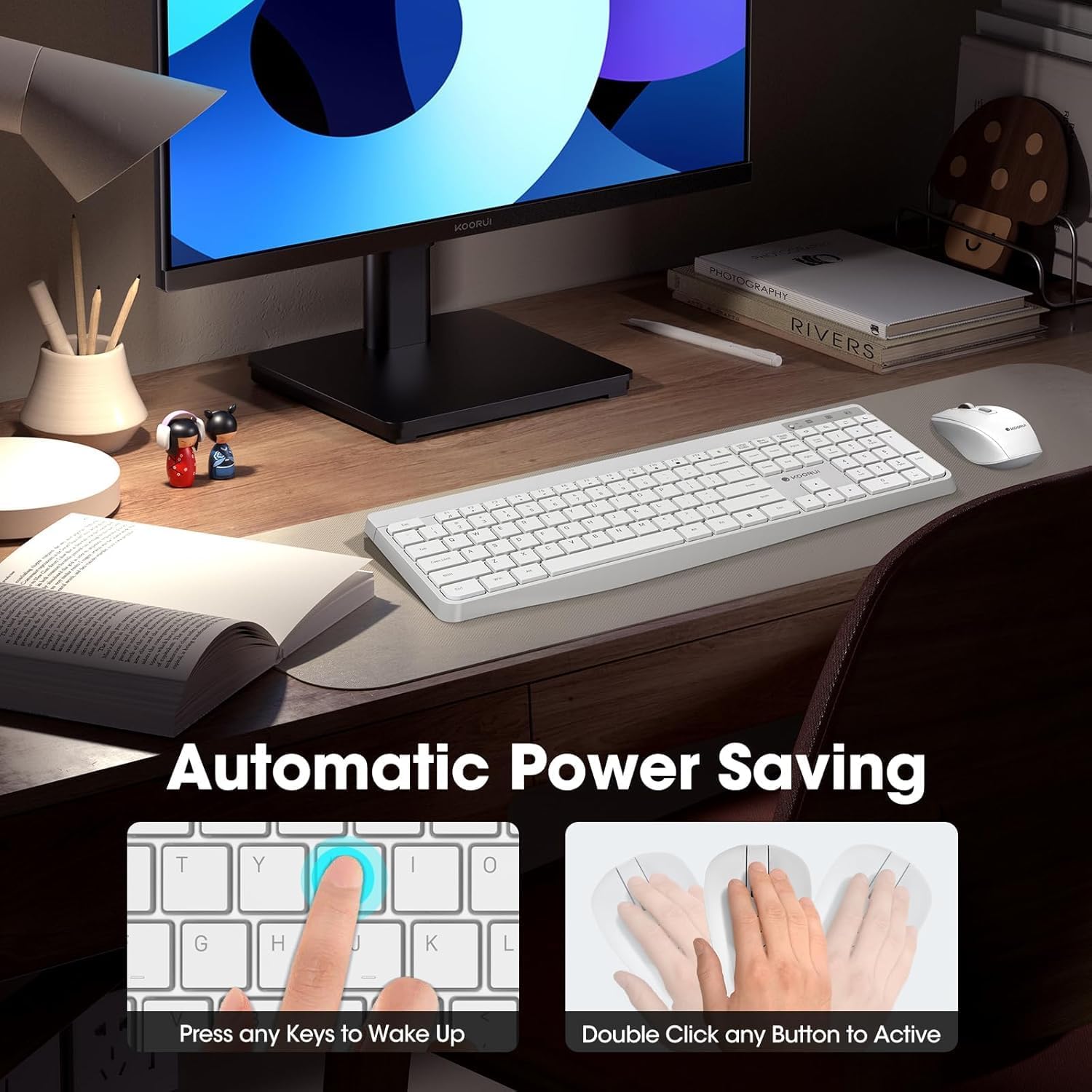
Figure 3: Multimedia and Shortcut Keys
2.2 ຄຸນສົມບັດຂອງເມົ້າ
- 3 ລະດັບ DPI ທີ່ສາມາດປັບໄດ້: Cycle through 800, 1200, and 1600 DPI settings to adjust cursor sensitivity for precise control.
- ການຄລິກທີ່ງຽບໆ: The mouse features ultra-quiet buttons, minimizing click noise.
- ການອອກແບບ Ergonomic: Contoured shape fits comfortably in your hand for extended use.

Figure 4: Mouse DPI Settings
2.3 ຄວາມເຂົ້າກັນໄດ້
The KOORUI Wireless Keyboard and Mouse Combo is compatible with a wide range of operating systems, including Windows 7/8/10/11/Vista, macOS, and Linux. It can be used with laptops, personal computers, and gaming consoles.

ຮູບທີ 5: ຄວາມເຂົ້າກັນໄດ້ຢ່າງກວ້າງຂວາງ
3. ບໍາລຸງຮັກສາ
3.1 ການທໍາຄວາມສະອາດ
The keyboard features a waterproof design, offering protection against accidental spills. To clean, gently wipe the surfaces of the keyboard and mouse with a soft, damp cloth. Avoid using harsh chemicals or abrasive materials. Ensure the devices are completely dry before use.

Figure 6: Waterproof Keyboard Design
3.2 ອາຍຸແບັດເຕີຣີ ແລະ ການປະຢັດພະລັງງານ
- The keyboard and mouse are equipped with an auto-sleep mode function to conserve battery life. They will enter sleep mode after a period of inactivity.
- To wake the devices, simply click any button on the mouse or press any key on the keyboard.
- Replace batteries when the low battery indicator light appears (Keyboard: 1 AAA, Mouse: 1 AA).
Figure 7: Battery Compartments and Power Indicators
4. ການແກ້ໄຂບັນຫາ
4.1 ບັນຫາການເຊື່ອມຕໍ່
- ບໍ່ມີຄໍາຕອບ:
- Ensure the keyboard and mouse power switches are in the "ON" position.
- ກວດເບິ່ງວ່າແບດເຕີຣີຖືກຕິດຕັ້ງຢ່າງຖືກຕ້ອງແລະມີການສາກໄຟພຽງພໍ. ປ່ຽນແທນຖ້າຈໍາເປັນ.
- ກວດສອບວ່າເຄື່ອງຮັບ USB ໄດ້ສຽບເຂົ້າກັບພອດ USB ທີ່ເຮັດວຽກຢູ່ໃນຄອມພິວເຕີຂອງທ່ານຢ່າງປອດໄພ. ລອງໃຊ້ພອດ USB ອື່ນ.
- Move the keyboard and mouse closer to the USB receiver to rule out range issues (maximum 10m/33ft).
- ການເຊື່ອມຕໍ່ຊ້າຫຼືບໍ່ຢຸດຢັ້ງ:
- ຫຼຸດຜ່ອນການລົບກວນໂດຍການຍ້າຍອຸປະກອນໄຮ້ສາຍອື່ນໆອອກຈາກເຄື່ອງຮັບສັນຍານ.
- ໃຫ້ແນ່ໃຈວ່າບໍ່ມີວັດຖຸໂລຫະຂະຫນາດໃຫຍ່ລະຫວ່າງອຸປະກອນແລະເຄື່ອງຮັບ.
4.2 ບັນຫາສະເພາະຂອງແປ້ນພິມ
- ປຸ່ມບໍ່ຕອບສະໜອງ:
- ກວດເບິ່ງລະດັບຫມໍ້ໄຟ.
- Ensure the keyboard is not in sleep mode (press any key to wake).
4.3 ບັນຫາສະເພາະຂອງຫນູ
- Cursor Not Moving:
- ກວດເບິ່ງລະດັບຫມໍ້ໄຟ.
- Ensure the mouse is not in sleep mode (click any button to wake).
- ເຮັດຄວາມສະອາດເຊັນເຊີ optical ຢູ່ຂ້າງລຸ່ມຂອງຫນູ.
- ໃຫ້ແນ່ໃຈວ່າທ່ານກໍາລັງໃຊ້ຫນູໃນດ້ານທີ່ເຫມາະສົມ.
5. ຂໍ້ມູນຈໍາເພາະ
| ຍີ່ຫໍ້ | KOORUI |
| ຕົວແບບ | B0C4DVG5WV |
| ສີ | ສີຂາວ |
| ເຕັກໂນໂລຊີການເຊື່ອມຕໍ່ | 2.4 GHz ຄວາມຖີ່ວິທະຍຸ |
| ຄຸນນະສົມບັດພິເສດ | Ergonomic, Silent Keys, Waterproof Design, Auto Power Saving |
| ອຸປະກອນທີ່ເຂົ້າກັນໄດ້ | ເຄື່ອງຫຼິ້ນເກມ, ແລັບທັອບ, ຄອມພິວເຕີສ່ວນບຸກຄົນ |
| Movement Detection (Mouse) | Optical (800/1200/1600 DPI) |
| ຄວາມເຂົ້າກັນໄດ້ຂອງລະບົບປະຕິບັດການ | Windows 7/8/10/11/Vista, macOS, Linux |
| ຮູບແບບແປ້ນພິມ | QWERTY, Full Size (104 keys) |
| ແຫຼ່ງພະລັງງານ | Battery Powered (Keyboard: 1 AAA, Mouse: 1 AA) |
| Range ໄຮ້ສາຍ | ສູງສຸດ 10 ແມັດ (33 ຟຸດ) |
| ນ້ໍາຫນັກລາຍການ | 0.7 ກິໂລກຣາມ |
| UPC | 738060953515 |
6. ຂໍ້ມູນການຮັບປະກັນ
This KOORUI product comes with a ຮັບປະກັນ 1 ປີຈໍາກັດ from the date of purchase. This warranty covers manufacturing defects and workmanship under normal use. It does not cover damage caused by misuse, accident, unauthorized modification, or external causes.
ກະລຸນາຮັກສາຫຼັກຖານການຊື້ຂອງທ່ານສໍາລັບການຮຽກຮ້ອງການຮັບປະກັນ.
7. ການຊ່ວຍເຫຼືອລູກຄ້າ
For any questions, technical assistance, or warranty inquiries regarding your KOORUI Wireless Keyboard and Mouse Combo, please contact our customer support team. We are committed to providing 24-hour service to assist you.
Please refer to the product packaging or the official KOORUI webເວັບໄຊສໍາລັບຂໍ້ມູນຕິດຕໍ່ໃນປະຈຸບັນຫຼາຍທີ່ສຸດ.