
Anker Soundcore K20i
Anker Soundcore K20i True Wireless Earbuds ຄູ່ມືຜູ້ໃຊ້
Model: K20i | Brand: Anker Soundcore
1. ບົດແນະນຳ
The Anker Soundcore K20i are true wireless earbuds designed for comfortable, extended listening. They feature Bluetooth 5.3 connectivity, IPX5 water resistance, and up to 36 hours of total playback with the charging case. Enjoy powerful bass and clear calls with AI noise reduction.

Image: Anker Soundcore K20i earbuds and charging case in black, white, purple, and blue.
2. ເນື້ອໃນຊຸດ
ໃຫ້ແນ່ໃຈວ່າທຸກລາຍການຢູ່ໃນຊຸດຜະລິດຕະພັນຂອງທ່ານ:
- Soundcore K20i True Wireless Earbuds
- ກ່ອງສາກ
- USB-C & USB-A Charging Cable
- Safety Manual & Quick Start Guide

Image: The Anker Soundcore K20i earbuds, their charging case, and the included USB-C charging cable.
3. ຕັ້ງຄ່າ
3.1. ການສາກໄຟ
ກ່ອນທີ່ຈະໃຊ້ຄັ້ງທຳອິດ, ໃຫ້ສາກທັງຫູຟັງຫູຟັງ ແລະ ຊ່ອງສາກໃຫ້ເຕັມ.
- Place the earbuds into the charging case. Close the case to begin charging the earbuds.
- ເຊື່ອມຕໍ່ກ່ອງສາກກັບແຫຼ່ງພະລັງງານໂດຍໃຊ້ສາຍ USB-C ທີ່ໃຫ້ມາ.
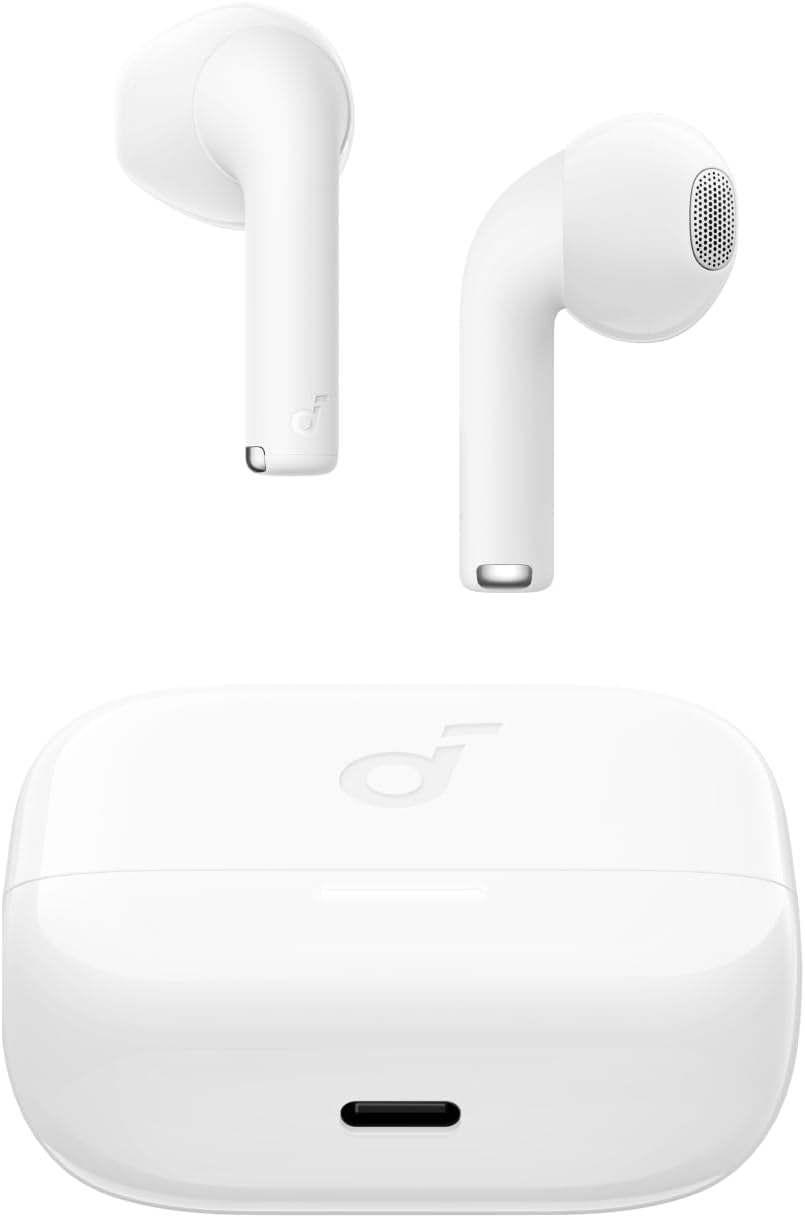
Image: The Anker Soundcore K20i earbuds resting in their open charging case, with the USB-C charging port visible at the front of the case.
3.2. ການຈັບຄູ່
ປະຕິບັດຕາມຂັ້ນຕອນເຫຼົ່ານີ້ເພື່ອຈັບຄູ່ຫູຟັງຂອງທ່ານກັບອຸປະກອນທີ່ເປີດໃຊ້ Bluetooth:
- Open the charging case. The earbuds will automatically enter Bluetooth pairing mode.
- On your device (smartphone, PC), enable Bluetooth and search for 'Soundcore K20i'.
- Select 'Soundcore K20i' to connect.
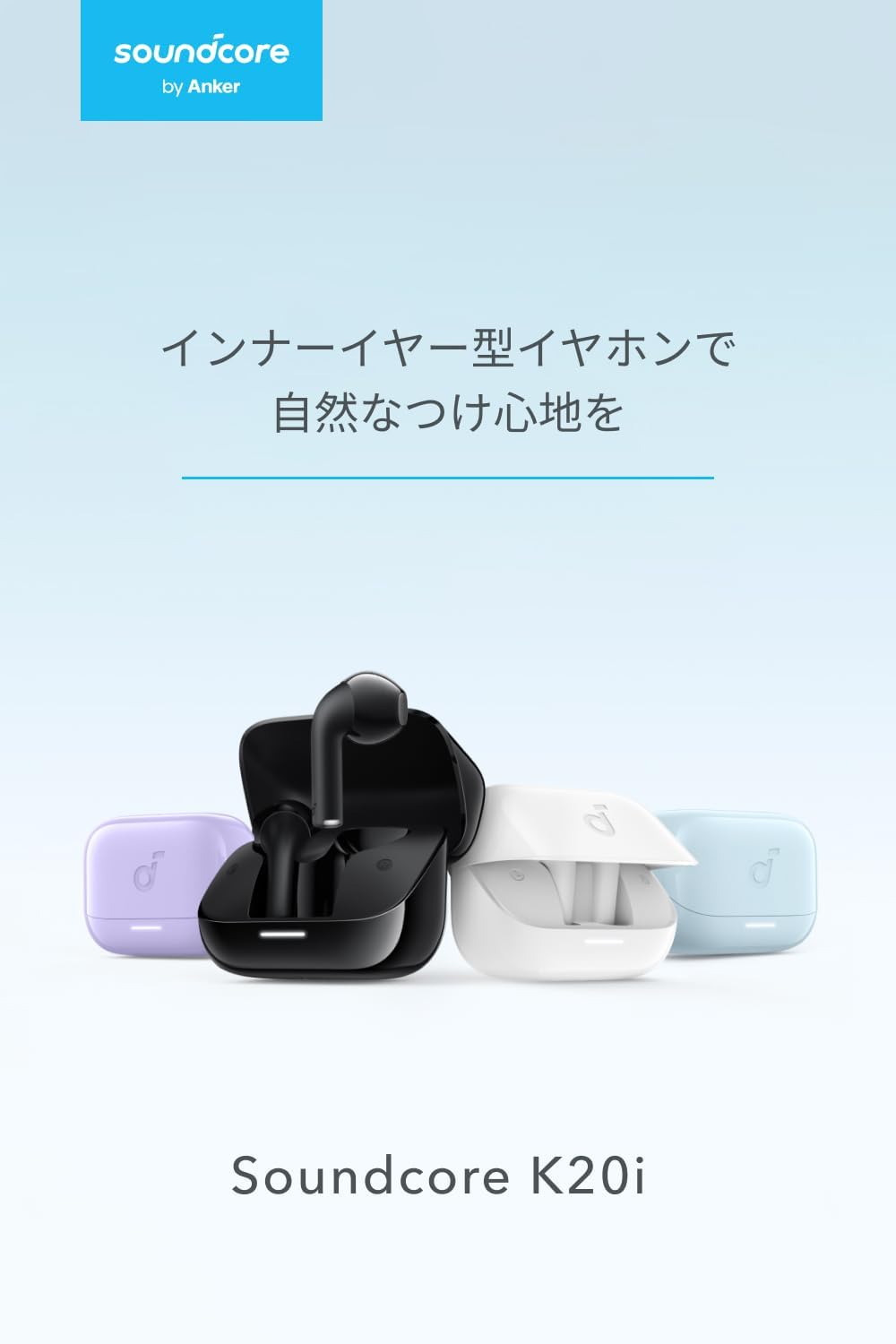
Image: The Anker Soundcore K20i earbuds removed from their charging case, indicating they are ready for Bluetooth pairing.
4. ຄໍາແນະນໍາການດໍາເນີນງານ
4.1. ໃສ່ຫູຟັງ
For optimal comfort and sound quality, ensure the earbuds are properly seated in your ears.
- Insert the earbuds into your ears and gently rotate them until they fit snugly and comfortably.
- Each earbud weighs approximately 3.3g, designed for extended comfortable wear without ear tips.

Image: A diagram illustrating the correct way to position the Anker Soundcore K20i earbud in the ear canal for a secure and comfortable fit.
4.2. ການຄວບຄຸມພື້ນຖານ
The Soundcore K20i earbuds feature touch controls for various functions. Specific actions for single, double, or triple taps can often be customized via the Soundcore app.
4.3. ແອັບ Soundcore
Enhance your listening experience by downloading the Soundcore app. The app allows you to:
- Customize sound settings and adjust the equalizer.
- ຊອກຫາຫູຟັງເອຍບັດຂອງເຈົ້າຖ້າວາງຜິດ.
- ອັບເດດເຟີມແວຫູຟັງ.

Image: A user interacting with the Soundcore application on a smartphone, displaying various sound customization options for the earbuds.
5. ບໍາລຸງຮັກສາ
5.1. ທໍາຄວາມສະອາດ
ການທໍາຄວາມສະອາດເປັນປົກກະຕິຊ່ວຍຮັກສາປະສິດທິພາບທີ່ດີທີ່ສຸດແລະການອະນາໄມ:
- Regularly clean the earbuds and charging case with a dry, soft, lint-free cloth.
- ຫຼີກເວັ້ນການນໍາໃຊ້ສານເຄມີທີ່ຮຸນແຮງຫຼືວັດສະດຸຂັດ.
5.2. ກັນນ້ຳ (IPX5)
The earbuds are IPX5 water-resistant, meaning they can withstand splashes and sweat. This makes them suitable for workouts and light rain. ຢ່າຈົມຢູ່ໃນນ້ໍາ.

Image: Two Anker Soundcore K20i earbuds covered in water droplets, illustrating their IPX5 water-resistant design.
5.3. ການເກັບຮັກສາ
ເກັບຮັກສາຫູຟັງເອຍບັດໃສ່ໃນກະເປົ໋າສາກໄຟເມື່ອບໍ່ໄດ້ໃຊ້ເພື່ອປົກປ້ອງພວກມັນຈາກຄວາມເສຍຫາຍ ແລະຮັບປະກັນວ່າພວກມັນຍັງຄົງສາກຢູ່.
6. ການແກ້ໄຂບັນຫາ
If you encounter issues with your Soundcore K20i earbuds, try the following solutions:
- ຫູຟັງບໍ່ຈັບຄູ່: Ensure both earbuds are charged and within range of your device. Turn off and on your device's Bluetooth.
- Only one earbud plays sound: Try placing both earbuds back into the charging case, closing it for a few seconds, then reopening. Refer to the quick start guide for specific earbud reset instructions.
- ຄຸນະພາບສຽງບໍ່ດີ: Ensure the earbuds are properly seated in your ears. Try adjusting equalizer settings in the Soundcore app.
- ບັນຫາການສາກໄຟ: ກວດສອບວ່າສາຍສາກໄດ້ເຊື່ອມຕໍ່ຢ່າງປອດໄພກັບທັງກໍລະນີ ແລະແຫຼ່ງໄຟ. ຮັບປະກັນວ່າບ່ອນຕິດຕໍ່ການສາກໄຟຢູ່ຫູຟັງເອຍບັດ ແລະ ພາຍໃນເຄສນັ້ນສະອາດ.
7. ຂໍ້ມູນຈໍາເພາະ
| ຄຸນສົມບັດ | ຂໍ້ມູນຈໍາເພາະ |
|---|---|
| ຊື່ຕົວແບບ | Soundcore K20i |
| ເຕັກໂນໂລຊີການເຊື່ອມຕໍ່ | ໄຮ້ສາຍ (Bluetooth 5.3) |
| ການຈັດວາງຫູ | ໃນຫູ |
| ຮູບແບບຫູຟັງ | ໃນຫູ |
| impedance | 16 ໂອມ |
| ການຄວບຄຸມສິ່ງລົບກວນ | None (AI Noise Reduction for calls) |
| ເວລາຫຼິ້ນ (ຫູຟັງ) | ສູງສຸດ 6 ຊົ່ວໂມງ |
| ເວລາຫຼິ້ນທັງໝົດ (ພ້ອມກໍລະນີ) | ສູງສຸດ 36 ຊົ່ວໂມງ |
| ການສາກໄວ | 10 minutes charge for approx. 2 hours playback |
| Earbud Weight (per earbud) | ປະມານ. 3.3g |
| ນ້ຳໜັກສິນຄ້າ | 42.6g |
| ການຕໍ່ຕ້ານນ້ໍາ | IPX5 |
| ໝາຍເລກຕົວແບບຂອງຜູ້ຜະລິດ | A3994 |
| ອຸປະກອນທີ່ເຂົ້າກັນໄດ້ | Smartphones, PCs, and other Bluetooth-compatible devices |
8. ການຮັບປະກັນແລະການສະຫນັບສະຫນູນ
Anker Soundcore K20i comes with an ຮັບປະກັນສິນຄ້າ 18 ເດືອນ from the date of purchase. For registered members, an additional ການຮັບປະກັນຂະຫຍາຍ 6 ເດືອນ is provided, totaling 24 months of coverage.
For product or delivery-related inquiries, please contact customer support. Anker provides dedicated Japanese customer support.

Image: Details on Anker's 18-month product warranty, an additional 6-month extended warranty for members, and information for contacting Japanese customer support.
Ask a question about this manual
Ask about setup, troubleshooting, compatibility, parts, safety, or missing instructions. Manuals+ will review the question and use this page’s manual context to help answer it.