
1. ບົດແນະນຳ
ຂອບໃຈສໍາລັບການຊື້asing the plplaaoo Cordless Table Lamp. This manual provides essential information for the safe and efficient operation of your new lampກະລຸນາອ່ານຢ່າງລະອຽດກ່ອນການນຳໃຊ້ ແລະ ເກັບຮັກສາໄວ້ເພື່ອອ້າງອີງໃນອະນາຄົດ.
2. ຄໍາແນະນໍາຄວາມປອດໄພ
- ຫ້າມເປີດເຜີຍ lamp ນ້ຳ ຫຼື ຄວາມຊຸ່ມຊື່ນຫຼາຍເກີນໄປ.
- Avoid disassembling or modifying the lamp, ເພາະວ່ານີ້ອາດຈະເຮັດໃຫ້ການຮັບປະກັນແລະມີຄວາມສ່ຽງດ້ານຄວາມປອດໄພ.
- ໃຊ້ສະເພາະສາຍ USB Type-C ທີ່ໃຫ້ມາສຳລັບການສາກໄຟເທົ່ານັ້ນ.
- ຮັກສາ lamp away from heat sources and direct sunlight to prevent battery damage.
- ຮັບປະກັນ lamp ຖືກວາງໄວ້ເທິງໜ້າດິນທີ່ໝັ້ນຄົງ ແລະ ຮາບພຽງເພື່ອປ້ອງກັນການບິດງໍ.
- ນີ້ lamp ຖືກອອກແບບມາສໍາລັບການນໍາໃຊ້ພາຍໃນເຮືອນເທົ່ານັ້ນ.
3. ເນື້ອໃນຊຸດ
ກວດສອບວ່າລາຍການທັງຫມົດແມ່ນມີຢູ່ໃນຊຸດຂອງທ່ານ:
- 1 x Cordless Table Lamp
- 1 x ສາຍສາກ USB Type-C

4. ຜະລິດຕະພັນເກີນview
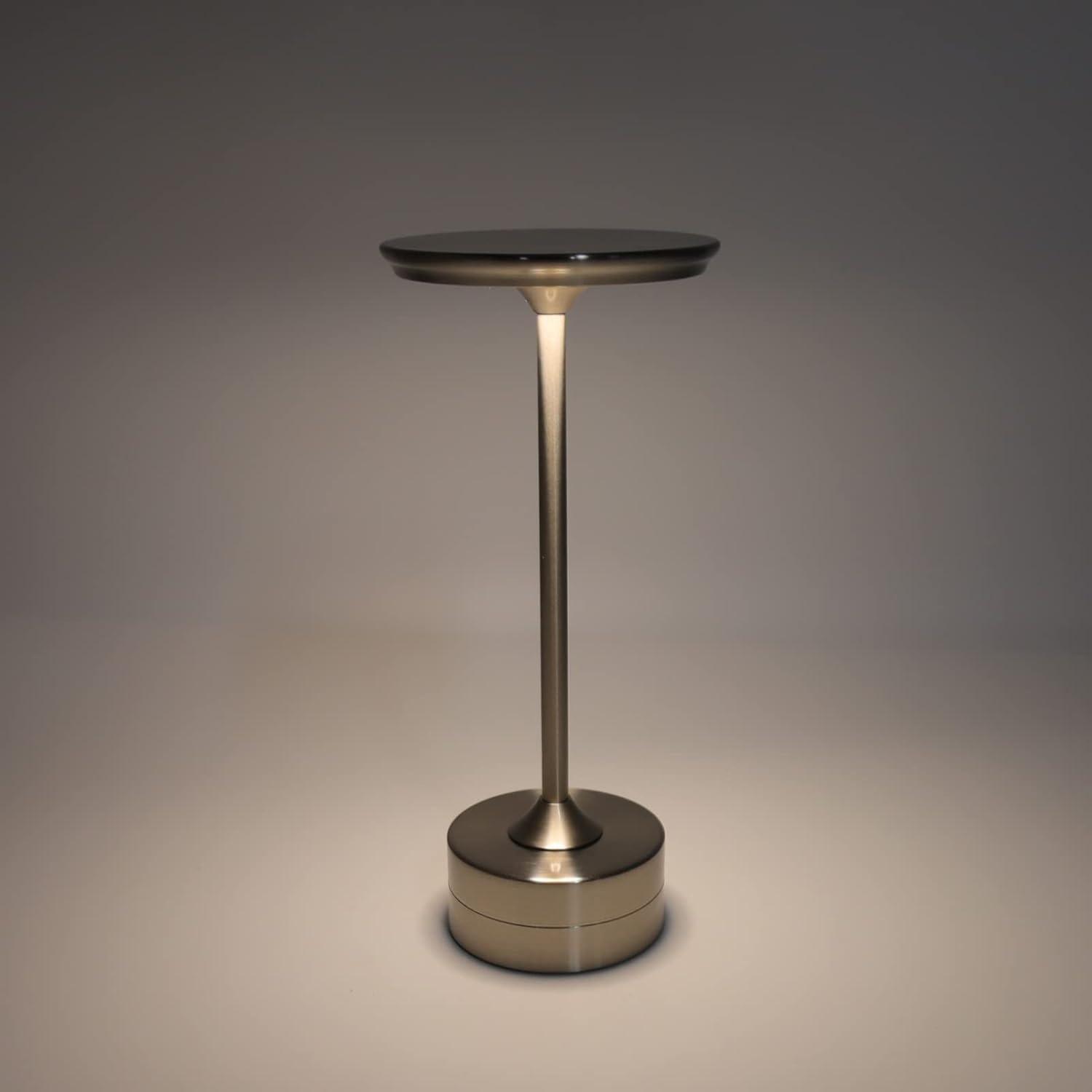
The plplaaoo Cordless Table Lamp features a sleek design with a durable iron, aluminum, and acrylic construction. It includes a built-in 2000mAh rechargeable lithium battery, offering 10-15 hours of working time on a full charge. The lamp provides three light sources: white light, warm light, and ordinary light, with adjustable brightness up to 150lm.


5. ຕັ້ງຄ່າ
ການສາກໄຟເບື້ອງຕົ້ນ
ກ່ອນການນຳໃຊ້ຄັ້ງທຳອິດ, ໃຫ້ສາກໄຟໃຫ້ເຕັມamp. Connect the provided USB Type-C cable to the charging port on the lamp's base and plug the other end into a compatible USB power adapter (not included).
- Locate the USB Type-C charging port on the base of the lamp.
- Insert the USB Type-C cable into the lampພອດສາກໄຟຂອງ.
- Connect the USB-A end of the cable to a standard USB power adapter (e.g., phone charger, computer USB port).
- The charging indicator (if present) will show the charging status. Allow several hours for a full charge.
6. ຄໍາແນະນໍາການດໍາເນີນງານ
ເປີດ/ປິດ ແລະປັບຄວາມສະຫວ່າງ
ທamp features both a bottom switch and a top touch control for operation.
- ສະຫຼັບລຸ່ມ: Flip the switch on the bottom of the lamp to the 'ON' position to enable the touch control function.
- Top Touch Control: Gently touch the top surface of the lamp to cycle through the three light modes: white light, warm light, and ordinary light. Continue touching to adjust brightness levels within each mode.
- ເພື່ອປິດ lamp, either cycle through all light modes until it turns off via touch control, or flip the bottom switch to the 'OFF' position.


7. ບໍາລຸງຮັກສາ
- ທໍາຄວາມສະອາດ: ເຊັດ lamp ດ້ວຍຜ້າອ່ອນແລະແຫ້ງ. ຢ່າໃຊ້ນໍ້າຢາທໍາຄວາມສະອາດທີ່ມີສີຂັດ ຫຼື ຕົວລະລາຍ.
- ການເກັບຮັກສາ: ເມື່ອບໍ່ໄດ້ໃຊ້ເປັນເວລາດົນນານ, ໃຫ້ເກັບຮັກສາ lamp in a cool, dry place. Ensure the battery is partially charged before storage to prolong its lifespan.
- ການດູແລຫມໍ້ໄຟ: To maintain battery health, avoid completely draining the battery frequently. Recharge the lamp when the light output becomes noticeably dim.
8. ການແກ້ໄຂບັນຫາ
| ບັນຫາ | ສາເຫດທີ່ເປັນໄປໄດ້ | ການແກ້ໄຂ |
|---|---|---|
| Lamp ບໍ່ເປີດ | Battery is depleted. Bottom switch is off. | ໄລ່ lamp using the USB Type-C cable. Ensure the bottom switch is in the 'ON' position. |
| ແສງສະຫວ່າງອ່ອນໆຫຼື flickers. | ແບັດເຕີຣີຕໍ່າ. | ເຕີມເງິນ lamp. |
| Cannot change light mode/brightness. | Bottom switch is off. Touch control malfunction. | Ensure the bottom switch is 'ON'. Try restarting the lamp by turning the bottom switch off and on again. |
| Lamp ບໍ່ຄິດຄ່າບໍລິການ. | Faulty cable or adapter. Charging port issue. | Try a different USB Type-C cable and power adapter. Ensure the cable is fully inserted. |
9. ຂໍ້ມູນຈໍາເພາະ
| ຄຸນສົມບັດ | ລາຍລະອຽດ |
|---|---|
| ຕົວແບບ | B0D2LG61MQ |
| ວັດສະດຸ | Iron, Aluminum, Acrylic |
| ຄວາມສູງ | ປະມານ. 28.5ຊມ / 11.2ນິ້ວ |
| ເສັ້ນຜ່າສູນກາງ | ປະມານ. 13ຊມ / 5.1ນິ້ວ |
| ນ້ຳໜັກ | Approx. 0.66 kg / 23.4 oz |
| ແບັດເຕີຣີໃນຕົວ | Lithium 2000mAh |
| ແຫຼ່ງແສງ | White light, Warm light, Ordinary light (3 levels brightness) |
| ຄວາມສະຫວ່າງສູງສຸດ | 150 ມ |
| ວິທີການສາກໄຟ | USB Type-C |
| ການຄວບຄຸມ | Bottom switch, Top touch control |

10. ການຮັບປະກັນແລະການສະຫນັບສະຫນູນ
This product is covered by a standard manufacturer's warranty. For specific warranty details, please refer to the product packaging or contact the retailer where you purchased the item. For technical support or inquiries, please visit the official plplaaoo store or contact customer service.