
ແນະນຳ
Thank you for choosing the LOOP GEAR SK03 LED Rechargeable Flashlight. This compact and powerful EDC (Everyday Carry) flashlight is designed for versatility and durability, offering 10 lighting modes, a multi-function side light with color filters, and convenient USB-C recharging. This manual provides essential information for the proper setup, operation, maintenance, and troubleshooting of your SK03 flashlight to ensure optimal performance and longevity.

Image: The SK03 LED Rechargeable Flashlight, showcasing its compact design and clip.
ເນື້ອໃນຊຸດ
ກະລຸນາກວດສອບວ່າລາຍການທັງຫມົດທີ່ລະບຸໄວ້ຂ້າງລຸ່ມນີ້ແມ່ນລວມຢູ່ໃນຊຸດຂອງທ່ານ:
- 1x SK03 Flashlight
- 1x ສາຍສາກ USB-C
- 4x Side Light Filters (Orange, Red, White, Blue)
- 1x ສາຍເຊືອກ
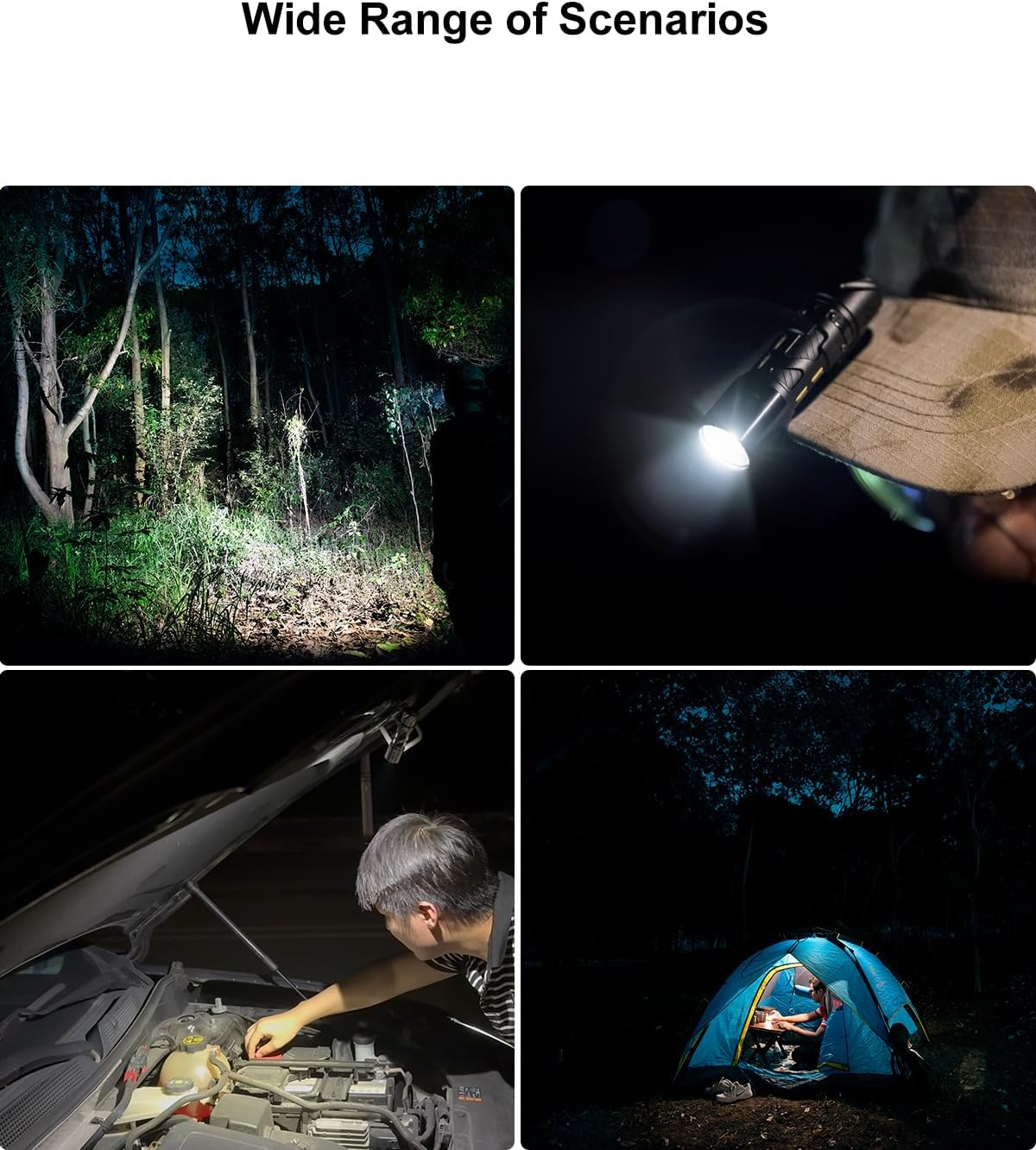
Image: All components included in the SK03 Flashlight package: flashlight, USB-C cable, side light filters, and lanyard.
ຄຸນສົມບັດຜະລິດຕະພັນ
- ການສ່ອງແສງທີ່ມີອໍານາດ: Experience exceptional visibility with an ultra-bright 1000 lumens main light, offering a 145° floodlight angle that can illuminate up to 393 feet (120 meters).

Image: A person walking on a path at night, illuminated by the powerful 1000 lumens beam of the SK03 flashlight.
- Versatile Side Light: Features a unique multi-function side light with a maximum brightness of 80 lumens. Customize your lighting with the included 4 color filters (Orange, Red, White, Blue). This side light can also function as a campໃນ lamp or night light.
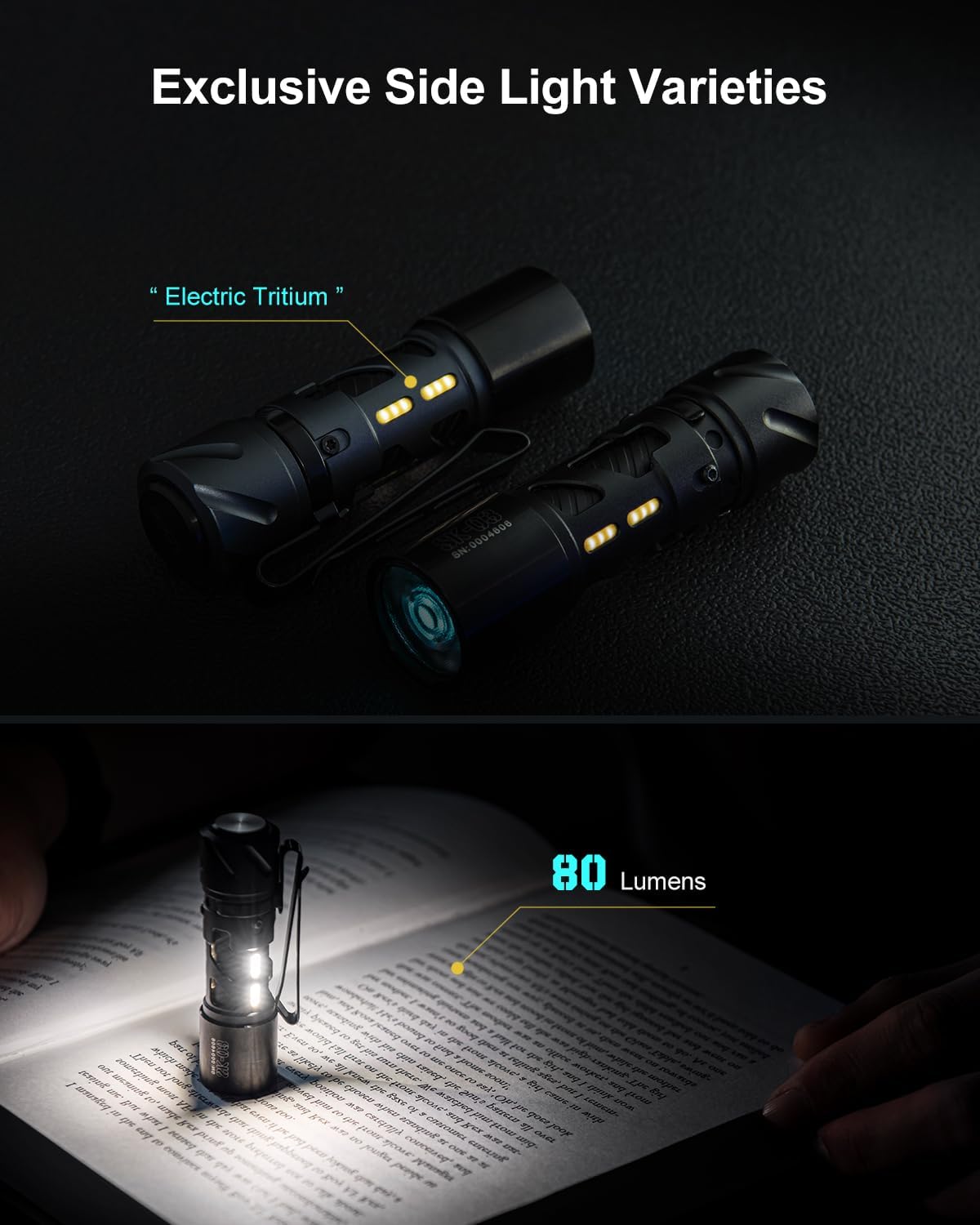
Image: Two SK03 flashlights demonstrating the side light feature, one with a warm glow and another illuminating a book.

Image: Four SK03 flashlights showcasing the different colored side light filters (blue, red, orange, white) in use.
- ກະທັດຮັດ ແລະ ແບບພົກພາ: Designed for easy portability with its ultra-small size (3.0 inches length) and lightweight construction (1.83 oz). The integrated clip-on design and included lanyard make it effortless to carry.
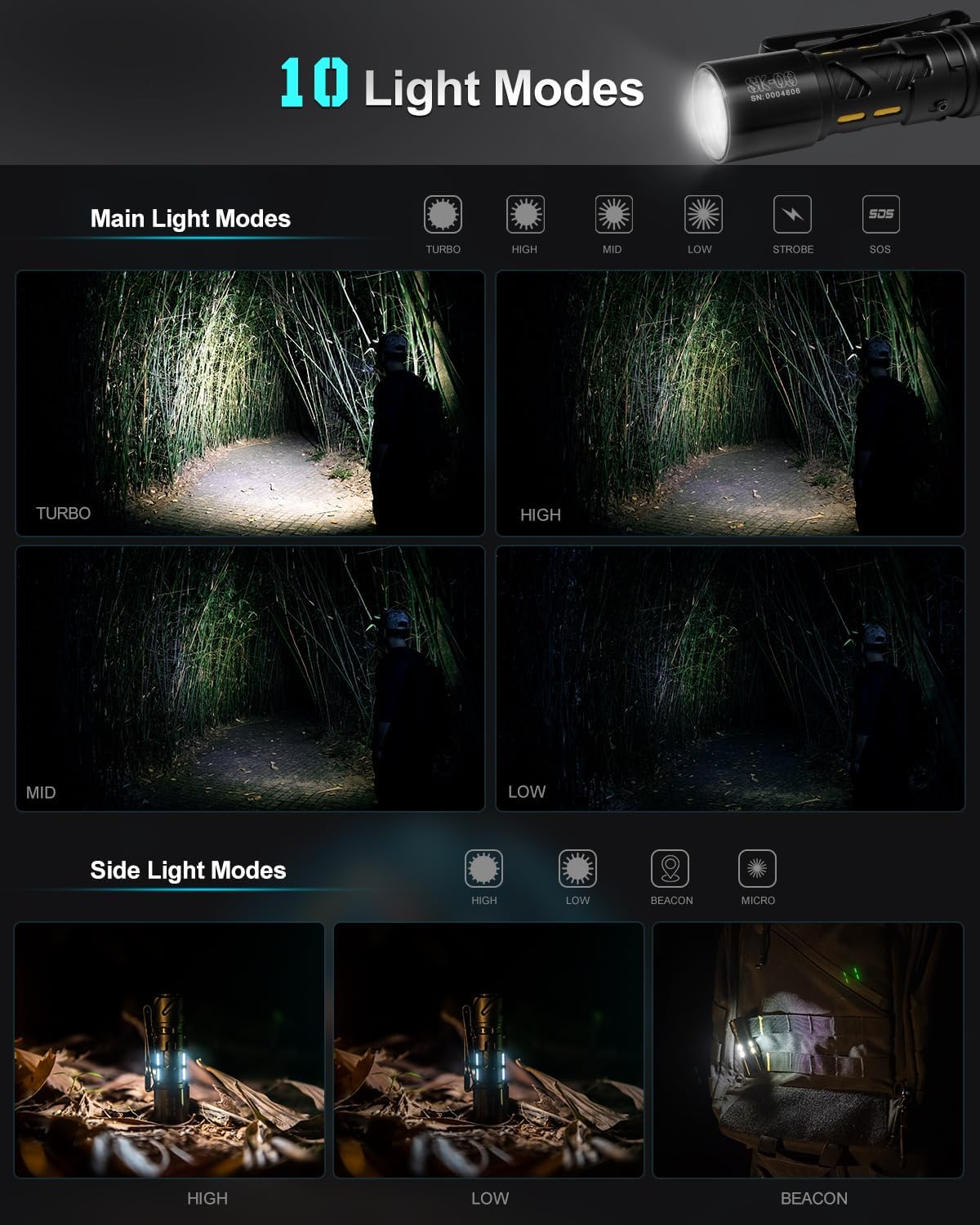
Image: The SK03 flashlight held in a hand next to a folding knife, illustrating its compact size and portability.
- 10 ໂໝດແສງ: Offers a comprehensive range of lighting options controlled by a single button, catering to various scene requirements from outdoor adventures to reading at home.
- USB-C ສາມາດສາກໄຟໄດ້: Conveniently recharge the flashlight via its USB-C port. The included Lithium-Ion battery provides long-lasting power, with up to 2 years of battery life in micro mode.
- ການກໍ່ສ້າງທົນທານ: Crafted from premium quality aluminum, ensuring durability and reliability. The flashlight is also waterproof.
ຕັ້ງຄ່າ
ກຳລັງສາກໄຟສາຍ
The SK03 flashlight comes with a built-in rechargeable Lithium-Ion battery. Before first use, it is recommended to fully charge the device.
- ຊອກຫາຊ່ອງສຽບ USB-C ຢູ່ໄຟສາຍ.
- Connect the included USB-C charging cable to the flashlight's port.
- Connect the other end of the USB-C cable to a compatible USB power source (e.g., computer USB port, wall adapter, power bank).
- The charging indicator light will show the charging status. Refer to the flashlight's specific indicator behavior (e.g., red for charging, green for fully charged).
- ໂດຍປົກກະຕິການສາກເຕັມຈະໃຊ້ເວລາປະມານ 1.5 ຊົ່ວໂມງ.

Image: The SK03 flashlight connected to a USB-C charging cable, illustrating the charging process.
ຄໍາແນະນໍາການດໍາເນີນງານ
The SK03 flashlight features a single button for controlling all its functions. Familiarize yourself with the button presses to navigate through the various modes.
Main Light Modes (Front LED)
The main light offers 6 modes: Turbo, High, Mid, Low, Strobe, and SOS.
- ເປີດ/ປິດ: Single click the button to turn the main light on or off.
- ໂໝດຮອບວຽນ: When the main light is on, press and hold the button to cycle through Low → Mid → High. Release the button to select the desired brightness.
- ໂໝດ Turbo: Double-click the button from any state (on or off) to activate Turbo mode (1000 lumens). Double-click again to return to the previous mode or turn off.
- ໂໝດ Strobe: Triple-click the button from any state to activate Strobe mode. Triple-click again to return to the previous mode or turn off.
- ໂໝດ SOS: Quadruple-click the button from any state to activate SOS mode. Quadruple-click again to return to the previous mode or turn off.
Side Light Modes (Side LEDs)
The side light offers 4 modes: High, Low, Beacon, and Micro.
- ເປີດ/ປິດ: Press and hold the button for 3 seconds from any state to turn the side light on or off.
- ໂໝດຮອບວຽນ: When the side light is on, single click the button to cycle through High → Low → Beacon → Micro.
- Applying Color Filters: Gently slide one of the four included color filters over the side light section of the flashlight to change the light color.
Image: A visual representation of the 10 lighting modes available on the SK03 flashlight, including main light and side light options.
ບໍາລຸງຮັກສາ
Proper maintenance ensures the longevity and optimal performance of your SK03 flashlight.
- ທໍາຄວາມສະອາດ: ເຊັດຮ່າງກາຍໄຟສາຍດ້ວຍຄວາມອ່ອນ, ງamp ຜ້າ. ຢ່າໃຊ້ນໍ້າຢາທໍາຄວາມສະອາດທີ່ມີສີຂັດ ຫຼື ຕົວລະລາຍ. ຮັກສາເລນໃຫ້ສະອາດເພື່ອໃຫ້ໄດ້ແສງສະຫວ່າງສູງສຸດ.
- ການດູແລຫມໍ້ໄຟ: Recharge the flashlight regularly, even if not in frequent use, to maintain battery health. Avoid fully depleting the battery for extended periods.
- ການເກັບຮັກສາ: ເກັບຮັກສາໄຟສາຍໄວ້ໃນບ່ອນທີ່ເຢັນ, ແຫ້ງ, ຫ່າງຈາກແສງແດດໂດຍກົງແລະອຸນຫະພູມທີ່ຮຸນແຮງ.
- ຄວາມຕ້ານທານນ້ໍາ: The flashlight is waterproof, but avoid prolonged submersion or exposing it to high-pressure water jets. Ensure the USB-C port cover is securely closed when exposed to water.
ການແກ້ໄຂບັນຫາ
If you encounter issues with your SK03 flashlight, please refer to the following common problems and solutions:
| ບັນຫາ | ສາເຫດທີ່ເປັນໄປໄດ້ | ການແກ້ໄຂ |
|---|---|---|
| ໄຟສາຍບໍ່ເປີດ. | ແບັດເຕີຣີໝົດ. | ສາກໄຟສາຍໂດຍໃຊ້ສາຍ USB-C. |
| ແສງອອກໜ້ອຍລົງ. | ລະດັບແບັດເຕີຣີຕໍ່າ. | ເຕີມໄຟສາຍ. |
| ໄຟຂ້າງບໍ່ເຮັດວຽກ. | Incorrect activation method. | Press and hold the button for 3 seconds to activate the side light. |
| Cannot cycle through modes. | ລໍາດັບການກົດປຸ່ມບໍ່ຖືກຕ້ອງ. | For main light, press and hold to cycle. For side light, single click to cycle. Refer to Operating Instructions. |
If the problem persists after attempting these solutions, please contact LOOP GEAR customer support for further assistance.
