
ສິນຄ້າເກີນview
The Turtle Beach Pure Air Wireless RGB Gaming Mouse is designed for high-performance gaming, featuring an ultra-lightweight ergonomic design, advanced optical sensor, and versatile connectivity options. This manual provides essential information for setting up, operating, and maintaining your device.

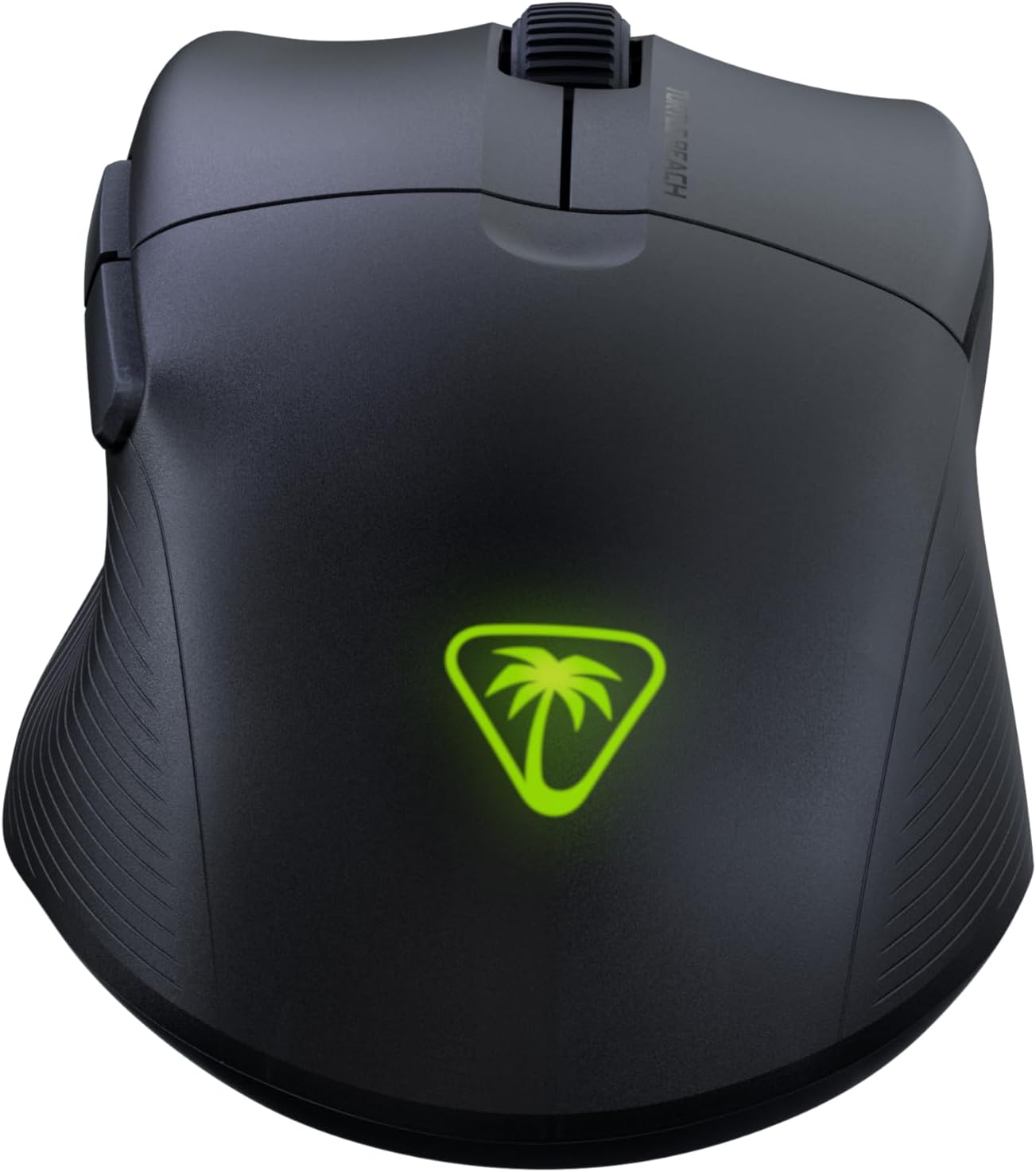
The Turtle Beach Pure Air Wireless RGB Gaming Mouse, showcasing its ergonomic shape and customizable RGB logo.
ຄູ່ມືການຕິດຕັ້ງ
ເນື້ອໃນຊຸດ
- Turtle Beach Pure Air Wireless RGB Gaming Mouse
- ຜູ້ດັດແປງ USB ແບບໄຮ້ສາຍ
- PhantomFlex Charging Cable (USB-C to USB-A)

The essential components included with your Turtle Beach Pure Air mouse.
ການສາກໄຟເບື້ອງຕົ້ນ
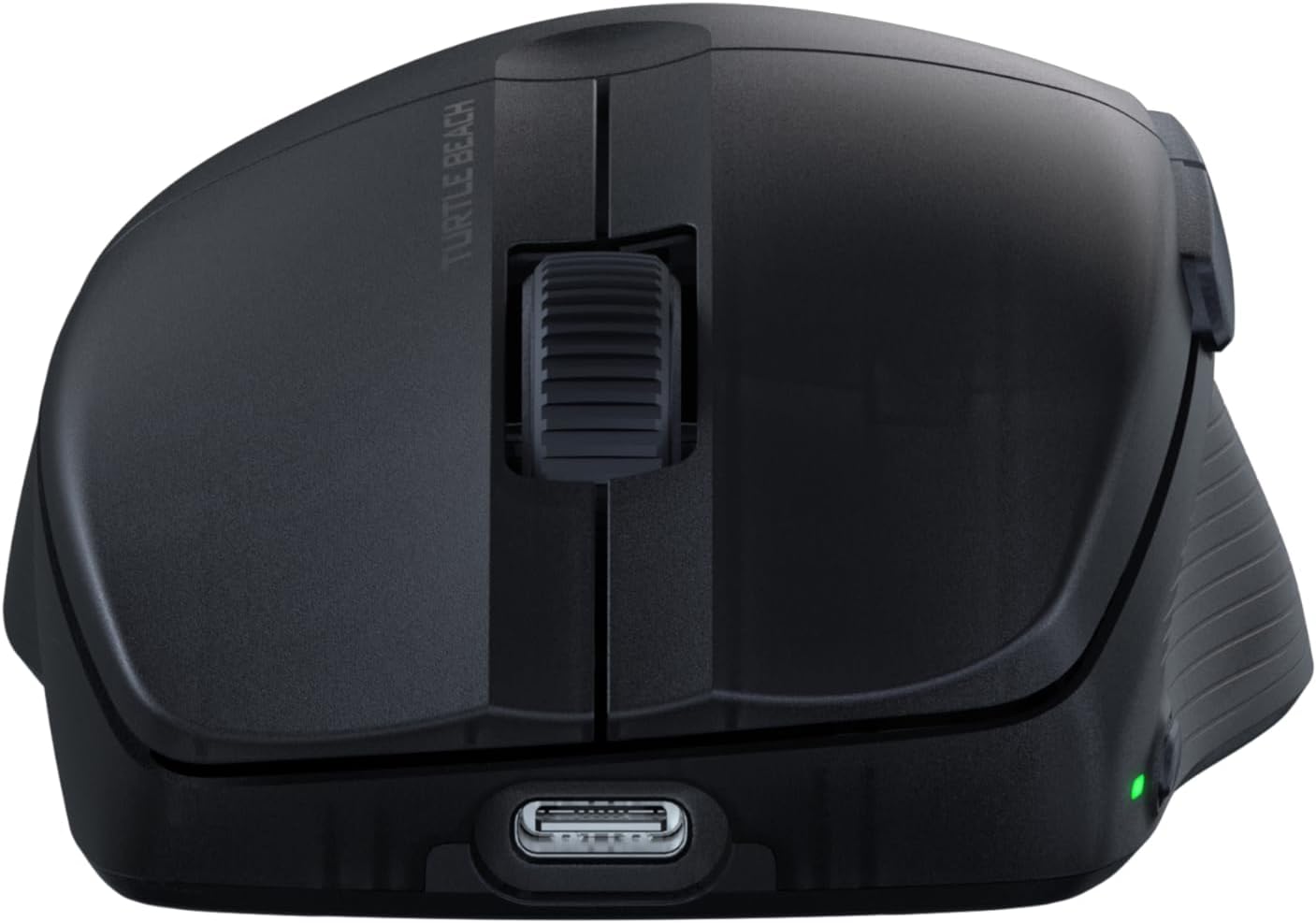
Before first use, it is recommended to fully charge the mouse. Connect the PhantomFlex Charging Cable to the USB-C port on the front of the mouse and to a powered USB-A port on your computer or a USB wall adapter.
The USB-C port located at the front of the mouse for charging and wired connection.
A full charge provides up to 125 hours of continuous use. Rapid charging allows for approximately 5 hours of game time with just 10 minutes of charging.
ຕົວເລືອກການເຊື່ອມຕໍ່
The Pure Air mouse offers three connectivity modes: 2.4GHz Wireless, Bluetooth, and Wired.
- ການເຊື່ອມຕໍ່ໄຮ້ສາຍ 2.4GHz:
- Insert the Wireless USB Adapter into an available USB-A port on your PC.
- Locate the switch on the bottom of the mouse. Slide it to the 2.4GHz ໄຮ້ສາຍ position (indicated by a Wi-Fi icon).
- The mouse should automatically connect to the adapter.
- ການເຊື່ອມຕໍ່ບູທູດ:
- Slide the switch on the bottom of the mouse to the Bluetooth ຕໍາແຫນ່ງ (ຊີ້ບອກໂດຍໄອຄອນ Bluetooth).
- On your PC, navigate to Bluetooth settings and search for new devices.
- Select "Turtle Beach Pure Air" from the list of available devices to pair.
- ການເຊື່ອມຕໍ່ສາຍ:
- Connect the PhantomFlex Charging Cable directly from the mouse to a USB-A port on your PC.
- ເມົ້າຈະເຮັດໜ້າທີ່ເປັນອຸປະກອນແບບມີສາຍ ແລະ ສາກໄຟພ້ອມໆກັນ.

The mouse can be connected via its wireless USB adapter or the flexible PhantomFlex charging cable.
ການດໍາເນີນງານ
ຟັງຊັນປຸ່ມ
- ຄລິກຊ້າຍ/ຂວາ: Equipped with TITAN Optical Switches for fast, precise actuation and a 100 million click life cycle.
- ລໍ້ເລື່ອນ: Provides tactile feedback for accurate scrolling.
- ປຸ່ມຂ້າງ: Two programmable buttons on the left side for custom commands.
- ປຸ່ມ DPI: Located on the top of the mouse, behind the scroll wheel. Press to cycle through preset DPI levels.
ການປັບ DPI
The Pure Air mouse features a 26K Owl-Eye Optical Sensor. Use the dedicated DPI button to switch between sensitivity settings on the fly. Default DPI settings can be customized using the Swarm 2 software.
RGB Illumination (AIMO)
The Turtle Beach logo on the back of the mouse features customizable AIMO intelligent RGB illumination. Lighting effects and colors can be configured through the Swarm 2 software.
Swarm 2 Software
For advanced customization, download and install the Swarm 2 software from the official Turtle Beach webເວັບໄຊ. ຊອບແວນີ້ອະນຸຍາດໃຫ້ທ່ານເພື່ອ:
- Adjust DPI levels and create custom profiles.
- Program button assignments.
- ປັບແຕ່ງເອັບເຟັກໄຟ RGB.
- ອັບເດດເຟີມແວຣ໌ເມົ້າ.
ບໍາລຸງຮັກສາ
ທໍາຄວາມສະອາດ
To clean your Turtle Beach Pure Air mouse, use a soft, dry, lint-free cloth. Avoid using harsh chemicals, solvents, or abrasive materials, as these can damage the mouse's surface and internal components.
PTFE Glides
The mouse is equipped with Pure PTFE glides for smooth movement. Ensure these glides remain clean and free of debris to maintain optimal performance. Avoid scratching or damaging the glides.
ການແກ້ໄຂບັນຫາ
ບັນຫາການເຊື່ອມຕໍ່
- 2.4GHz Wireless: Ensure the Wireless USB Adapter is securely plugged into a working USB port. Verify the mouse switch is set to the 2.4GHz mode. Try a different USB port.
- Bluetooth: Confirm Bluetooth is enabled on your PC and the mouse switch is set to Bluetooth mode. Remove and re-pair the device in your PC's Bluetooth settings.
- ທົ່ວໄປ: Ensure the mouse is charged. Try connecting the mouse in wired mode to confirm functionality.
ຄວາມກັງວົນກ່ຽວກັບຊີວິດຫມໍ້ໄຟ
While rated for up to 125 hours, actual battery life can vary based on usage patterns, DPI settings, and RGB illumination intensity. If battery life seems significantly shorter, ensure the mouse is fully charged and consider reducing RGB brightness or disabling it via the Swarm 2 software.
ຊອບແວ ແລະເຟີມແວ
If you experience unexpected behavior or wish to access the latest features, ensure your Swarm 2 software and mouse firmware are up to date. Connect the mouse via USB and use the Swarm 2 application to check for and apply updates.
ຂໍ້ມູນຈໍາເພາະ
| ຍີ່ຫໍ້ | ຫາດຊາຍເຕົ່າ |
| ໝາຍເລກຕົວແບບ | TBM-1102-05 |
| ການເຊື່ອມຕໍ່ | Bluetooth, 2.4GHz Radio Frequency Wireless, Wired (USB-C) |
| ເຊັນເຊີ | Owl-Eye 26K DPI Optical Sensor |
| ສະວິດ | TITAN Optical Switches (100 Million Click Life Cycle) |
| ນ້ຳໜັກ | 54g (ນ້ຳໜັກເບົາຫຼາຍ) |
| ຊີວິດຫມໍ້ໄຟ | Up to 125 Hours (Rechargeable Lithium Polymer) |
| ສາຍສາກ | PhantomFlex USB-C |
| ທິດທາງມື | ສິດ |
| OS ທີ່ເຂົ້າກັນໄດ້ | Windows 10, Windows 11 |
| ຂະໜາດ (L x W) | 121 ມມ (4.77 ນິ້ວ) x 69 ມມ (2.73 ນິ້ວ) |
| ວັດສະດຸ | ພາດສະຕິກ |
Physical dimensions of the Turtle Beach Pure Air mouse.
ຂໍ້ມູນການຮັບປະກັນ
The Turtle Beach Pure Air Wireless RGB Gaming Mouse comes with a ການຮັບປະກັນຜູ້ຜະລິດ 1 ປີ. Please retain your proof of purchase for warranty claims. For detailed terms and conditions, refer to the official Turtle Beach warranty policy available on their webເວັບໄຊ.
ສະຫນັບສະຫນູນ
For further assistance, technical support, or to download the latest software and drivers, please visit the official Turtle Beach support webເວັບໄຊ:
ວິດີໂອຜະລິດຕະພັນຢ່າງເປັນທາງການ
ວິດີໂອນີ້ໃຫ້ຫຼາຍກວ່າview of the Turtle Beach Pure Air Wireless RGB Gaming Mouse, highlighting its key features and design.