
CZBRO XY-258
CZBRO Portable USB LED Keyboard Light Instruction Manual
ຮຸ່ນ: XY-258
ແນະນຳ
This manual provides comprehensive instructions for the safe and effective use of your CZBRO Portable USB LED Keyboard Light. Please read this manual thoroughly before operating the device and retain it for future reference.
The CZBRO Portable USB LED Keyboard Light is designed to provide convenient illumination for laptop keyboards and other low-light environments. Its flexible gooseneck design allows for precise positioning, making it suitable for various applications such as reading or working.
ຄຸນສົມບັດຜະລິດຕະພັນ
- Portable USB Light: Compact and lightweight, designed for easy portability, ideal for travelers.
- ວັດສະດຸທົນທານ: Constructed from high-quality materials for long-lasting performance.
- ໄຟ 10-LED: Features 10 high-brightness LED beads for maximum illumination and clear visibility.
- ການອອກແບບທີ່ຍືດຫຍຸ່ນ: Gooseneck design allows for easy adjustment and precise positioning of the light.
- ງ່າຍທີ່ຈະນໍາໃຊ້: Simple plug-and-play operation via any standard USB port; no batteries or additional setup required.

Image: Two CZBRO Portable USB LED Keyboard Lights, showcasing their design and how one is connected to a laptop for keyboard illumination.

Image: The CZBRO light in use with a laptop, demonstrating its effectiveness in low-light conditions and its compact, portable nature.

ຮູບພາບ: A ລາຍລະອຽດ view of the product, highlighting its flexible gooseneck for easy adjustment and its durable construction.
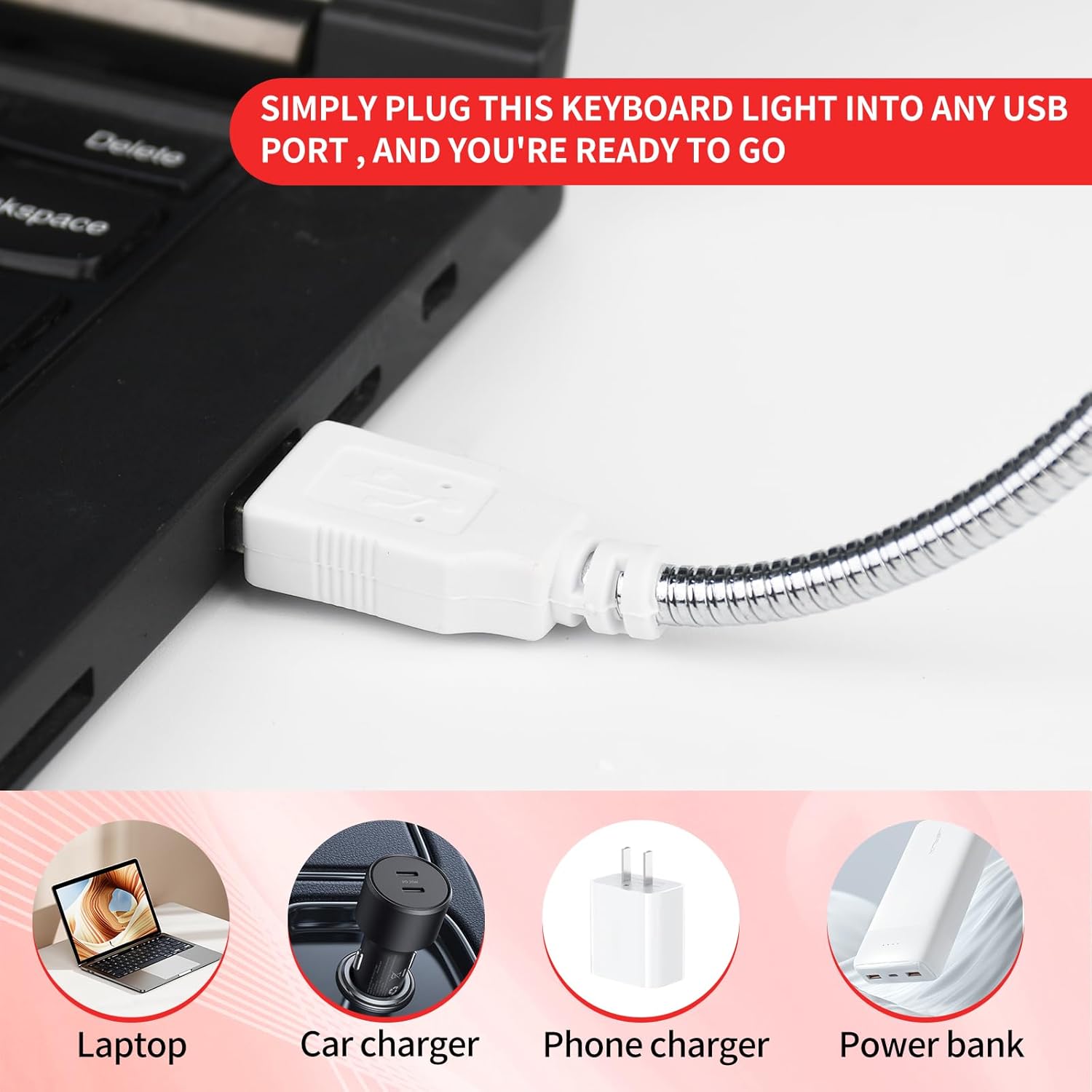
Image: The USB connector of the light, illustrating its versatility for use with laptops, car chargers, phone chargers, and power banks.

Image: A user operating the light in a low-light setting, demonstrating its effective illumination and flexible positioning.

Image: The light effectively illuminating a laptop keyboard, showcasing its bright and efficient LED output.
ຕັ້ງຄ່າ
- ແກະກ່ອງ: Carefully remove the CZBRO Portable USB LED Keyboard Light from its packaging.
- Identify USB Port: Locate an available USB Type-A port on your laptop, desktop computer, car charger, phone charger, or power bank.
- ເຊື່ອມຕໍ່: Insert the USB connector of the keyboard light firmly into the identified USB port.
- ເປີດ: The light will illuminate automatically upon successful connection to a powered USB port. No additional power switch is present on the device.
ຄໍາແນະນໍາການດໍາເນີນງານ
The CZBRO Portable USB LED Keyboard Light is designed for straightforward operation:
- ການປັບທິດທາງແສງສະຫວ່າງ: Utilize the flexible gooseneck to bend and position the light head to your desired angle and direction. This allows for precise illumination of your keyboard, book, or workspace.
- ການຄວບຄຸມພະລັງງານ: The light does not feature an on/off switch. It will remain illuminated as long as it is connected to a powered USB port. To turn off the light, simply disconnect it from the USB port.
- ການນໍາໃຊ້ທີ່ດີທີ່ສຸດ: For best results, position the light to minimize glare on your screen while maximizing illumination on your keyboard or reading material.
ບໍາລຸງຮັກສາ
To ensure the longevity and optimal performance of your CZBRO Portable USB LED Keyboard Light, follow these maintenance guidelines:
- ທໍາຄວາມສະອາດ: Disconnect the light from its power source before cleaning. Use a soft, dry cloth to wipe the surface of the light and the gooseneck. Do not use abrasive cleaners, solvents, or immerse the light in water.
- ການເກັບຮັກສາ: When not in use, store the light in a cool, dry place away from direct sunlight and extreme temperatures. Avoid tightly coiling the gooseneck to prevent damage.
- ການຈັດການ: Handle the light with care. Avoid excessive force when bending the gooseneck or inserting/removing the USB connector.
ການແກ້ໄຂບັນຫາ
If you encounter issues with your CZBRO Portable USB LED Keyboard Light, refer to the following common problems and solutions:
| ບັນຫາ | ສາເຫດທີ່ເປັນໄປໄດ້ | ການແກ້ໄຂ |
|---|---|---|
| ແສງບໍ່ໄດ້ເປີດ. | Not properly connected to a USB port. USB port is not powered. ພອດ USB ຜິດພາດ. | ໃຫ້ແນ່ໃຈວ່າຕົວເຊື່ອມຕໍ່ USB ຖືກສຽບເຂົ້າໄປໃນພອດຢ່າງຄົບຖ້ວນແລ້ວ. Try connecting the light to a different USB port or a different power source (e.g., another laptop, a wall adapter). Test the USB port with another device to confirm it is functional. |
| ແສງສະຫວ່າງ flickers ຫຼືມືດມົວ. | ພະລັງງານບໍ່ພຽງພໍຈາກພອດ USB. ການເຊື່ອມຕໍ່ວ່າງ. | Try a different USB port, especially one directly on a computer rather than a hub. Re-insert the USB connector firmly. |
| Gooseneck does not hold position. | Excessive bending or wear over time. | While the gooseneck is designed for flexibility, continuous extreme bending may reduce its rigidity over time. Ensure you are not over-extending it. |
ຂໍ້ມູນຈໍາເພາະ
| ຄຸນສົມບັດ | ລາຍລະອຽດ |
|---|---|
| ຍີ່ຫໍ້ | CZBRO |
| ຊື່ຕົວແບບ | XY-258 |
| ໝາຍເລກຕົວແບບ | XY-258 |
| ສີ | ສີແດງ |
| ຈໍານວນລາຍການ | 2 Pcs |
| ຂະໜາດສິນຄ້າ | 16"D x 0.6"W x 0.4"H (ປະມານ 40.6cm D x 1.5cm W x 1.0cm H) |
| ນ້ໍາຫນັກລາຍການ | 1.76 ອອນສ໌ (ປະມານ 50 ກຣາມ) |
| Lamp ປະເພດ | LED |
| ປະເພດແຫຼ່ງແສງ | LED |
| ຈໍານວນແຫຼ່ງແສງສະຫວ່າງ | 10 |
| ແຫຼ່ງພະລັງງານ | USB (5 Volts DC) |
| ວັດສະດຸ | Metal (Gooseneck), Plastic (Base/Light Housing) |
| ຄຸນນະສົມບັດພິເສດ | No additional batteries or setup required |
| ການນຳໃຊ້ພາຍໃນ/ນອກ | ພາຍໃນ |
| ລະດັບຄວາມຕ້ານທານນ້ໍາ | ບໍ່ທົນທານຕໍ່ນ້ໍາ |
| ອົງປະກອບລວມ | Portable USB LED Light for Keyboard |
ການຮັບປະກັນແລະການສະຫນັບສະຫນູນ
For information regarding warranty coverage or technical support for your CZBRO Portable USB LED Keyboard Light, please contact the manufacturer directly or refer to the product's packaging for specific contact details.
ກະລຸນາຮັກສາຫຼັກຖານການຊື້ຂອງທ່ານສໍາລັບການຮຽກຮ້ອງການຮັບປະກັນໃດໆ.
Ask a question about this manual
Ask about setup, troubleshooting, compatibility, parts, safety, or missing instructions. Manuals+ will review the question and use this page’s manual context to help answer it.