
VTech ES2051
ຄູ່ມືຜູ້ໃຊ້ໂທລະສັບໄຮ້ສາຍ VTech ES2051 DECT
Twin Handset with Answering Machine, Call Block, and Handsfree Speakerphone
1. ບົດແນະນຳ
This user manual provides comprehensive instructions for the VTech ES2051 DECT Cordless Phone system. It covers setup, operation, maintenance, and troubleshooting for your twin handset phone, featuring an integrated answering machine, nuisance call blocker, and handsfree speakerphone capabilities. Please read this manual thoroughly to ensure proper use and to take full advantage ຂອງລັກສະນະທັງຫມົດ.
2. ສິ່ງທີ່ຢູ່ໃນກ່ອງ
ກະລຸນາກວດເບິ່ງວ່າຊຸດຂອງທ່ານມີລາຍການຕໍ່ໄປນີ້:
- 2 Base Units
- ໂທລະສັບໄຮ້ສາຍ 2 ໜ່ວຍ
- 2 ເຄື່ອງສາກ
- ແບັດເຕີລີ 2 ອັນ
- ສາຍໂທລະສັບ
- ຄູ່ມືເລີ່ມຕົ້ນໄວ
3. ຕັ້ງຄ່າ
3.1 ການຕິດຕັ້ງ ໝໍ້ ໄຟ
Each handset requires 2 AAA rechargeable batteries (included). Open the battery compartment cover on the back of the handset and insert the batteries, observing the correct polarity (+ and -). Close the cover securely.
3.2 ການເຊື່ອມຕໍ່ຫນ່ວຍງານພື້ນຖານ
Connect one end of the telephone line cord to the LINE socket on the base unit and the other end to your telephone wall socket. Connect the small end of the power adapter to the POWER socket on the base unit and plug the large end into a mains power outlet. For the second handset, connect its charger to a mains power outlet.
3.3 Charging the Handsets
Place each handset on its respective base unit or charger. The charging indicator on the handset will illuminate. For optimal battery performance, charge the handsets for at least 16 hours before initial use.

Image: The VTech ES2051 DECT Cordless Phone system, showing the main base unit with one handset docked, and a second handset with its charging cradle. This illustrates the twin handset setup.
4. ຄໍາແນະນໍາການດໍາເນີນງານ
4.1 ຟັງຊັນການໂທພື້ນຖານ
- ໂທອອກ: ກົດຫມາຍເລກແລະກົດປຸ່ມ ໂທ ປຸ່ມ.
- ຮັບສາຍ: ເມື່ອໂທລະສັບດັງຂຶ້ນ, ກົດປຸ່ມ ໂທ ປຸ່ມ.
- ສິ້ນສຸດການໂທ: ກົດ ຈົບ ກົດປຸ່ມ ຫຼືວາງມືຖືຄືນໃສ່ຖານ/ສາຍສາກ.

Image: Two VTech ES2051 DECT cordless handsets and the main base unit are displayed in a modern living room setting, highlighting the twin handset feature.
4.2 ລຳໂພງ Handsfree
ໃນລະຫວ່າງການໂທ, ກົດປຸ່ມ ລຳໂພງ button to activate handsfree mode. Press it again to switch back to handset mode.
4.3 ການບລັອກການໂທ
The nuisance call blocker allows you to stop unwanted calls. You can save up to 100 names and numbers in the call block list. Refer to the quick start guide for specific steps on how to add numbers to the block list.

Image: The VTech ES2051 DECT Cordless Phone base unit and handset are shown with a graphic indicating the 'Call Blocker' feature, emphasizing its ability to block nuisance and unwanted calls.
4.4 ລະບົບການຕອບແບບດິຈິຕອລ
The integrated digital answering system can record up to 30 minutes of messages. You can set up your outgoing message, play back messages, and delete them directly from the base unit or a handset. The base unit features a digital message counter.

Image: The VTech ES2051 DECT Cordless Phone base unit and handset are displayed, with a speech bubble suggesting a message, illustrating the digital answering system's function.
4.5 Easy, One-touch Features
The phone includes features like Mute/Alarm, adjustable ring volume and melodies, and a high-quality handsfree speakerphone, all accessible with ease.

Image: The VTech ES2051 DECT Cordless Phone is shown with icons representing its easy, one-touch features, including Mute/Alarm, adjustable ring volume, and handsfree speakerphone.
4.6 Volume Booster
Activate the Volume Booster function to amplify incoming sound, enhancing clarity and loudness, particularly useful for those with weakened hearing.

Image: A VTech ES2051 DECT Cordless Handset is shown with a graphic illustrating sound waves, indicating the Volume Booster feature that amplifies incoming audio.
4.7 Backlit Display and Keypad
The handset features a backlit LCD screen and keypad, illuminating the entire keypad for easier viewing and operation in dim light conditions.

Image: The VTech ES2051 DECT Cordless Phone base unit and handset are displayed, highlighting the illuminated LCD screen and keypad for improved visibility in low light.
4.8 Intercom Between Base and Handset
Utilize the handset-to-handset intercom function to communicate between the two handsets without using the telephone line. This is useful for internal communication within your home.
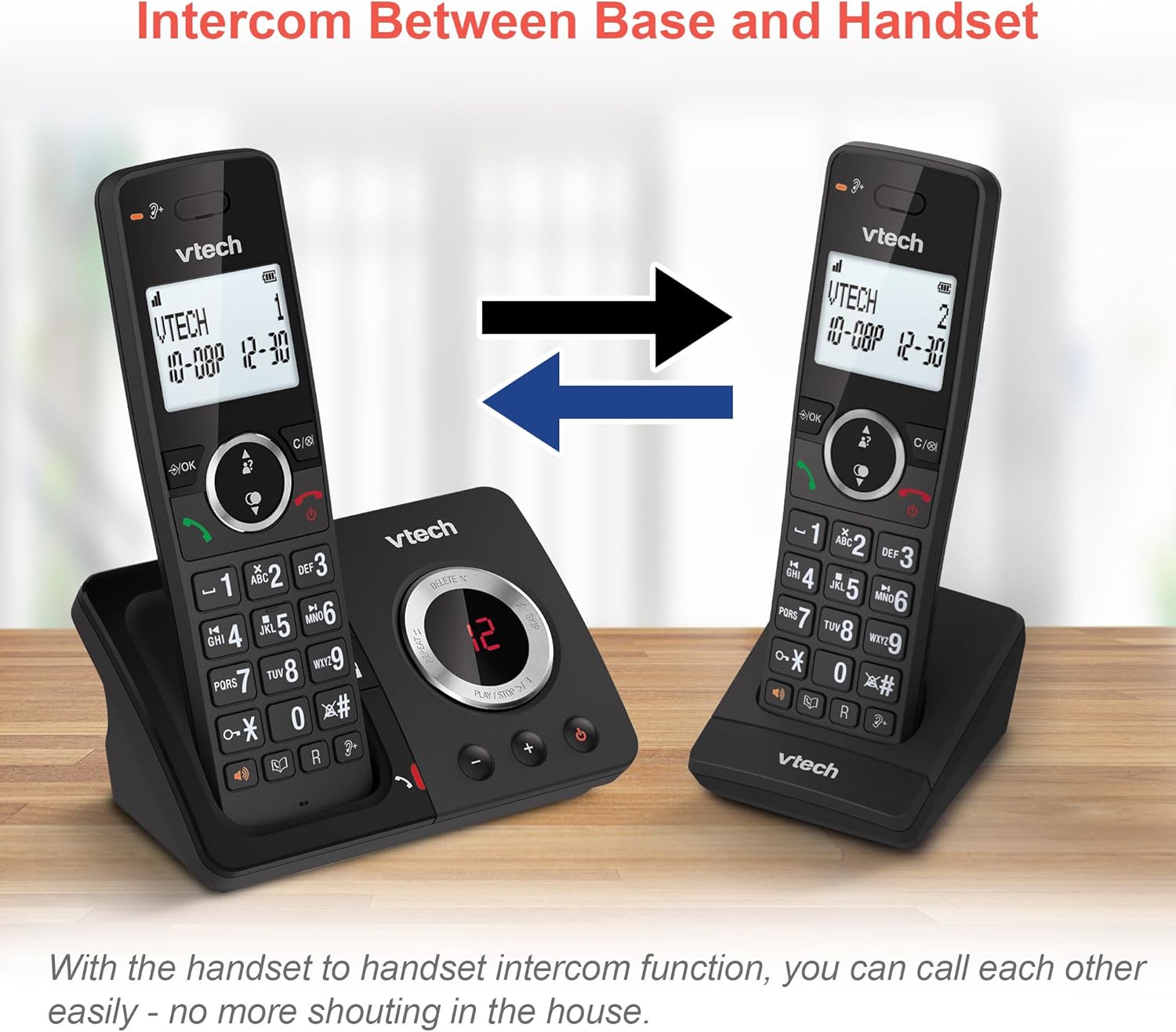
Image: Two VTech ES2051 DECT Cordless Handsets are shown with arrows indicating communication between them, illustrating the intercom function.
4.9 ກອງປະຊຸມ 3 ຝ່າຍ
The 3-way calling feature allows you to conference a call with two internal callers (handsets) and one external caller into a single conversation.

Image: Three individuals are depicted using phones, visually representing the 3-way conference call capability of the VTech ES2051 system.
5. ບໍາລຸງຮັກສາ
5.1 ການທໍາຄວາມສະອາດ
ເຮັດຄວາມສະອາດໂທລະສັບ ແລະ ໜ່ວຍຮອງພື້ນດ້ວຍຜ້າອ່ອນໆ damp ຜ້າ. ຢ່າໃຊ້ເຄື່ອງເຮັດຄວາມສະອາດຂັດຫຼືສານລະລາຍ. ໃຫ້ແນ່ໃຈວ່າບໍ່ມີຂອງແຫຼວເຂົ້າໄປໃນຫນ່ວຍບໍລິການ.
5.2 ການດູແລຫມໍ້ໄຟ
ເພື່ອຍືດອາຍຸແບັດເຕີຣີ, ຫຼີກລ້ຽງການສາກໄຟເກີນໂດຍການບໍ່ປະໂທລະສັບໄວ້ເທິງເຄື່ອງສາກເປັນເວລາດົນເມື່ອສາກເຕັມແລ້ວ. ຖ້າໂທລະສັບຈະບໍ່ຖືກໃຊ້ເປັນເວລາດົນນານ, ເອົາແບັດເຕີລີອອກ.
6. ການແກ້ໄຂບັນຫາ
ຖ້າທ່ານປະສົບບັນຫາກັບ VTech ES2051 ຂອງທ່ານ, ກະລຸນາອ້າງອີງເຖິງບັນຫາທົ່ວໄປ ແລະວິທີແກ້ໄຂບັນຫາຕໍ່ໄປນີ້:
- ບໍ່ມີໂທນໂທ: Ensure the telephone line cord is securely connected to both the base unit and the wall socket. Check that the power adapter is plugged in correctly.
- ບໍ່ສາມາດໂທ/ຮັບສາຍ: Verify that the phone line is active. Check battery charge level on the handset.
- ຄຸນນະພາບສຽງບໍ່ດີ/ຄົງທີ່: Move the handset closer to the base unit. Avoid placing the base unit near other electrical appliances that may cause interference.
- ມືຖືບໍ່ໄດ້ສາກໄຟ: Ensure the handset is correctly seated in the charging cradle and that the charging contacts are clean.
- ເຄື່ອງຕອບບໍ່ໄດ້ບັນທຶກ: Check if the answering machine memory is full. Ensure the answering machine is turned on.
7. ຂໍ້ມູນຈໍາເພາະ
| ຄຸນສົມບັດ | ລາຍລະອຽດ |
|---|---|
| ຍີ່ຫໍ້ | VTech |
| ຕົວແບບ | ES2051 |
| ປະເພດໂທລະສັບ | Cordless DECT |
| ປະເພດລະບົບການຕອບ | ດິຈິຕອລ |
| ການລະບຸຕົວຜູ້ໂທ | ແມ່ນແລ້ວ |
| ຕ້ອງໃຊ້ແບັດເຕີຣີ | 4 AAA (ລວມ) |
| ນ້ໍາຫນັກລາຍການ | 0.78 ກິໂລກຣາມ |
| ຂະໜາດແພັກເກັດ | 18.5 x 14 x 11 cm |
| ສີ | ດຳ |
| UPC | 796575179615 |
8. ການຮັບປະກັນແລະການສະຫນັບສະຫນູນ
For warranty information and technical support, please refer to the documentation provided with your purchase or visit the official VTech webເວັບໄຊ. ຮັກສາຫຼັກຖານການຊື້ຂອງທ່ານສໍາລັບການຮຽກຮ້ອງການຮັບປະກັນໃດໆ.
Ask a question about this manual
Ask about setup, troubleshooting, compatibility, parts, safety, or missing instructions. Manuals+ will review the question and use this page’s manual context to help answer it.