
MYZONE MZ-20
MYZONE MZ-20 Bluetooth Digital Bathroom Scale User Manual
ຮຸ່ນ: MZ-20
ແນະນຳ
This manual provides essential information for the safe and effective use of your MYZONE MZ-20 Bluetooth Digital Bathroom Scale. Please read these instructions thoroughly before use and retain for future reference.
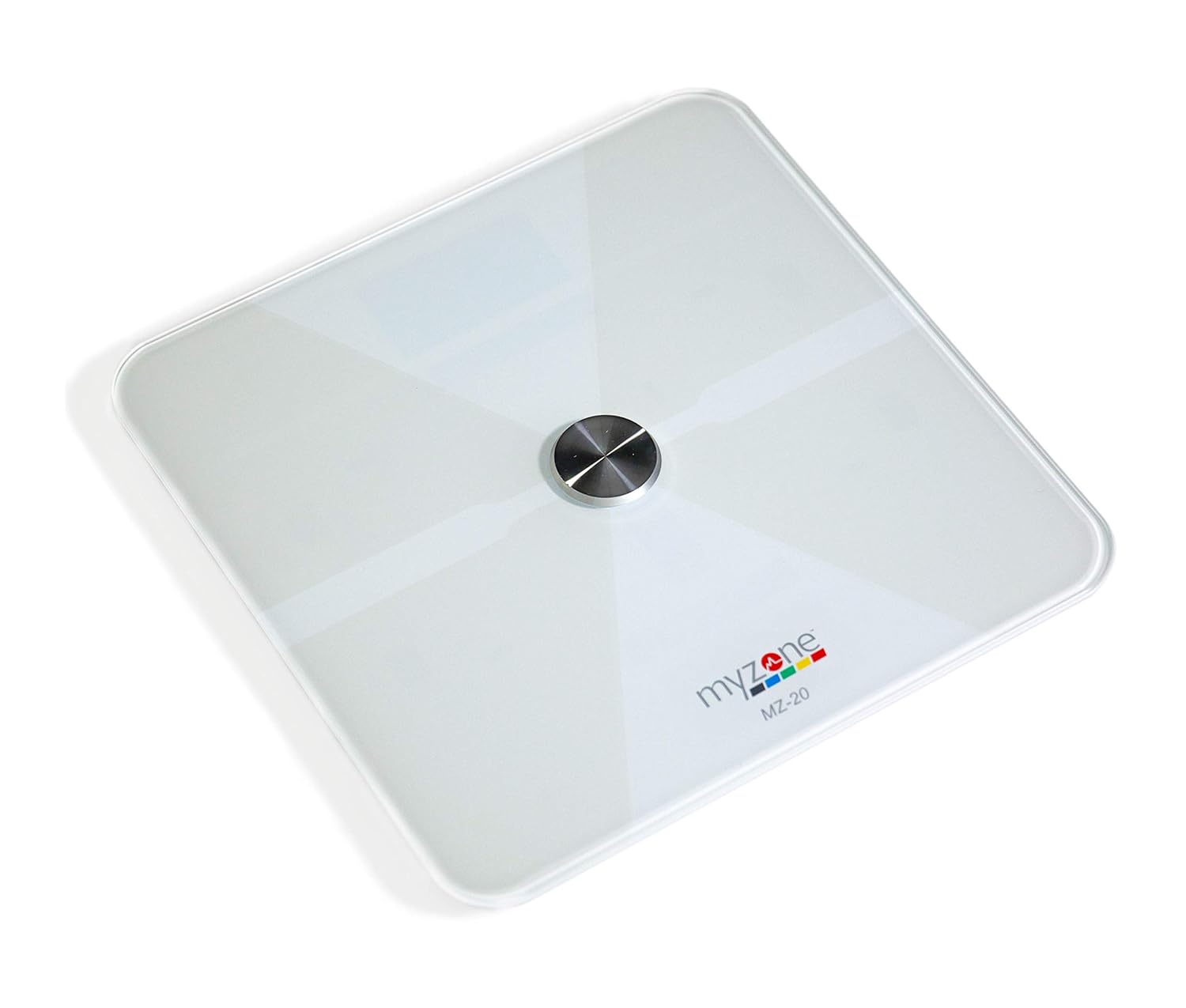
ຮູບພາບ: ເທິງລົງລຸ່ມ view of the MYZONE MZ-20 Digital Bathroom Scale, white with a central metallic sensor and MYZONE logo.
ຂໍ້ມູນຄວາມປອດໄພທີ່ສໍາຄັນ
- ຢ່າໃຊ້ຖ້າທ່ານມີເຄື່ອງກະຕຸ້ນຈັງຫວະຫຼືອຸປະກອນທາງການແພດພາຍໃນອື່ນໆ.
- ຢ່າໃຊ້ຖ້າທ່ານຖືພາ.
- ສະເຫມີວາງຂະຫນາດໃສ່ພື້ນຜິວແຂງ, ຮາບພຽງສໍາລັບການວັດແທກທີ່ຖືກຕ້ອງ.
- Keep the scale dry. Do not immerse in water.
- The glass surface can be slippery when wet. Step on and off carefully.
- This device is for home use only and should not be used for medical diagnosis or treatment.
ເນື້ອໃນຊຸດ
- MYZONE MZ-20 Digital Bathroom Scale
- ແບດເຕີຣີ້ AAA 4 x (ລວມ)
- ຄູ່ມືຜູ້ໃຊ້ (ເອກະສານນີ້)
ຕັ້ງຄ່າ
1. ການຕິດຕັ້ງຫມໍ້ໄຟ
- ເປີດຊ່ອງໃສ່ຫມໍ້ໄຟຢູ່ດ້ານລຸ່ມຂອງຂະຫນາດ.
- ໃສ່ໝໍ້ໄຟ AAA 4 ໜ່ວຍ, ຮັບປະກັນການຂົ້ວທີ່ຖືກຕ້ອງ (+/-).
- ປິດຊ່ອງໃສ່ຫມໍ້ໄຟຢ່າງປອດໄພ.
2. ການດາວໂຫຼດແອັບ ແລະ ການຈັບຄູ່
To utilize the full features of the MZ-20 scale, including body composition analysis and progress tracking, download the MYZONE app on your mobile device.
- Download the "MYZONE" app from your device's app store (iOS or Android).
- Create an account or log in to your existing MYZONE account.
- ເປີດໃຊ້ Bluetooth ໃນອຸປະກອນມືຖືຂອງທ່ານ.
- Open the MYZONE app and navigate to the device pairing section.
- Step onto the scale to activate it. The scale will automatically attempt to pair with the app via Bluetooth Low Energy (BLE).
- ປະຕິບັດຕາມການເຕືອນໃນຫນ້າຈໍໃນ app ເພື່ອສໍາເລັດຂະບວນການຈັບຄູ່.
3. Calibration ເບື້ອງຕົ້ນ
For the most accurate readings, it is recommended to perform an initial calibration. Place the scale on a hard, flat surface. Step on the scale briefly until a reading appears, then step off. The scale will display "0.0" or similar, indicating it is ready for use. Some users may observe slight variations in initial readings which stabilize after a few uses.
ຄໍາແນະນໍາການດໍາເນີນງານ
1. ການວັດແທກ
- ວາງຂະຫນາດເທິງພື້ນຜິວແຂງ, ຮາບພຽງ.
- ໃຫ້ແນ່ໃຈວ່າຕີນຂອງເຈົ້າສະອາດແລະແຫ້ງ.
- Step onto the scale barefoot, centering your feet on the metallic pads. Stand still until the display shows your weight.
- If connected to the MYZONE app, open the app before stepping on the scale. Your measurements (weight, body fat, muscle mass, body water, bone mass, Basal Metabolic Rate) will automatically sync to the app.

Image: A person stands barefoot on the MYZONE MZ-20 scale, demonstrating how to take a measurement. An overlay graphic illustrates the various body metrics recorded, including weight, body fat, muscle mass, and visceral fat.
2. Understanding Body Metrics
The MZ-20 scale provides comprehensive tracking of various physical characteristics:
- ນ້ຳໜັກ: ມະຫາຊົນຂອງຮ່າງກາຍທັງຫມົດຂອງທ່ານ.
- Body Fat %: ເປີເຊັນtagຂອງນ້ຳໜັກຕົວທັງໝົດຂອງທ່ານທີ່ເປັນໄຂມັນ.
- ມວນກ້າມເນື້ອ: ນ້ຳໜັກທັງໝົດຂອງກ້າມຊີ້ນໃນຮ່າງກາຍຂອງທ່ານ.
- ນໍ້າໃນຮ່າງກາຍ: ເປີເຊັນtage of your total body weight that is water.
- ມວນກະດູກ: The total weight of bone in your body.
- ອັດຕາການເຜົາຜະຫລານອາຫານພື້ນຖານ (BMR): ຈໍານວນຂອງພະລັງງານທີ່ຕ້ອງການເພື່ອເຮັດໃຫ້ຮ່າງກາຍຂອງທ່ານເຮັດວຽກໃນການພັກຜ່ອນ.

Image: An infographic displaying icons and labels for the various body metrics measured by the MZ-20 scale, including Weight, Body Fat, Muscle Mass, Body Water, Bone Mass, and Basal Metabolic Rate. It also highlights features like included batteries, Bluetooth connectivity, digital display, and support for multiple users.
3. Using the MYZONE App
The MYZONE app allows you to view, track, and analyze your body metrics over time. Data is saved directly to the app for easy access and progress monitoring.

Image: A smartphone screen shows the MYZONE app interface, displaying a user's body metrics such as Resting Heart Rate, Weight, Basal Metabolic Rate, Body Fat Percentage, and Body Mass Index (BMI).
4. ຜູ້ໃຊ້ຫຼາຍ
The MYZONE MZ-20 scale supports multiple users. Each user should create their own profile within the MYZONE app. When a user steps on the scale, the app will attempt to identify the user based on their weight history. If multiple users have similar weights, the app may prompt you to select the correct user.
ບໍາລຸງຮັກສາ
1. ທໍາຄວາມສະອາດ
ເຊັດຫນ້າຂະຫນາດດ້ວຍການໂຄສະນາamp cloth and mild detergent. Do not use abrasive cleaners or immerse the scale in water. Ensure the scale is dry before storage or next use.
2. ການທົດແທນຫມໍ້ໄຟ
When the battery indicator appears on the display, replace all 4 AAA batteries. Always replace with new batteries of the same type. Remove batteries if the scale will not be used for an extended period.
ການແກ້ໄຂບັນຫາ
| ບັນຫາ | ສາເຫດ / ການແກ້ໄຂທີ່ເປັນໄປໄດ້ |
|---|---|
| Scale does not turn on or display is blank. |
|
| ການອ່ານບໍ່ຖືກຕ້ອງຫຼືບໍ່ສອດຄ່ອງ. |
|
| Scale reading does not match app reading. |
|
| Body metrics (fat, muscle, etc.) seem inaccurate. |
|
| Cannot connect to MYZONE app via Bluetooth. |
|
ຂໍ້ມູນຈໍາເພາະ
| ຄຸນສົມບັດ | ລາຍລະອຽດ |
|---|---|
| ຍີ່ຫໍ້ | MYZONE |
| ຕົວແບບ | MZ-20 |
| ສີ | ສີຂາວ |
| ຄຸນນະສົມບັດພິເສດ | Body Fat, Bone Mass, Muscle Mass, Smart (Bluetooth connectivity) |
| ປະເພດການສະແດງ | LED |
| ປັດໄຈແບບຟອມ | ມິນິ |
| ຂະໜາດສິນຄ້າ | 12.2 x 12.2 x 0.79 ນິ້ວ |
| ນ້ໍາຫນັກລາຍການ | 4.18 ປອນ (1.9 ກິໂລກຣາມ) |
| ໝໍ້ໄຟ | ໝໍ້ໄຟ AAA 4 ອັນ (ລວມ) |
| ການເຊື່ອມຕໍ່ | ພະລັງງານຕ່ ຳ Bluetooth (BLE) |

Image: The MYZONE MZ-20 scale shown with its dimensions: 13.4 inches in length and width, and 1.97 inches in height.
ສິນຄ້າເກີນview ວິດີໂອ
ວີດີໂອ: ຢ່າງເປັນທາງການview of the MYZONE MZ-20 Home Scales, demonstrating its sleek design, live body metric data streaming to a mobile device, and progress tracking features within the MYZONE app.
ຂໍ້ມູນການຮັບປະກັນ
Warranty claims on any MYZONE product can only be approved by Myzone.org. Please refer to the official MYZONE webເວັບໄຊສໍາລັບເງື່ອນໄຂການຮັບປະກັນລາຍລະອຽດ.
ສະຫນັບສະຫນູນ
For further assistance, technical support, or frequently asked questions, please visit the official MYZONE support page or contact customer service:
- ທາງການ Webເວັບໄຊ: www.myzone.org
- ບໍລິການລູກຄ້າ: Refer to the contact information on the official webເວັບໄຊ.
Ask a question about this manual
Ask about setup, troubleshooting, compatibility, parts, safety, or missing instructions. Manuals+ will review the question and use this page’s manual context to help answer it.