
1. ຂໍ້ມູນແນະນໍາ ແລະຄວາມປອດໄພ
ຂອບໃຈສໍາລັບການຊື້asing the SLuB SK20 80000mAh Mobile Power Bank. This device is designed to provide reliable portable power for your electronic devices. Please read this manual carefully before use to ensure safe and optimal performance.
ຄໍາແນະນໍາຄວາມປອດໄພທີ່ສໍາຄັນ
- ຫ້າມນຳພາເວີແບນໄປໃສ່ອຸນຫະພູມທີ່ສູງສຸດ (ສູງກວ່າ 60°C/140°F ຫຼືຕ່ຳກວ່າ 0°C/32°F), ແສງແດດໂດຍກົງ, ຫຼືໄຟ.
- Avoid dropping, disassembling, or attempting to repair the device yourself. This may cause damage or injury.
- ຮັກສາທະນາຄານພະລັງງານໃຫ້ຫ່າງຈາກນ້ໍາ, ຄວາມຊຸ່ມຊື່ນ, ແລະວັດສະດຸທີ່ກັດກ່ອນ.
- ໃຊ້ພຽງແຕ່ສາຍສາກ ແລະອະແດັບເຕີທີ່ໄດ້ຮັບການຢັ້ງຢືນເທົ່ານັ້ນ.
- ຮັກສາໃຫ້ໄກຈາກເດັກນ້ອຍ.
- ຖິ້ມທະນາຄານພະລັງງານຕາມກົດລະບຽບທ້ອງຖິ່ນ. ຢ່າຖິ້ມມັນດ້ວຍສິ່ງເສດເຫຼືອໃນຄົວເຮືອນ.
The SLuB SK20 is equipped with multiple protection systems, including overcharge, over-discharge, overheating, and short-circuit protection, to ensure safe operation.
2. ເນື້ອໃນຊຸດ
ກວດສອບວ່າລາຍການທັງຫມົດແມ່ນມີຢູ່ໃນຊຸດຂອງທ່ານ:
- SLuB SK20 Mobile Power Bank
- ສາຍຂໍ້ມູນ USB (ປະເພດ-C)
- ຄູ່ມືຜູ້ໃຊ້

3. ຄຸນລັກສະນະຂອງຜະລິດຕະພັນ
- ຄວາມຈຸສູງ 80000mAh: Provides multiple full charges for most smartphones and tablets, ideal for extended use or emergencies.
- ການສາກ 3 ອຸປະກອນພ້ອມໆກັນ: Equipped with multiple output ports to charge up to three devices concurrently.
- ສາກໄວ 22.5W: Supports rapid charging for compatible devices, significantly reducing charging time.
- ຈໍ LCD ທີ່ຈະແຈ້ງ: An easy-to-read digital screen shows the remaining battery percentage at a glance.
- ແສງ LED ປະສົມປະສານ: A high-brightness LED light provides illumination for dark environments, useful for outdoor activities or emergencies.
- ການປົກປ້ອງຄວາມປອດໄພຫຼາຍອັນ: Built-in safeguards against overcharge, over-discharge, overheating, and short circuits.


4. ຕັ້ງຄ່າ
ການສາກໄຟເບື້ອງຕົ້ນຂອງ Power Bank
Before first use, fully charge your SLuB SK20 Mobile Power Bank. This ensures optimal battery performance and longevity.
- Connect the provided USB Type-C cable to the Type-C input port on the power bank.
- Connect the other end of the cable to a compatible USB wall adapter (not included). For fast charging, an 18W or higher PD/QC compatible adapter is recommended.
- ຈໍ LCD ຈະສະແດງໃຫ້ເຫັນຄວາມຄືບຫນ້າຂອງການສາກໄຟ. ພາວເວີແບນຖືກສາກເຕັມເມື່ອຈໍສະແດງຜົນ 100%.

5. ຄໍາແນະນໍາການດໍາເນີນງານ
ກຳລັງສາກອຸປະກອນພາຍນອກ
The SLuB SK20 offers multiple output ports for charging various devices.
- Identify the appropriate charging cable for your device.
- ເຊື່ອມຕໍ່ປາຍສາຍສາກໄຟດ້ານໜຶ່ງເຂົ້າກັບອຸປະກອນຂອງທ່ານ.
- Connect the other end of the cable to one of the output ports on the power bank (USB-A or Type-C).
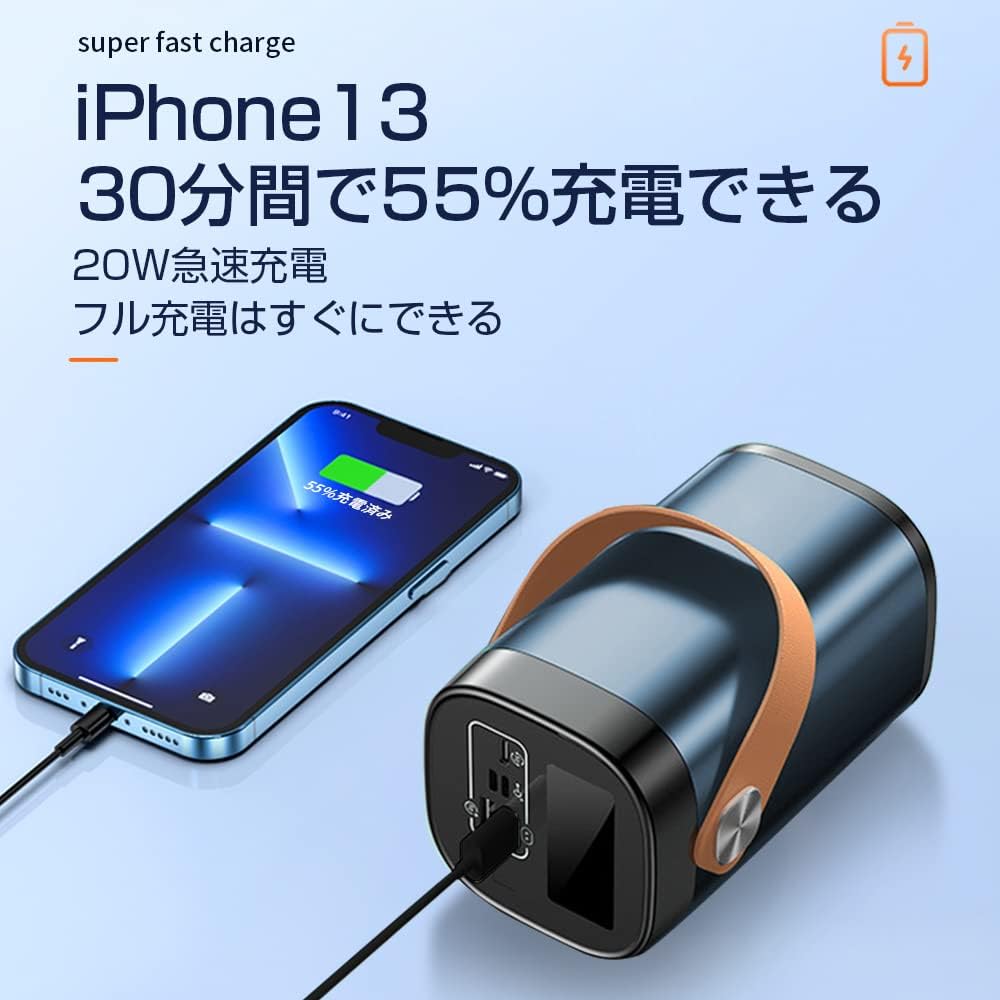
- The power bank will automatically begin charging your device. The LCD display will show the power bank's remaining battery level.

ການນໍາໃຊ້ໄຟ LED
To activate the LED light, press and hold the power button for a few seconds. Repeat the action to turn it off.
Port Overview

The power bank features the following ports:
- Input Ports (for charging the power bank):
- ການປ້ອນຂໍ້ມູນ USB Micro
- ການປ້ອນຂໍ້ມູນດ້ວຍຟ້າຜ່າ
- Type-C Input (also functions as an output)
- Output Ports (for charging devices):
- 22.5W USB Output (x2)
- Type-C Output (also functions as an input)
6. ບໍາລຸງຮັກສາ
ການບຳລຸງຮັກສາທີ່ເໝາະສົມຮັບປະກັນອາຍຸການໃຊ້ງານ ແລະ ປະສິດທິພາບຂອງພາວເວີແບງຂອງທ່ານ.
- ທໍາຄວາມສະອາດ: Use a soft, dry cloth to clean the exterior of the power bank. Do not use harsh chemicals or abrasive cleaners.
- ການເກັບຮັກສາ: ເກັບຮັກສາ Power bank ໃນບ່ອນທີ່ເຢັນ, ແຫ້ງ, ຫ່າງຈາກແສງແດດໂດຍກົງ ແລະອຸນຫະພູມທີ່ຮຸນແຮງ. ຖ້າເກັບຮັກສາໄວ້ດົນໆ, ໃຫ້ສາກໄຟແບດເຕີຣີ້ໄວ້ປະມານ 50-70% ທຸກໆ 3 ເດືອນ ເພື່ອຮັກສາສຸຂະພາບຂອງແບັດ.
- ຫຼີກລ້ຽງການປ່ອຍອອກຫຼາຍເກີນໄປ: Do not allow the power bank to completely drain its battery frequently, as this can reduce its lifespan.
7. ການແກ້ໄຂບັນຫາ
If you encounter issues with your SLuB SK20 Mobile Power Bank, refer to the following common problems and solutions:
| ບັນຫາ | ສາເຫດທີ່ເປັນໄປໄດ້ | ການແກ້ໄຂ |
|---|---|---|
| Power bank ບໍ່ໄດ້ສາກໄຟ | ບັນຫາສາຍໄຟ ຫຼື ອະແດບເຕີ; ແບັດເຕີຣີສຳຮອງສາກເຕັມແລ້ວ; ພອດມີບັນຫາ. | Check cable and adapter connections. Try a different cable or adapter. Ensure the power bank is not already at 100%. Try a different input port. |
| ອຸປະກອນບໍ່ໄດ້ສາກໄຟຈາກ power bank | Power bank is empty; cable issue; device issue; incompatible device. | Recharge the power bank. Try a different charging cable. Ensure your device is functioning correctly. Verify device compatibility. |
| ການສາກໄຟຊ້າ | ສາຍ/ອະແດບເຕີສາກໄຟບໍ່ໄວ; ອຸປະກອນບໍ່ຮອງຮັບການສາກໄຟໄວ; ກຳລັງສາກໄຟອຸປະກອນຫຼາຍເຄື່ອງ. | Use a fast-charging compatible cable and adapter. Ensure your device supports fast charging. Charging multiple devices simultaneously may reduce individual charging speeds. |
| ໄຟ LED ບໍ່ເຮັດວຽກ | Not activated correctly; malfunction. | Press and hold the power button for a few seconds to activate. If it still doesn't work, contact customer support. |
If the problem persists after trying these solutions, please contact SLuB customer service for further assistance.
8. ຂໍ້ມູນຈໍາເພາະ
| ຄຸນສົມບັດ | ລາຍລະອຽດ |
|---|---|
| ໝາຍເລກຕົວແບບ | SK20 |
| ຄວາມອາດສາມາດຫມໍ້ໄຟ | 80000mAh |
| ການປ້ອນຂໍ້ມູນ (ປະເພດ-C) | 22.5W (ສູງສຸດ) |
| ຜົນຜະລິດ (ປະເພດ-C) | 22.5W (ສູງສຸດ) |
| ຂາອອກ (USB-A) | 22.5W (ສູງສຸດ) |
| ຄຸນນະສົມບັດພິເສດ | LED Indicator Light, Digital Display, LED Flashlight |
| ສີ | ສີຟ້າ |
| ຂະໜາດສິນຄ້າ | 14.5 cm (ຍາວ) x 8.5 cm (ກວ້າງ) x 8.5 cm (ຫນາ) |
| ອຸປະກອນທີ່ເຂົ້າກັນໄດ້ | Smartphones, Tablets, Smartwatches, Headphones |
9. ການຮັບປະກັນແລະການສະຫນັບສະຫນູນ
SLuB provides customer support for its products. In case of initial defects upon product arrival or shipping errors, we offer prompt exchange services.
If you have any questions, concerns, or require assistance with your SLuB SK20 Mobile Power Bank, please do not hesitate to contact our customer service team. Please refer to the contact information provided on the product packaging or the official SLuB webເວັບໄຊ.