
ແນະນຳ
The Yesido YSP13 Air Conduction Bluetooth Earphones are designed to provide a comfortable and secure audio experience without blocking your ear canals. Featuring Bluetooth 5.3 for stable connectivity, an ear hook design for active use, and IPX4 waterproofing, these earphones are suitable for various activities. The included charging case offers extended battery life and a digital display for convenience.
ຕັ້ງຄ່າ
1. ການສາກຫູຟັງ ແລະ ກ່ອງສາກ
ກ່ອນທີ່ຈະໃຊ້ຄັ້ງທຳອິດ, ໃຫ້ສາກຫູຟັງ ແລະ ຊ່ອງສາກໃຫ້ເຕັມ.
- Place the earphones into the charging case. Ensure they are correctly seated to initiate charging.
- ເຊື່ອມຕໍ່ກ່ອງສາກກັບແຫຼ່ງພະລັງງານໂດຍໃຊ້ສາຍ USB ທີ່ໃຫ້ມາ.
- ຈໍສະແດງຜົນດິຈິຕອນຢູ່ເທິງກ່ອງສາກໄຟຈະສະແດງລະດັບແບັດເຕີຣີ.
- Charging time for the earphones is approximately 1 hour. The charging case takes approximately 2.5 hours to fully charge.
- A fully charged earphone battery provides about 6 hours of music/call time. The charging case has a capacity of 600mAh, allowing for multiple earphone recharges.

ຮູບພາບ: Earphones inside the charging case, showing the digital battery display. This display indicates the current charge level of the case and the charging status of the earbuds.
2. ການຈັບຄູ່ Bluetooth
Follow these steps to pair your Yesido YSP13 earphones with your device:
- ກວດໃຫ້ແນ່ໃຈວ່າໄດ້ສາກຫູຟັງແລ້ວ.
- ເປີດກ່ອງສາກໄຟ. ຫູຟັງຈະເຂົ້າສູ່ໂໝດຈັບຄູ່ໂດຍອັດຕະໂນມັດ.
- ໃນສະມາດໂຟນ ຫຼືອຸປະກອນທີ່ເປີດໃຊ້ Bluetooth ຂອງທ່ານ, ໃຫ້ໄປທີ່ການຕັ້ງຄ່າ Bluetooth.
- ຊອກຫາ available devices and select "YSP13" (or similar name) from the list.
- ເມື່ອເຊື່ອມຕໍ່ແລ້ວ, ສຽງຢືນຢັນຈະຫຼິ້ນ, ແລະຫູຟັງຈະພ້ອມໃຊ້.
- The earphones utilize Bluetooth 5.3 for a fast and stable connection.
ຮູບພາບ: Earphones shown next to a smartphone, illustrating quick connection and readiness for music playback.
ຄໍາແນະນໍາການດໍາເນີນງານ
1. ໃສ່ຫູຟັງ
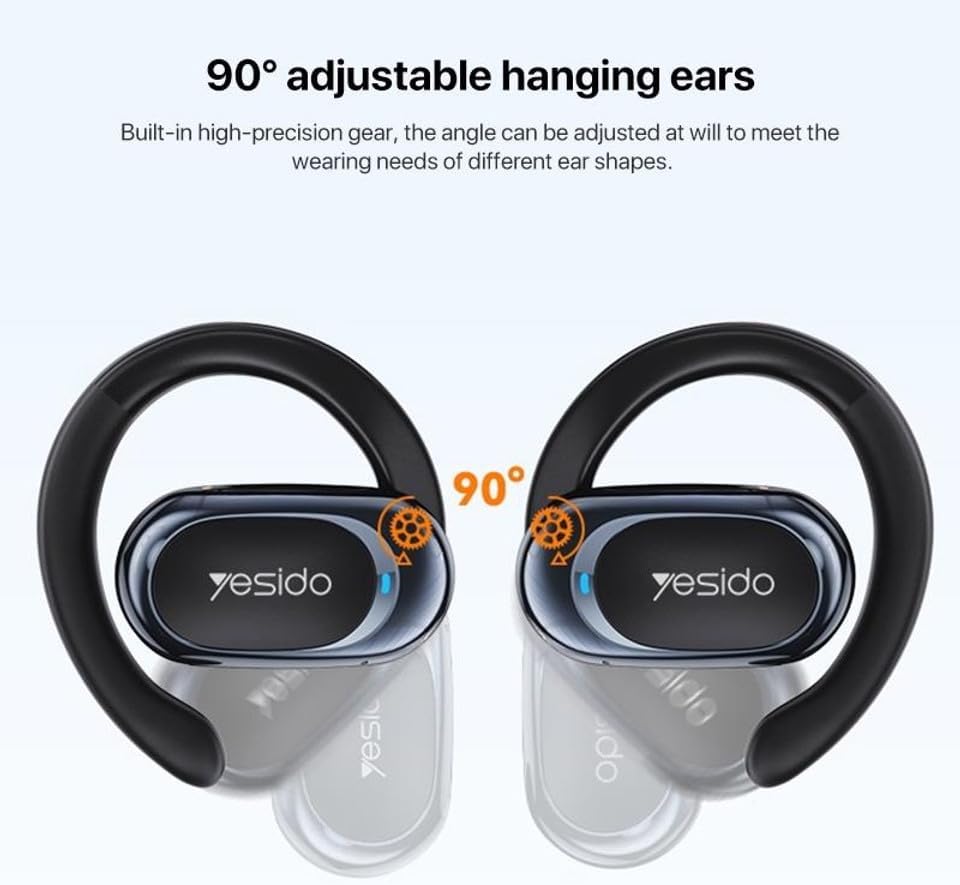
The Yesido YSP13 earphones feature a rotatable ear hook design for a secure and comfortable fit.
- Gently place the earphone over your ear, positioning the main body in front of your ear canal.
- Adjust the ear hook to fit snugly and comfortably around the back of your ear. The ear hooks are 90° adjustable to accommodate different ear shapes.
- The air conduction technology allows you to hear your audio while remaining aware of your surroundings.

ຮູບພາບ: Illustration showing the 90° adjustable ear hooks, highlighting their flexibility for a custom fit.

ຮູບພາບ: An earphone positioned on an ear, illustrating the adaptive directional sound transmission technology.
2. ແຕະການຄວບຄຸມ
The earphones feature intuitive touch controls for managing audio playback and calls. The specific touch functions are typically:
- ຫຼິ້ນ/ຢຸດ: ແຕະເທື່ອດຽວໃສ່ຫູຟັງທັງສອງອັນ.
- ເພງຕໍ່ໄປ: ແຕະສອງເທື່ອໃສ່ຫູຟັງເບື້ອງຂວາ.
- ຕິດຕາມກ່ອນ ໜ້າ ນີ້: ແຕະສອງເທື່ອໃສ່ຫູຟັງຊ້າຍ.
- ຮັບ/ສາຍໂທ: ແຕະເທື່ອດຽວໃສ່ຫູຟັງລະຫວ່າງສາຍໂທເຂົ້າ ຫຼືສາຍທີ່ເປີດຢູ່.
- ປະຕິເສດການໂທ: Press and hold on either earphone during an incoming call.
- ຜູ້ຊ່ວຍສຽງ: Triple tap on either earphone (functionality may vary by device).
Note: Specific touch control mappings may vary slightly. Refer to the quick start guide included in your product packaging for precise instructions.
3. Sound Quality and Calls
The Yesido YSP13 earphones deliver HiFi sound quality through master-level tuning, providing a balanced audio experience with clear highs, rich mids, and strong lows. The built-in microphone ensures clear voice transmission for hands-free calls.

ຮູບພາບ: An exploded diagram illustrating the internal components responsible for the high-fidelity sound production.
ບໍາລຸງຮັກສາ
1. ທໍາຄວາມສະອາດ
To maintain optimal performance and hygiene, regularly clean your earphones.
- ເຊັດຫູຟັງ ແລະກະເປົ໋າສາກໄຟດ້ວຍຜ້າອ່ອນ, ແຫ້ງ, ບໍ່ມີເສັ້ນດ່າງ.
- ສໍາລັບຝຸ່ນ stubborn, a ເລັກນ້ອຍ damp cloth can be used, ensuring no moisture enters any openings.
- ຫຼີກເວັ້ນການນໍາໃຊ້ວັດສະດຸຂັດ, ສານລະລາຍ, ຫຼືສານເຄມີທີ່ຮຸນແຮງ.
2. Water Resistance
The Yesido YSP13 earphones feature an IPX4 waterproof design, providing protection against splashing water from any direction.
- This makes them suitable for workouts and light rain.
- Do not submerge the earphones in water or expose them to strong jets of water.
- ກວດໃຫ້ແນ່ໃຈວ່າຫູຟັງແຫ້ງກ່ອນເອົາໃສ່ກັບໃສ່ກະເປົ໋າສາກໄຟເພື່ອປ້ອງກັນຄວາມເສຍຫາຍ.
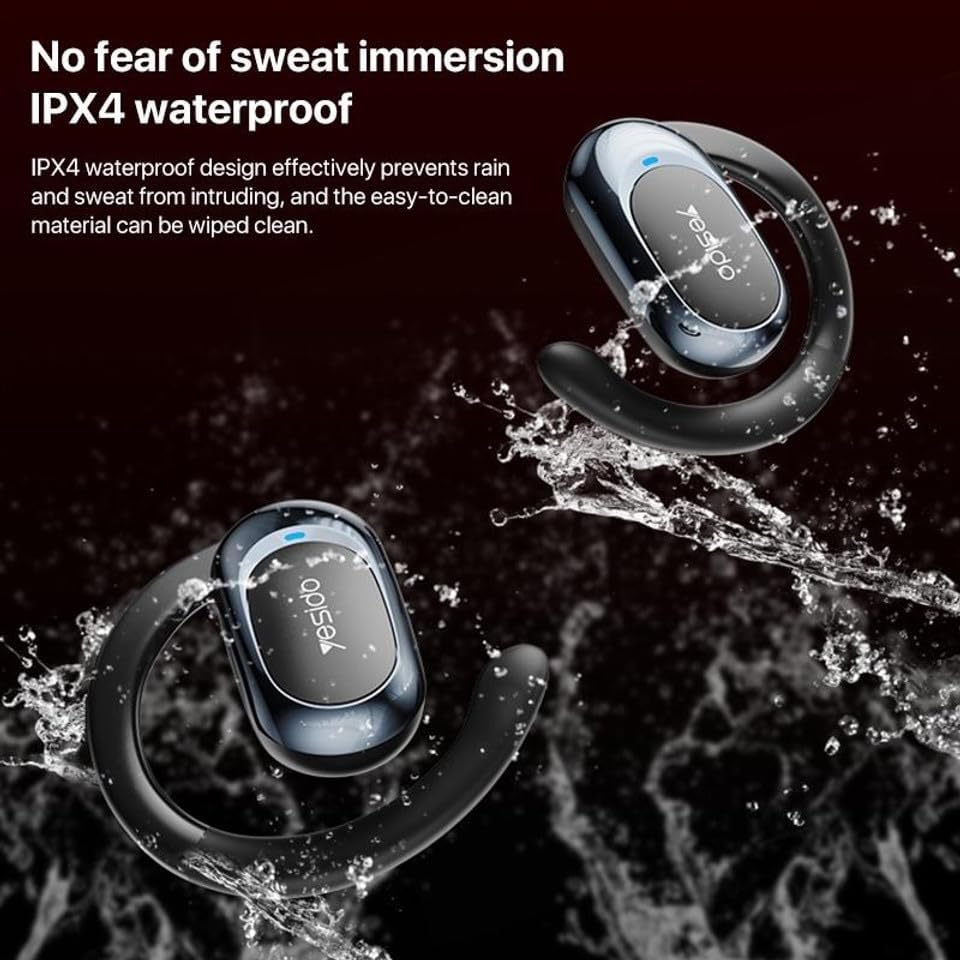
ຮູບພາບ: Earphones shown with water splashing, demonstrating their IPX4 waterproof capability against sweat and light rain.
3. ການເກັບຮັກສາ
Store the earphones in their charging case when not in use to protect them from dust, damage, and to keep them charged.
ການແກ້ໄຂບັນຫາ
If you encounter issues with your Yesido YSP13 earphones, try the following solutions:
- No Sound/Cannot Connect:
- ກວດໃຫ້ແນ່ໃຈວ່າໄດ້ສາກຫູຟັງແລ້ວ.
- ໃຫ້ແນ່ໃຈວ່າ Bluetooth ຖືກເປີດໃຊ້ຢູ່ໃນອຸປະກອນຂອງທ່ານ.
- Check if the earphones are paired with another device. Disconnect and re-pair if necessary.
- Try resetting the earphones (refer to specific reset instructions if available in the product's quick start guide, otherwise, place them in the case and close/open).
- ຍ້າຍເຂົ້າໃກ້ອຸປະກອນຂອງທ່ານຫຼາຍຂຶ້ນເພື່ອຮັບປະກັນວ່າທ່ານຢູ່ໃນຂອບເຂດ Bluetooth 10 ແມັດ.
- ຫູຟັງໜ່ວຍໜຶ່ງບໍ່ເຮັດວຽກ:
- Place both earphones back into the charging case and then take them out again.
- ກວດໃຫ້ແນ່ໃຈວ່າໄດ້ສາກຫູຟັງທັງສອງແລ້ວ.
- ລອງຈັບຄູ່ຫູຟັງກັບອຸປະກອນຂອງທ່ານຄືນໃໝ່.
- ບັນຫາການສາກໄຟ:
- ກວດສອບວ່າສາຍສາກໄຟ ແລະ ອະແດບເຕີເຮັດວຽກຢ່າງຖືກຕ້ອງ.
- ກວດໃຫ້ແນ່ໃຈວ່າຕົວຕິດຕໍ່ການສາກໄຟຢູ່ຫູຟັງ ແລະ ພາຍໃນກໍລະນີນັ້ນສະອາດ ແລະ ບໍ່ມີສິ່ງເສດເຫຼືອໃດໆ.
- Check the digital display on the charging case for charging indicators.
- ຄຸນນະພາບການໂທບໍ່ດີ:
- ກວດໃຫ້ແນ່ໃຈວ່າໄມໂຄຣໂຟນບໍ່ຖືກກີດຂວາງ.
- ຍ້າຍໄປສະພາບແວດລ້ອມທີ່ງຽບກວ່າ.
- ກວດສອບສັນຍານເຄືອຂ່າຍຂອງອຸປະກອນຂອງທ່ານ.
ຂໍ້ມູນຈໍາເພາະ
| ຍີ່ຫໍ້ | YESIDO |
| ຊື່ຕົວແບບ | YSP13 (Model Number: BUF58) |
| ເຕັກໂນໂລຊີການເຊື່ອມຕໍ່ | ໄຮ້ສາຍ (Bluetooth 5.3) |
| ລຸ້ນ Bluetooth | BT8926B2 V5.3 |
| ຊ່ວງ Bluetooth | ເຖິງ 10 ແມັດ |
| ຄວາມອາດສາມາດຫມໍ້ໄຟຫູຟັງ | 50mAh x 2 |
| ຄວາມອາດສາມາດຫມໍ້ໄຟຂອງກ່ອງສາກ | 600mAh |
| ເວລາດົນຕີ / ໂທ | ປະມານ 6 ຊົ່ວໂມງ |
| ເວລາສາກຫູຟັງ | ປະມານ 1 ຊົ່ວໂມງ |
| ກ່ອງສາກເວລາສາກໄຟ | ປະມານ 2.5 ຊົ່ວໂມງ |
| ລະດັບຄວາມຕ້ານທານນ້ໍາ | IPX4 (ກັນນໍ້າ) |
| ວິທີການຄວບຄຸມ | ແຕະ |
| ວັດສະດຸ | PC+ABS+Electroplating UV |
| ປັດໄຈແບບຟອມ | On Ear (Ear Hook Design) |
| ຄຸນສົມບັດເພີ່ມເຕີມ | Air Conduction Technology, Digital Display, Built-in Microphone |
ຂໍ້ມູນການຮັບປະກັນ
The product comes with a manufacturer's warranty. For detailed information regarding the warranty period and terms, please refer to the warranty card included in your product packaging or contact your retailer. Please retain your proof of purchase for any warranty claims.
ການຊ່ວຍເຫຼືອລູກຄ້າ
For further assistance, technical support, or inquiries, please visit the official YESIDO website or contact the customer service department of your retailer.