
ແນະນຳ
The BIOS Diagnostics Elite Blood Pressure Monitor is designed for accurate and reliable blood pressure measurement at home. This device incorporates advanced technology for precise readings and features Atrial Fibrillation (AFIB) screening, which is crucial for detecting irregular heart rhythms linked to stroke risk. It is recommended by Hypertension Canada and licensed by Health Canada, ensuring clinical accuracy with a BHS “AA” rating.
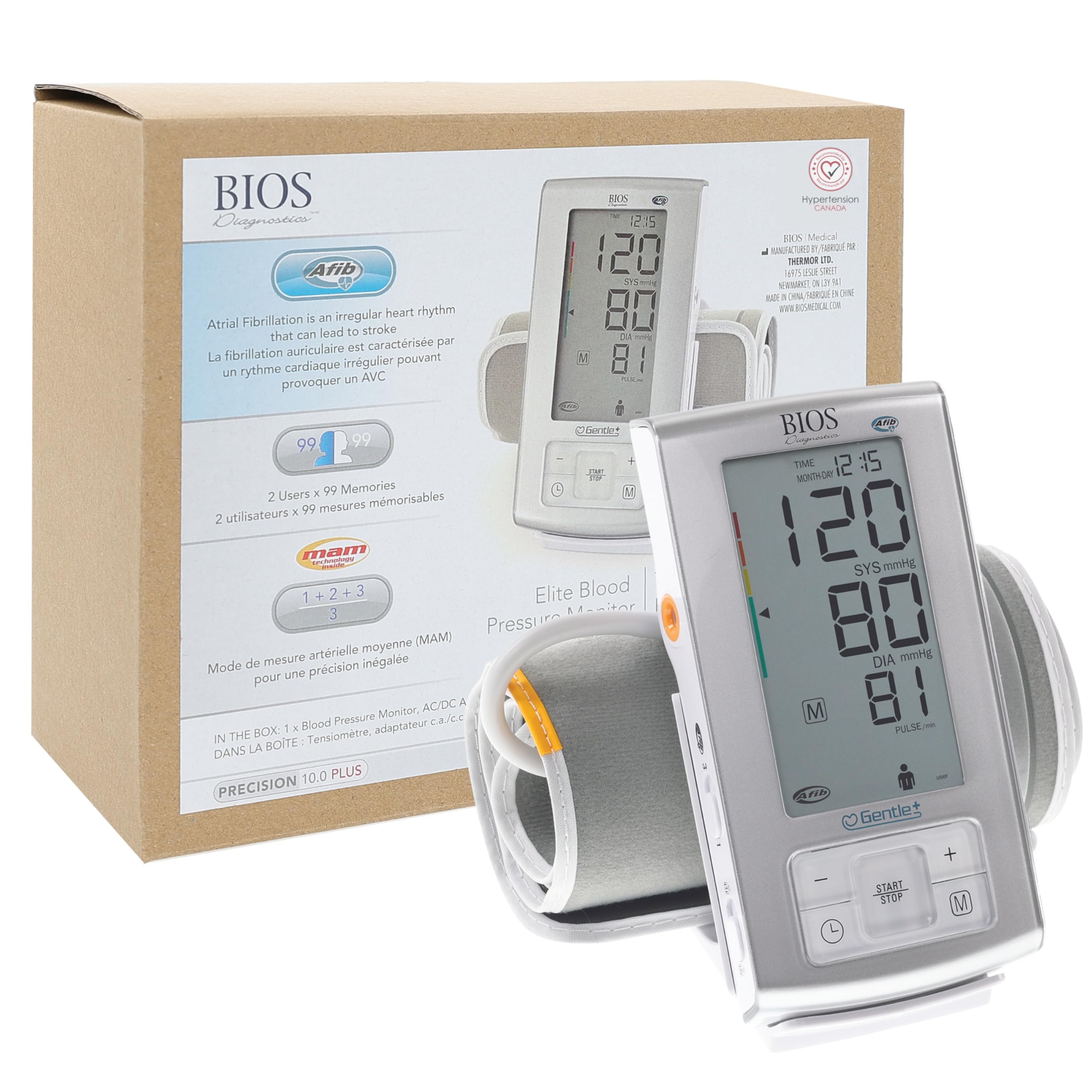
The BIOS Diagnostics Elite Blood Pressure Monitor is recommended by Hypertension Canada.
ມີຫຍັງແດ່
Your BIOS Diagnostics Elite Blood Pressure Monitor package includes the following items:
- ໜ່ວຍກວດຄວາມດັນເລືອດ
- Wide range rigid cuff (22 cm – 42 cm / 8.8 in. – 16.5 in.)
- ຖົງເກັບຮັກສາ
- ອະແດັບເຕີ AC/DC
- ແບັດເຕີຣີ (4x AAA)
- ຄູ່ມືການສອນ

All components included in the BIOS Diagnostics Elite Blood Pressure Monitor package.
ສິນຄ້າເກີນview
Familiarize yourself with the components and display indicators of your blood pressure monitor for optimal use.

Detailed diagram of the monitor's display and buttons.
ຕັ້ງຄ່າ
1. Install Batteries or Connect AC Adapter
- Open the battery compartment on the back of the monitor.
- ໃສ່ໝໍ້ໄຟ AAA 4 ອັນ, ຮັບປະກັນການຂົ້ວທີ່ຖືກຕ້ອງ.
- Alternatively, connect the AC/DC adapter to the monitor and a power outlet.
2. Attach the Cuff
- ໃສ່ປລັກລົມຂອງສາຍຮັດແຂນໃຫ້ແໜ້ນເຂົ້າໄປໃນຊ່ອງສຽບລົມຢູ່ດ້ານຂ້າງຂອງຈໍພາບ.
ການວັດແທກຄວາມດັນເລືອດຂອງທ່ານ
Follow these steps for accurate blood pressure readings:
- ການກະກຽມ: Rest quietly for at least 5 minutes in a comfortable room. Avoid caffeine, alcohol, or exercise for 30 minutes prior to measurement. Ensure your bladder is empty.
- ຕຳແໜ່ງ: Sit with your back supported by a chair and feet flat on the floor. Do not cross your legs.
- ການຈັດວາງ Cuff: Place the cuff on your non-dominant arm, directly on bare skin, approximately 2-3 cm (0.8-1.2 in) above your elbow. Ensure the cuff is snug but not too tight (you should be able to insert two fingers).
- Arm Position: Support your arm on a table or other hard surface, positioning the cuff level with your heart.
- ການວັດແທກ: Press the START/STOP button. Remain still and do not speak during the measurement.
- Review ຜົນໄດ້ຮັບ: The monitor will display your systolic, diastolic, and pulse readings.

Correct posture and arm placement are essential for accurate blood pressure readings.
ຮູບແບບການເຮັດວຽກ ແລະຄຸນສົມບັດ
- AFIB (Atrial Fibrillation) Screening: The monitor can detect signs of Atrial Fibrillation, an irregular heartbeat that can increase stroke risk. Consult your physician if AFIB is frequently detected.
- Patented Average Mode (MAM Technology): This feature automatically takes three consecutive measurements and displays the average, providing a more reliable reading.
- 2 Users x 99 Memories: The device supports two users, each with 99 memory slots to store readings with time and date, allowing for long-term tracking.
- ຈໍສະແດງຜົນຂະຫນາດໃຫຍ່: The monitor features a large, easy-to-read digital display for clear visibility of results.

ເກີນview of key features including AFIB detection and MAM technology.
Important Tips for Accurate Readings
- Measure your blood pressure at the same time each day, preferably in the morning before breakfast and medication, and in the evening.
- If taking multiple readings, wait at least 1 minute between each measurement.
- Blood pressure naturally fluctuates throughout the day and can be affected by stress, activity, and food intake.
- Avoid mental stress during measurement.
ການບໍາລຸງຮັກສາແລະການດູແລ
- ເຮັດຄວາມສະອາດຈໍພາບ ແລະ ຂໍ້ມືດ້ວຍຜ້າອ່ອນໆ ແລະ ແຫ້ງ. ຢ່າໃຊ້ນໍ້າຢາທໍາຄວາມສະອາດທີ່ມີສີຂັດ ຫຼື ແຊ່ເຄື່ອງລົງໃນນໍ້າ.
- Store the device in its storage bag in a cool, dry place away from direct sunlight.
- ປ່ຽນແບັດເຕີລີ ເມື່ອຕົວຊີ້ບອກແບດເຕີລີ່ຕ່ຳປະກົດຂຶ້ນເທິງຈໍສະແດງຜົນ.
ການແກ້ໄຂບັນຫາ
If you encounter issues with your monitor, refer to the full instruction manual for detailed troubleshooting steps. Common issues may include:
- ຂໍ້ຄວາມຜິດພາດ: Check cuff placement, arm movement, or speak during measurement.
- ການອ່ານບໍ່ຖືກຕ້ອງ: Ensure proper posture, cuff size, and relaxation before measurement.
- ບໍ່ມີ ອຳ ນາດ: Check battery installation or AC adapter connection.
ຂໍ້ມູນຈໍາເພາະ
| ຍີ່ຫໍ້ | ການວິນິດໄສ BIOS |
| ໝາຍເລກຕົວແບບ | A6PC |
| ປະເພດການສະແດງ | Digital; Large Display |
| ແຫຼ່ງພະລັງງານ | Battery Powered & Corded Electric |
| ຂະໜາດ Cuff | 22 cm – 42 cm (8.8 in. – 16.5 in.) |
| ຄວາມຊົງຈໍາ | 2 users x 99 memories |
| ຂະໜາດສິນຄ້າ | 15.6L x 6.1W x 3.5Th Centimetres |
| ນ້ໍາຫນັກລາຍການ | 0.26 ກິໂລກຣາມ |
ການຮັບປະກັນແລະການສະຫນັບສະຫນູນ
For warranty information or technical support, please refer to the contact details provided in your product packaging or visit the official BIOS Diagnostics website. Always consult a healthcare professional for interpretation of your blood pressure readings.