
VTech VG131-11
VTech VG131-11 DECT 6.0 ຄູ່ມືຜູ້ໃຊ້ໂທລະສັບໄຮ້ສາຍ
ຮຸ່ນ: VG131-11
1. ບົດແນະນຳ
The VTech VG131-11 DECT 6.0 Cordless Phone offers reliable and clear communication with advanced features. Enjoy hands-free conversations with Bluetooth connectivity, superior range with DECT 6.0 technology, and enhanced visibility with its backlit display and large buttons. This manual provides comprehensive instructions for setting up, operating, and maintaining your new cordless phone.

Image: The VTech VG131-11 DECT 6.0 Cordless Phone handset resting in its black base unit. The handset features a blue-white display and large, green-backlit buttons.
2. ສິ່ງທີ່ຢູ່ໃນກ່ອງ
ໃຫ້ແນ່ໃຈວ່າທຸກລາຍການຢູ່ໃນຊຸດຂອງທ່ານ:
- ຫນ່ວຍງານພື້ນຖານ
- ໂທລະສັບໄຮ້ສາຍ
- ອະແດບເຕີ AC
- ຊຸດຫມໍ້ໄຟ
- ສາຍໂທລະສັບ
3. ຕັ້ງຄ່າ
3.1. ການຕິດຕັ້ງເບື້ອງຕົ້ນ
- ເຊື່ອມຕໍ່ອະແດບເຕີ AC ກັບຫົວຫນ່ວຍພື້ນຖານ ແລະສຽບໃສ່ປລັກສຽບໄຟ.
- Connect the telephone line cord to the base unit and plug the other end into a telephone wall jack.
3.2. ການຕິດຕັ້ງຫມໍ້ໄຟ
- ເປີດຝາປິດຊ່ອງໃສ່ຫມໍ້ໄຟຢູ່ດ້ານຫຼັງຂອງມືຖື.
- ສຽບປລັກແບັດເຕີລີ່ໃສ່ຊ່ອງສຽບຢ່າງປອດໄພ.
- ວາງແບັດເຕີລີດ້ວຍປ້າຍ UP ແລະປັກສາຍໄຟໃຫ້ສະອາດພາຍໃນຊ່ອງ.
- ປິດຝາປິດຊ່ອງໃສ່ຫມໍ້ໄຟ.
3.3. ການສາກໂທລະສັບ
Place the handset face forward in the base unit. The CHARGE light on the base unit will illuminate, indicating proper charging. Allow the handset to charge for at least 16 hours before initial use for optimal battery performance.
4. ຄໍາແນະນໍາການດໍາເນີນງານ
4.1. ເຮັດ ແລະ ຮັບສາຍ
- ໂທອອກ: ກົດ ສົນທະນາ, ຈາກນັ້ນກົດເບີໂທລະສັບ.
- ເພື່ອຮັບສາຍ: ກົດ ສົນທະນາ ຫຼື ປຸ່ມໂທອອກໃດກໍໄດ້ (0-9, #, *).
- ເພື່ອວາງສາຍ: ກົດ ປິດ.
4.2. ການໃຊ້ Speakerphone
The phone features a full-duplex speakerphone, allowing both parties to speak and be heard simultaneously for more natural conversations.
- ໃນລະຫວ່າງການໂທ, ກົດປຸ່ມ ລໍາໂພງ ປຸ່ມເພື່ອເປີດໃຊ້ລຳໂພງ.
- ກົດ ລໍາໂພງ ກົດປຸ່ມອີກຄັ້ງເພື່ອປ່ຽນກັບໄປໂໝດມືຖື.
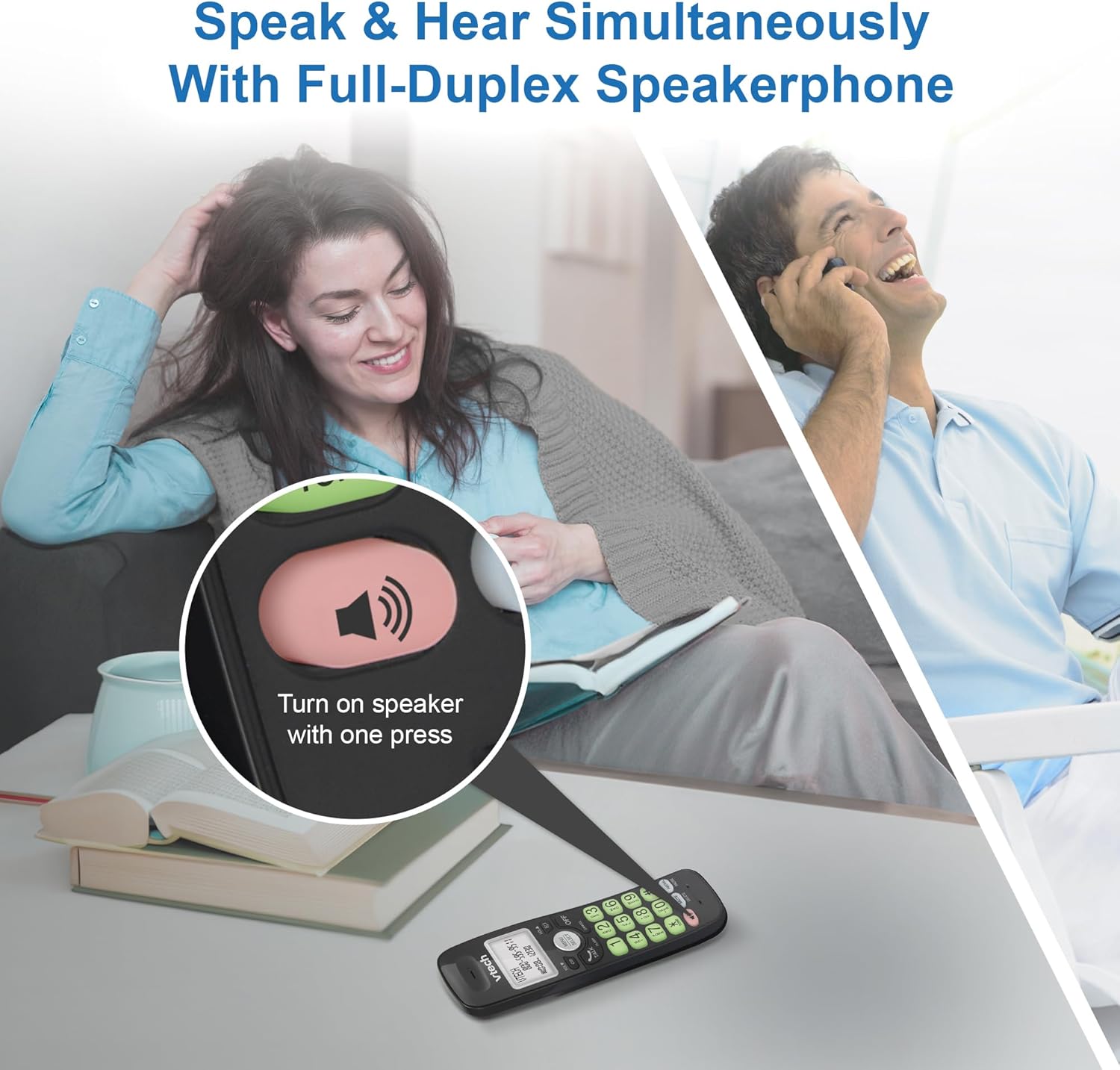
Image: A close-up of the VTech cordless phone handset showing the speakerphone button highlighted, with a person talking on the phone in the background, demonstrating the full-duplex speakerphone feature.
4.3. Volume Control and Mute
- To adjust earpiece or speakerphone volume during a call, press VOL ▼ or VOL ▲.
- ເພື່ອປິດສຽງໄມໂຄຣໂຟນໃນລະຫວ່າງການໂທ, ກົດ ປິດສຽງ. ພາກສ່ວນອື່ນບໍ່ສາມາດໄດ້ຍິນທ່ານ, ແຕ່ທ່ານຍັງສາມາດໄດ້ຍິນເຂົາເຈົ້າ. ກົດ ປິດສຽງ ອີກເທື່ອຫນຶ່ງເພື່ອ unmute.

ຮູບພາບ: A ລາຍລະອຽດ view of the VTech cordless phone handset, highlighting the 'MUTE' button, indicating its function for silencing the microphone during a call.
4.4. Caller ID and Phonebook
The handset displays the name, number, time, and date of incoming calls. The phone also includes a 30-name and number phonebook directory.
- ກັບຄືນມາview Caller ID history, press CID.
- ເພື່ອເຂົ້າເຖິງປື້ມໂທລະສັບ, ກົດ ເມນູ/ເລືອກ, ຈາກນັ້ນທ່ອງໄປຫາທາງເລືອກ Phonebook.

Image: A person smiling while holding the VTech cordless phone, with an overlay showing a digital phonebook display with contact names and icons, illustrating the Caller ID and phonebook features.
5. ຄຸນສົມບັດ
5.1. ການເຊື່ອມຕໍ່ບູທູດ
By pairing a Bluetooth headset, earbuds, or conference speakerphone to the system, you can enjoy a wireless calling experience. This feature is perfect for multitasking around your home or office.

Image: A woman in a kitchen pouring a drink while wearing wireless earbuds, with the VTech cordless phone and its base unit visible on the counter, demonstrating hands-free calling via Bluetooth connection.
ການຈັບຄູ່ອຸປະກອນ Bluetooth:
- Ensure your Bluetooth headset/earbuds are in pairing mode (refer to your device's manual).
- On the VTech phone, navigate to the Bluetooth menu (usually via ເມນູ/ເລືອກ).
- ເລືອກ 'ຈັບຄູ່ອຸປະກອນ' ຫຼືຕົວເລືອກທີ່ຄ້າຍຄືກັນ.
- ໂທລະສັບຈະຄົ້ນຫາອຸປະກອນ Bluetooth ທີ່ມີຢູ່. ເລືອກອຸປະກອນຂອງທ່ານຈາກລາຍການ.
- ປະຕິບັດຕາມການກະຕຸ້ນໃນຫນ້າຈໍໃດຫນຶ່ງເພື່ອສໍາເລັດຂະບວນການການຈັບຄູ່.
5.2. ເຕັກໂນໂລຊີ DECT 6.0
Trusted by families worldwide for decades, VTech's cordless telephone transmits secure signals via the DECT 6.0 channel. This ensures crystal clear sounds, interference-free communication, and a stable operation range of up to 1000 ft outdoors, allowing you to move freely while on a call.

Image: A woman working on a laptop at a table, with the VTech cordless phone and its base unit nearby, and a graphic indicating DECT 6.0 digital technology, highlighting its superior range and clarity.
5.3. Backlit Display and Big Buttons
The phone features a blue-white backlit display and green backlit keypad for easier viewing and dialing in dim light conditions. The large buttons enhance usability, especially for those with visual impairments.

ຮູບພາບ: A close-up view of the VTech cordless phone handset, emphasizing its backlit LCD screen and large, clearly visible buttons, designed for better visibility and ease of use.
5.4. Easy Wall Mount
The base unit is designed for easy wall mounting, fitting all standard wall mount plates without the need for additional brackets. Simply slide the base unit into the mounting plate using the built-in mounting holes for convenient placement.

Image: The VTech cordless phone base unit shown mounted on a wall, highlighting its built-in mounting holes on the back of the base for easy installation.
5.5. Hearing Aid Compatible
This phone is designed to be compatible with hearing aids, providing a clearer audio experience for users with hearing devices.

Image: A woman with a hearing aid talking on the VTech cordless phone, illustrating the phone's hearing aid compatibility feature.
5.6. ຜະລິດຕະພັນເກີນview ວິດີໂອ
ວິດີໂອ: ຜະລິດຕະພັນສັ້ນໆview of the VTech VG131-11 DECT 6.0 Cordless Phone, showcasing ລັກສະນະຫຼັກຂອງມັນ ແລະ ຄວາມສະດວກໃນການນໍາໃຊ້.
6. ບໍາລຸງຮັກສາ
To ensure the longevity and optimal performance of your VTech cordless phone, follow these maintenance guidelines:
- ທໍາຄວາມສະອາດ: ເຊັດໂທລະສັບ ແລະ ໜ່ວຍພື້ນຖານດ້ວຍຜ້າອ່ອນ, ງamp ຜ້າ. ຢ່າໃຊ້ສີດອະນາໄມ ຫຼືສານເຄມີທີ່ຮຸນແຮງ.
- ການດູແລຫມໍ້ໄຟ: Avoid exposing the battery to extreme temperatures. If the phone will not be used for an extended period, remove the battery from the handset.
- ການຈັດວາງ: ຮັກສາໂທລະສັບໃຫ້ຫ່າງຈາກແຫຼ່ງຄວາມຮ້ອນ, ແສງແດດໂດຍກົງ, ແລະຄວາມຊຸ່ມຊື່ນ.
7. ການແກ້ໄຂບັນຫາ
If you experience any issues with your VTech cordless phone, please refer to the following common problems and solutions:
| ບັນຫາ | ການແກ້ໄຂ |
|---|---|
| ບໍ່ມີສຽງໂທ. | Ensure the telephone line cord is securely plugged into both the base unit and the wall jack. Check if the AC adapter is properly connected to the base unit and a working power outlet. |
| ມືຖືບໍ່ໄດ້ສາກ. | Make sure the handset is correctly placed in the base unit. Clean the charging contacts on both the handset and the base unit with a dry cloth. Verify the AC adapter is plugged in. |
| ຄຸນນະພາບສຽງບໍ່ດີ ຫຼືຄົງທີ່. | Move closer to the base unit. Other electronic devices (Wi-Fi routers, microwaves) may cause interference; try relocating the base unit. Ensure the handset battery is fully charged. |
| Cannot connect to Bluetooth headset. | Ensure both the phone and the Bluetooth headset are in pairing mode. Make sure the headset is within range of the phone's base unit. Try restarting both devices and attempting the pairing process again. Confirm the headset is compatible with the phone's Bluetooth version. |
| ຈໍສະແດງຜົນຫວ່າງເປົ່າ ຫຼືບໍ່ສາມາດອ່ານໄດ້. | Ensure the handset battery is charged. If the display is dim, check if the backlight setting is enabled or adjust the contrast if available. |
8. ຂໍ້ມູນຈໍາເພາະ
| ຄຸນສົມບັດ | ລາຍລະອຽດ |
|---|---|
| ໝາຍເລກຕົວແບບ | VG131-11 |
| ຂະໜາດສິນຄ້າ | 3.8 x 4.09 x 7.17 ນິ້ວ |
| ນ້ໍາຫນັກລາຍການ | 14.9 ອອນສ໌ (0.42 ກິໂລກຣາມ) |
| ໝໍ້ໄຟ | 1 ແບດເຕີລີ່ສະເພາະຜະລິດຕະພັນ (ລວມ) |
| ປະເພດໂທລະສັບ | ບໍ່ມີສາຍ |
| ວັດສະດຸ | ພາດສະຕິກ |
| ແຫຼ່ງພະລັງງານ | ໄຟຟ້າສາຍ |
| ເຕັກໂນໂລຊີ DECT | DECT 6.0 |
| Bluetooth | ແມ່ນແລ້ວ |
| ID ຜູ້ໂທ / ການໂທລໍຖ້າ | ແມ່ນແລ້ວ |
| ລຳໂພງ Full-Duplex | ແມ່ນແລ້ວ |
| Backlit Display & Keypad | Yes (Blue-white display, green keypad) |
| ຕິດຝາໄດ້ | ແມ່ນແລ້ວ |
| ຄວາມອາດສາມາດຂອງປື້ມໂທລະສັບ | 30 ຊື່ແລະຕົວເລກ |
| ຊ່ວງ | Up to 1000 ft outdoor |
9. ການຮັບປະກັນແລະການສະຫນັບສະຫນູນ
For warranty information, technical support, or to purchase accessories, please visit the official VTech webເວັບໄຊ ຫຼືຕິດຕໍ່ພະແນກບໍລິການລູກຄ້າຂອງເຂົາເຈົ້າ. ຮັກສາໃບຮັບເງິນການຊື້ຂອງທ່ານໄວ້ເປັນຫຼັກຖານການຊື້ສໍາລັບການຮ້ອງຂໍການຮັບປະກັນ.
VTech Customer Service: www.vtechphones.com/support