
1. ບົດແນະນຳ
Thank you for choosing the Zeblaze Crystal 3 Smartwatch. This manual provides essential information for setting up, operating, maintaining, and troubleshooting your device. Please read it carefully to ensure proper use and optimal performance.
2. ຜະລິດຕະພັນເກີນview
The Zeblaze Crystal 3 is a versatile smartwatch designed for fitness tracking and daily use. It features a vibrant HD color display and high-precision sensors to monitor various health metrics.
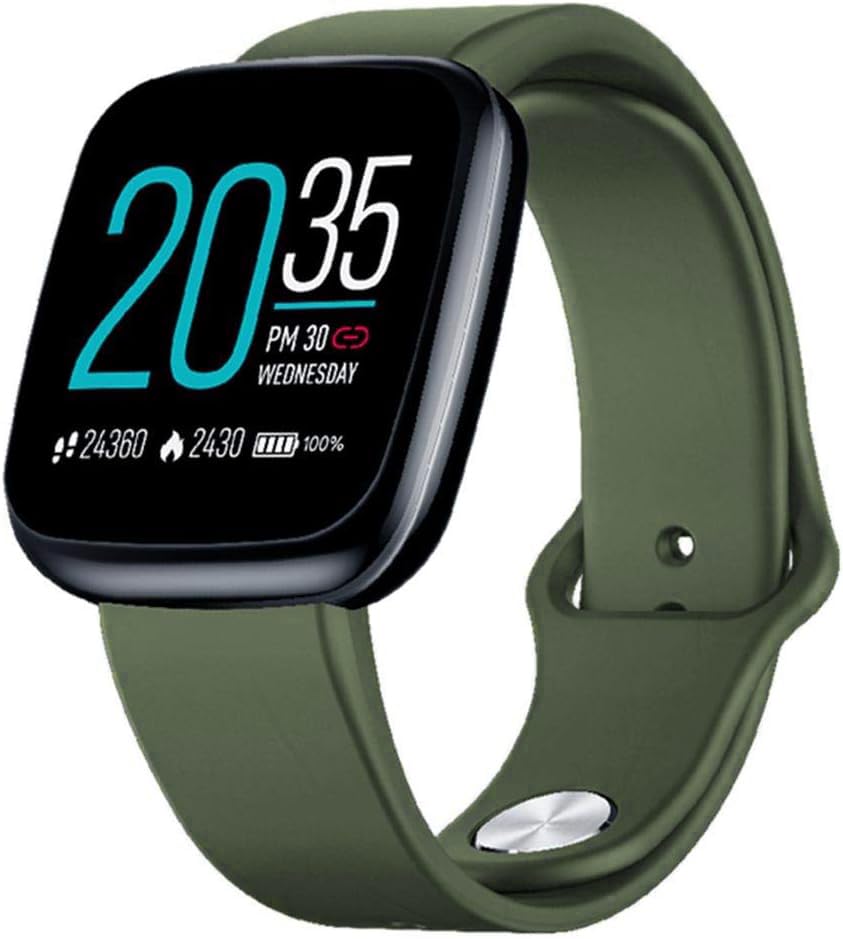
Image: Zeblaze Crystal 3 Smartwatch, showing the main display and green strap.
ຄຸນນະສົມບັດທີ່ສໍາຄັນ:
- ໜ້າຈໍສີ HD 1.3 ນິ້ວ: A vibrant IPS display with 240x240 pixel resolution for clear visuals.
- ເຊັນເຊີຄວາມແມ່ນຍໍາສູງ: Equipped with a heart rate sensor, proximity sensor, and accelerometer for accurate data collection.
- IP67 ກັນນ້ໍາ: Designed to withstand daily water exposure, such as splashes and rain.
- ຊີວິດຫມໍ້ໄຟຍາວ: Up to 7 days of use on a single 2-hour charge, thanks to its 200 mAh battery.
- ການຕິດຕາມການເຄື່ອນໄຫວ: Monitors steps, distance, calories burned, and supports various sports modes.
- ການຕິດຕາມສຸຂະພາບ: Includes heart rate and sleep tracking.
- ຄວາມເຂົ້າກັນໄດ້ຂອງສະມາດໂຟນ: Works with Android 4.4 or newer and iOS 8.0 or newer devices.
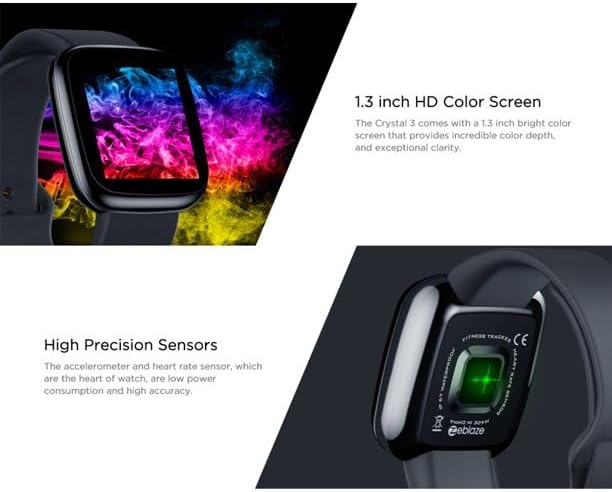
Image: Close-up of the 1.3-inch HD color screen and the high-precision heart rate sensor on the back of the watch.
3. ຕັ້ງຄ່າ
3.1 ການສາກ Smartwatch
Before first use, fully charge your Zeblaze Crystal 3. Connect the charging cable to the watch's charging port and a USB power source (e.g., computer USB port or a 5V/1A USB adapter). A full charge typically takes about 2 hours.
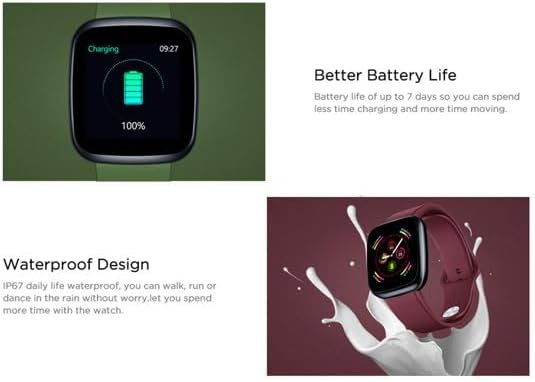
Image: Illustration showing how to connect the smartwatch to a USB port for charging.
3.2 ການຕິດຕັ້ງແອັບ ແລະ ການຈັບຄູ່
- ດາວໂຫລດ App ໄດ້: ຊອກຫາ the official Zeblaze companion app on your smartphone's app store (Google Play Store for Android or Apple App Store for iOS).
- ສ້າງບັນຊີ: ເປີດ app ແລະປະຕິບັດຕາມຄໍາແນະນໍາໃນຫນ້າຈໍເພື່ອສ້າງບັນຊີຫຼືເຂົ້າສູ່ລະບົບ.
- ຈັບຄູ່ອຸປະກອນ: Ensure Bluetooth is enabled on your smartphone. In the app, navigate to the device pairing section and select "Zeblaze Crystal 3" from the list of available devices. Confirm the pairing request on both your phone and the smartwatch.
- ໂປຣfile ຕັ້ງຄ່າ: Complete your personal profile within the app to ensure accurate tracking of health and fitness data.
4. ຄໍາແນະນໍາການດໍາເນີນງານ
4.1 ການນໍາທາງພື້ນຖານ
- ໜ້າຈໍປຸກ: ຍົກຂໍ້ມືຂອງທ່ານຂຶ້ນ ຫຼື ກົດປຸ່ມດ້ານຂ້າງເພື່ອປຸກໜ້າຈໍ.
- ປັດຂຶ້ນ/ລົງ: ເຂົ້າເຖິງການແຈ້ງເຕືອນ ຫຼືການຕັ້ງຄ່າດ່ວນ.
- ປັດຊ້າຍ/ຂວາ: Navigate through different functions and widgets (e.g., heart rate, activity data, weather).
- ແຕະ: ເລືອກລາຍການ ຫຼືຢືນຢັນການກະທຳໃດໜຶ່ງ.
- ຂ່າວຍາວ: On the main watch face, long press to change watch faces.
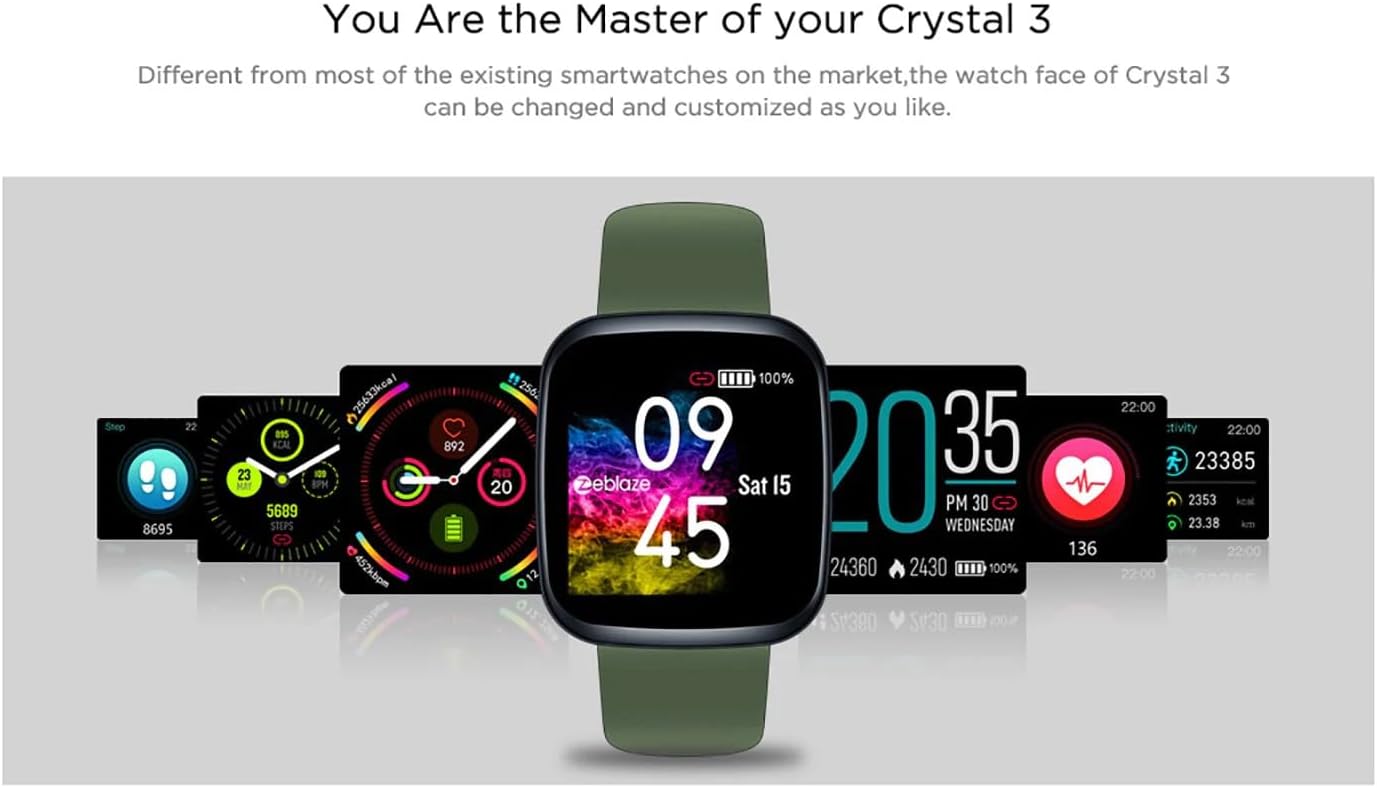
Image: The Zeblaze Crystal 3 displaying different customizable watch faces and data screens.
4.2 ການຕິດຕາມກິດຈະກໍາ
The smartwatch automatically tracks your daily steps, distance, and calories burned. You can view this data directly on the watch or in more detail within the companion app.
4.3 ການຕິດຕາມອັດຕາການເຕັ້ນຫົວໃຈ
The built-in heart rate sensor continuously monitors your heart rate. Ensure the watch is worn snugly on your wrist for accurate readings. View your current and historical heart rate data in the app.
4.4 ການກວດສອບການນອນ
Wear the smartwatch to bed to track your sleep patterns. The device records sleep duration and quality, which can be reviewed in the app to help you understand and improve your sleep habits.
5. ບໍາລຸງຮັກສາ
5.1 ການທໍາຄວາມສະອາດອຸປະກອນ
ເຮັດຄວາມສະອາດໂມງອັດສະລິຍະ ແລະ ສາຍຂອງທ່ານເປັນປະຈຳເພື່ອປ້ອງກັນການລະຄາຍເຄືອງຜິວໜັງ ແລະ ຮັກສາການເຮັດວຽກ. ໃຊ້ຜ້າພັນບາດທີ່ອ່ອນນຸ້ມamp ຜ້າເຊັດໜ້າຈໍ ແລະ ສາຍ. ຫຼີກລ່ຽງການໃຊ້ສານເຄມີທີ່ຮຸນແຮງ ຫຼື ວັດສະດຸທີ່ມີສີຂັດ.
5.2 ກັນນ້ຳ (IP67)
The Zeblaze Crystal 3 is IP67 water-resistant, meaning it is protected against dust and can withstand immersion in water up to 1 meter for up to 30 minutes. It is suitable for daily use, such as washing hands, rain, or light splashes. It is not recommended for swimming, showering with hot water, or diving.

Image: Illustration highlighting the waterproof design of the Zeblaze Crystal 3 Smartwatch.
5.3 ການດູແລຫມໍ້ໄຟ
- ຫຼີກເວັ້ນອຸນຫະພູມທີ່ຮຸນແຮງ, ເຊິ່ງສາມາດເຮັດໃຫ້ອາຍຸຂອງຫມໍ້ໄຟຫຼຸດລົງ.
- ຢ່າປ່ອຍໃຫ້ອຸປະກອນມີໄຟຟ້າໝົດເປັນເວລາດົນ.
- ໃຊ້ພຽງແຕ່ສາຍສາກທີ່ສະໜອງໃຫ້ ຫຼືສາຍທຽບເທົ່າທີ່ໄດ້ຮັບການຮັບຮອງ.
6. ການແກ້ໄຂບັນຫາ
6.1 ອຸປະກອນບໍ່ເປີດ
- ກວດໃຫ້ແນ່ໃຈວ່າອຸປະກອນຖືກສາກເຕັມແລ້ວ. ເຊື່ອມຕໍ່ມັນກັບເຄື່ອງສາກຢ່າງໜ້ອຍ 30 ນາທີ.
- ລອງກົດປຸ່ມດ້ານຂ້າງຄ້າງໄວ້ປະມານ 10-15 ວິນາທີເພື່ອບັງຄັບໃຫ້ຣີສະຕາດ.
6.2 Unable to Pair with Smartphone
- Make sure Bluetooth is enabled on your phone and the smartwatch is within range.
- ຣີສະຕາດທັງສະມາດໂຟນ ແລະໂມງອັດສະລິຍະຂອງທ່ານ.
- ກວດເບິ່ງວ່າແອັບໄດ້ຖືກອັບເດດເປັນເວີຊັນຫຼ້າສຸດຫຼືບໍ່.
- Forget the device from your phone's Bluetooth settings and try pairing again through the app.
6.3 Inaccurate Heart Rate/Activity Data
- ໃຫ້ແນ່ໃຈວ່າໂມງຖືກໃສ່ຢູ່ໃນຂໍ້ມືຂອງເຈົ້າຢ່າງສະບາຍ, ບໍ່ແຫນ້ນເກີນໄປຫຼືວ່າງເກີນໄປ.
- ເຮັດຄວາມສະອາດເຊັນເຊີຢູ່ດ້ານຫຼັງຂອງໂມງ.
- Update the smartwatch firmware via the companion app if an update is available.
7. ຂໍ້ມູນຈໍາເພາະ
| ຄຸນສົມບັດ | ລາຍລະອຽດ |
|---|---|
| ຍີ່ຫໍ້ | Zeblaze |
| ຊື່ຕົວແບບ | ຜລຶກ 3 |
| ຈໍສະແດງຜົນ | ໜ້າຈໍສີ IPS ຂະໜາດ 1.3 ນິ້ວ |
| ຄວາມລະອຽດ | 240*240 ພິກເຊລ |
| ເຊັນເຊີ | Heart Rate Sensor, Proximity Sensor, Accelerometer |
| ການຕໍ່ຕ້ານນ້ໍາ | IP67 |
| ຄວາມອາດສາມາດຫມໍ້ໄຟ | 200 mAh |
| ເວລາສາກໄຟ | ປະມານ. 2 ຊົ່ວໂມງ |
| ຊີວິດຫມໍ້ໄຟ | ສູງສຸດ 7 ມື້ |
| ຄວາມເຂົ້າກັນໄດ້ | Android 4.4+ / iOS 8.0+ |
| ຂະໜາດ | 4.05 x 3.55 x 1.2 ຊມ (1.59 x 1.39 x 0.47 ນິ້ວ) |
| ນ້ຳໜັກ | 27 ກຣາມ (0.95 ອອນສ໌) |
| ການເຊື່ອມຕໍ່ | Bluetooth (for app pairing), USB (for charging) |
| ຄຸນນະສົມບັດພິເສດ | Activity Tracker, Heart Rate Monitor, Sleep Monitor |
8. ການຮັບປະກັນແລະການສະຫນັບສະຫນູນ
For warranty information and customer support, please refer to the documentation included with your purchase or visit the official Zeblaze website. If you encounter any issues not covered in this manual, please contact Zeblaze customer service for assistance.