
ແນະນຳ
The FLAMMA FX200 is a versatile multi-effects processor designed for guitarists, offering a wide range of features for practice, studio recording, and live performance. This manual provides essential information for setting up, operating, and maintaining your device.
ຄຸນນະສົມບັດທີ່ສໍາຄັນ:
- Enhanced footswitches for intuitive preset bank switching and effects control.
- Expanded I/O options including Aux In, Expression Pedal input, Stereo FX Loop, Stereo Out, Headphones Out, XLR Out, 5-pin MIDI In/Out, and USB-C.
- 58 ການກໍ່ສ້າງໃນ preamp models and 30 IR-based factory speaker cabinet simulations.
- Support for third-party impulse response (IR) files, with 50 empty slots for custom loading (up to 1024 sampling points each).
- USB-C connectivity for PC connection, enabling use with specialized editing software for tone editing, preset management, firmware updates, and IR loading.
- Battery-powered operation for portability and convenience.
ຕັ້ງຄ່າ
ຕົວເລືອກພະລັງງານ
The FX200 can be powered by its internal Lithium Polymer battery or an optional AC adapter. Ensure the device is adequately charged or connected to a stable power source before use.

Image: FLAMMA FX200 showcasing its battery-powered capability with 3000mAh capacity, 2.5 hours charging time, and 5.6 hours battery life. It also highlights the option for AC adapter power.
ການເຊື່ອມຕໍ່
The FX200 offers extensive input/output options to integrate into various setups. Refer to the diagram below for common connection scenarios.

ຮູບພາບ: ດ້ານຫລັງ view of the FLAMMA FX200 showing all input and output jacks, including Aux In, EXP 2, Input, FX Loop (Send/Return), Output (L/Mono, R), Phones, XLR Out (L/Mono, R), MIDI In/Out, USB-C, DC In, and Power Switch.
- ປ້ອນຂໍ້ມູນ: ເຊື່ອມຕໍ່ກີຕ້າ ຫຼືເບດຂອງເຈົ້າຢູ່ບ່ອນນີ້.
- Aux In: Connect an external audio player for backing tracks.
- EXP 2: Connect an external expression pedal for additional control.
- FX Loop (Send/Return): Integrate external effects pedals into your signal chain.
- Output (L/Mono, R): ເຊື່ອມຕໍ່ກັບ amplifier, mixer, or audio interface. Supports mono or stereo output.
- ໂທລະສັບ: ເຊື່ອມຕໍ່ຫູຟັງເພື່ອປະຕິບັດການງຽບ.
- XLR Out (L/Mono, R): Balanced outputs for direct connection to a mixer or PA system.
- MIDI In/Out: Connect MIDI devices for external control or to control other MIDI gear.
- USB-C: Connect to a PC/Mac for editing software, firmware updates, and USB audio recording.
- ສັບປ່ຽນພະລັງງານ: ເປີດ/ປິດ ໜ່ວຍ.

Image: Diagram illustrating various connection possibilities for the FLAMMA FX200, including music player, expression pedal, guitar, effector, guitar power amp/monitor/sound card, mixer, MIDI device, power, and PC/Mac.
Operating the FX200
ຈໍສະແດງຜົນສໍາຜັດ
The FX200 features a 5-inch LCD touchscreen for intuitive navigation and control. You can touch, swipe, drag-and-drop elements to customize your effects chain and settings.

Image: A hand interacting with the touchscreen of the FLAMMA FX200, demonstrating the touch, swipe, drag-and-drop functionality for managing effects.
Footswitches and Expression Pedal
The unit is equipped with multiple footswitches for preset selection, effects toggling, and looper/tuner functions. The integrated expression pedal can be assigned to control various parameters like volume or wah effects.
Presets and Effects
The FX200 includes 58 preamp models, 30 cabinet simulations, and 160 different types of effects. You can create and store up to 200 editable user preset slots. The editable effects chain allows you to change the order of modules for precise tone shaping.

Image: Visual representation of the FLAMMA FX200's capabilities, highlighting 160 effects, 50 IR loading slots, 44.1 kHz sample rate, 24-bit sample accuracy, 30 cab simulations, and 1024 sample ຈຸດ.
Looper ແລະ Drum Machine
An integrated 52-second looper and a drum machine with 80 variations and 10 metronome styles are available for practice and creative use.
ຊອບແວບັນນາທິການ
Connect the FX200 to your PC/Mac via USB-C to use the specialized editing software. This software allows for comprehensive tone editing, preset management, preset backup, firmware updates, and IR loading.
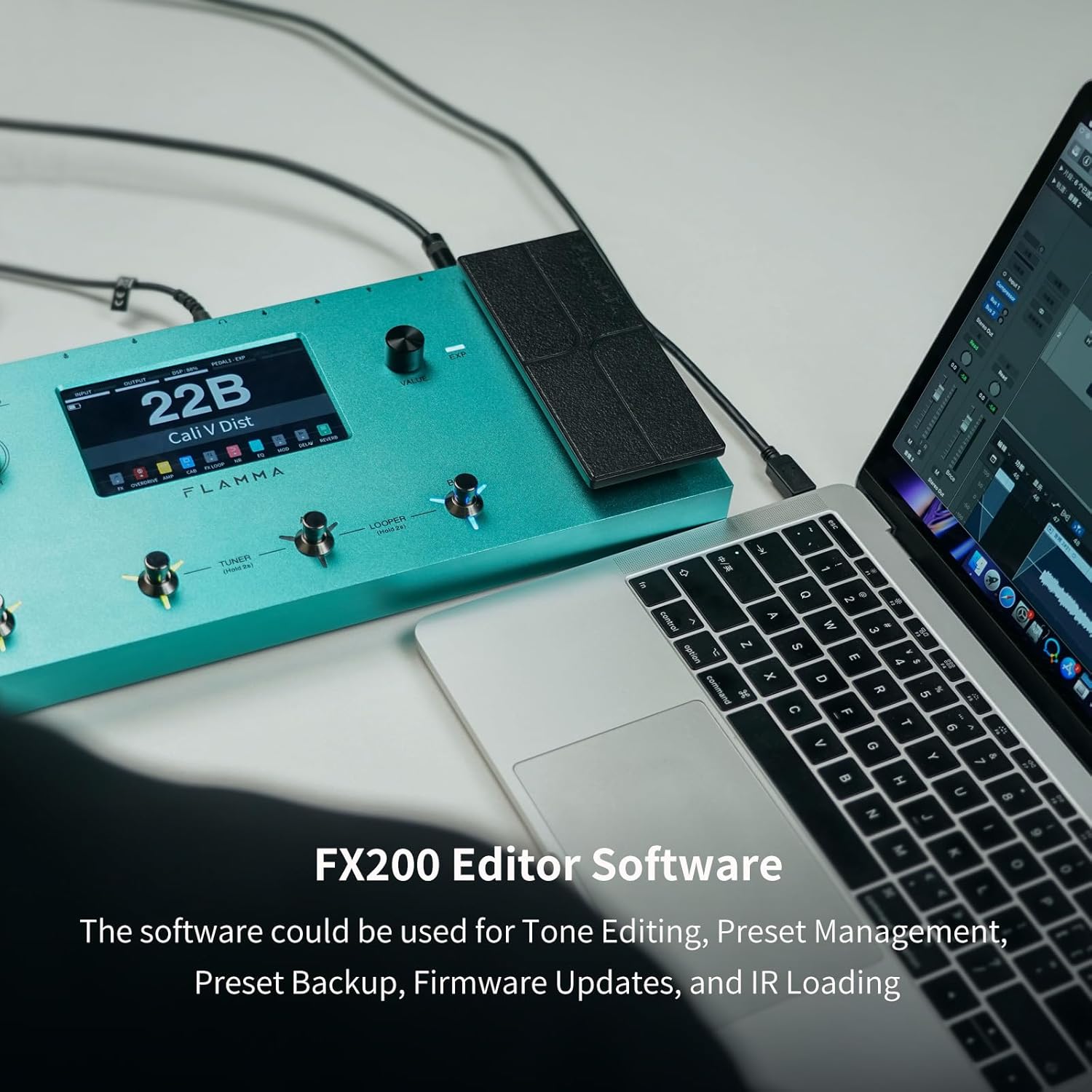
Image: The FLAMMA FX200 connected to a laptop, displaying the editor software interface for tone editing, preset management, backup, firmware updates, and IR loading.
ບໍາລຸງຮັກສາ
ອັບເດດເຟີມແວ
Firmware updates can be performed by connecting the FX200 to a PC/Mac via USB-C and using the dedicated editing software. Regularly check the FLAMMA webເວັບໄຊທ໌ສຳລັບເຟີມແວລຸ້ນລ່າສຸດເພື່ອຮັບປະກັນປະສິດທິພາບທີ່ດີທີ່ສຸດ ແລະ ການເຂົ້າເຖິງຄຸນສົມບັດໃໝ່ໆ.
ທໍາຄວາມສະອາດ
Use a soft, dry cloth to clean the unit. Avoid using abrasive cleaners or solvents that could damage the finish or electronic components.
ການແກ້ໄຂບັນຫາ
ບັນຫາພື້ນຖານ
If you experience unwanted noise or hum, check the grounding of your setup. The FX200 includes a ground lift switch on the rear panel (near the XLR outputs) that can help resolve grounding issues.
ຂໍ້ມູນຈໍາເພາະ
| ຄຸນສົມບັດ | ລາຍລະອຽດ |
|---|---|
| ໝາຍເລກຕົວແບບ | FX200 |
| ຍີ່ຫໍ້ | ແຟລມມາ |
| ນ້ໍາຫນັກລາຍການ | 3.9 ປອນ |
| ແຫຼ່ງພະລັງງານ | ພະລັງງານຫມໍ້ໄຟ |
| ປະເພດຫມໍ້ໄຟ | Lithium Polymer (ລວມເອົາ 1 ອັນ) |
| ການໂຕ້ຕອບຮາດແວ | USB |
| ຮູບແບບສັນຍານ | ອະນາລັອກ |
| ປະເພດວັດສະດຸ | ໂລຫະ |
| ຜົນກະທົບສຽງອອກ | ຫຼາຍຜົນກະທົບ |
ການຮັບປະກັນແລະການສະຫນັບສະຫນູນ
ລາຍລະອຽດການຮັບປະກັນສະເພາະ ແລະ ຂໍ້ມູນຕິດຕໍ່ຝ່າຍສະໜັບສະໜູນໂດຍກົງແມ່ນບໍ່ໄດ້ລະບຸໄວ້ໃນຂໍ້ມູນຜະລິດຕະພັນທີ່ມີຢູ່. ກະລຸນາອ້າງອີງເຖິງຂໍ້ມູນຢ່າງເປັນທາງການຂອງຜູ້ຜະລິດ website or your retailer for warranty terms and customer support options.
ວິດີໂອຜະລິດຕະພັນຢ່າງເປັນທາງການ
FLAMMA FX200 Multi Effects Processor Overview
ວິດີໂອ: ຫຼາຍກວ່າview of the FLAMMA FX200 Multi Effects Processor by Kyle Bull, demonstrating its features and capabilities.
FLAMMA FX200 Multi Effects Processor Demo
Video: A demonstration of the FLAMMA FX200 Multi Effects Processor by Brett Kingman, showcasing various sounds and effects.
FLAMMA FX200b Multi Effects Processor on NAMM Show
Video: Premier Guitar's coverage of the FLAMMA FX200b Multi Effects Processor at the NAMM Show, highlighting its key features.