
1. ບົດແນະນຳ
The 3NH YG268 Tri-angle Gloss Meter is designed for precise surface gloss measurement. It is manufactured in accordance with international standard ISO2813 and China standard GB/T 9754. This device features auto-calibration and advanced QC software, meeting the first-grade requirements of JJG696. The YG268 series gloss meter offers USB/RS-232 interface and Bluetooth 2.1 dual mode connectivity for versatile data management.
1.1 ຂໍ້ມູນຄວາມປອດໄພ
- Always operate the device in a stable environment, free from excessive vibration or extreme temperatures.
- Avoid exposing the measurement aperture to direct sunlight or strong artificial light sources.
- ຢ່າພະຍາຍາມຖອດປະກອບ ຫຼືດັດແປງອຸປະກອນ, ເພາະວ່າການຮັບປະກັນຈະໝົດໄປ ແລະອາດເຮັດໃຫ້ເກີດຄວາມເສຍຫາຍໄດ້.
- Keep the calibration plate clean and free from scratches to ensure accurate measurements.
- Use only the specified power supply or batteries.
2. ຄຸນລັກສະນະຂອງຜະລິດຕະພັນ
- ການອອກແບບ ergonomic ສໍາລັບການຈັດການສະດວກສະບາຍ.
- Automatic calibration function for ease of use.
- Complies with JJG696 first-grade requirements.
- Large data storage capacity for over 35,000 measurements.
- Adjustable auto power-off feature (30-120 seconds).
- Adheres to ISO2813, ASTM523, and GB/T9754 standards.
- Includes PC software for quality reporting and extended functionalities.
- Multiple working modes to suit various measurement requirements.
3. ຂໍ້ມູນຈໍາເພາະ
| ພາລາມິເຕີ | ຂໍ້ມູນຈໍາເພາະ |
|---|---|
| ຕົວແບບ | YG268 Tri-angle Gloss Meter |
| ມຸມວັດແທກ | 20°, 60°, 85° |
| ພື້ນທີ່ວັດແທກ | 20°: 0-2000GU, 60°: 0-1000GU, 85°: 0-160GU |
| ມູນຄ່າການແບ່ງ | 0.1GU |
| ຮູບແບບການວັດແທກ | Basic, Statistic, Continuous, QC mode |
| ເວລາວັດແທກ | 0.5S |
| ການເຮັດຊ້ຳ | 0~100GU: ±0.2GU; 100~2000GU: ±0.2%GU |
| ຄວາມຖືກຕ້ອງ | Conforms with JJG696 first grade requirements |
| ເວລາປິດເຄື່ອງອັດຕະໂນມັດ | 30s-120s (adjustable) |
| Calibration ຍາວ | Automatic check and calibration |
| ພາສາ | ຈີນ ແລະ ອັງກິດ |
| ການເກັບຮັກສາ | 35,000 data points (Basic/Statistic: 1500; Continuous: 10000; QC mode: 10000) |
| ຈໍສະແດງຜົນ | 2.3 inch white and black screen |
| ຂະໜາດ | 160 x 52 x 84 ມມ |
| ນ້ຳໜັກ | ປະມານ 300g |
| ການສະຫນອງພະລັງງານ | 1x dry-cell battery (approx. 10,000 measurements) or USB charge |
| ການໂຕ້ຕອບ | USB & Bluetooth 2.1 version |
| ຊອບແວ PC | GQC6 QC software for testing reports and extended functions |
| ອຸນຫະພູມການດໍາເນີນງານ | 0-40℃ (32-104°F) |
| ອຸນຫະພູມການເກັບຮັກສາ | -20-50℃ (-4-122°F) |
| ຊ່ວງຄວາມຊຸ່ມຊື່ນ | <85% RH, ບໍ່ຂົ້ນ |
| ອຸປະກອນເສີມມາດຕະຖານ | USB cable, user manual, calibration plate, QC software |
4. ຕັ້ງຄ່າ
4.1 ການຫຸ້ມຫໍ່ແລະການກວດກາ
Upon receiving your 3NH YG268 Gloss Meter, carefully unpack all components. Verify that the following items are present:
- 3NH YG268 Gloss Meter unit
- ສາຍ USB
- ຄູ່ມືຜູ້ໃຊ້
- ແຜ່ນການປັບທຽບ
- QC software CD (or download link)

Figure 1: The 3NH YG268 Gloss Meter and its standard accessories, including the USB cable, user manual, and calibration plate, neatly organized within its protective carrying case.
4.2 ການເປີດອຸປະກອນ
The YG268 can be powered by a dry-cell battery or via USB. Insert the battery into the designated compartment, ensuring correct polarity. Alternatively, connect the device to a USB power source using the provided USB cable.
4.3 ການສອບທຽບເບື້ອງຕົ້ນ
Before first use and periodically thereafter, perform a calibration. Remove the protective cover from the gloss meter to expose the measurement aperture and the internal calibration standard.

Figure 2: The 3NH YG268 Gloss Meter with its protective cover detached, revealing the internal calibration standard and the measurement aperture.
Place the gloss meter firmly onto the external calibration plate. Follow the on-screen prompts to initiate the auto-calibration process. The device will automatically check and perform the necessary adjustments.
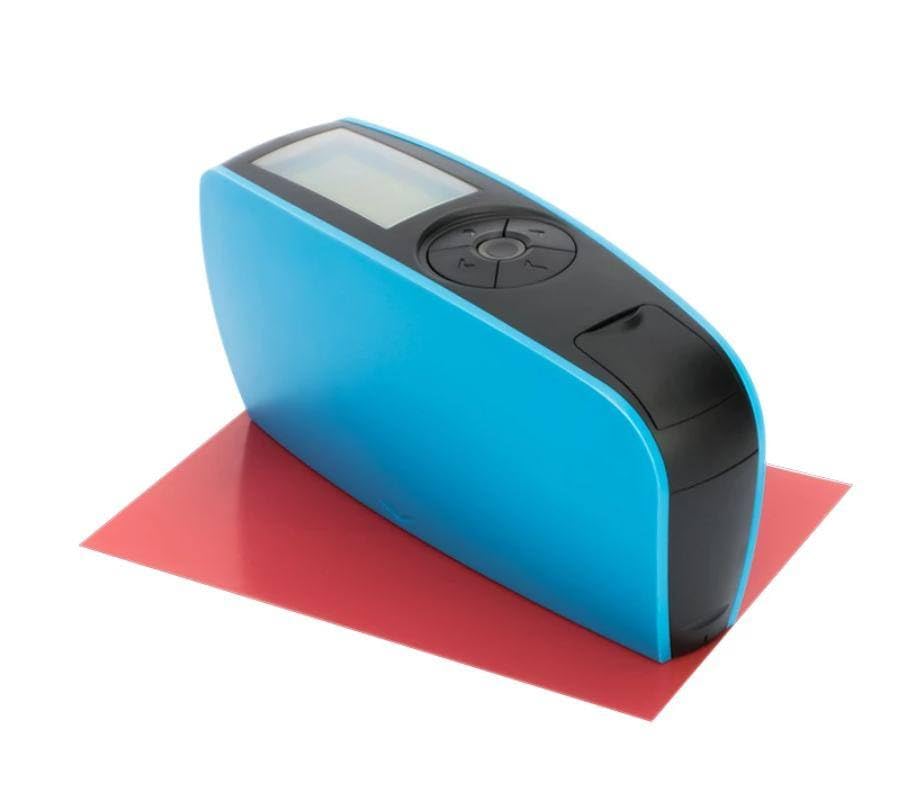
Figure 3: The 3NH YG268 Gloss Meter positioned on a red calibration plate, ready for or during a measurement or calibration procedure.
5. ການດໍາເນີນງານ
5.1 ການວັດແທກພື້ນຖານ
- ໃຫ້ແນ່ໃຈວ່າອຸປະກອນໄດ້ຮັບການປັບທຽບແລ້ວ.
- Select the desired measuring angle (20°, 60°, or 85°) using the navigation buttons.
- Place the measurement aperture of the gloss meter firmly and flat against the surface to be measured.
- Press the measurement button. The measurement will be completed in approximately 0.5 seconds.
- The gloss value will be displayed on the screen.
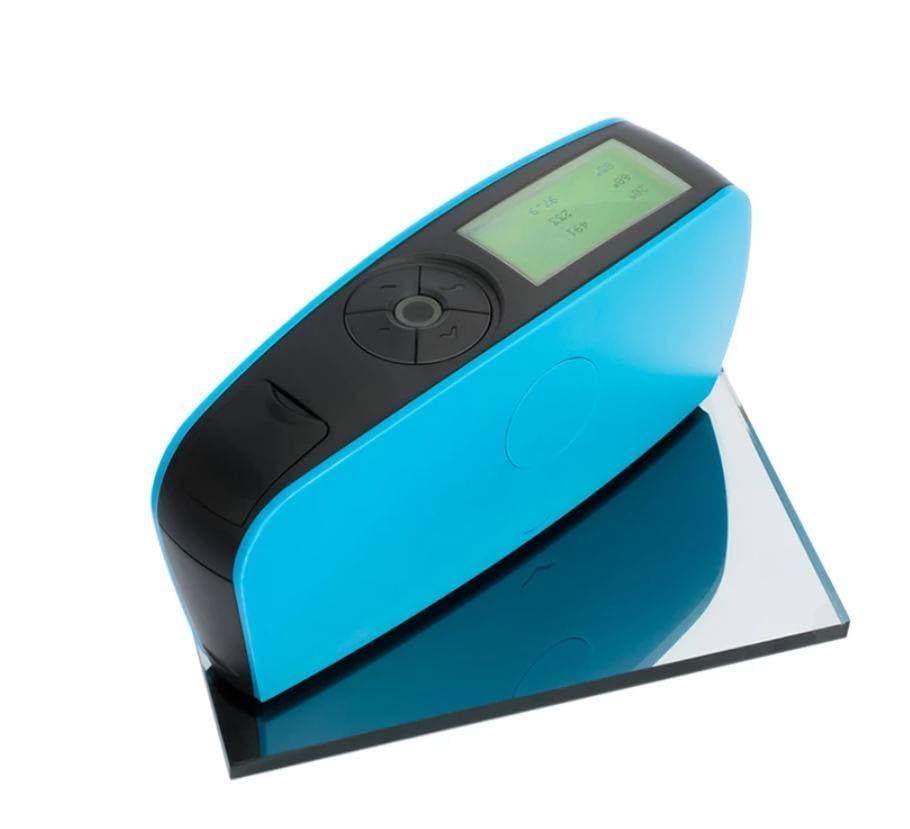
Figure 4: The 3NH YG268 Gloss Meter actively displaying measurement results on its screen, indicating a successful reading.
5.2 ຮູບແບບການວັດແທກ
The YG268 offers several measurement modes:
- ໂໝດພື້ນຖານ: For single, quick measurements.
- Statistic Mode: Calculates average, max, min, and standard deviation from multiple measurements.
- ໂModeດຕໍ່ເນື່ອງ: Takes measurements at regular intervals.
- ໂໝດ QC: For quality control applications, often involving pass/fail criteria.
Navigate through the menu using the directional buttons to select the appropriate mode for your application.
5.3 ການຄຸ້ມຄອງຂໍ້ມູນ
The device can store up to 35,000 data points. Connect the gloss meter to a computer via USB or Bluetooth to transfer data using the GQC6 QC software. The software allows for detailed analysis, report generation, and further extended functions.
6. ບໍາລຸງຮັກສາ
6.1 ການທໍາຄວາມສະອາດ
- Regularly clean the measurement aperture with a soft, lint-free cloth to prevent dust or debris from affecting readings.
- Wipe the exterior of the device with a slightly damp ຜ້າ. ຢ່າໃຊ້ເຄື່ອງເຮັດຄວາມສະອາດຂັດຫຼືສານລະລາຍ.
- Keep the calibration plate clean and protected from scratches.
6.2 ການເກັບຮັກສາ
When not in use, store the 3NH YG268 Gloss Meter in its protective carrying case in a dry, cool environment, away from direct sunlight and extreme temperatures. Ensure the protective cover is placed over the measurement aperture.
7. ການແກ້ໄຂບັນຫາ
7.1 ບັນຫາທົ່ວໄປ ແລະການແກ້ໄຂ
- ອຸປະກອນບໍ່ເປີດ: Check battery installation and charge level. Ensure USB cable is properly connected if using external power.
- ການອ່ານບໍ່ຖືກຕ້ອງ: Perform a calibration. Clean the measurement aperture and the calibration plate. Ensure the device is placed flat and firmly on the sampເລ.
- ບັນຫາການໂອນຍ້າຍຂໍ້ມູນ: Verify USB or Bluetooth connection. Ensure GQC6 QC software is correctly installed and running on the PC.
- ໜ້າຈໍຫວ່າງເປົ່າ ຫຼື ຄ້າງ: ລອງຣີສະຕາດອຸປະກອນ. ຖ້າບັນຫາຍັງຄົງຢູ່, ໃຫ້ຕິດຕໍ່ຝ່າຍຊ່ວຍເຫຼືອລູກຄ້າ.
8. ການຮັບປະກັນແລະການສະຫນັບສະຫນູນ
Specific warranty information for the 3NH YG268 Gloss Meter is typically provided with the product packaging or can be obtained from your point of purchase. For technical support, service, or inquiries regarding warranty claims, please refer to the contact information provided by the manufacturer or your authorized distributor.