
LEMNOI SG7
LEMNOI SG7 Educational Day/Night Alarm Clock for Children - User Manual
ຮຸ່ນ: SG7
ແນະນຳ
This manual provides detailed instructions for the setup, operation, and maintenance of your LEMNOI SG7 Educational Day/Night Alarm Clock. Please read it thoroughly to ensure proper use and to maximize the product's features.
ຂໍ້ມູນຄວາມປອດໄພ
- ຮັກສາອຸປະກອນໃຫ້ຫ່າງຈາກນ້ໍາແລະຄວາມຊຸ່ມ.
- ຢ່າປ່ອຍໃຫ້ອຸນຫະພູມທີ່ຮຸນແຮງ.
- ໃຊ້ພຽງແຕ່ສາຍ USB-C ທີ່ໃຫ້ມາສຳລັບການສາກໄຟ.
- ເກັບຮັກສາໃຫ້ໄກຈາກເດັກນ້ອຍເພື່ອປ້ອງກັນອັນຕະລາຍຈາກການສຳຜັດຈາກຊິ້ນສ່ວນນ້ອຍໆ.
- ຢ່າພະຍາຍາມຖອດປະກອບ ຫຼືສ້ອມແປງອຸປະກອນດ້ວຍຕົນເອງ. ຕິດຕໍ່ຝ່າຍຊ່ວຍເຫຼືອລູກຄ້າຖ້າມີບັນຫາເກີດຂຶ້ນ.
ເນື້ອໃນຊຸດ
ກະລຸນາກວດເບິ່ງຊຸດສຳລັບລາຍການຕໍ່ໄປນີ້:
- LEMNOI SG7 Educational Day/Night Alarm Clock
- ສາຍສາກ USB-C
- ຄູ່ມືຜູ້ໃຊ້
ສິນຄ້າເກີນview
The LEMNOI SG7 is designed to assist children with sleep training and morning routines. It features:
- Day/Night Educational Icons: Green sun for wake-up, blue moon for sleep.
- ແສງ LED 5 ສີ: ຄວາມສະຫວ່າງທີ່ສາມາດປັບໄດ້.
- 7 Musical Alarm Options: Gentle wake-up sounds.
- Dual Alarms & Snooze Function: Customizable for weekdays and weekends.
- Digital Display with Temperature Monitor: 12/24 hour format, F/C conversion.
- Touch/Sound Activated Screen: ໜ້າຈໍຈະປິດຫຼັງຈາກບໍ່ມີການເຄື່ອນໄຫວ 20 ວິນາທີ.
- ແບດເຕີຣີ້ມາດຕະຖານ Lithium 2000 mAh ໃນຕົວ: USB-C rechargeable.

ດ້ານໜ້າ view of the LEMNOI SG7 alarm clock, displaying time, temperature, and day/night icons.
ຕັ້ງຄ່າ
1. ການສາກໄຟເບື້ອງຕົ້ນ
Before first use, fully charge the alarm clock. Connect the provided USB-C cable to the charging port on the back of the device and plug it into a compatible USB power adapter (not included).
- ໄຟສະແດງການສາກໄຟຈະສະຫວ່າງໃນລະຫວ່າງການສາກໄຟ.
- ໂດຍປົກກະຕິການສາກເຕັມຈະໃຊ້ເວລາປະມານ 3 ຊົ່ວໂມງ.
- The battery icon on the display will show charging status.
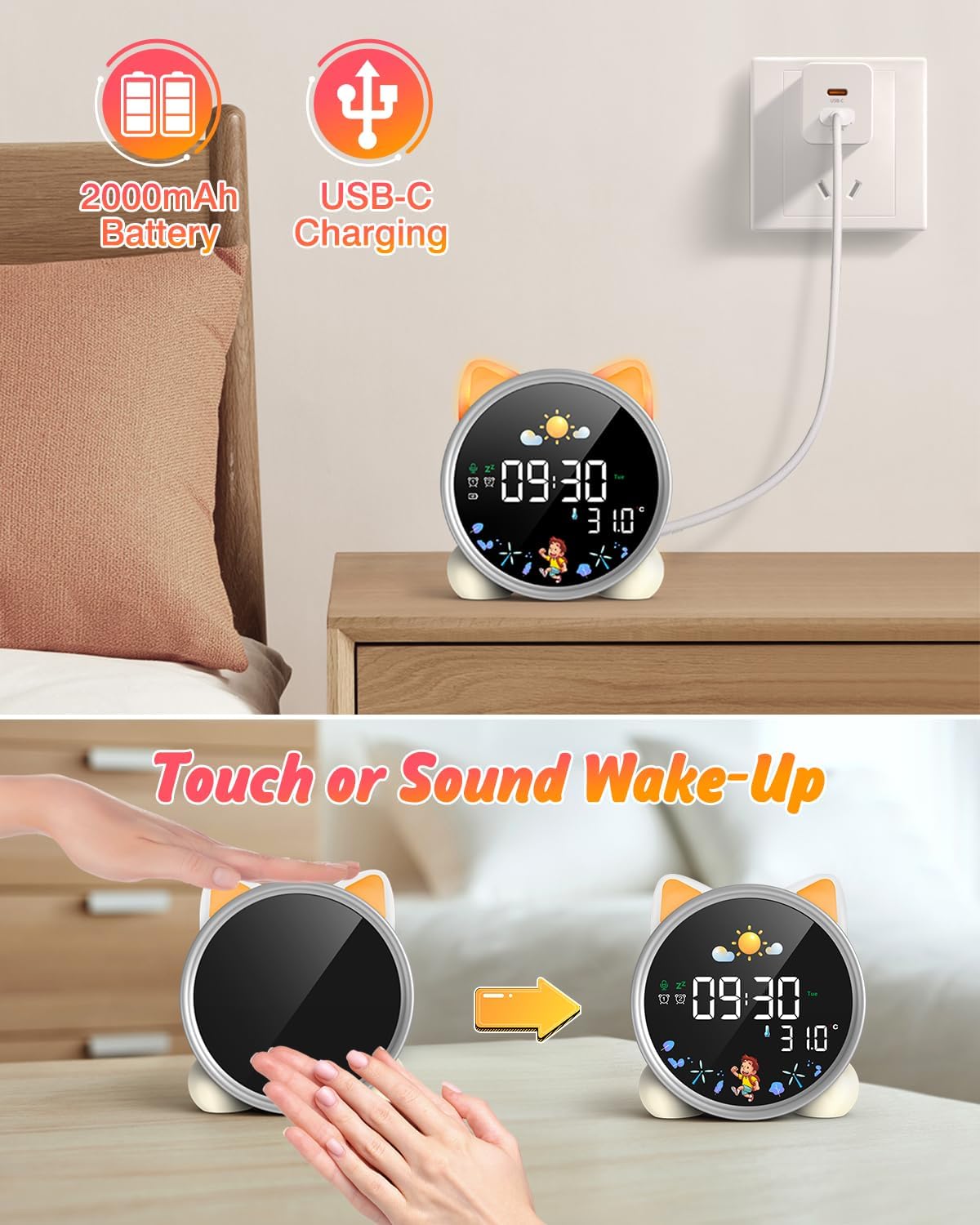
The alarm clock being charged via its USB-C port.
2. ເປີດ/ປິດ
The device powers on automatically when connected to power. To manually power on/off or wake the screen:
- ໜ້າຈໍປຸກ: Tap the device or make a sound near it. The screen will illuminate for 20 seconds.
- ເປີດ/ປິດ: The device is designed to be always on for alarm functions.
Activating the screen by tapping the device.
ຄໍາແນະນໍາການດໍາເນີນງານ
1. ກໍານົດເວລາແລະວັນທີ
The alarm clock supports 12/24 hour format and displays the day of the week. Specific buttons for setting are not detailed in the provided text, but typically involve a "Set" or "Mode" button.
- Refer to the physical manual for exact button functions (e.g., "SET" button).
- ກົດປຸ່ມ "SET" ຄ້າງໄວ້ເພື່ອເຂົ້າສູ່ໂໝດຕັ້ງເວລາ.
- Use "+" and "-" buttons to adjust hours, minutes, and other settings.
- ກົດ "SET" ອີກຄັ້ງເພື່ອຢືນຢັນການຕັ້ງຄ່າແຕ່ລະອັນ ແລະ ຍ້າຍໄປການຕັ້ງຄ່າຕໍ່ໄປ.
2. Day/Night Educational Mode
This feature uses color-changing lights and icons to signal wake-up and sleep times.
- ຕື່ນ: Green light and sun icon appear to indicate it's time to wake up.
- ນອນ: Blue light and moon icon appear to indicate it's time to sleep.

Day/Night mode with green sun for wake-up and blue moon for sleep.
3. Dual Alarms and Snooze Function
Set two independent alarms for different routines.
- ການຕັ້ງຄ່າໂມງປຸກ: The dual alarms can be customized for any day from Monday to Sunday. Consult the full manual for specific steps to set Alarm 1 and Alarm 2.
- ປິດສຽງເຕືອນຊົ່ວຄາວ: When an alarm sounds, press the "SNOOZE" button on top for an additional 9 minutes of sleep. This can be repeated up to 3 times.

Illustration of the snooze function and dual alarm capability.
4. Night Light (5 Colors & Brightness Levels)
The alarm clock functions as a night light with 5 color options and adjustable brightness.
- ຕົວເລືອກສີ: Yellow, Blue, Purple, White, and Gradient.
- ຄວາມສະຫວ່າງ: 3 levels of brightness (0%, 30%, 70%, 100%) for the screen display. The night light itself also has adjustable brightness.
- Refer to the physical manual for instructions on cycling through colors and adjusting brightness.

The 5 available night light colors and screen brightness options.
5. Music and Sound Machine
The alarm clock offers 7 musical options for a gentle wake-up or soothing sleep environment.
- 7 musical options are available.
- Refer to the physical manual for instructions on selecting and setting music.

The 7 sound options available for the alarm clock.
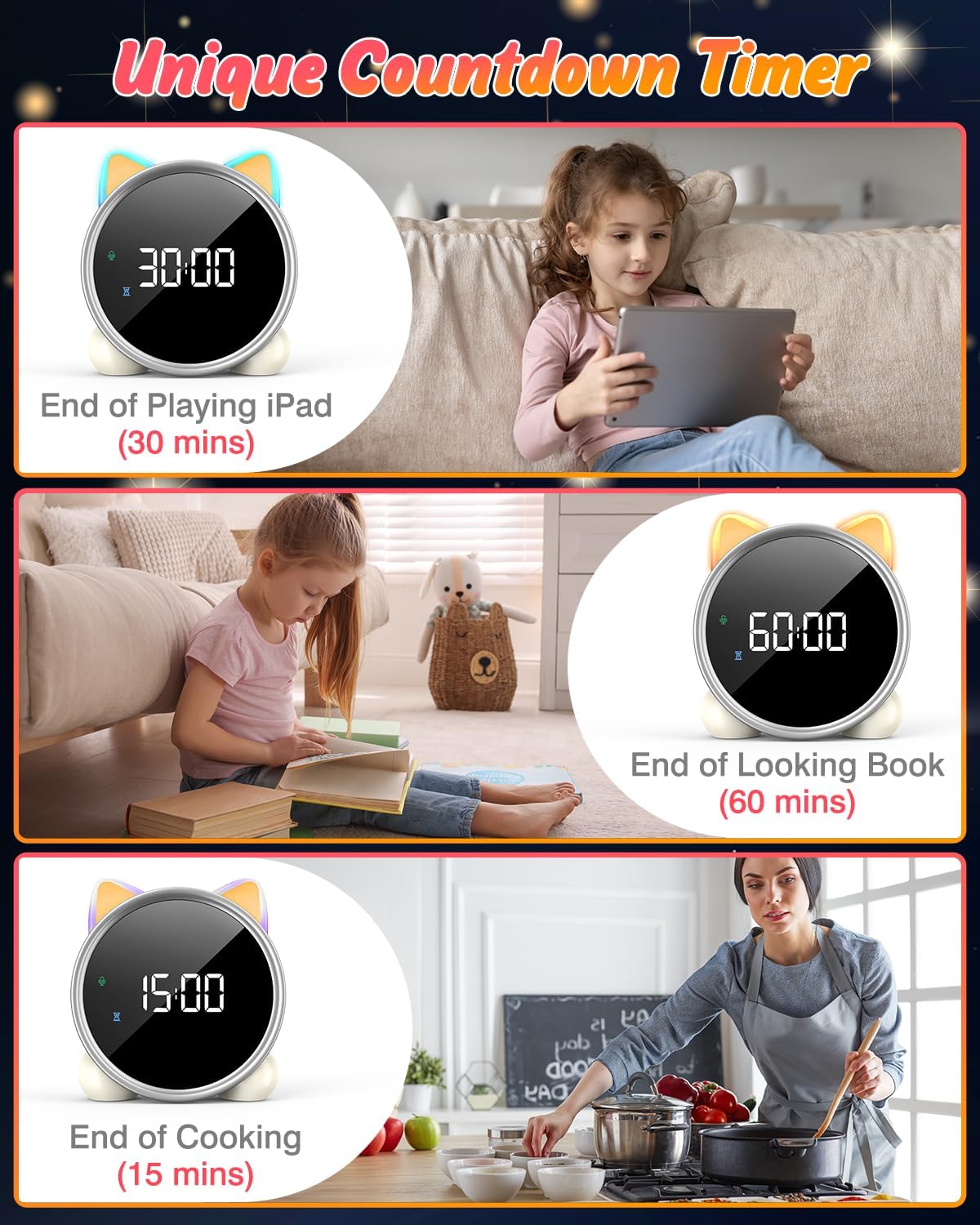
6. ໂມງນັບຖອຍຫຼັງ
A unique countdown timer feature can be used for various activities.
- Useful for managing screen time, reading sessions, or cooking.
- Refer to the physical manual for instructions on setting the countdown timer.
Examples of the countdown timer in use for various activities.
7. ຈໍສະແດງອຸນຫະພູມ
The alarm clock displays the ambient temperature and supports both Celsius and Fahrenheit units.
- Supports F/C temperature conversion.
- Refer to the physical manual for instructions on switching between units.
8. Screen Activation (Touch/Sound)
The screen can be activated by touch or sound and will automatically turn off after a period of inactivity to save power.
- Tap the device or make a sound to wake the screen.
- The screen will turn off after 20 seconds of no interaction.
ບໍາລຸງຮັກສາ
- ທໍາຄວາມສະອາດ: ເຊັດອຸປະກອນດ້ວຍຜ້າອ່ອນໆ, ແຫ້ງ. ຢ່າໃຊ້ເຄື່ອງເຮັດຄວາມສະອາດຂັດຫຼືສານລະລາຍ.
- ການເກັບຮັກສາ: ເກັບຮັກສາໄວ້ໃນບ່ອນທີ່ເຢັນ, ແຫ້ງເມື່ອບໍ່ໄດ້ໃຊ້ເປັນເວລາດົນນານ.
- ການດູແລຫມໍ້ໄຟ: To prolong battery life, avoid fully discharging the battery frequently. Recharge when the low battery indicator appears.
ການແກ້ໄຂບັນຫາ
| ບັນຫາ | ສາເຫດທີ່ເປັນໄປໄດ້ | ການແກ້ໄຂ |
|---|---|---|
| Screen does not turn on. | ແບັດເຕີຣີເຫຼືອໜ້ອຍ ຫຼືອຸປະກອນປິດຢູ່. | Charge the device using the USB-C cable. Tap the device or make a sound to activate the screen. |
| ແບັດເຕີຣີໝົດໄວ. | Night light mode consumes more power. | It is recommended to keep the device plugged in when using night light mode for extended periods. Ensure the screen brightness is not set too high if battery life is a concern. |
| Difficulty setting time/alarms. | Incorrect button sequence or unfamiliarity with controls. | Refer to the "Operating Instructions" section and the detailed physical manual for precise button functions and sequences. |
| Screen remains on constantly. | Possible setting error or malfunction. | Ensure the screen auto-off feature is enabled (if applicable, check manual). If the issue persists, try a soft reset (if available, check manual) or contact customer support. |
ຂໍ້ມູນຈໍາເພາະ
- ຍີ່ຫໍ້: LEMNOI
- ໝາຍເລກຕົວແບບ: SG7
- ສີ: ດອກກຸຫຼາບ
- ຂະໜາດສິນຄ້າ (L x W x H): 13.1 x 3.81 x 14.5 cm
- ວັດສະດຸ: ພາດສະຕິກ
- ຄຸນສົມບັດ: Adjustable brightness, Snooze function
- ນ້ໍາຫນັກລາຍການ: 265 ກຣາມ
- ປະເພດການສະແດງ: ດິຈິຕອລ
- ແຫຼ່ງພະລັງງານ: Battery Powered (Built-in 2000mAh Lithium Battery, USB-C charging)
- ປະເພດຫ້ອງ: ຫ້ອງນອນ
- ຮູບຮ່າງ: ແມວ
- ການນໍາໃຊ້ພາຍໃນ/ນອກ: ພາຍໃນ
ການຮັບປະກັນແລະການສະຫນັບສະຫນູນ
For warranty information or technical support, please refer to the contact details provided with your purchase or visit the official LEMNOI webເວັບໄຊ. ຮັກສາຫຼັກຖານການຊື້ຂອງທ່ານສໍາລັບການຮຽກຮ້ອງການຮັບປະກັນໃດໆ.
Ask a question about this manual
Ask about setup, troubleshooting, compatibility, parts, safety, or missing instructions. Manuals+ will review the question and use this page’s manual context to help answer it.