
TakTark WN100
TakTark Sound Machine User Manual
ຮູບແບບ: WN100
ແນະນຳ
The TakTark Sound Machine is a portable device designed to create a calming auditory environment, aiding in relaxation, sleep, and focus. It features a variety of soothing sounds, customizable timer settings, and a memory function for convenience. Its compact design and dual power options make it suitable for use in various settings, including nurseries, bedrooms, and during travel.

Figure 1: TakTark Sound Machine (Model WN100)
ຂໍ້ມູນຄວາມປອດໄພ
This product is not a toy. Always use according to voltage/power requirements and handle with care to avoid electric shock. Prolonged exposure to high sound levels can cause damage to hearing. Always use at safe and comfortable volume levels.
ເນື້ອໃນຊຸດ
ກະລຸນາກວດສອບວ່າລາຍການທັງໝົດມີຢູ່ໃນຊຸດ:
- 1x TakTark White Noise Machine
- ສາຍໄຟສາກ USB 1x
- 1x ຄູ່ມືຜູ້ໃຊ້

Figure 2: Product Packaging Detail (showing contents and contact information)
ສິນຄ້າເກີນview ແລະຄຸນສົມບັດ
The TakTark Sound Machine is designed with user convenience and effectiveness in mind. Key features include:
- 20 ສຽງທີ່ສະບາຍໃຈ: A diverse selection including white noise, nature sounds, lullabies, and other calming melodies.
- 5 ການຕັ້ງຄ່າໂມງຈັບເວລາ: Options for 30, 60, 90 minutes, or continuous play.
- ຄຸນນະສົມບັດຄວາມຈໍາ: Remembers your last sound, volume, and timer settings.
- ກະທັດຮັດ ແລະ ແບບພົກພາ: Lightweight and small, ideal for travel and on-the-go use.
- USB Power and Battery Operation: Can be powered via USB or its built-in rechargeable battery for cordless use.

Figure 3: Portability of the Sound Machine
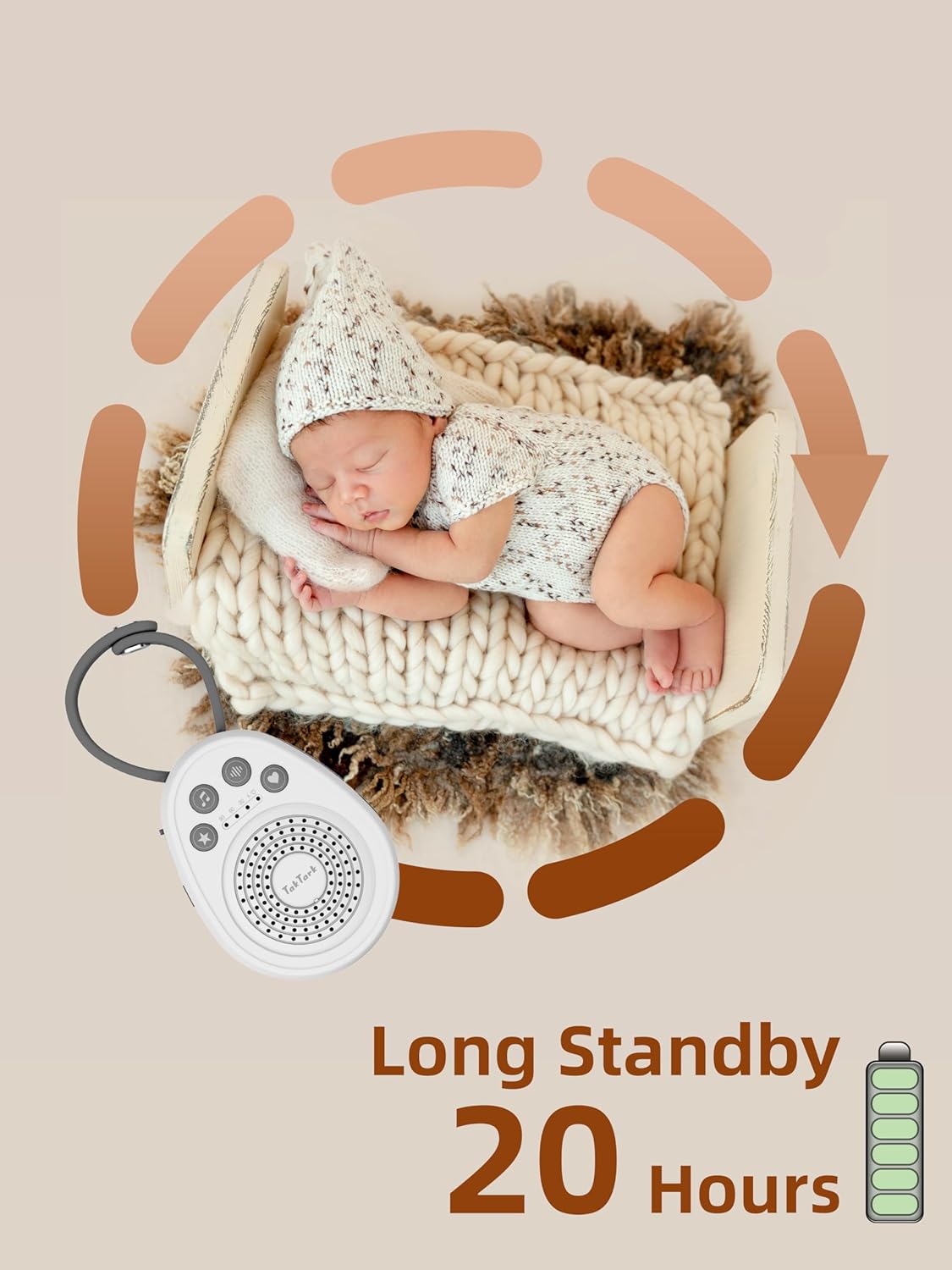
Figure 4: Long Standby Time (Up to 20 Hours)
ຕັ້ງຄ່າ
ປະຕິບັດຕາມຂັ້ນຕອນເຫຼົ່ານີ້ສໍາລັບການຕັ້ງຄ່າເບື້ອງຕົ້ນ:
- ເປີດ: Connect the device using the provided USB cable to a USB power source (e.g., computer, power bank, wall adapter) or ensure the built-in battery is charged. Press and hold the power button (U) ເພື່ອເປີດອຸປະກອນ.
- Initial Sound Selection: The device will start playing the last selected sound. You can change the sound as described in the 'Operating Instructions' section.
- ການປັບລະດັບສຽງ: ປັບລະດັບສຽງໃຫ້ຢູ່ໃນລະດັບທີ່ສະດວກສະບາຍໂດຍໃຊ້ປຸ່ມລະດັບສຽງ.
- ຕັ້ງຄ່າໂມງຈັບເວລາ: Select your desired timer duration or continuous play.
ຄໍາແນະນໍາການດໍາເນີນງານ
ເປີດ/ປິດ
- To turn on, press and hold the power button (U) until the indicator light illuminates.
- To turn off, press and hold the power button (U) again until the indicator light turns off.
ການເລືອກສຽງ
The device offers 20 unique soothing sounds across four categories. Press the sound selection button (♪) to cycle through the available sounds.

ຮູບທີ 5: ປະເພດສຽງ
The 20 sounds include:
- Nature Sounds (9): Wave, Rain, Piano, Bird, Thunder, Bonfire, Loss of TV signal, and two additional nature sounds.
- Light Music (5): Various calming melodies.
- White Noise (5): Different variations of white noise.
- Fetal Sound (1): A single fetal heartbeat sound.
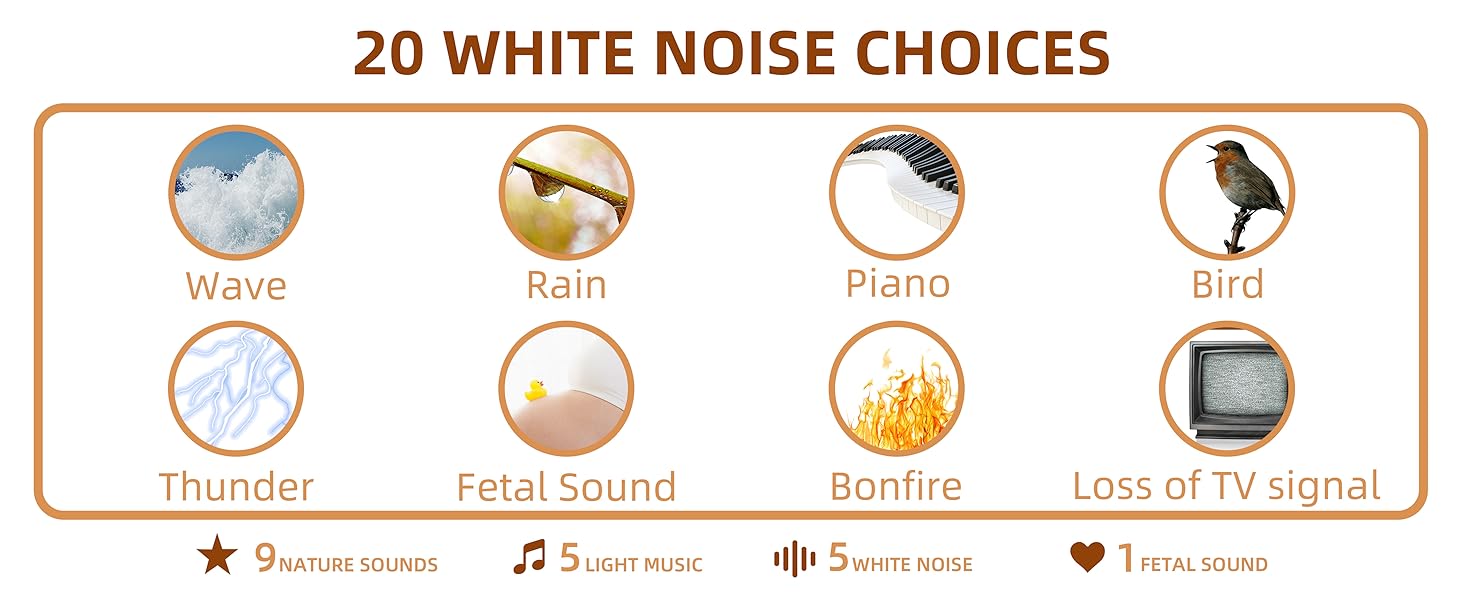
Figure 6: Detailed Sound Options
ການປັບລະດັບສຽງ
The device features 16 adjustable volume levels. Use the volume up (🔊+) ແລະ ຫຼຸດສຽງລົງ (🔊-) buttons to set the desired sound level.
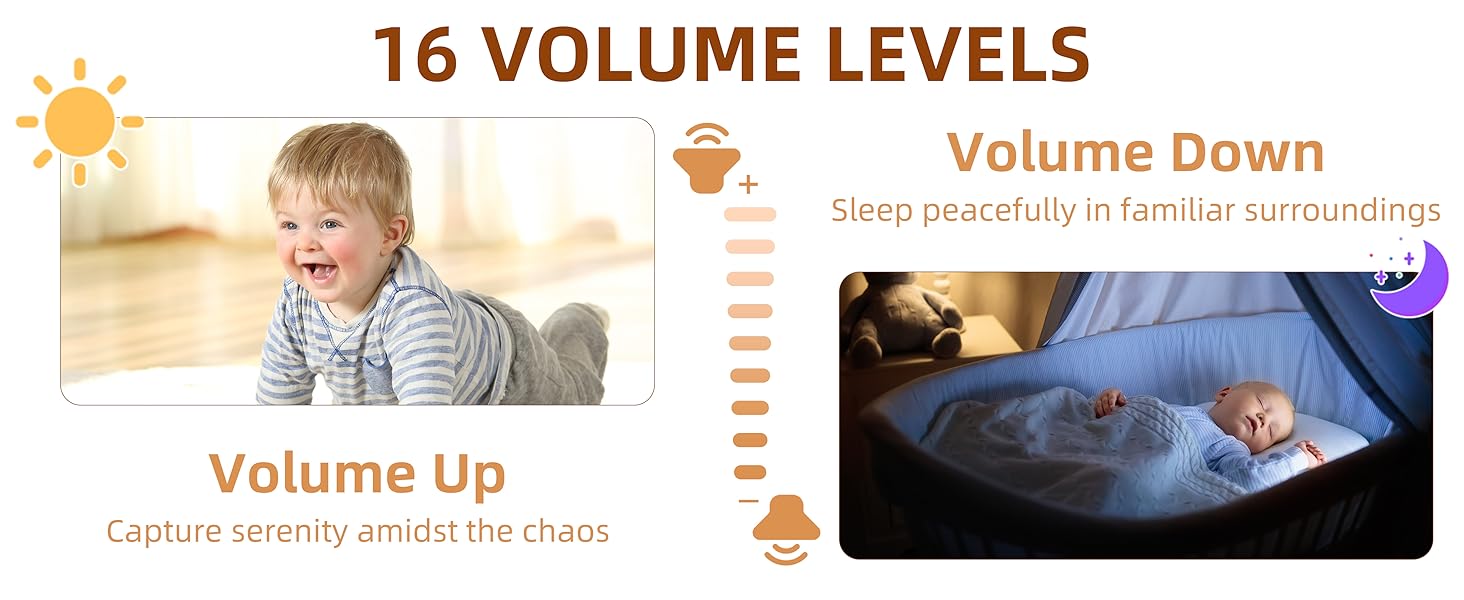
Figure 7: Volume Levels
ການຕັ້ງຄ່າໂມງຈັບເວລາ
The sound machine includes an auto-off timer function. Press the timer button (⏱) to cycle through the available settings:
- 30 ນາທີ
- 60 ນາທີ
- 90 ນາທີ
- Continuous Play (indicated by no timer light)

Figure 8: Auto Timer Function
ຟັງຊັນຄວາມຈໍາ
The device is equipped with a memory function that saves your last used sound, volume level, and timer setting. When you power on the machine, it will automatically resume play with these saved preferences.
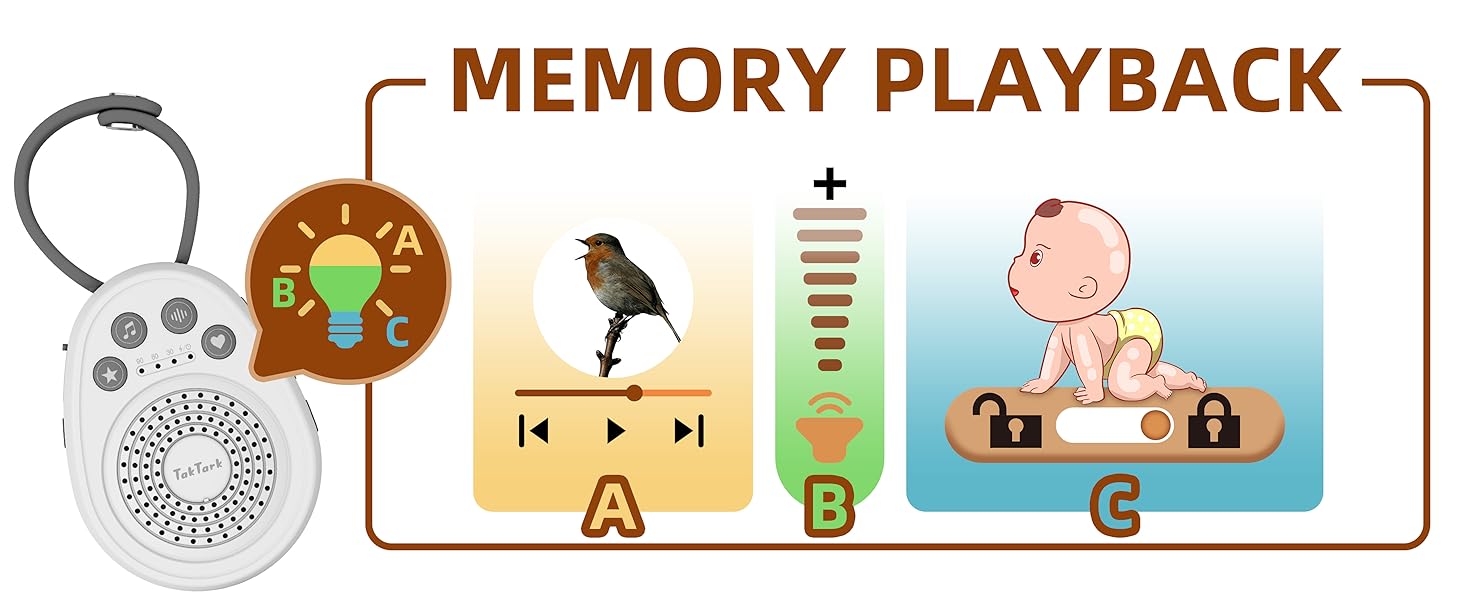
Figure 9: Memory Playback Feature
ລັອກເດັກ
To prevent accidental changes to settings, the sound machine includes a child lock feature. Locate the lock switch on the side of the device and slide it to the locked position. This will disable the control buttons.

ຮູບທີ 10: ຄຸນສົມບັດການລັອກເດັກ
ບໍາລຸງຮັກສາ
To ensure the longevity and proper functioning of your TakTark Sound Machine:
- ເຊັດອຸປະກອນດ້ວຍຜ້າອ່ອນແລະແຫ້ງ. ຢ່າໃຊ້ນໍ້າຢາທໍາຄວາມສະອາດ ຫຼື ວັດສະດຸຂັດ.
- ຮັກສາອຸປະກອນໃຫ້ຫ່າງຈາກນ້ໍາແລະຄວາມຊຸ່ມຊື່ນຫຼາຍເກີນໄປ.
- ຫຼີກລ້ຽງການວາງອຸປະກອນລົງ ຫຼືຖືກຜົນກະທົບທີ່ຮຸນແຮງ.
- ເກັບຮັກສາໄວ້ໃນບ່ອນທີ່ເຢັນ, ແຫ້ງເມື່ອບໍ່ໄດ້ໃຊ້ເປັນເວລາດົນນານ.
ການແກ້ໄຂບັນຫາ
If you encounter issues with your sound machine, please refer to the following common solutions:
- ອຸປະກອນບໍ່ເປີດ: Ensure the battery is charged or the device is connected to a working USB power source. Check the USB cable for damage.
- ບໍ່ມີສຽງ: Check the volume level and increase it if necessary. Ensure the device is not muted.
- ປຸ່ມບໍ່ຕອບສະໜອງ: Check if the child lock feature is enabled. Slide the lock switch to the unlocked position.
- ຄຸນນະພາບສຽງບໍ່ດີ: Ensure the speaker is not obstructed. Try a different sound to see if the issue persists.
- ໂມງຈັບເວລາບໍ່ເຮັດວຽກ: Verify that a timer setting (30, 60, or 90 minutes) is selected and not continuous play.
ຖ້າບັນຫາຍັງຄົງຢູ່ຫຼັງຈາກພະຍາຍາມແກ້ໄຂເຫຼົ່ານີ້, ກະລຸນາຕິດຕໍ່ຝ່າຍຊ່ວຍເຫຼືອລູກຄ້າ.
ຂໍ້ມູນຈໍາເພາະ
| ຂໍ້ມູນຈໍາເພາະ | ລາຍລະອຽດ |
|---|---|
| ໝາຍເລກຕົວແບບ | WN100 |
| ຂະໜາດ (L x W x H) | 4.33 x 3.15 x 1.42 ນິ້ວ |
| ນ້ຳໜັກ | 3.53 ອອນ |
| ປະເພດຫມໍ້ໄຟ | 1 ແບດເຕີຣີ້ໂລຫະ Lithium (ລວມ) |
| ແຫຼ່ງພະລັງງານ | USB Powered, Battery Powered |
| ຈໍານວນສຽງ | 20 |
| ການຕັ້ງຄ່າໂມງຈັບເວລາ | 30, 60, 90 minutes, Continuous |
| ລະດັບສຽງ | 16 |
| ສີ | ສີຂາວ |
| ວັດສະດຸ | ພາດສະຕິກ |
| ຜູ້ຜະລິດ | ທາກທາກ |
| ປະເທດຕົ້ນກໍາເນີດ | ຈີນ |
ການຮັບປະກັນແລະການສະຫນັບສະຫນູນ
For warranty information or technical support, please contact TakTark customer service:
- ອີເມວ: info@taktark.cc
- ເຟສບຸກ: https://www.facebook.com/Taktarkbabymonitor
Ask a question about this manual
Ask about setup, troubleshooting, compatibility, parts, safety, or missing instructions. Manuals+ will review the question and use this page’s manual context to help answer it.