
VssoPlor B0CKP9461G
VssoPlor Compact Wireless Keyboard Mouse Combo
Model: B0CKP9461G
ແນະນຳ
Thank you for choosing the VssoPlor Compact Wireless Keyboard Mouse Combo. This ultra-thin and portable set is designed for convenience and efficiency, making it ideal for daily use, business travel, and various computing environments. This manual provides essential information for setting up, operating, maintaining, and troubleshooting your new wireless keyboard and mouse.
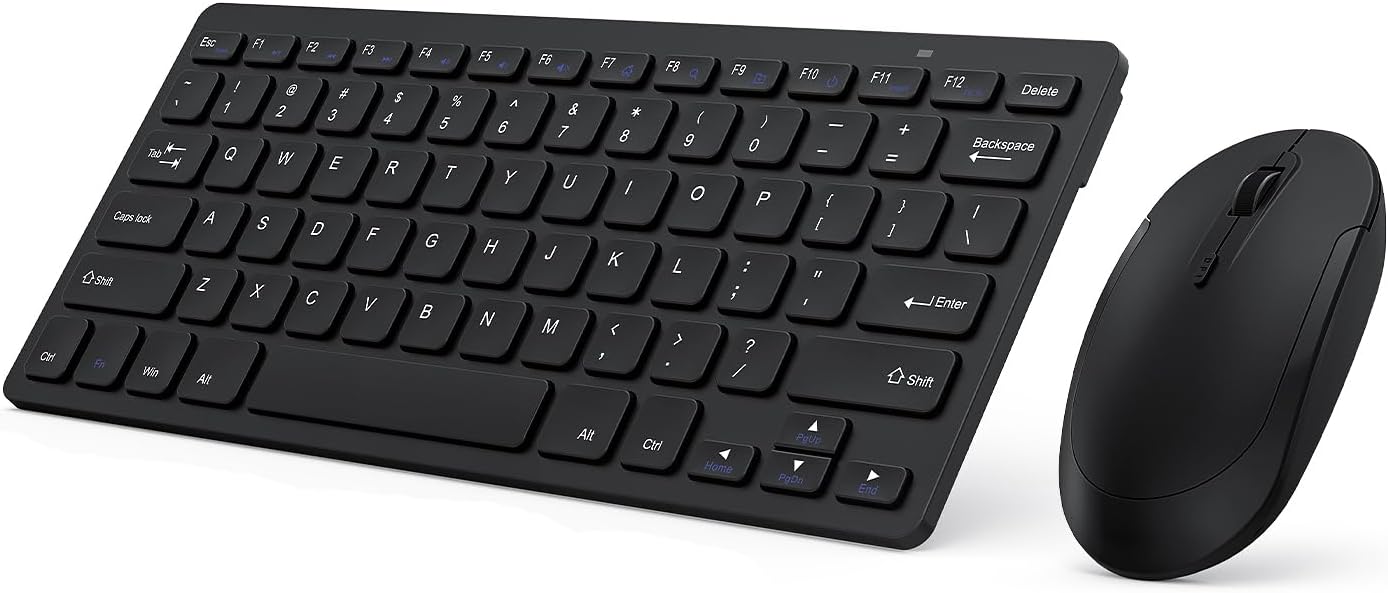
Image: The VssoPlor Compact Wireless Keyboard and Mouse Combo, featuring a sleek black design.
ຄຸນນະສົມບັດທີ່ສໍາຄັນ
- Ultra-Thin & Portable Design: Compact and lightweight, designed for easy transport and space-saving use.
- ການເຊື່ອມຕໍ່ໄຮ້ສາຍ 2.4GHz ທີ່ໝັ້ນຄົງ: Provides a powerful and reliable connection up to 33 feet (10 meters) with a single Nano USB receiver.
- ປະສົບການພິມງຽບ: Equipped with scissor-switch construction keys for comfortable typing with fast response and good resilience, minimizing noise.
- High Sensitivity Mouse: Features sensitive clicks with less noise and 3 adjustable DPI levels (800/1000/1200) for precise control.
- ຄວາມເຂົ້າກັນໄດ້ຢ່າງກວ້າງຂວາງ: Well compatible with Windows XP, Vista, 7, 8, and 10. (Note: Not fully compatible with Mac OS System).
- ຟັງຊັນນອນອັດຕະໂນມັດ: Designed to save energy by entering sleep mode after periods of inactivity.
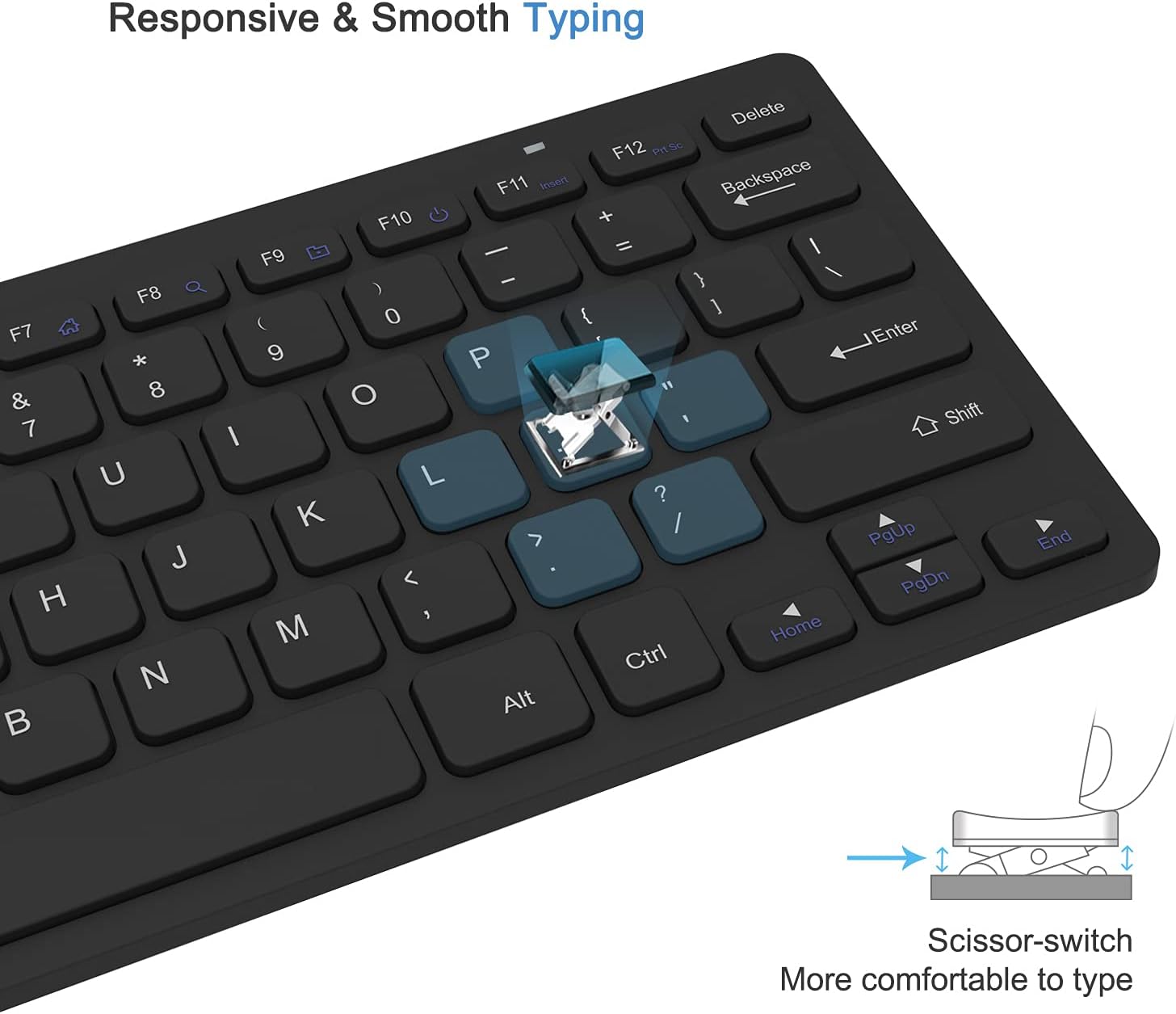
Image: Close-up of the keyboard demonstrating the scissor-switch key mechanism for responsive and smooth typing.

Image: The ultra-thin keyboard and mouse combo being easily stored in a bag, highlighting its portability for leisure, travel, and home use.
ເນື້ອໃນຊຸດ
ກະລຸນາກວດເບິ່ງເນື້ອໃນຂອງແພັກເກັດເມື່ອເປີດເພື່ອຮັບປະກັນວ່າລາຍການທັງໝົດມີຢູ່:
- 1 x Compact Wireless Keyboard
- 1 x ເມົາສ໌ໄຮ້ສາຍ
- 1 x Nano USB Receiver (stored in the keyboard's battery compartment)
- 1 x ຄູ່ມືຜູ້ໃຊ້ (ເອກະສານນີ້)
ຄໍາແນະນໍາການຕິດຕັ້ງ
- ຕິດຕັ້ງ ໝໍ້ ໄຟ:
The keyboard requires 2 AAA batteries and the mouse requires 1 AA battery (batteries are not included). Open the battery compartments on the underside of both the keyboard and the mouse, insert the batteries according to the polarity indicators, and close the covers.
- ຊອກຫາຕົວຮັບ USB:
The Nano USB receiver is conveniently stored inside the battery compartment of the keyboard. Carefully remove it.
- ເຊື່ອມຕໍ່ຜູ້ຮັບ:
Plug the Nano USB receiver into an available USB port on your computer (desktop or laptop). Your operating system will automatically detect and install the necessary drivers. This is a plug-and-play device, requiring no additional software installation.

Image: Diagram illustrating the 2.4GHz wireless connection, showing the USB receiver plugged into a laptop and the wireless signal to the keyboard and mouse.
- ເປີດໃຊ້ອຸປະກອນ:
Locate the power switch on the underside of both the keyboard and the mouse. Slide the switches to the "ON" position. The devices should now be connected and ready for use.
ຄໍາແນະນໍາການດໍາເນີນງານ
ການນໍາໃຊ້ແປ້ນພິມ
- ພິມ: Begin typing as you would with any standard keyboard. The scissor-switch keys provide a comfortable and responsive experience.
- ປຸ່ມຟັງຊັນ: The top row of keys (F1-F12) may have secondary functions (e.g., media control, volume) accessible by pressing the Fn key simultaneously. Refer to the key legends for specific functions.
- ນອນອັດຕະໂນມັດ: To conserve battery life, the keyboard will enter sleep mode after approximately 10 minutes of inactivity. To wake it up, press any key for 3 seconds.
ການນໍາໃຊ້ຫນູ
- ການດໍາເນີນງານພື້ນຖານ: Use the left and right click buttons for standard mouse functions. The scroll wheel allows for vertical scrolling.
- ການປັບ DPI: The mouse features 3 adjustable DPI levels (800/1000/1200) for varying cursor sensitivity. Press the DPI button (usually located near the scroll wheel) to cycle through the settings and find your preferred speed.
- ນອນອັດຕະໂນມັດ: The mouse will enter sleep mode after approximately 8 minutes of inactivity. To wake it up, simply move the mouse or click any button.

Image: Illustration of the auto-sleep feature for both the keyboard and mouse, indicating battery requirements and how to reactivate the devices.
ບໍາລຸງຮັກສາ
- ທໍາຄວາມສະອາດ: ໃຊ້ຜ້າປຽກແຫ້ງເພື່ອເຮັດຄວາມສະອາດພື້ນຜິວຂອງແປ້ນພິມ ແລະຫນູ. ສໍາລັບຝຸ່ນ stubborn, a ເລັກນ້ອຍ damp ສາມາດໃຊ້ຜ້າທີ່ມີສະບູອ່ອນໆໄດ້, ເພື່ອຮັບປະກັນວ່າບໍ່ມີນໍ້າໃດໆເຂົ້າໄປໃນອຸປະກອນ. ຫຼີກລ່ຽງນໍ້າຢາທໍາຄວາມສະອາດທີ່ມີສີຂັດ ຫຼື ຕົວລະລາຍ.
- ການປ່ຽນແບັດເຕີຣີ: When the devices become unresponsive or exhibit delayed input, it is likely time to replace the batteries. Follow the "Install Batteries" steps in the Setup section. Always dispose of used batteries responsibly.
- ການເກັບຮັກສາ: ເມື່ອບໍ່ໄດ້ໃຊ້ເປັນເວລາດົນ, ໃຫ້ປິດທັງແປ້ນພິມ ແລະ ເມົາສ໌ເພື່ອປະຢັດອາຍຸການໃຊ້ງານຂອງແບັດເຕີຣີ. ເກັບຮັກສາໄວ້ໃນບ່ອນທີ່ເຢັນ, ແຫ້ງ ແລະ ຫ່າງຈາກແສງແດດໂດຍກົງ ແລະ ອຸນຫະພູມທີ່ຮຸນແຮງ.
ການແກ້ໄຂບັນຫາ
| ບັນຫາ | ການແກ້ໄຂ |
|---|---|
| Keyboard or mouse is unresponsive. |
|
| ການເຄື່ອນໄຫວຂອງເຄີເຊີບໍ່ສະໝໍ່າສະເໝີ ຫຼື ຊ້າ. |
|
| Some keys on the keyboard do not work. |
|
ຂໍ້ມູນຈໍາເພາະຂອງຜະລິດຕະພັນ
| ຄຸນລັກສະນະ | ລາຍລະອຽດ |
|---|---|
| ຍີ່ຫໍ້ | VssoPlor |
| ຕົວແບບ | B0CKP9461G |
| ເຕັກໂນໂລຊີການເຊື່ອມຕໍ່ | USB ໄຮ້ສາຍ 2.4GHz |
| ອຸປະກອນທີ່ເຂົ້າກັນໄດ້ | Laptop, Personal Computer (Windows XP/Vista/7/8/10) |
| ຂະໜາດແປ້ນພິມ (L x W x H) | Approx. 11 x 4.8 x 0.7 inches (at thickest point) |
| ຂະໜາດຫນູ (L x W x H) | ປະມານ. ຂະ ໜາດ 4.3 x 2.2 x 0.6 ນີ້ວ |
| ນ້ໍາຫນັກລາຍການ | 13.1 ອອນສ໌ (ລວມແປ້ນພິມ ແລະ ເມົາສ໌) |
| ແບັດເຕີຣີແປ້ນພິມ | 2 x ຫມໍ້ໄຟ AAA (ບໍ່ລວມ) |
| ແບັດເຕີລີເມົ້າ | ແບດເຕີຣີ້ 1 x AA (ບໍ່ລວມ) |
| DPI Levels (Mouse) | 800 / 1000 / 1200 DPI |
| ຄຸນນະສົມບັດພິເສດ | Lightweight, Portable, Scissor-switch keys, Auto-sleep function |

Image: Detailed dimensions of the compact wireless keyboard and mouse.
ການຮັບປະກັນແລະການສະຫນັບສະຫນູນ
For warranty information and technical support, please refer to the warranty card included with your product or visit the official VssoPlor website. You may also contact the seller directly through the platform where you purchased the product for assistance.
For common questions and further assistance, please visit the VssoPlor Store on Amazon.