
1. ຜະລິດຕະພັນເກີນview
The THINKCAR THINKSCAN 641 is a wireless OBD2 diagnostic tool designed for comprehensive vehicle system analysis. It provides diagnostic functions for Engine, Transmission, ABS, and SRS Airbag systems, along with full OBD2 modes and 10 essential maintenance reset services. The device features a touchscreen interface and connects wirelessly via Bluetooth to the vehicle's OBD-II port.
1.1 ເນື້ອໃນຊຸດ
- THINKCAR THINKSCAN 641 OBD2 Scanner (x1)
- Bluetooth Connector (x1)
- Product Manual (x1)
1.2 ອົງປະກອບອຸປະກອນ
Familiarize yourself with the main components of your THINKSCAN 641 device:

Image: THINKCAR THINKSCAN 641 device layout with labeled buttons and ports.
- ໜ້າຈໍສຳຜັດ 4.8 ນິ້ວ: Main display for navigation and data viewing.
- ປຸ່ມເປີດ/ປິດໜ້າຈໍ: ກົດຄ້າງໄວ້ 3 ວິນາທີເພື່ອເປີດ ຫຼື ປິດ.
- ປຸ່ມຢືນຢັນ: Used to select options or confirm actions.
- Up, Down, Left, Right Toggle Key: ສຳລັບການນຳທາງເມນູ ແລະ ຕົວເລືອກຕ່າງໆ.
- ລະຫັດກັບຄືນ: To go back to the previous screen or menu.
- ສະລັອດຕິງບັດ TF: ສໍາລັບການເກັບຮັກສາທີ່ສາມາດຂະຫຍາຍໄດ້.
- ຊ່ອງສາກໄຟ: ສໍາລັບການເຊື່ອມຕໍ່ສາຍສາກໄຟ.
- OBD Interface: Port for the Bluetooth connector.
2. ຕັ້ງຄ່າ
2.1 ການເຊື່ອມຕໍ່ເບື້ອງຕົ້ນ
To begin using your THINKSCAN 641, follow these steps to establish a connection with your vehicle:
- Locate your vehicle's OBD-II port, typically found under the dashboard on the driver's side.
- Plug the included Bluetooth 5.0 VCI Dongle into the vehicle's OBD-II port.
- Turn on the vehicle's ignition (engine off, key on).
- Power on the THINKSCAN 641 handheld unit by pressing and holding the Power/Screen Lock Button for 3 seconds.
- The device will automatically attempt to connect via Bluetooth. A stable connection should be established within 3 seconds.
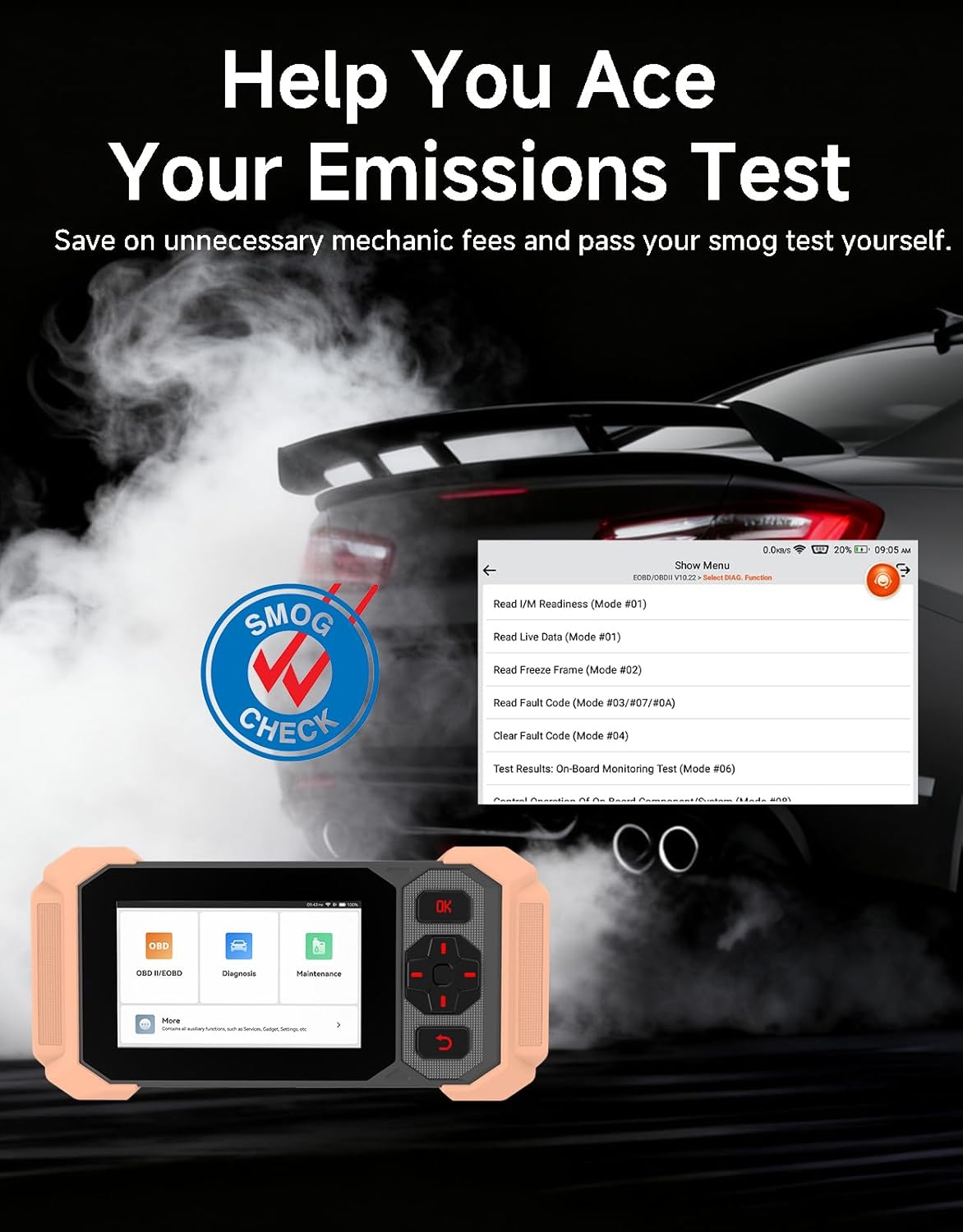
Image: Bluetooth VCI Dongle connected to the vehicle's OBD-II port.
2.2 Automatic Vehicle Identification (AutoVIN)
The THINKSCAN 641 supports AutoVIN functionality, which automatically identifies your vehicle's information upon connection. If AutoVIN fails for your specific vehicle model, you can manually enter the vehicle information to proceed with diagnostics.
2.3 ການປັບປຸງຊອບແວ
The device supports lifetime free software updates via Wi-Fi. Ensure your device is connected to a stable Wi-Fi network to download and install the latest software versions, which include new vehicle models and improved functionalities.

Image: Lifetime Free Update icon.
2.4 Instructional Video: How to Use
Video: This video demonstrates the basic steps for connecting and using the THINKCAR THINKSCAN 641 diagnostic tool, including menu navigation and initiating a scan.
3. ຄໍາແນະນໍາການດໍາເນີນງານ
3.1 4-System Diagnostics
The THINKSCAN 641 provides in-depth diagnostics for four core vehicle systems:
- ລະບົບເຄື່ອງຈັກ: ອ່ານ ແລະ ລຶບລະຫັດຂໍ້ບົກພ່ອງຂອງເຄື່ອງຈັກ, viewຂໍ້ມູນສົດຂອງ s, ແລະ ປະຕິບັດການທົດສອບຕ່າງໆທີ່ກ່ຽວຂ້ອງກັບເຄື່ອງຈັກ.
- ລະບົບເບຣກປ້ອງກັນລັອກ (ABS): Diagnoses ABS issues, reads and clears ABS fault codes, and performs ABS bleeding.
- Supplemental Restraint System (SRS/Airbag): Detects and clears airbag system fault codes, and performs SRS resets.
- ລະບົບສາຍສົ່ງ: Analyzes transmission performance, reads and clears transmission fault codes.

ຮູບພາບ: ຫຼາຍກວ່າview of 4-System Diagnostic capabilities.
3.2 Full OBD2 Modes
The device supports all 10 OBD2 test modes, offering comprehensive diagnostic capabilities:
- ອ່ານລະຫັດ: Displays Diagnostic Trouble Codes (DTCs).
- ລຶບລະຫັດ: Clears DTCs and resets monitors.
- ຂໍ້ມູນສົດ: Shows real-time data stream from vehicle sensors.
- ຂອບ Freeze: Stores a snapshot of vehicle operating conditions when an emission-related fault occurs.
- ຄວາມພ້ອມ I/M: ກວດສອບສະຖານະຂອງເຄື່ອງຕິດຕາມທີ່ກ່ຽວຂ້ອງກັບການປ່ອຍອາຍພິດ.
- ການທົດສອບເຊັນເຊີ O2: ດຶງເອົາຜົນການທົດສອບຂອງຈໍສະແດງຜົນເຊັນເຊີ O2.
- ການທົດສອບການຕິດຕາມເຮືອບິນ: ດຶງເອົາຜົນໄດ້ຮັບສຳລັບອົງປະກອບ ແລະ ລະບົບລະບົບສົ່ງກຳລັງທີ່ກ່ຽວຂ້ອງກັບການປ່ອຍອາຍພິດ.
- ການທົດສອບລະບົບ EVAP: ເລີ່ມການທົດສອບລະບົບຄວບຄຸມການປ່ອຍອາຍພິດແບບລະເຫີຍ.
- ຂໍ້ມູນພາຫະນະ: Retrieves vehicle identification number (VIN), calibration ID, and calibration verification number (CVN).
- ການຊອກຫາ DTC: ໃຫ້ຄໍາອະທິບາຍລະອຽດສໍາລັບລະຫັດບັນຫາການວິນິດໄສ.

Image: Full OBD2 Modes functions display.
3.3 10 Maintenance Reset Functions
The THINKSCAN 641 includes 10 specialized maintenance and reset functions:
- ABS ເລືອດອອກ: Bleeds air from the brake system.
- Airbag (SRS) Reset: Resets the airbag system after repairs.
- ການຈັບຄູ່ຫມໍ້ໄຟ: Registers a new battery to the vehicle's ECU.
- Brake Pad Reset: Resets the brake pad life after replacement.
- DPF Regeneration: ເລີ່ມຕົ້ນຂະບວນການຟື້ນຟູຕົວກອງອະນຸພາກກາຊວນ.
- Electronic Throttle Adaptation: ຮຽນຮູ້ຕຳແໜ່ງຂອງຕົວຄັນເລັ່ງຄືນໃໝ່.
- Injector Coding: ລະຫັດໝາຍເລກຫົວສີດໃໝ່ໄປຫາ ECU.
- ຣີເຊັດການບໍລິການນ້ຳມັນ: ຕັ້ງຄ່າໄຟບໍລິການນ້ຳມັນເຄື່ອງຄືນໃໝ່ຫຼັງຈາກປ່ຽນນ້ຳມັນເຄື່ອງ.
- ການຕັ້ງຄ່າມຸມພວງມາໄລຄືນໃໝ່: ຕັ້ງຄ່າເຊັນເຊີມຸມພວງມາໄລຄືນໃໝ່.
- TPMS ຣີເຊັດ: ຕັ້ງຄ່າລະບົບຕິດຕາມກວດກາຄວາມດັນລົມຢາງຄືນໃໝ່.

Image: 10 Maintenance Reset Functions.
3.4 Live Data Graphing
The device allows for real-time graphing of multiple sensor readings simultaneously, aiding in the diagnosis of intermittent issues and performance analysis.

Image: Live Data Stream icon.
3.5 ຄວາມເຂົ້າກັນໄດ້ຂອງຍານພາຫະນະ
The THINKSCAN 641 is compatible with all OBDII-compliant vehicles manufactured in 1996 or later, covering over 118 automotive brands. It also supports the CAN FD protocol and FCA AutoAuth certification. Note that access to FCA AutoAuth requires a separate purchase and is currently supported for Renault, Nissan, and Chrysler brands.

Image: Wide compatibility with various car brands and regions.
4. ບໍາລຸງຮັກສາ
4.1 Routine Maintenance Resets
Utilize the 10 maintenance reset functions to perform routine service tasks and clear corresponding indicator lights after repairs. This includes tasks such as oil service resets, brake pad replacements, and battery registrations.
4.2 ການປັບປຸງຊອບແວ
Regularly check for and install software updates via Wi-Fi to ensure your device has the latest vehicle coverage and diagnostic capabilities. Updates are provided free for life.
5. ການແກ້ໄຂບັນຫາ
5.1 ການລຶບລະຫັດຄວາມຜິດ
When a fault code is detected, it is crucial to diagnose and fix the underlying issue before clearing the code. Clearing codes without addressing the root cause will likely result in the fault code reappearing.
Image: Reminder to fix vehicle faults before clearing codes.
5.2 AutoVIN Failure
If the AutoVIN feature does not automatically identify your vehicle, proceed by manually entering the vehicle's information (make, model, year) to continue with the diagnostic process.
5.3 ການນໍາທາງສ່ວນຕິດຕໍ່ຜູ້ໃຊ້
While the device is designed for ease of use, some advanced functions may require familiarity with diagnostic procedures. Refer to the built-in DTC Lookup Library for code definitions and consult the online customer service for further assistance if needed.
6. ຂໍ້ມູນຈໍາເພາະ
| ຄຸນສົມບັດ | ຂໍ້ມູນຈໍາເພາະ |
|---|---|
| ຍີ່ຫໍ້ | ຄິດວ່າ |
| ໝາຍເລກຕົວແບບ | ຄວາມຄິດ 641 |
| ແຫຼ່ງພະລັງງານ | ພະລັງງານຫມໍ້ໄຟ |
| ລະບົບປະຕິບັດການ | Android 8.1 |
| ຂະໜາດໜ້າຈໍ | 4.3 ນິ້ວ |
| ພາສາ | ພາສາອັງກິດ (ຮອງຮັບ 23 ພາສາ) |
| ປະເພດລົດຍົນ | Universal Fit |
| ນ້ໍາຫນັກລາຍການ | 0.9 ປອນ |
| ການເຊື່ອມຕໍ່ | ບລູທູດ 5.0 (ໄຮ້ສາຍ) |
| ອັບເດດ | Lifetime Free Updates via Wi-Fi |
| ອະນຸສັນຍາທີ່ຮອງຮັບ | OBDII, CAN FD, FCA AutoAuth (separate purchase for specific brands) |
7. ການຮັບປະກັນແລະການສະຫນັບສະຫນູນ
7.1 ການຮັບປະກັນຂອງຜູ້ຜະລິດ
The THINKCAR THINKSCAN 641 comes with a 3-year manufacturer's warranty, ensuring coverage for potential defects or malfunctions.
7.2 ສະຫນັບສະຫນູນດ້ານວິຊາການ
Lifetime free technical support is provided for the THINKSCAN 641. For assistance, you can access the built-in online customer service feature directly from the device. This allows for direct communication with professional support staff to resolve any queries or issues.

Image: Timely Online Feedback and Support.