
1. ບົດແນະນຳ
This manual provides instructions for the setup, operation, maintenance, and troubleshooting of your Fnatic STREAK80 LP White TKL Mechanical Low Profile Gaming Keyboard. Please read this manual thoroughly before using the product to ensure proper functionality and longevity.

ຮູບພາບ 1.1: ເທິງລົງລຸ່ມ view of the Fnatic STREAK80 LP keyboard with RGB lighting enabled.
The STREAK80 LP is a tenkeyless (TKL) mechanical keyboard designed for gaming, featuring low-profile speed switches, PBT keycaps, and RGB lighting. It includes a sturdy aluminum top case and a dedicated volume wheel.
2. ເນື້ອໃນຊຸດ
ກວດສອບວ່າລາຍການທັງຫມົດແມ່ນມີຢູ່ໃນຊຸດ:
- Fnatic STREAK80 LP Keyboard
- ສາຍ USB
3. ຕັ້ງຄ່າ
- ເຊື່ອມຕໍ່ສາຍ USB: Insert the USB-C end of the provided cable into the port on the keyboard. Connect the USB-A end to an available USB port on your computer (PC or Laptop).
- ການຕິດຕັ້ງໄດເວີ: The keyboard is plug-and-play. Your operating system (Windows, macOS) will automatically detect and install the necessary drivers.
- ການຕິດຕັ້ງຊອບແວ (ທາງເລືອກ): For advanced customization of RGB lighting and key assignments, download and install the Fnatic software from the official Fnatic webເວັບໄຊ.

Image 3.1: A hand typing on the Fnatic STREAK80 LP keyboard, demonstrating typical usage.
4. ຄໍາແນະນໍາການດໍາເນີນງານ
4.1 Keyboard Layout and Design
The STREAK80 LP features a tenkeyless (TKL) design, which omits the numeric keypad to save desk space. This compact form factor is beneficial for users who require more mouse movement area.
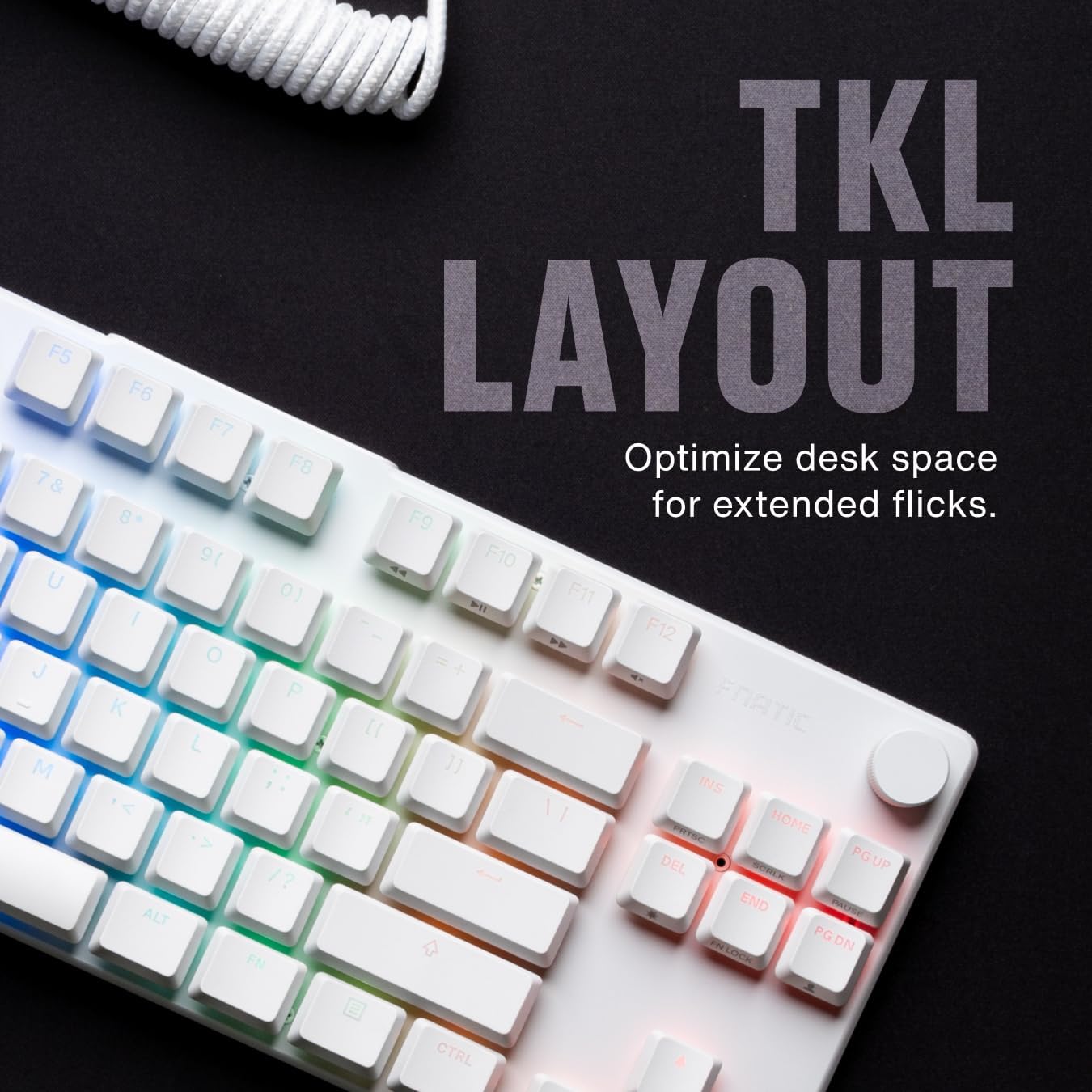
ຮູບພາບ 4.1.1: ຫຼາຍກວ່າview of the Fnatic STREAK80 LP's tenkeyless layout.
The keyboard is designed with a low profile, contributing to an ergonomic typing and gaming experience without requiring a separate wrist rest.
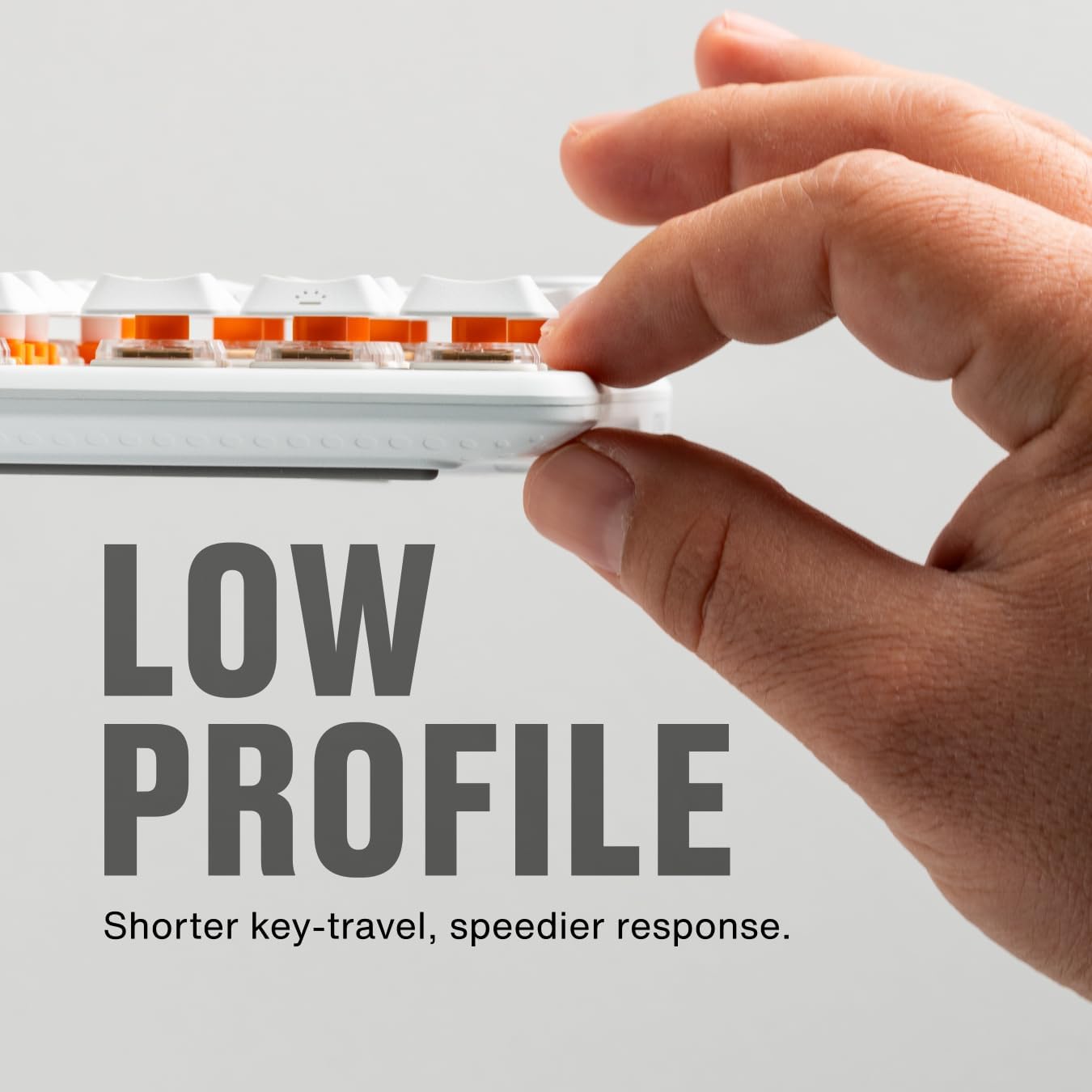
Image 4.1.2: A hand demonstrating the slim, low-profile design of the keyboard.
4.2 ສະວິດ ແລະ ປຸ່ມກົດ
The keyboard is equipped with custom low-profile speed switches, featuring a 1.0mm actuation distance for rapid response. The keycaps are made from premium Doubleshot PBT material, designed to resist oils and shine over time.

Image 4.2.1: Detail of a pre-lubricated stabilizer and switch on the keyboard.

Image 4.2.2: Individual PBT keycaps, highlighting their textured surface.
4.3 ແສງ RGB
The STREAK80 LP features customizable RGB backlighting. The low-profile keycap design enhances the visibility of the vibrant lighting emanating from the switches.

Image 4.3.1: Close-up of the keyboard showcasing ແສງ RGB ສົດຊື່ນຂອງມັນ.
Lighting effects can be adjusted using the Fnatic software or via onboard shortcuts (refer to the software manual for detailed key combinations).
4.4 ການຄວບຄຸມປະລິມານ
A dedicated volume wheel is located on the top right of the keyboard, providing instant control over audio levels. Rotate the wheel to adjust volume up or down, and press it to mute or unmute audio.

Image 4.4.1: A hand operating the volume control wheel on the keyboard.
4.5 Acoustic Optimization
The keyboard incorporates genuine PORON foam to reduce internal case ping and other unwanted acoustic resonances, contributing to a quieter typing experience.
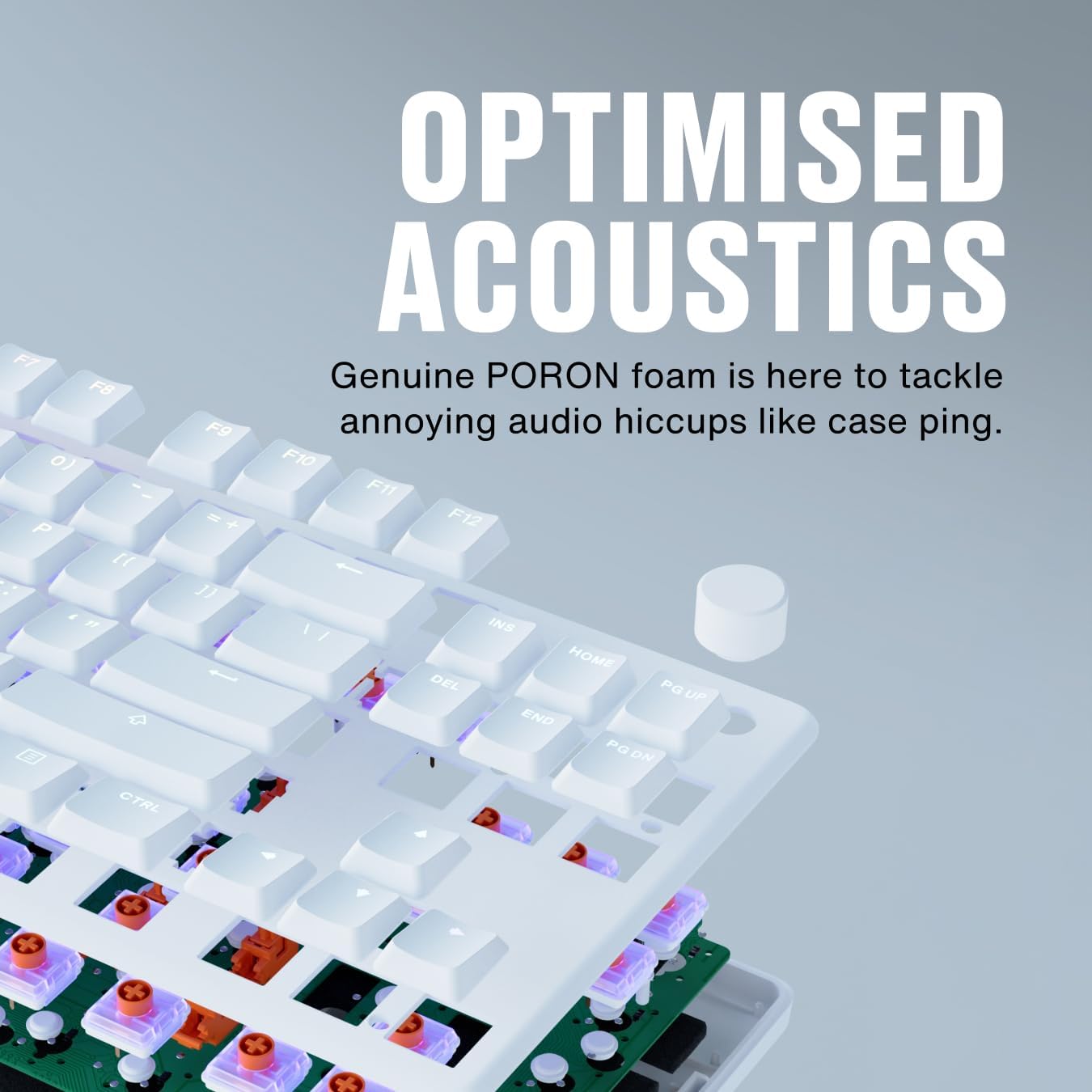
Image 4.5.1: An exploded diagram illustrating the internal components, including the PORON foam for acoustic optimization.
5. ບໍາລຸງຮັກສາ
- ທໍາຄວາມສະອາດ Keycaps: ໃຊ້ອ່ອນ, ງamp cloth to wipe down keycaps. For deeper cleaning, keycaps can be carefully removed using a keycap puller (not included) and cleaned with mild soap and water. Ensure they are completely dry before reattaching.
- ທໍາຄວາມສະອາດຮ່າງກາຍ Keyboard: Use a microfiber cloth to wipe the aluminum top case and plastic base. Avoid abrasive cleaners.
- Removing Dust and Debris: Use compressed air to clear dust and debris from between the keycaps and switches.
- ການດູແລສາຍໄຟ: ຫຼີກເວັ້ນການງໍແຫຼມຫຼືດຶງຫຼາຍເກີນໄປກ່ຽວກັບສາຍ USB ເພື່ອປ້ອງກັນຄວາມເສຍຫາຍ.
6. ການແກ້ໄຂບັນຫາ
- ແປ້ນພິມບໍ່ຕອບສະໜອງ:
- ໃຫ້ແນ່ໃຈວ່າສາຍ USB ໄດ້ເຊື່ອມຕໍ່ຢ່າງປອດໄພກັບທັງແປ້ນພິມ ແລະຄອມພິວເຕີ.
- ລອງເຊື່ອມຕໍ່ແປ້ນພິມກັບພອດ USB ອື່ນໃນຄອມພິວເຕີຂອງທ່ານ.
- ທົດສອບແປ້ນພິມໃນຄອມພິວເຕີເຄື່ອງອື່ນເພື່ອແກ້ໄຂບັນຫາສະເພາະລະບົບ.
- ແສງ RGB ບໍ່ເຮັດວຽກ:
- Check the Fnatic software for lighting settings and ensure they are enabled.
- Verify that no onboard lighting shortcuts have inadvertently turned off the lighting.
- ກະແຈບໍ່ໄດ້ລົງທະບຽນ:
- Ensure no debris is lodged under the affected keycap.
- If using the Fnatic software, check for any remapping that might affect key functionality.
For further assistance, refer to the official Fnatic support resources online.
7. ຂໍ້ມູນຈໍາເພາະ
| ຄຸນສົມບັດ | ລາຍລະອຽດ |
|---|---|
| ຍີ່ຫໍ້ | Fnatic |
| ຕົວແບບ | STREAK80 LP (KB0007-001) |
| ແຜນຜັງ | Tenkeyless (TKL), US ANSI |
| ປະເພດສະຫຼັບ | Pro ຕ່ ຳfile ສະຫຼັບຄວາມໄວ |
| ໄລຍະການດຳເນີນການ | 1.0 ມມ |
| ຄີແຄັບ | PBT ສອງເທົ່າ |
| Backlighting | RGB |
| ອາຄາສຕິກ Dampening | PORON Foam |
| ການເຊື່ອມຕໍ່ | USB-A (wired) |
| ຂະໜາດ (LxWxH) | 13.98 x 5.08 x 1.1 ນິ້ວ (35.5 x 12.9 x 2.8 cm) |
| ນ້ຳໜັກ | 1.29 ປອນ (0.58 ກິໂລ) |
| ອຸປະກອນທີ່ເຂົ້າກັນໄດ້ | ແລັບທັອບ, PC, Mac |
8. ການຮັບປະກັນແລະການສະຫນັບສະຫນູນ
Fnatic products are covered by a manufacturer's warranty. For detailed warranty information, terms, and conditions, please visit the official Fnatic webເວັບໄຊທ໌ຫຼືຕິດຕໍ່ສະຫນັບສະຫນູນລູກຄ້າຂອງພວກເຂົາ.
ສຳລັບການຊ່ວຍເຫຼືອດ້ານເຕັກນິກ, ການດາວໂຫຼດໄດຣເວີ ແລະ ຄຳຖາມທີ່ຖືກຖາມເລື້ອຍໆ, ກະລຸນາເຂົ້າເບິ່ງທີ່: Fnatic Support