
Alfred DB1S-KEY-BL
Alfred DB1S Bluetooth Smart Deadbolt Lock with Key User Manual
Model: DB1S-KEY-BL
ແນະນຳ
This manual provides detailed instructions for the installation, setup, operation, and maintenance of your Alfred DB1S Bluetooth Smart Deadbolt Lock with Key. Please read this manual thoroughly before installation and use to ensure proper function and to prevent damage.
ຂໍ້ມູນຄວາມປອດໄພ
ປະຕິບັດຕາມຄວາມລະມັດລະວັງດ້ານຄວາມປອດໄພຕໍ່ໄປນີ້ເພື່ອປ້ອງກັນການບາດເຈັບຫຼືຄວາມເສຍຫາຍຕໍ່ຜະລິດຕະພັນ:
- ຢ່າພະຍາຍາມຖອດປະກອບ ຫຼືດັດແປງລັອກ. ອັນນີ້ອາດຈະເຮັດໃຫ້ເກີດຄວາມເສຍຫາຍ ແລະ ຍົກເລີກການຮັບປະກັນ.
- Use only the specified battery type (4 AA Alkaline batteries). Do not mix old and new batteries or different types of batteries.
- Keep the keypad clean and dry. Avoid using abrasive cleaners or solvents.
- Ensure the door frame and door are properly aligned and free of obstructions for smooth deadbolt operation.
- Protect your access codes. Do not share them with unauthorized individuals.
- In case of emergency, ensure you have access to the physical key.
ເນື້ອໃນຊຸດ
ກວດສອບວ່າມີສ່ວນປະກອບທັງຫມົດກ່ອນທີ່ຈະເລີ່ມຕົ້ນການຕິດຕັ້ງ.
- Alfred DB1S Exterior Keypad Assembly
- Alfred DB1S Interior Thumbturn Assembly
- Deadbolt Latch
- ແຜ່ນປະທ້ວງ
- ອຸປະກອນຕິດຕັ້ງ (ສະກູ, ນັອດ)
- 2 Physical Keys
- ແບດເຕີຣີ້ Alkaline 4 AA
- Installation Guide / Template

Image: Alfred DB1S exterior keypad assembly, showing the sleek black design with a numeric keypad and key cylinder.

Image: Alfred DB1S interior thumbturn assembly, showing the battery compartment and manual thumbturn.
ການຕິດຕັ້ງ
The Alfred DB1S deadbolt is designed for straightforward installation on most standard doors. Ensure your door preparation meets the required specifications before proceeding.
- ກະກຽມປະຕູ: If replacing an existing deadbolt, remove it. Use the provided template to mark and drill any necessary holes for new installations. Ensure the door bore hole and backset are compatible.
- Install the Deadbolt Latch: Insert the deadbolt latch into the edge of the door. Ensure the "UP" arrow on the latch is facing upwards. Secure with screws.
- Install the Exterior Keypad Assembly: Feed the cable from the exterior assembly through the door bore hole. Align the exterior assembly with the deadbolt latch and secure it to the door.
- Install the Interior Thumbturn Assembly: Connect the cable from the exterior assembly to the interior assembly. Align the interior assembly with the mounting plate and secure it with screws. Ensure the thumbturn operates smoothly.
- ຕິດຕັ້ງ ໝໍ້ ໄຟ: Insert the 4 AA Alkaline batteries into the interior assembly's battery compartment.
- ການປະຕິບັດການທົດສອບ: Manually operate the deadbolt using the thumbturn and the physical key to ensure smooth locking and unlocking.

ຮູບພາບ: ພາຍນອກ view of the Alfred DB1S smart deadbolt installed on a white door, showcasing ການອອກແບບທີ່ທັນສະໄຫມຂອງມັນ.

ຮູບພາບ: ພາຍໃນ view of the Alfred DB1S smart deadbolt installed on a white door, showing the thumbturn and battery cover.
ການຕັ້ງຄ່າແລະການດໍາເນີນໂຄງການ
The Alfred DB1S lock can be configured using the Alfred Home App via Bluetooth.
- Download the Alfred Home App: Download the Alfred Home App from the iOS App Store or Google Play Store.
- Pair the Lock: Follow the in-app instructions to pair your DB1S lock via Bluetooth. Ensure your smartphone's Bluetooth is enabled and you are within range of the lock.
- Create User PIN Codes:
- You can program up to 20 unique PIN codes for different users.
- Codes can be set as permanent, single-use, or time-sensitive for temporary access.
- Manage Digital Bluetooth Keys: The app allows you to create and share unlimited digital Bluetooth keys with family or guests.
- Configure Auto-Relock: Enable and set the auto-relock timer to 30 seconds, 1 minute, 2 minutes, or 3 minutes via the app. This feature automatically locks the door after a set period.
- Enable One-Touch Geofence Unlocking: This feature allows you to unlock the door by simply touching the keypad when your phone is nearby and within a defined geofence (requires Alfred Home App).
- Visual PIN Protection: This feature adds random digits before and after your actual PIN code to prevent others from guessing your code by observing finger smudges.
- Optional Wi-Fi Connectivity (Alfred Connect V2): For remote control and integration with voice assistants like Hey Google and Alexa, purchase and install the Alfred Connect V2 Wi-Fi system (sold separately). Follow the instructions provided with the Alfred Connect V2 for setup.
ຄໍາແນະນໍາການດໍາເນີນງານ
Your Alfred DB1S lock offers multiple ways to lock and unlock your door.
ປົດລັອກປະຕູ
- ການໃຊ້ລະຫັດ PIN:
- ແຕະແປ້ນພິມເພື່ອເປີດໃຊ້ມັນ.
- Enter your 4-10 digit PIN code.
- ກົດ # key. The deadbolt will retract.
- Using the Alfred Home App (Bluetooth):
- Open the Alfred Home App on your smartphone.
- ເລືອກກະແຈຂອງທ່ານ ແລະ ແຕະໄອຄອນປົດລັອກ.
- One-Touch Geofence Unlocking: If enabled, simply touch the keypad when your paired smartphone is within the geofence.
- Using the Physical Key: Insert the key into the key cylinder and turn to unlock.
- From Inside (Thumbturn): Rotate the thumbturn on the interior assembly to unlock the deadbolt.
ລັອກປະຕູ
- Manual Locking (Keypad):
- ແຕະແປ້ນພິມເພື່ອເປີດໃຊ້ມັນ.
- ກົດຄ້າງໄວ້ # key for 2 seconds. The deadbolt will extend.
- ລັອກອັດຕະໂນມັດ: If enabled, the lock will automatically extend the deadbolt after the set time (30s, 1min, 2min, or 3min) once the door is closed.
- Using the Alfred Home App (Bluetooth):
- Open the Alfred Home App on your smartphone.
- Select your lock and tap the lock icon.
- From Inside (Thumbturn): Rotate the thumbturn on the interior assembly to lock the deadbolt.
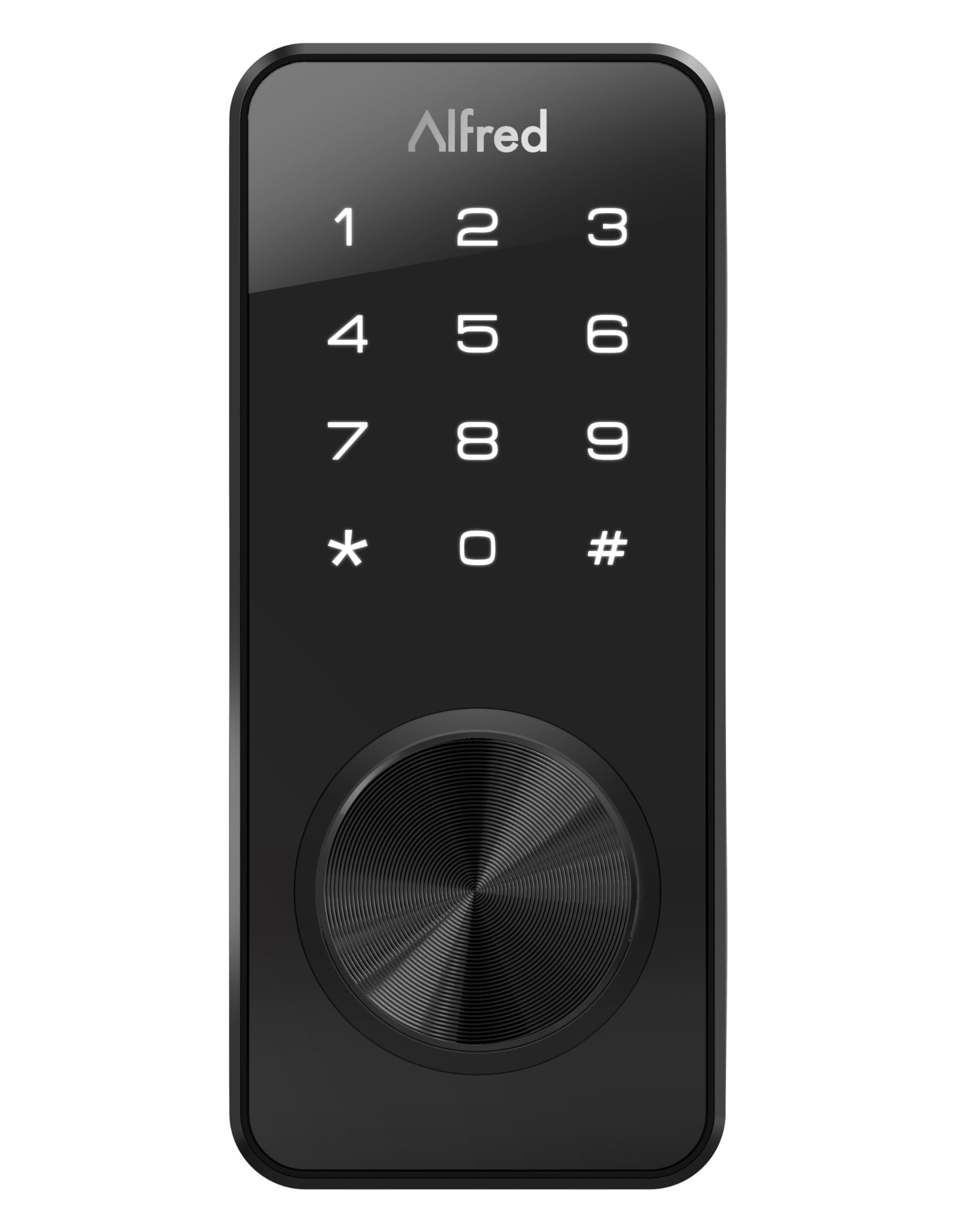
Image: Close-up of the Alfred DB1S exterior keypad, illustrating the numeric input and key cylinder for operation.
ບໍາລຸງຮັກສາ
ການປ່ຽນແບັດ
The Alfred DB1S lock requires 4 AA Alkaline batteries.
- ຄຳເຕືອນແບັດເຕີຣີຕໍ່າ: The lock will alert you when battery levels are low, typically through an indicator light or sound, and via the Alfred Home App.
- ຂັ້ນຕອນການທົດແທນ:
- ເອົາຝາປິດແບດເຕີລີ່ອອກຈາກອຸປະກອນພາຍໃນ.
- ເອົາແບດເຕີຣີເກົ່າອອກແລະຖິ້ມມັນຢ່າງຖືກຕ້ອງ.
- Insert 4 new AA Alkaline batteries, ensuring correct polarity.
- ປ່ຽນຝາປິດຫມໍ້ໄຟ.
- ພະລັງງານສຸກເສີນ: If batteries completely fail, the lock can be temporarily powered via a micro-USB port located on the bottom of the exterior keypad assembly. Connect a standard micro-USB power source (e.g., power bank) to provide temporary power for unlocking.
ທໍາຄວາມສະອາດ
ເຮັດຄວາມສະອາດດ້ານນອກຂອງລັອກດ້ວຍຜ້າອ່ອນ, ງamp cloth. Avoid using harsh chemicals, abrasive cleaners, or solvents, as these can damage the finish and electronic components.
ການແກ້ໄຂບັນຫາ
| ບັນຫາ | ສາເຫດທີ່ເປັນໄປໄດ້ | ການແກ້ໄຂ |
|---|---|---|
| ລັອກບໍ່ຕອບສະໜອງຕໍ່ການປ້ອນປຸ່ມກົດ. | Low or dead batteries. Incorrect PIN code entered. Keypad malfunction. | Replace batteries. Use the micro-USB port for emergency power. Re-enter PIN code carefully. If issue persists, contact support. |
| Bluetooth connection issues with Alfred Home App. | Bluetooth disabled on phone. Phone too far from lock. App not updated. | Ensure Bluetooth is enabled. Move closer to the lock. Update the Alfred Home App. Try re-pairing the lock. |
| Auto-relock feature not working. | Feature disabled in app. Incorrect timer setting. Door sensor issue. | Verify auto-relock is enabled and timer is set in the Alfred Home App. Ensure the door closes completely. |
| Physical key does not work smoothly. | Obstruction in keyway. Lock mechanism misalignment. | Check for debris in the keyway. Ensure the lock is installed correctly and the deadbolt operates freely. Do not force the key. |
| Lock makes unusual noises or feels stiff. | Mechanical issue. Misalignment. | Check for proper alignment of the deadbolt and strike plate. Ensure all screws are tightened. If noises persist, contact support. |
For further assistance, refer to the Alfred Home App's help section or visit the official Alfred support webເວັບໄຊ.
ຂໍ້ມູນຈໍາເພາະ
| ຍີ່ຫໍ້ | ອັນເຟດ |
| ຊື່ຕົວແບບ | DB1S-KEY-BL |
| ປະເພດລັອກ | Deadbolt, Keypad |
| ຄຸນນະສົມບັດພິເສດ | ໜ້າຈໍສຳຜັດ |
| ວັດສະດຸ | ສະແຕນເລດ |
| ສີ | ດຳ |
| ຂະໜາດລາຍການ (L x W x H) | 1.08 x 2.56 x 5.91 ນິ້ວ |
| ນ້ໍາຫນັກລາຍການ | 1.79 ປອນ |
| ການນໍາໃຊ້ທີ່ແນະນໍາ | ການນໍາໃຊ້ທີ່ຢູ່ອາໄສເທົ່ານັ້ນ |
| ອົງປະກອບລວມ | 2 keys, 4 AA Alkaline batteries |
| ປະເພດການຄວບຄຸມ | Alfred Home App |
| ວິທີການຄວບຄຸມ | ແຕະ |
| ອະນຸສັນຍາການເຊື່ອມຕໍ່ | Bluetooth |
| ຕ້ອງໃຊ້ແບັດເຕີຣີ | ແມ່ນແລ້ວ (4 AA ດ່າງ) |
| ຄວາມເຂົ້າກັນໄດ້ຂອງເຮືອນອັດສະລິຍະ | Smart Home Compatible (with optional Alfred Connect V2 for Wi-Fi) |
| UPC | 628341330336 |
| GTIN | 00628341330336 |
ການຮັບປະກັນແລະການສະຫນັບສະຫນູນ
The Alfred DB1S Bluetooth Smart Deadbolt Lock with Key comes with a 1 ປີຮັບປະກັນຜູ້ຜະລິດ.
For technical support, warranty claims, or additional information, please refer to the Alfred Home App or visit the official Alfred support webເວັບໄຊ.
ເອກະສານທີ່ກ່ຽວຂ້ອງ - DB1S-KEY-BL
 |
Alfred DB1S Series Programming Instructions - Smart Lock Setup Guide Comprehensive programming instructions and setup guide for the Alfred DB1S Series smart lock. Learn how to install, program PIN codes, use features like Auto Re-lock and Away Mode, and troubleshoot your Alfred smart lock. |
 |
Alfred DB1 Series Smart Lock Quick Start Guide Concise guide to setting up and operating the Alfred DB1 Series Smart Lock, including PIN code management and locking/unlocking procedures. |
 |
Instructions de programmation pour serrure intelligente Alfred DB1S Guide complet pour la programmation et l'utilisation de la serrure intelligente Alfred DB1S, incluant la gestion des codes PIN, les modes de fonctionnement, le dépannage et les spécifications techniques. |
 |
Alfred DB2S Programming Instructions and User Guide Comprehensive programming instructions and user guide for the Alfred DB2S smart lock, covering setup, operations, settings, and troubleshooting. |
 |
Alfred DB2 Series Smart Home Touchscreen Deadbolt ຄູ່ມືເລີ່ມຕົ້ນດ່ວນ Quick start guide for the Alfred DB2 Series Smart Home Touchscreen Deadbolt, covering installation, app setup, PIN code management, and basic operation. Learn how to set up your smart lock, manage user PINs, and operate the lock. |
 |
Alfred DB1 Series Programming Instructions and User Guide Comprehensive programming instructions and user guide for the Alfred DB1 Series smart lock, covering setup, features, and troubleshooting. Learn how to manage PIN codes, modes, and connectivity. |
Ask a question about this manual
Ask about setup, troubleshooting, compatibility, parts, safety, or missing instructions. Manuals+ will review the question and use this page’s manual context to help answer it.