
ແນະນຳ
The Ledlenser HF4R Core Head Torch is a lightweight, rechargeable LED headlamp designed for various outdoor activities such as camping, hiking, fishing, and running. It provides hands-free illumination with advanced LED technology, including a red light function and a versatile spot-to-flood beam. This manual provides essential information for the safe and effective use of your HF4R Core Head Torch.
ຄໍາແນະນໍາຄວາມປອດໄພ
- ຄວາມປອດໄພຕາ: Do not look directly into the light beam or shine it into the eyes of others. The bright LED light can cause temporary vision impairment.
- ເດັກນ້ອຍ: Keep the head torch out of reach of children. This product is not a toy.
- ຄວາມປອດໄພຫມໍ້ໄຟ: The device contains a rechargeable Lithium-Ion battery. Do not attempt to replace the battery yourself. Do not expose the battery to extreme temperatures, direct sunlight, or fire. Do not short-circuit the battery.
- ການສາກໄຟ: Only use the provided USB-C magnetic charging cable. Ensure the charging port is clean and dry before connecting the cable.
- ຄວາມຕ້ານທານນ້ໍາ: The HF4R Core is IP68 rated for water and dust protection. While it is waterproof, avoid prolonged submersion beyond specified limits. Ensure the charging port cover is securely closed when not charging.
- ບໍາລຸງຮັກສາ: Do not attempt to disassemble or modify the head torch. Refer all servicing to qualified personnel.
ເນື້ອໃນຊຸດ
ກະລຸນາກວດສອບວ່າທຸກລາຍການມີຢູ່ໃນສະພາບທີ່ດີ:
- Ledlenser HF4R Core Head Torch
- ແບດເຕີຣີທີ່ສາມາດສາກໄດ້ແບບປະສົມປະສານ
- ສາຍສາກແມ່ເຫຼັກ USB-C
- ຄູ່ມືຜູ້ໃຊ້
ສິນຄ້າເກີນview
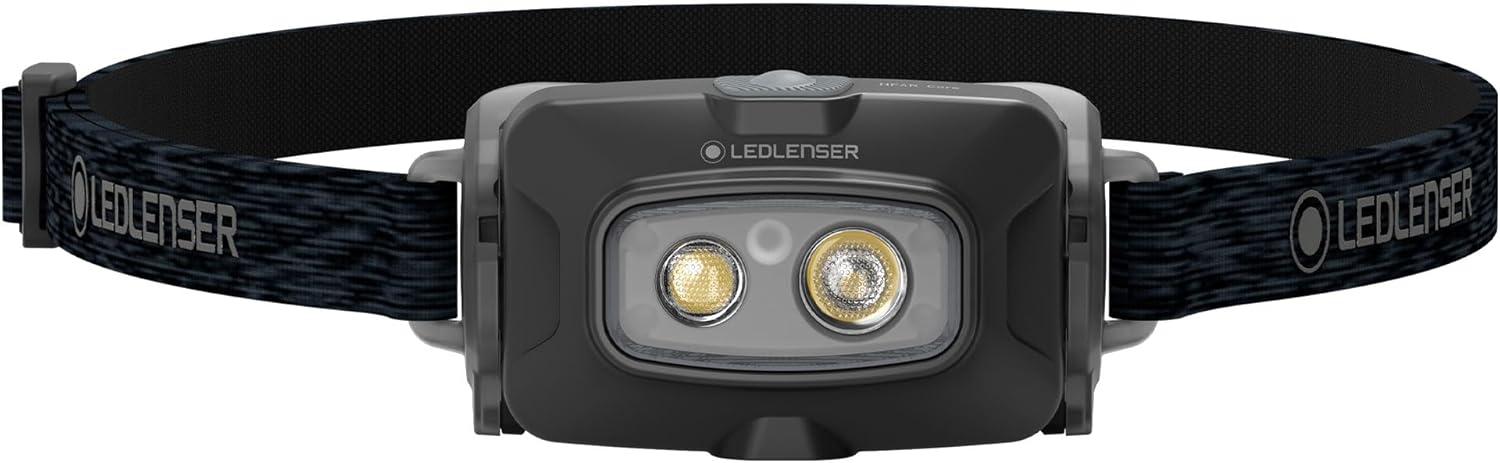
ດ້ານໜ້າ view of the Ledlenser HF4R Core Head Torch, showing the main light and headband.

The HF4R Core is lightweight (72g) and IP68 waterproof, suitable for all weather conditions.
The HF4R Core Head Torch features a compact design with an adjustable headband. It incorporates two white LEDs for versatile lighting and a red LED for preserving night vision. The lamp head can be tilted to direct the light as needed.
ຄຸນນະສົມບັດທີ່ສໍາຄັນ:
- ການອອກແບບນ້ຳໜັກເບົາ: Weighs only 72 grams for enhanced comfort and portability.
- ກັນນໍ້າ (IP68): Provides high-level protection against dust and water ingress, ensuring reliability in all weather conditions.
- ໂໝດແສງຫຼາຍຮູບແບບ: Offers four white light intensity settings (Boost, High Power, Mid Power, Low Power) and a Red Light mode.
- 45° Tilting Lamp ຫົວ: Allows for precise adjustment of the beam direction.
- Spot to Flood Function: Seamless transition between a uniform flood beam for close-range illumination and a sharply focused spot beam for long-range visibility up to 130 meters.
- USB-C Magnetic Charging System: Convenient and quick recharging of the integrated battery.
- ຕົວຊີ້ບອກສະຖານະຫມໍ້ໄຟ: Keeps you informed of the remaining power level.
ຕັ້ງຄ່າ
1. ການສາກແບັດເຕີຣີ

The head torch charging via its USB-C magnetic cable, with the battery status indicator visible.
- Locate the magnetic charging port on the underside of the head torch.
- Connect the USB-C magnetic charging cable to the port. The magnetic connector will snap into place.
- Plug the USB-C end of the cable into a compatible USB power source (e.g., wall adapter, computer USB port).
- The battery status indicator lights will illuminate to show the charging progress. A full charge typically takes approximately 180 minutes.
- Once fully charged, disconnect the cable and ensure the charging port is free of debris.
2. ການປັບສາຍແອວ
The elastic headband is adjustable to ensure a comfortable and secure fit on your head or over a helmet. Simply slide the buckles on the strap to tighten or loosen it until it fits snugly without being too tight.
ຄໍາແນະນໍາການດໍາເນີນງານ
1. ເປີດ/ປິດ
- To turn the head torch ON, press the power button located on the top of the lamp ຫົວ.
- To turn the head torch ປິດ, ກົດປຸ່ມເປີດປິດຄ້າງໄວ້ປະມານ 2 ວິນາທີ.
2. Switching Light Modes
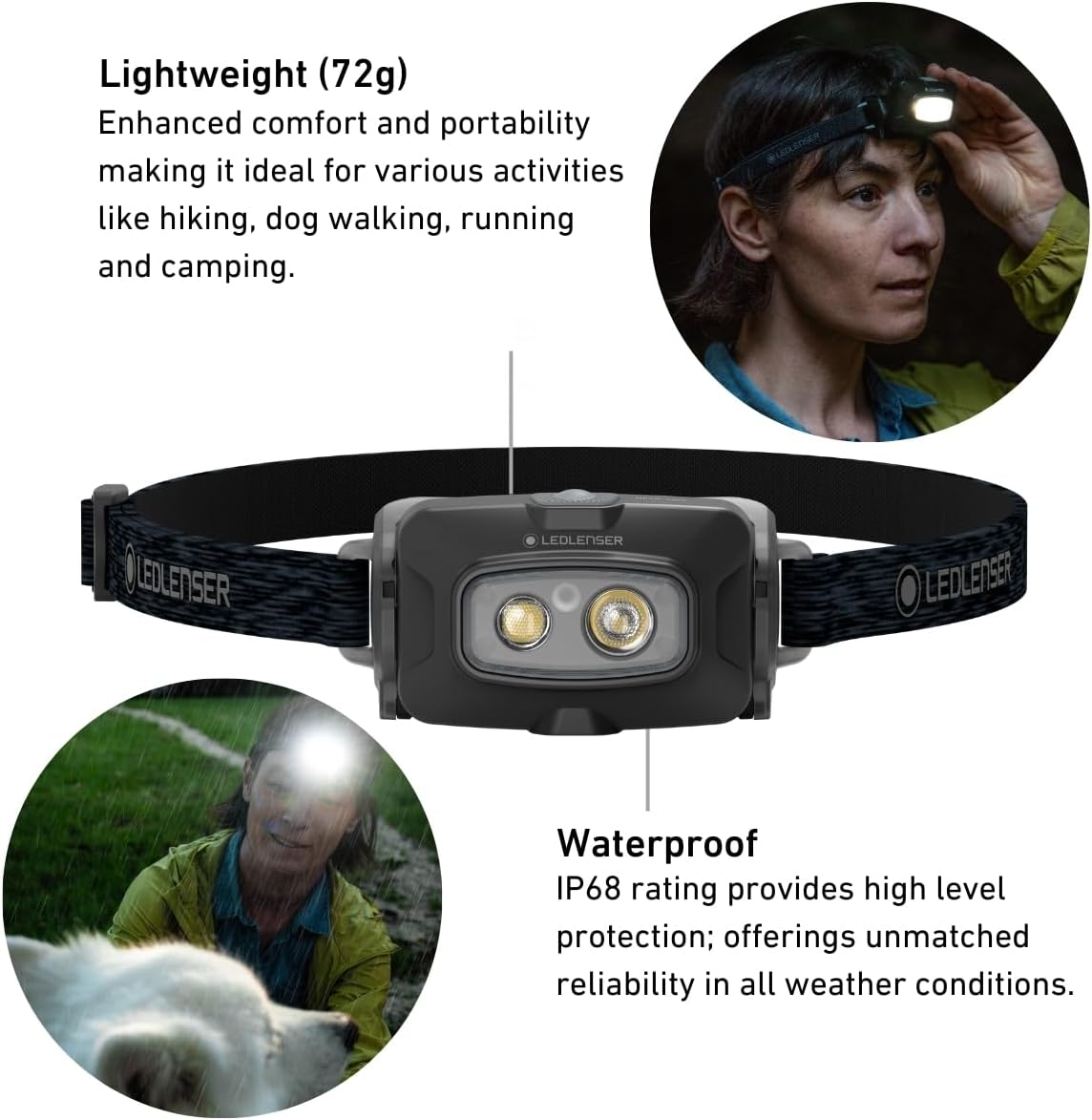
Illustration of the five available light modes and their respective lumen outputs.
With the head torch ON, short press the power button to cycle through the white light modes:
- Low Power (20 lm): Extended battery life, suitable for close-range tasks.
- Mid Power (120 lm): ຄວາມສະຫວ່າງທີ່ສົມດຸນສຳລັບການນຳໃຊ້ທົ່ວໄປ.
- High Power (300 lm): Strong illumination for demanding tasks.
- Boost (500 lm): Maximum brightness for a short burst, activated by a quick double-press of the power button. The light will return to the previous mode after a few seconds.
3. Activating Red Light

Using the red light mode to preserve night vision, ideal for camping ຫຼື stargazing.
To activate the red light mode:
- From the OFF state, press and hold the power button for approximately 1 second until the red light illuminates.
- To switch back to white light or turn off, press the power button again.
4. Tilting the Lamp ຫົວ
ທamp head can be tilted up to 45 degrees downwards. Gently push the lamp head to adjust its angle, directing the light precisely where it is needed.
5. Spot to Flood Function

The head torch offers an easy transition between a wide flood beam and a focused spot beam.
The HF4R Core automatically adjusts its beam pattern to provide either a wide floodlight for close-up tasks or a focused spot beam for distance illumination. This function is integrated into the light modes, optimizing the light distribution for your activity.
ບໍາລຸງຮັກສາ
1. ທໍາຄວາມສະອາດ
- Wipe the head torch with a soft, damp ຜ້າເພື່ອເອົາຝຸ່ນແລະສິ່ງເສດເຫຼືອ.
- Do not use abrasive cleaners or solvents, as these can damage the housing or lens.
- ກວດໃຫ້ແນ່ໃຈວ່າຊ່ອງສາກໄຟສະອາດ ແລະແຫ້ງກ່ອນສາກໄຟ.
2. ການເກັບຮັກສາ
- Store the head torch in a cool, dry place away from direct sunlight and extreme temperatures.
- For long-term storage, it is recommended to charge the battery to approximately 50% every few months to maintain battery health.
ການແກ້ໄຂບັນຫາ
| ບັນຫາ | ສາເຫດທີ່ເປັນໄປໄດ້ | ການແກ້ໄຂ |
|---|---|---|
| Head torch does not turn on. | ແບັດເຕີຣີໝົດ. | Recharge the battery using the provided USB-C magnetic charging cable. |
| ແສງສະຫວ່າງອ່ອນໆຫຼື flickers. | ລະດັບແບັດເຕີຣີຕໍ່າ. | ສາກແບັດເຕີຣີຄືນໃໝ່. |
| Head torch does not charge. | Charging cable not properly connected or faulty. Charging port is dirty. | Ensure the magnetic charging cable is securely connected. Try a different USB power source. Clean the charging port gently with a dry cotton swab. |
| Red light does not activate. | Incorrect activation sequence. | Ensure the head torch is OFF, then press and hold the power button for approximately 1 second. |
ຂໍ້ມູນຈໍາເພາະ
| ຄຸນສົມບັດ | ລາຍລະອຽດ |
|---|---|
| ຍີ່ຫໍ້ | Ledlenser |
| ຕົວແບບ | ຫຼັກ HF4R |
| ເລກສ່ວນ | 502790 |
| ຜົນຜະລິດແສງສະຫວ່າງ (ສູງສຸດ) | 500 Lumens (Boost Mode) |
| ປະເພດແຫຼ່ງແສງ | LED |
| ແຫຼ່ງພະລັງງານ | ແບັດເຕີຣີ Lithium-Ion ສາມາດສາກໄດ້ |
| ອາຍຸແບັດເຕີຣີ (ສູງສຸດ) | Up to 35 hours (Low Power Mode) |
| ເວລາສາກໄຟ | ປະມານ. 180 ນາທີ |
| ນ້ຳໜັກ | 72 ກຣາມ (2.54 ອອນສ໌) |
| ການຕໍ່ຕ້ານນ້ໍາ | IP68 (ກັນນໍ້າ ແລະກັນຝຸ່ນ) |
| ວັດສະດຸ | ອາລູມີນຽມ |
| ຂະ ໜາດ (D x W x H) | 1.65" x 1.65" x 1.65" |
| ຄຸນນະສົມບັດພິເສດ | Adjustable Light Modes, Red Light, Lightweight, Rechargeable, Weatherproof, Tilting Head |
ຮັບປະກັນ
The Ledlenser HF4R Core Head Torch comes with a ການຮັບປະກັນຂອງຜູ້ຜະລິດ 7 ປີ. This warranty covers defects in manufacturing. To ensure your warranty is registered and valid, please refer to the official Ledlenser website or contact customer support for details on product registration.
ສະຫນັບສະຫນູນ
For further assistance, technical support, or warranty claims, please visit the official Ledlenser website or contact their customer service department. You can find more information and support resources by visiting the Ledlenser Store on Amazon.