
GP GPRCPCHP461D464
ຄູ່ມືຜູ້ໃຊ້ GP RECYKO Pro P461 USB Charger ແລະ D461 Charging Dock
Model: GPRCPCHP461D464
ແນະນຳ
This manual provides comprehensive instructions for the safe and efficient use of your GP RECYKO Pro P461 USB Charger and D461 Charging Dock. Please read this manual thoroughly before operation and retain it for future reference.

Figure 1: GP RECYKO Pro P461 USB Charger inserted into the D461 Docking Station.
ຂໍ້ມູນຄວາມປອດໄພທີ່ສໍາຄັນ
ເພື່ອຮັບປະກັນການດໍາເນີນງານທີ່ປອດໄພແລະປ້ອງກັນຄວາມເສຍຫາຍ, ໃຫ້ສັງເກດເບິ່ງຄວາມລະມັດລະວັງຕໍ່ໄປນີ້:
- Use only with NiMH rechargeable batteries. Do not attempt to charge disposable batteries.
- Ensure correct battery polarity when inserting batteries into the charger.
- ຫ້າມຖອດອອກ, ດັດແປງ ຫຼື ລັດວົງຈອນເຄື່ອງສາກ ຫຼື ແບັດເຕີຣີ.
- Avoid exposing the charger to water, moisture, or extreme temperatures.
- ຮັກສາໃຫ້ໄກຈາກເດັກນ້ອຍ.
- ຖອດປລັກເຄື່ອງສາກອອກຈາກແຫຼ່ງພະລັງງານເມື່ອບໍ່ໄດ້ໃຊ້ງານ ຫຼື ໃນລະຫວ່າງການທຳຄວາມສະອາດ.
- The charger features automatic power shutdown, dV full charge detection, and temperature shutdown to prevent overcharge, overvoltage, ແລະວົງຈອນສັ້ນ.
- If defective or disposable batteries are inserted, a red LED will flash quickly. Remove immediately.
ເນື້ອໃນຊຸດ
ກວດສອບວ່າລາຍການທັງຫມົດແມ່ນມີຢູ່ໃນຊຸດຂອງທ່ານ:
- 1 x GP P461 USB Charger
- 4 x GP ReCyko PRO AA Batteries (2000 mAh)
- 1 x GP D461 Docking Station
- 1 x ສາຍສາກ USB

Figure 2: Included components: P461 charger, D461 docking station, 4 AA batteries, and USB cable.
ສິນຄ້າເກີນview
GP RECYKO Pro P461 USB Charger
The P461 is a 4-slot USB charger designed for NiMH AA and AAA batteries. It features individual charging channels, smart safety functions, and LED indicators for charging status.
GP RECYKO Pro D461 Docking Station
The D461 docking station enhances the P461 charger by providing a vertical charging concept, an LCD display for detailed battery information, and advanced battery analysis functions such as capacity checking and recovery. It is compatible with GP RECYKO chargers B421, M451, and P461.

ຮູບ 3: ດ້ານຫລັງ view of the P461 charger, showing input (DC 5V=2A) and output specifications for AA and AAA batteries.
ຕັ້ງຄ່າ
- Connect the Docking Station (Optional): If using the D461 docking station, connect the provided USB charging cable to the USB input port on the D461 and then to a compatible USB power adapter (DC 5V/2A recommended, not included).
- Insert the P461 Charger: Place the P461 USB Charger into the D461 Docking Station. The vertical design ensures a secure fit.
- Connect the P461 Charger Directly (Alternative): If not using the docking station, connect the USB charging cable directly to the P461 charger's USB input port and then to a compatible USB power adapter.
- ເປີດ: Once connected, the charger/dock will power on. The green LED on the P461 charger will flash for 0.5 seconds and then turn off, indicating it's ready.
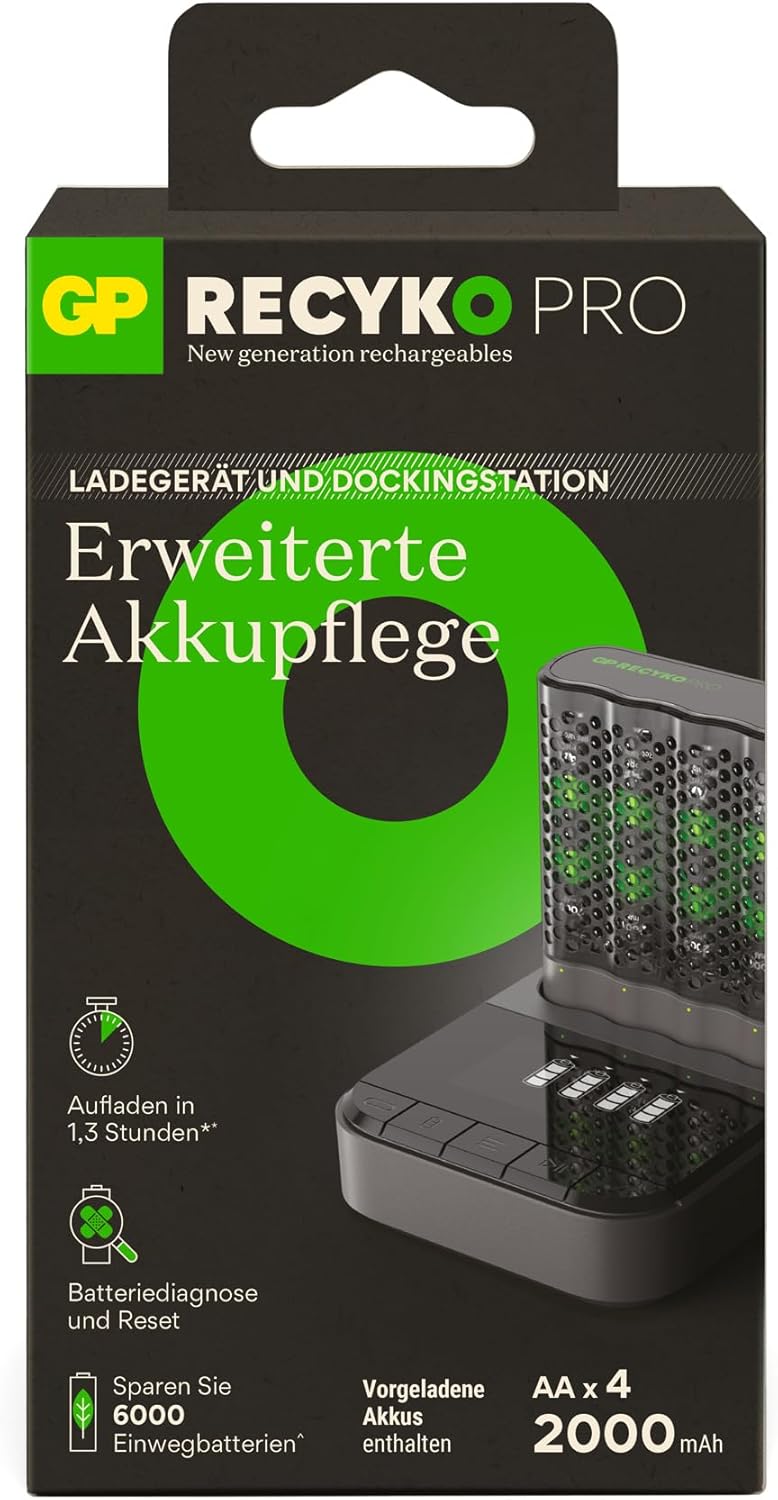
Figure 4: The vertical charging concept of the P461 charger within the D461 docking station, designed for space-saving.
Operating the P461 USB Charger
ການໃສ່ແບັດເຕີລີ
Insert 1 to 4 AA or AAA NiMH rechargeable batteries into the charging slots, ensuring correct polarity (+/-). The charger can accommodate both AA and AAA battery sizes simultaneously.
ຕົວຊີ້ວັດ LED
- ເປີດ: Green LED flashes 0.5s and turns off.
- ການສາກໄຟ: LED ສີຂຽວກະພິບຊ້າໆ.
- ສາກເຕັມ: Green LED lights solid.
- Defective/Disposable Batteries: Red LED flashes quickly. Remove the battery immediately.
Charging Times (Approximate)
(Input DC 5.0V 2A min, for 2 batteries)
- 2000 mAh AA battery: Approximately 80 minutes
- 800 mAh AAA battery: Approximately 80 minutes
For 4 x 2000mAh AA batteries, charging takes approximately 2.6 hours.
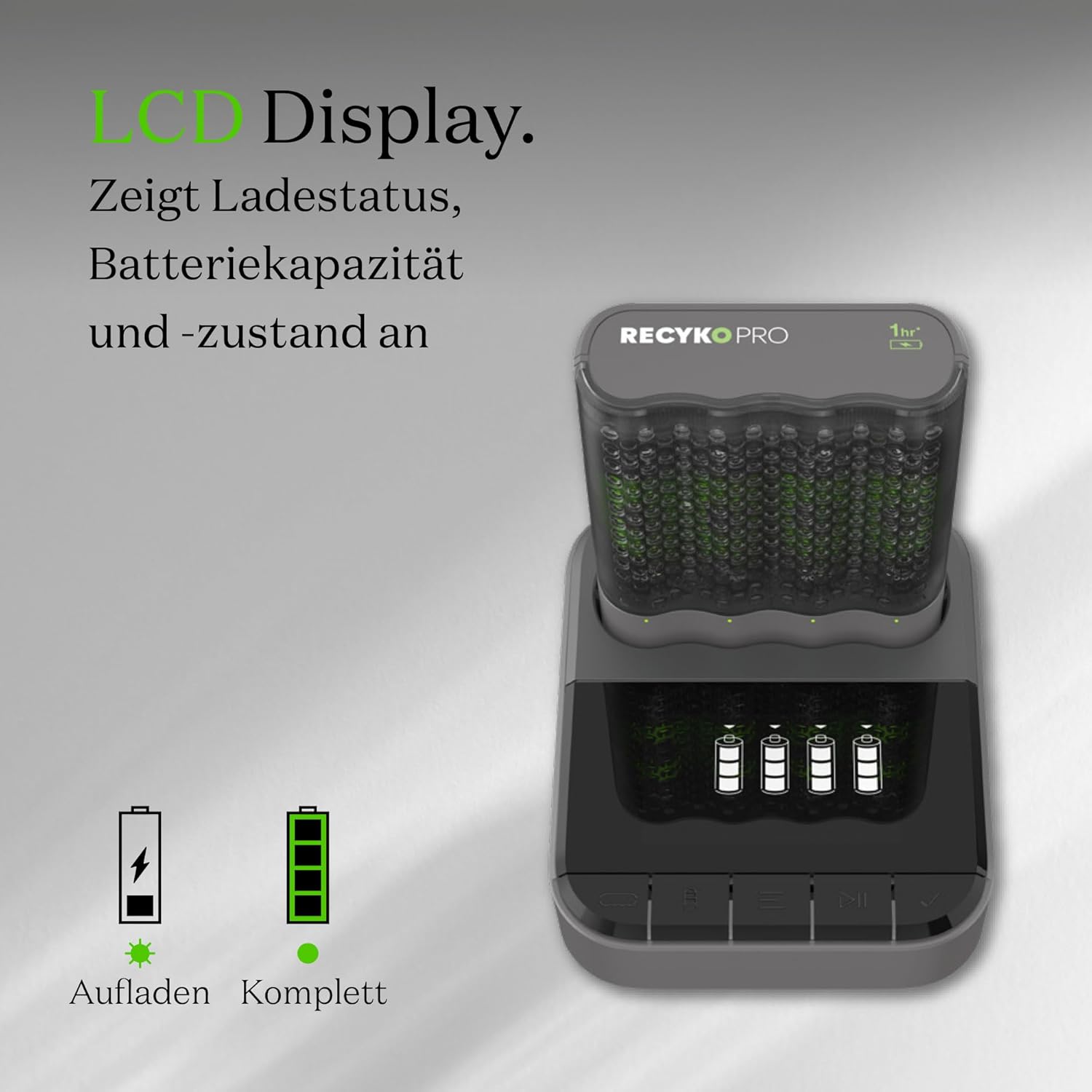
Figure 5: The GP RECYKO Pro charger provides fast charging, enabling quick readiness for devices like RC cars. *For 2 Recyko AA 2100mAh batteries.
Operating the D461 Docking Station
When the P461 charger is inserted into the D461 docking station, the LCD display on the dock provides enhanced information and control.
ຟັງຊັນ LCD
The LCD display shows the charging status and battery status for each individual battery. It also alerts if disposable or defective batteries have been inserted.

Figure 6: The D461's LCD display indicates charging status, battery capacity, and overall battery condition.
Advanced Battery Analysis
The D461 docking station offers advanced functions for individual batteries:
- ກວດສອບຄວາມອາດສາມາດ: Verify the full and remaining capacity of your batteries.
- Battery Recovery/Conditioning: Restore and improve the condition of older or worn batteries.

Figure 7: The D461 allows for checking both full and remaining battery capacity.

Figure 8: The D461 offers battery conditioning and capacity restoration features.
ໂໝດສາກ
The D461 docking station provides two charging modes:
- ການສາກໄວ: Charges batteries quickly (e.g., 1.3 hours for certain battery types).
- ໂໝດ Eco: A slower charging mode (e.g., 4 hours) which can be beneficial for battery longevity.
ບໍາລຸງຮັກສາ
- ທໍາຄວາມສະອາດ: Disconnect the charger and dock from power. Use a dry, soft cloth to wipe the surfaces. Do not use abrasive cleaners or solvents.
- ການເກັບຮັກສາ: Store the charger, dock, and batteries in a cool, dry place away from direct sunlight and extreme temperatures. The P461 charger's sturdy case can serve as a battery holder for safe storage.
- ການດູແລຫມໍ້ໄຟ: For optimal performance and longevity, fully charge new batteries before first use. Avoid completely discharging batteries frequently.
ການແກ້ໄຂບັນຫາ
| ບັນຫາ | ສາເຫດທີ່ເປັນໄປໄດ້ | ການແກ້ໄຂ |
|---|---|---|
| ໄຟ LED ຂອງເຄື່ອງສາກໄຟບໍ່ສະຫວ່າງ. | ບໍ່ມີການເຊື່ອມຕໍ່ໄຟຟ້າ. | Ensure the USB cable is securely connected to both the charger/dock and a powered USB adapter. Check the power source. |
| Red LED flashes quickly. | Defective or disposable battery inserted. | Remove the battery immediately. Only charge NiMH rechargeable batteries. |
| Batteries not charging or charging slowly. | Incorrect battery insertion, low power input, or very old/damaged batteries. | Check battery polarity. Ensure USB power adapter provides DC 5V/2A. Try the battery recovery function on the D461 dock if available. Replace very old batteries. |
| D461 LCD display not working. | P461 charger not properly seated in the dock, or dock not powered. | Ensure the P461 charger is fully inserted into the D461 dock. Check the USB power connection to the D461. |
ຂໍ້ມູນຈໍາເພາະ
GP RECYKO Pro P461 USB Charger
- ຂະໜາດ: ປະມານ. 68 (L) x 84 (W) x 26 (H) ມມ
- ນ້ຳໜັກ: ປະມານ. 62g
- Number of Slots/Channels: ໑໐/໑໔໕
- ພະລັງງານປ້ອນຂໍ້ມູນ USB: ຊິງຕັນດີຊີ 5.0V / 2A
- ຜົນໄດ້ຮັບ Voltage/Charging Current (AA): DC 1.4V / 1.73A (1-2 batteries), DC 1.4V / 0.87A (3-4 batteries)
- ຜົນໄດ້ຮັບ Voltage/Charging Current (AAA): DC 1.4V / 0.7A (1-2 batteries), DC 1.4V / 0.35A (3-4 batteries)
- ຄຸນນະສົມບັດຄວາມປອດໄພ: Timer shutdown (3 hours), dV full charge detection, Temperature interruption, Primary battery protection, Reverse polarity protection.
GP RECYKO Pro D461 Docking Station
- ຂະໜາດ: ປະມານ. 100.5 (L) x 82 (W) x 27 (H) ມມ
- ນ້ຳໜັກ: ປະມານ. 100.5g
- ພະລັງງານປ້ອນຂໍ້ມູນ USB: ຊິງຕັນດີຊີ 5.0V / 2A
- ຜົນໄດ້ຮັບ Voltage/Charging Current: ຊິງຕັນດີຊີ 5V / 2.1A
- ຈໍ LCD: 26 x 46 ມມ
- ຄຸນນະສົມບັດຄວາມປອດໄພ: Timer shutdown (6 hours), Full load detection, Temperature shutdown.
- ເຄື່ອງສາກທີ່ເຂົ້າກັນໄດ້: B421, M451, P461 (4-slot USB chargers)
GP RECYKO PRO AA Batteries (2000mAh)
- ປະເພດ: NiMH
- ຄວາມອາດສາມາດ: 2000 mAh
- ຂະໜາດ: AA

Figure 9: The charger and dock incorporate automatic power shutdown to prevent overcharging, overvoltage, and short circuits, ensuring safe operation.
ການຮັບປະກັນແລະການສະຫນັບສະຫນູນ
For warranty information, technical support, or service inquiries, please refer to the official GP Batteries webເວັບໄຊ ຫຼືຕິດຕໍ່ພະແນກບໍລິການລູກຄ້າຂອງເຂົາເຈົ້າ. ຮັກສາໃບຮັບເງິນການຊື້ຂອງທ່ານໄວ້ເປັນຫຼັກຖານການຊື້.
ຜູ້ຜະລິດ: GP Battery
Webເວັບໄຊ: www.gpbatteries.com
Ask a question about this manual
Ask about setup, troubleshooting, compatibility, parts, safety, or missing instructions. Manuals+ will review the question and use this page’s manual context to help answer it.