
1. ບົດແນະນຳ
This manual provides essential instructions for setting up and operating your Luoran M4B MP3 Player. Please read this guide thoroughly to ensure proper use and to maximize your device's capabilities. The Luoran M4B is a portable media player designed for music, video, and app playback, featuring a 4.0-inch IPS display, Bluetooth, and Wi-Fi connectivity.
2. ເນື້ອໃນຊຸດ
ກວດສອບວ່າລາຍການທັງຫມົດແມ່ນມີຢູ່ໃນຊຸດຂອງທ່ານ:
- Luoran M4B MP3 Player
- ສາຍ USB-C
- ຄູ່ມືຜູ້ໃຊ້ (ເອກະສານນີ້)
3. ອຸປະກອນເກີນview

ຮູບ 3.1: ດ້ານຫນ້າແລະດ້ານຫລັງ view of the Luoran M4B MP3 Player, highlighting its 4.0-inch IPS display and metal frame with tempered glass back.
3.1. ປຸ່ມທາງດ້ານຮ່າງກາຍ ແລະພອດ
- ປຸ່ມເປີດປິດ: Located on the side, used to turn the device on/off and wake/sleep the screen.
- ປຸ່ມລະດັບສຽງ (+/-): Located on the side, used to adjust audio volume.
- ຜອດ USB-C: ຕັ້ງຢູ່ດ້ານລຸ່ມ, ໃຊ້ສໍາລັບການສາກໄຟແລະການໂອນຂໍ້ມູນ.
- Jack ຫູຟັງ 3.5 ມມ: ຕັ້ງຢູ່ທາງລຸ່ມ, ສຳລັບເຊື່ອມຕໍ່ຫູຟັງແບບມີສາຍ.
- ຊ່ອງໃສ່ Micro SD Card: Located on the side, for expanding storage.
4. ການເລີ່ມຕົ້ນ
4.1. ການສາກອຸປະກອນ
Before first use, fully charge the MP3 player. Connect the provided USB-C cable to the device's USB-C port and the other end to a compatible USB power adapter (not included) or a computer's USB port. The charging indicator will show the charging status.
4.2. ເປີດ / ປິດພະລັງງານ
- ເພື່ອເປີດເຄື່ອງ: ກົດປຸ່ມເປີດປິດຄ້າງໄວ້ຈົນກ່ວາ ໜ້າ ຈໍຈະແຈ້ງຂຶ້ນ.
- ປິດເຄື່ອງ: ກົດປຸ່ມເປີດ/ປິດຄ້າງໄວ້, ຈາກນັ້ນເລືອກ 'ປິດເຄື່ອງ' ຈາກຕົວເລືອກຕ່າງໆໃນໜ້າຈໍ.
- ນອນ/ຕື່ນ: ກົດປຸ່ມເປີດ/ປິດໄວໆເພື່ອປິດ ຫຼື ເປີດໜ້າຈໍ.
5. ການດໍາເນີນງານພື້ນຖານ
5.1. ການນຳທາງໜ້າຈໍສຳຜັດ
The Luoran M4B features a full touchscreen for navigation. Swipe left, right, up, or down to browse menus and content. Tap icons to open applications or select options.
5.2. ການເຊື່ອມຕໍ່ Wi-Fi
To access online features and apps, connect your device to a Wi-Fi network:
- ໄປທີ່ ການຕັ້ງຄ່າ.
- ເລືອກ ເຄືອຂ່າຍ ແລະອິນເຕີເນັດ.
- ເປີດ Wi-Fi.
- ເລືອກເຄືອຂ່າຍ Wi-Fi ທີ່ທ່ານຕ້ອງການຈາກບັນຊີລາຍຊື່.
- ໃສ່ລະຫັດຜ່ານຖ້າຖືກເຕືອນແລະແຕະ ເຊື່ອມຕໍ່.
5.3. ການເຊື່ອມຕໍ່ຜ່ານ Bluetooth
Pair your MP3 player with Bluetooth headphones, speakers, or car stereos:
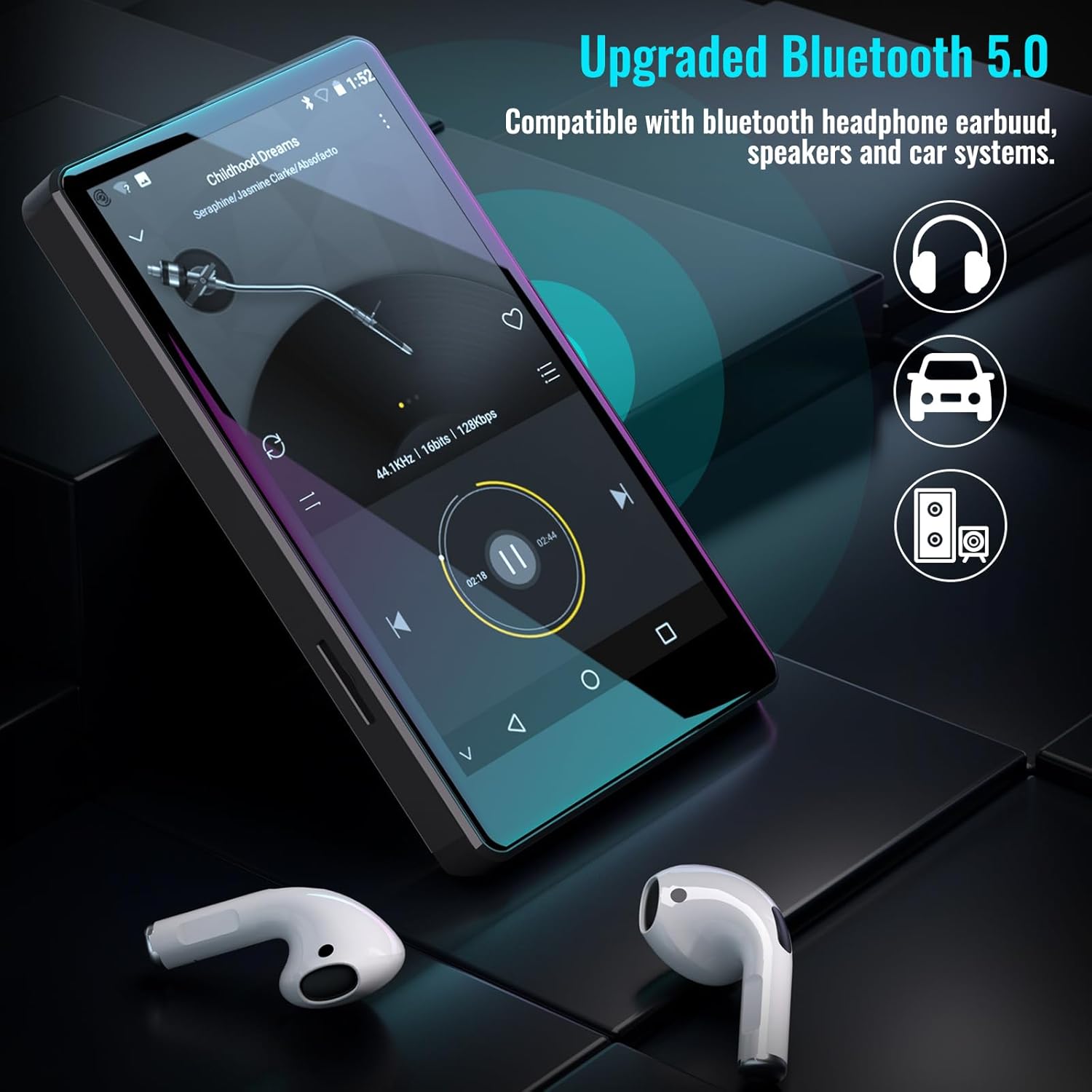
Figure 5.1: The Luoran M4B MP3 Player supports Bluetooth 5.0 for connecting to various audio devices.
- ໄປທີ່ ການຕັ້ງຄ່າ.
- ເລືອກ ອຸປະກອນທີ່ເຊື່ອມຕໍ່.
- ເປີດ Bluetooth.
- ກວດໃຫ້ແນ່ໃຈວ່າອຸປະກອນເສີມ Bluetooth ຂອງທ່ານຢູ່ໃນໂໝດຈັບຄູ່.
- Select the accessory from the list of available devices to pair.
6. Music and Media Playback
6.1. Supported Music Formats
The device supports a wide range of audio formats, including MP3, WAV, FLAC, APE, OGG, M4A, AAC, WMA, and MP2.
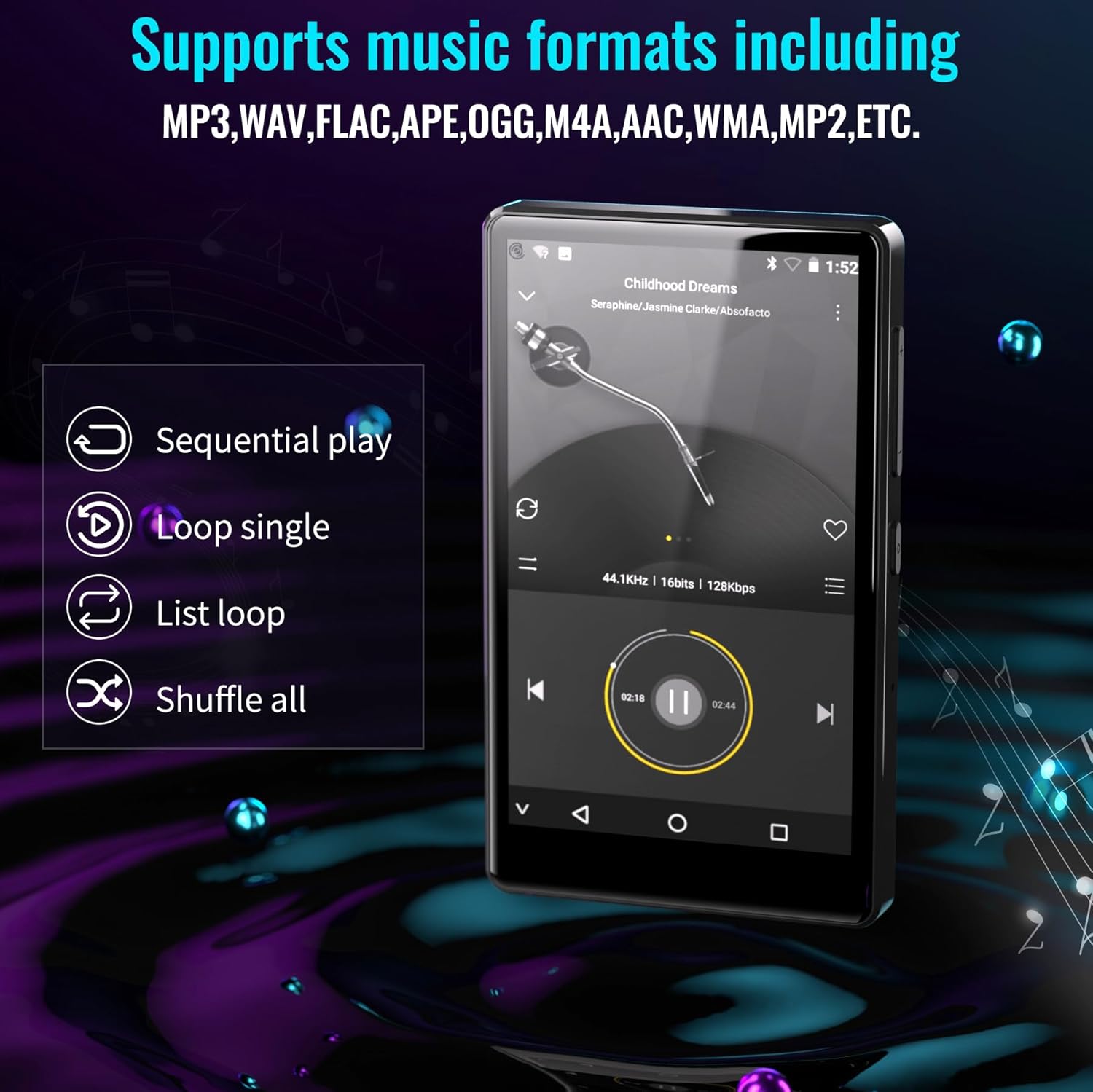
Figure 6.1: The MP3 player's interface showing various playback options and supported music formats.
6.2. Using Pre-installed Applications
The Luoran M4B comes with several popular music and media applications pre-installed, such as Spotify, Spotify Kids, Amazon Music, Audible, and HiBy Music. Access these apps from the home screen to stream or play your content.
6.3. ບ່ອນເກັບຂໍ້ມູນທີ່ສາມາດຂະຫຍາຍໄດ້
The device has an internal storage capacity of 8GB. You can expand the storage up to 256GB using a Micro SD card (SDXC, SDHC compatible). Insert the Micro SD card into the dedicated slot on the side of the device.

Figure 6.2: Inserting a Micro SD card to expand the device's memory up to 256GB.
7. ຄຸນສົມບັດເພີ່ມເຕີມ
7.1. Web ຕົວທ່ອງເວັບ
A web browser is included for internet access. This browser can be removed if desired, offering a level of content control.

Figure 7.1: The option to uninstall the web browser for content management.
7.2. ວິທະຍຸ FM
The device includes an FM radio function, allowing you to listen to local radio stations. It may also support recording FM broadcasts.

Figure 7.2: The FM Radio interface on the device.
7.3. Ebook Reader
An Ebook application is available for reading digital books directly on the device's screen.

Figure 7.3: The device's interface for audiobooks or ebooks.
8. ບໍາລຸງຮັກສາ
8.1. ທໍາຄວາມສະອາດ
ໃຊ້ຜ້າອ່ອນ, ແຫ້ງ, ແລະ ບໍ່ມີຂົນເພື່ອທຳຄວາມສະອາດອຸປະກອນ. ຫຼີກລ່ຽງການໃຊ້ນໍ້າຢາທຳຄວາມສະອາດທີ່ມີສານຂັດ ຫຼື ສານລະລາຍ.
8.2. ການດູແລຫມໍ້ໄຟ
To prolong battery life, avoid exposing the device to extreme temperatures. Charge the device regularly, but avoid leaving it fully charged or fully discharged for extended periods.
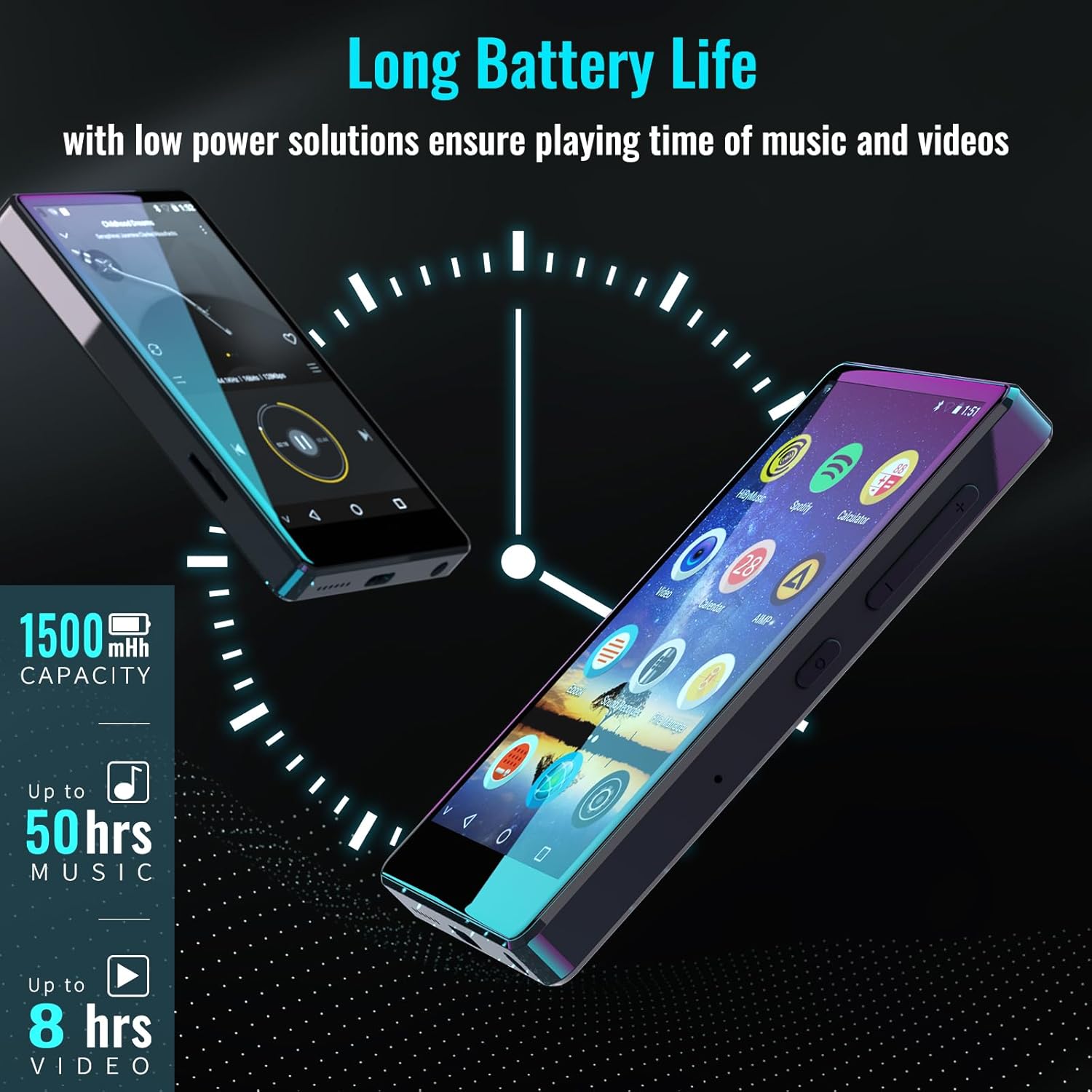
Figure 8.1: The device features a 1500mAh battery, providing up to 50 hours of music playback or 8 hours of video playback.
9. ການແກ້ໄຂບັນຫາ
9.1. ອຸປະກອນບໍ່ເປີດ
- Ensure the device is sufficiently charged. Connect it to a power source for at least 30 minutes.
- ກົດປຸ່ມເປີດປິດຄ້າງໄວ້ 10-15 ວິນາທີເພື່ອເປີດປິດເປີດຄືນໃໝ່.
9.2. Cannot Connect to Wi-Fi/Bluetooth
- Verify that Wi-Fi/Bluetooth is enabled in Settings.
- Ensure you are within range of the network/device.
- Check that the Wi-Fi password is correct.
- For Bluetooth, ensure the accessory is in pairing mode.
9.3. App Issues or Missing Apps
If you encounter issues with pre-installed applications or need to install/upgrade specific apps, please contact the Luoran Team for assistance. They can provide APK files ແລະຂັ້ນຕອນການຕິດຕັ້ງ.
10. ຂໍ້ມູນຈໍາເພາະ
| ຍີ່ຫໍ້ | ລູຣານ |
| ຊື່ຕົວແບບ | M4B-C-BLK |
| ເຕັກໂນໂລຊີການເຊື່ອມຕໍ່ | Bluetooth, WiFi |
| ຄວາມອາດສາມາດເກັບຮັກສາຫນ່ວຍຄວາມຈໍາ | 8 GB (ສາມາດຂະຫຍາຍໄດ້ເຖິງ 256GB ຜ່ານ Micro SD) |
| ຂະໜາດໜ້າຈໍ | 4 ນິ້ວ |
| ອຸປະກອນທີ່ເຂົ້າກັນໄດ້ | ຫູຟັງ, ລຳ ໂພງ |
| ປະເພດສື່ທີ່ຮອງຮັບ | ກາດຫນ່ວຍຄວາມຈໍາ |
| ເຕັກໂນໂລຊີການສະແດງ | LED |
| ມາດຕະຖານສຽງທີ່ຮອງຮັບ | MP3, WAV, FLAC, APE, M4A, AAC, WMA, MP2, etc. |
| ຊີວິດສະເລ່ຍຂອງຫມໍ້ໄຟ | 50 Hours (music playback) |
| ຂະໜາດລາຍການ (D x W x H) | 0.4"D x 2.4"W x 4.2"H |
| UPC | 747783656344 |
11. ການຮັບປະກັນແລະການສະຫນັບສະຫນູນ
The Luoran M4B MP3 Player comes with a ຮັບປະກັນ 12 ເດືອນ. For technical support, warranty claims, or assistance with app installation/upgrades, please contact the Luoran Team directly. Contact information can typically be found on the manufacturer's webເວັບໄຊທ໌ຫຼືຜ່ານເວທີການຊື້ຂອງທ່ານ.