
ແນະນຳ
This manual provides detailed instructions for the operation and maintenance of your Cuifati Portable Cassette Player with Auto Reverse. Please read this manual thoroughly before using the device to ensure proper functionality and to maximize your listening experience.
ເນື້ອໃນຊຸດ
ກວດສອບວ່າລາຍການທັງຫມົດທີ່ລະບຸໄວ້ຂ້າງລຸ່ມນີ້ແມ່ນລວມຢູ່ໃນຊຸດຂອງທ່ານ:
- 1 x Cuifati Portable Cassette Player
- 1 x ຫູຟັງ
- 1 x ສາຍໄຟ USB
- 1 x ຄູ່ມືຜູ້ໃຊ້
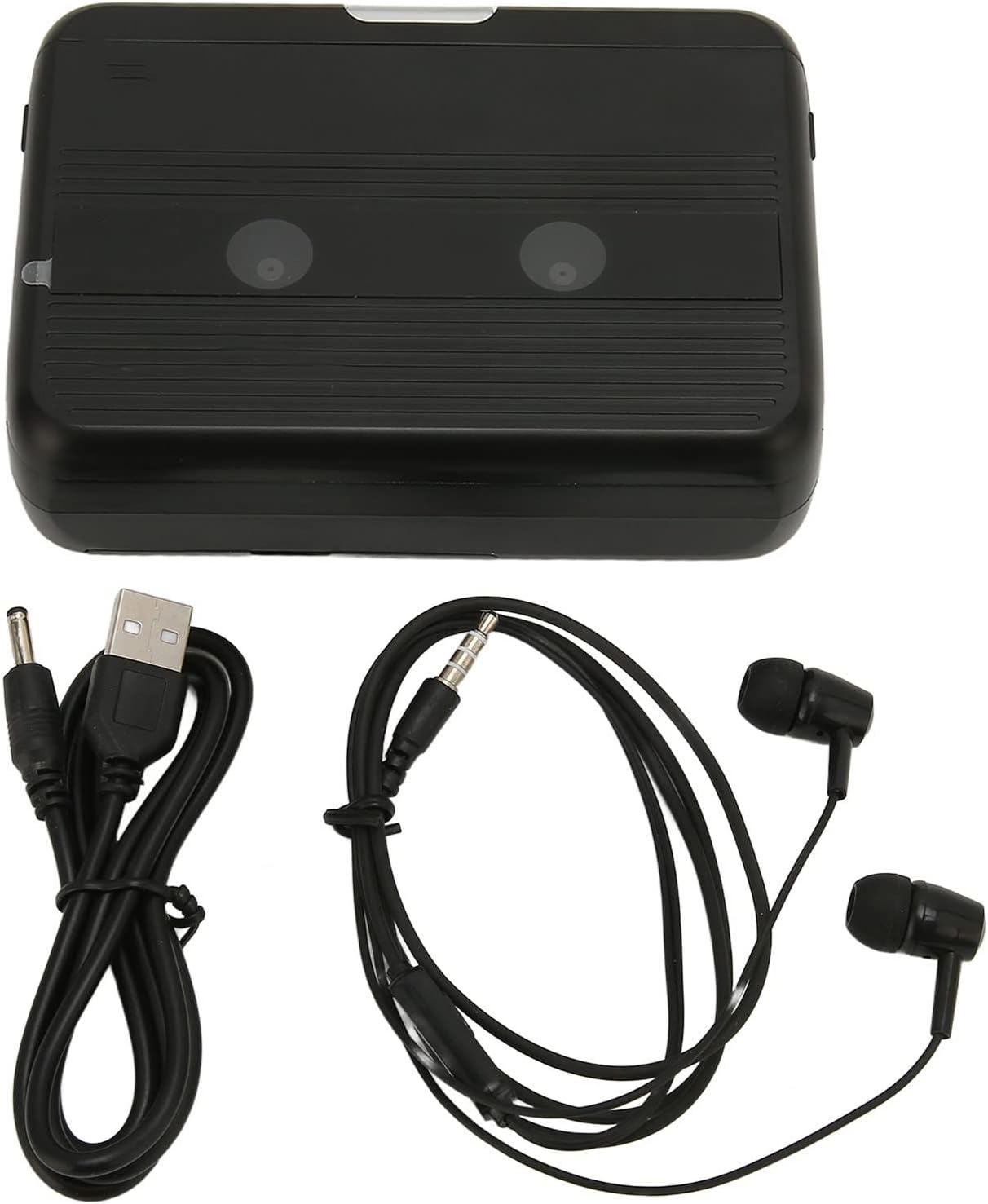
The Cuifati Portable Cassette Player shown alongside its included USB power cord and wired headphones.
ສິນຄ້າເກີນview
Familiarize yourself with the various parts and controls of your cassette player.
ດ້ານໜ້າ View (ເປີດ)
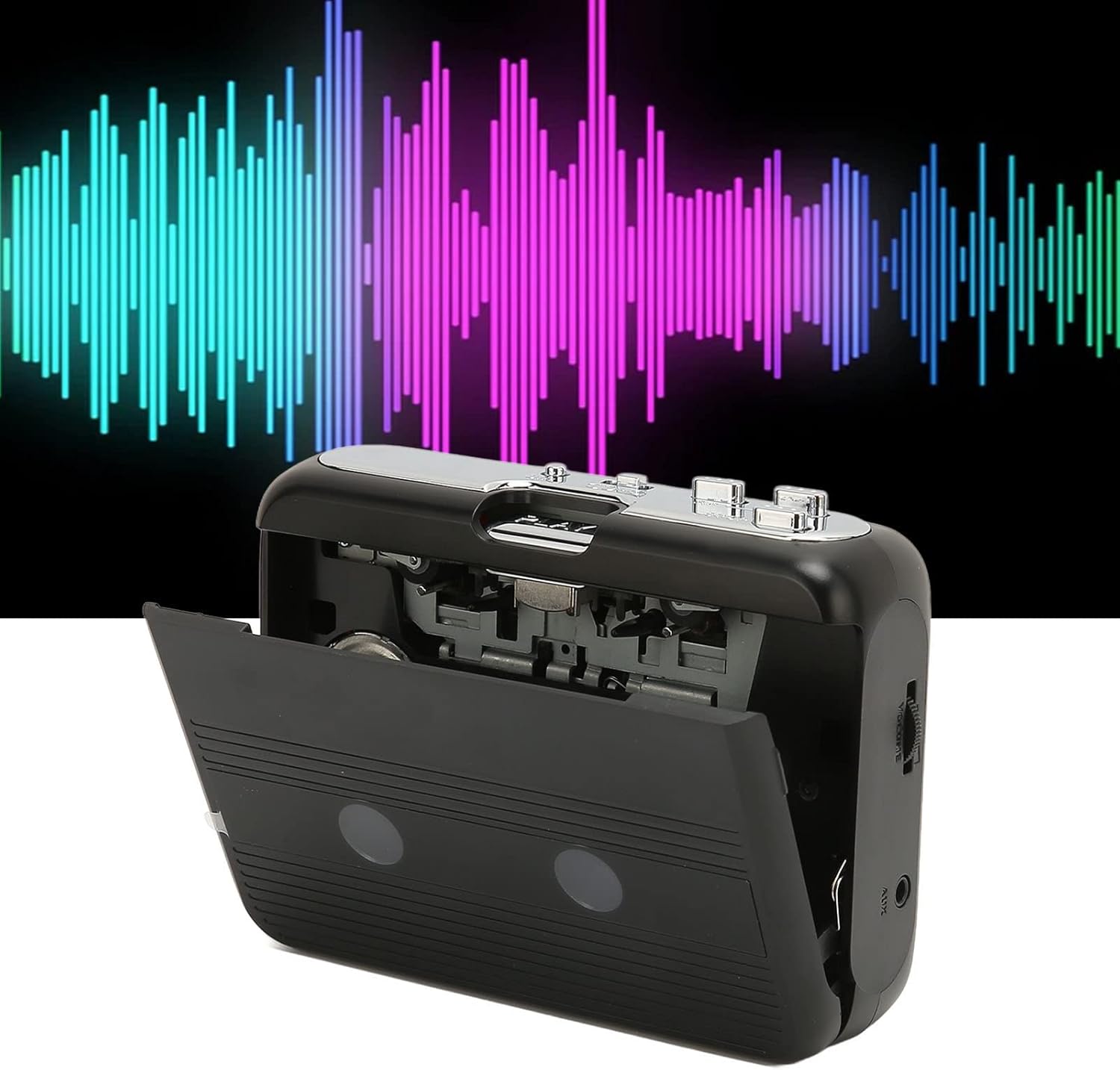
ດ້ານໜ້າ view of the Cuifati Portable Cassette Player with the cassette compartment door open, revealing the tape mechanism.
ດ້ານໜ້າ View (ປິດ)
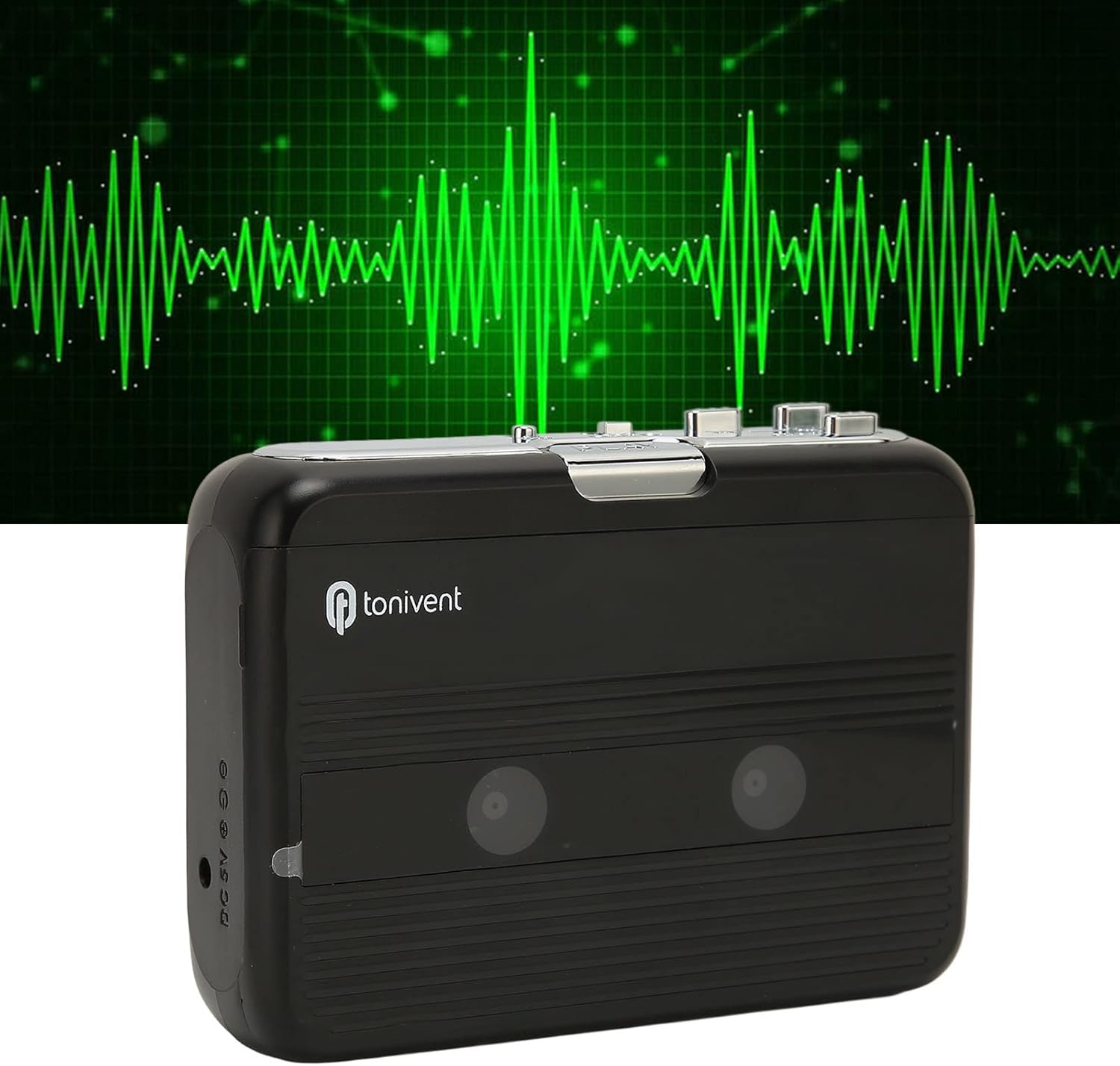
ດ້ານໜ້າ view of the Cuifati Portable Cassette Player with the cassette compartment door closed.
Cassette Mechanism

ໃກ້ຊິດ view of the cassette player's internal mechanism, showing the tape heads and rollers.
ຂ້າງ View (Controls and Ports)

ຂ້າງ view of the cassette player, highlighting the volume control wheel and the AUX output port.
ການຄວບຄຸມປຸ່ມ:
- ປຸ່ມຫຼິ້ນ: ເລີ່ມການຫຼິ້ນເທບຄາເຊັດ.
- ປຸ່ມຢຸດ: ຢຸດການຫຼິ້ນຄືນ.
- Fast Forward (FF) Button: ເລື່ອນເທບໄປໜ້າຢ່າງໄວວາ.
- Rewind (REW) Button: ມ້ວນເທບກັບຄືນຢ່າງໄວ.
- Auto Reverse Button: Changes tape direction during playback.
- ລໍ້ຄວບຄຸມປະລິມານ: ປັບລະດັບສຽງອອກ.
- FM/Tape Switch: Selects between FM radio and cassette playback mode.
- Headphone/AUX Output Jack: Connects headphones or external audio devices.
- DC 5V Input: ສໍາລັບການສະຫນອງພະລັງງານ USB.
ຕັ້ງຄ່າ
ການສະຫນອງພະລັງງານ
The cassette player can be powered by two (2) AA batteries or via a USB power supply.
- ການຕິດຕັ້ງຫມໍ້ໄຟ:
- ເປີດຝາປິດຊ່ອງໃສ່ຫມໍ້ໄຟທີ່ຕັ້ງຢູ່ດ້ານຫຼັງຂອງອຸປະກອນ.
- ໃສ່ໝໍ້ໄຟ AA ສອງໜ່ວຍ, ຮັບປະກັນຄວາມຂົ້ວທີ່ຖືກຕ້ອງ (+/-) ຕາມທີ່ລະບຸໄວ້ພາຍໃນຊ່ອງ.
- ປິດຝາປິດຊ່ອງໃສ່ຫມໍ້ໄຟຢ່າງປອດໄພ.
- ການເຊື່ອມຕໍ່ພະລັງງານ USB:
- Connect the small end of the included USB power cord to the DC 5V input port on the cassette player.
- Connect the standard USB end to a USB power adapter (not included) or a computer's USB port.
Inserting a Cassette Tape
- Gently open the cassette compartment door.
- Insert a cassette tape with the exposed tape facing upwards and the side you wish to play facing the front.
- Close the cassette compartment door until it clicks securely.
ຄໍາແນະນໍາການດໍາເນີນງານ
ຫຼີ້ນ Cassettes
- ກວດໃຫ້ແນ່ໃຈວ່າໄດ້ໃສ່ tape cassette ຢ່າງຖືກຕ້ອງ.
- Set the FM/Tape switch to the "Tape" position.
- ກົດ ຫຼິ້ນ ປຸ່ມເພື່ອເລີ່ມຕົ້ນການຫຼິ້ນ.
- ປັບ ລໍ້ຄວບຄຸມປະລິມານ to your desired listening level.
- ເພື່ອຢຸດການຫຼີ້ນ, ກົດປຸ່ມ ຢຸດ ປຸ່ມ.
- ເພື່ອເລັ່ງໄປຂ້າງໜ້າ, ກົດປຸ່ມ FF button. To rewind, press the REW ປຸ່ມ. ກົດ ຢຸດ ເພື່ອຖອນຕົວ.
Auto Reverse Function
The player features an auto-reverse function, allowing the tape to play in both directions without needing to manually flip the cassette.
- ໃນລະຫວ່າງການຫຼິ້ນ, ກົດປຸ່ມ ປີ້ນກັບອັດຕະໂນມັດ button to switch the tape direction. The player will automatically reverse and continue playing the other side of the tape.
ການນໍາໃຊ້ວິທະຍຸ FM
- Set the FM/Tape switch to the "FM" position.
- Use the tuning dial (if present, otherwise the FF/REW buttons might serve as tuning) to scan for FM radio stations.
- ປັບ ລໍ້ຄວບຄຸມປະລິມານ to your desired listening level.
Using the Built-in Speaker
The device includes a built-in speaker for direct audio output. No special action is required; audio will play through the speaker unless headphones are connected.
Connecting Headphones or External Audio Devices
For private listening or connecting to external speakers, use the 3.5mm headphone/AUX output jack.
- Plug the included headphones or your own 3.5mm audio cable into the Headphone/AUX Output Jack.
- When headphones are connected, audio will automatically switch from the built-in speaker to the headphones.

A person listening to music with headphones, illustrating the headphone usage.
ບໍາລຸງຮັກສາ
Proper care ensures the longevity and optimal performance of your cassette player.
- ທໍາຄວາມສະອາດ: ໃຊ້ຜ້າປຽກແຫ້ງເພື່ອເຮັດຄວາມສະອາດດ້ານນອກຂອງອຸປະກອນ. ຢ່າໃຊ້ເຄື່ອງເຮັດຄວາມສະອາດຂອງແຫຼວຫຼືວັດສະດຸຂັດ.
- ຫົວເທບ: Periodically clean the tape heads with a specialized cassette head cleaner to maintain sound quality.
- ການເກັບຮັກສາ: ເມື່ອບໍ່ໄດ້ໃຊ້ເປັນເວລາດົນ, ໃຫ້ຖອດແບັດເຕີຣີອອກເພື່ອປ້ອງກັນການຮົ່ວໄຫຼ. ເກັບຮັກສາອຸປະກອນໄວ້ໃນບ່ອນທີ່ເຢັນ, ແຫ້ງ, ຫ່າງຈາກແສງແດດໂດຍກົງ ແລະອຸນຫະພູມທີ່ຮ້າຍກາດ.
- ຫຼີກເວັ້ນການຂີ້ຝຸ່ນ: Keep the cassette compartment closed when not in use to prevent dust accumulation.
ການແກ້ໄຂບັນຫາ
If you encounter issues with your cassette player, refer to the following common problems and solutions:
| ບັນຫາ | ສາເຫດທີ່ເປັນໄປໄດ້ | ການແກ້ໄຂ |
|---|---|---|
| ບໍ່ມີພະລັງງານ | Dead batteries; USB cable not connected; faulty power source. | Replace batteries; ensure USB cable is securely connected to a working power source. |
| ບໍ່ມີສຽງຈາກລຳໂພງ/ຫູຟັງ | Volume too low; headphones not fully plugged in; FM/Tape switch in wrong position; dirty tape heads. | Increase volume; ensure headphones are fully inserted; set switch to correct mode (Tape/FM); clean tape heads. |
| Poor sound quality (cassette) | Dirty tape heads; worn-out tape; incorrect tape insertion. | Clean tape heads; try a different tape; re-insert tape correctly. |
| FM radio static/poor reception | ສັນຍານອ່ອນ; ແຊກແຊງ. | Relocate the player to an area with better reception; try adjusting the player's orientation. |
| ເທບບໍ່ຫຼິ້ນ / ຍ້າຍ | Tape jammed; mechanism issue; tape not inserted correctly. | Check for tape jams; ensure tape is inserted correctly; if issue persists, contact support. |
ຂໍ້ມູນຈໍາເພາະ
| ຄຸນສົມບັດ | ລາຍລະອຽດ |
|---|---|
| ຍີ່ຫໍ້ | Cuifati |
| ໝາຍເລກຕົວແບບ | Cuifatibi73wk0z4p |
| ASIN | B0CDD42V9J |
| ການສະຫນອງພະລັງງານ | 2 x AA Batteries or USB DC 5V |
| ຟັງຊັນ | Cassette Playback, Auto Reverse, FM Radio, Built-in Speaker, Headphone Output |
| ສຽງອອກ | 3.5mm Headphone/AUX Jack |
| ນ້ໍາຫນັກລາຍການ | 10.3 ອອນ |
ຂໍ້ມູນຄວາມປອດໄພທີ່ສໍາຄັນ
- ຢ່າປ່ອຍໃຫ້ອຸປະກອນຖືກນໍ້າ, ຄວາມຊຸ່ມຊື່ນ, ຫຼືອຸນຫະພູມທີ່ຮຸນແຮງ.
- ຫຼີກລ້ຽງການຫຼຸດລົງຫຼືການອຸປະກອນທີ່ມີຜົນກະທົບທີ່ເຂັ້ມແຂງ.
- ຢ່າພະຍາຍາມຖອດປະກອບ ຫຼືສ້ອມແປງອຸປະກອນດ້ວຍຕົນເອງ. ອ້າງອີງການບໍລິການທັງໝົດໃຫ້ກັບບຸກຄະລາກອນທີ່ມີຄຸນວຸດທິ.
- ຖິ້ມແບດເຕີລີ່ຢ່າງມີຄວາມຮັບຜິດຊອບຕາມກົດລະບຽບທ້ອງຖິ່ນ.
- ການຟັງດົນໆໃນລະດັບສຽງສູງສາມາດເຮັດໃຫ້ເກີດຄວາມເສຍຫາຍຕໍ່ການໄດ້ຍິນ. ປັບລະດັບສຽງໃຫ້ຢູ່ໃນລະດັບທີ່ປອດໄພ.
ການຮັບປະກັນແລະການສະຫນັບສະຫນູນ
ສໍາລັບຂໍ້ມູນການຮັບປະກັນຫຼືການສະຫນັບສະຫນູນດ້ານວິຊາການ, ກະລຸນາເບິ່ງເອກະສານທີ່ສະຫນອງໃຫ້ໃນເວລາຊື້ຫຼືຕິດຕໍ່ຮ້ານຂາຍຍ່ອຍຂອງທ່ານ. ຮັກສາໃບຮັບເງິນການຊື້ຂອງທ່ານໄວ້ເປັນຫຼັກຖານການຊື້.