
1. ການປະກອບ ແລະການຕິດຕັ້ງເບື້ອງຕົ້ນ
Before operating your Dirt Devil Multi-Surface Rewind+ vacuum cleaner, ensure all components are correctly assembled. Refer to the 'What's in the Box' diagram to identify all parts.
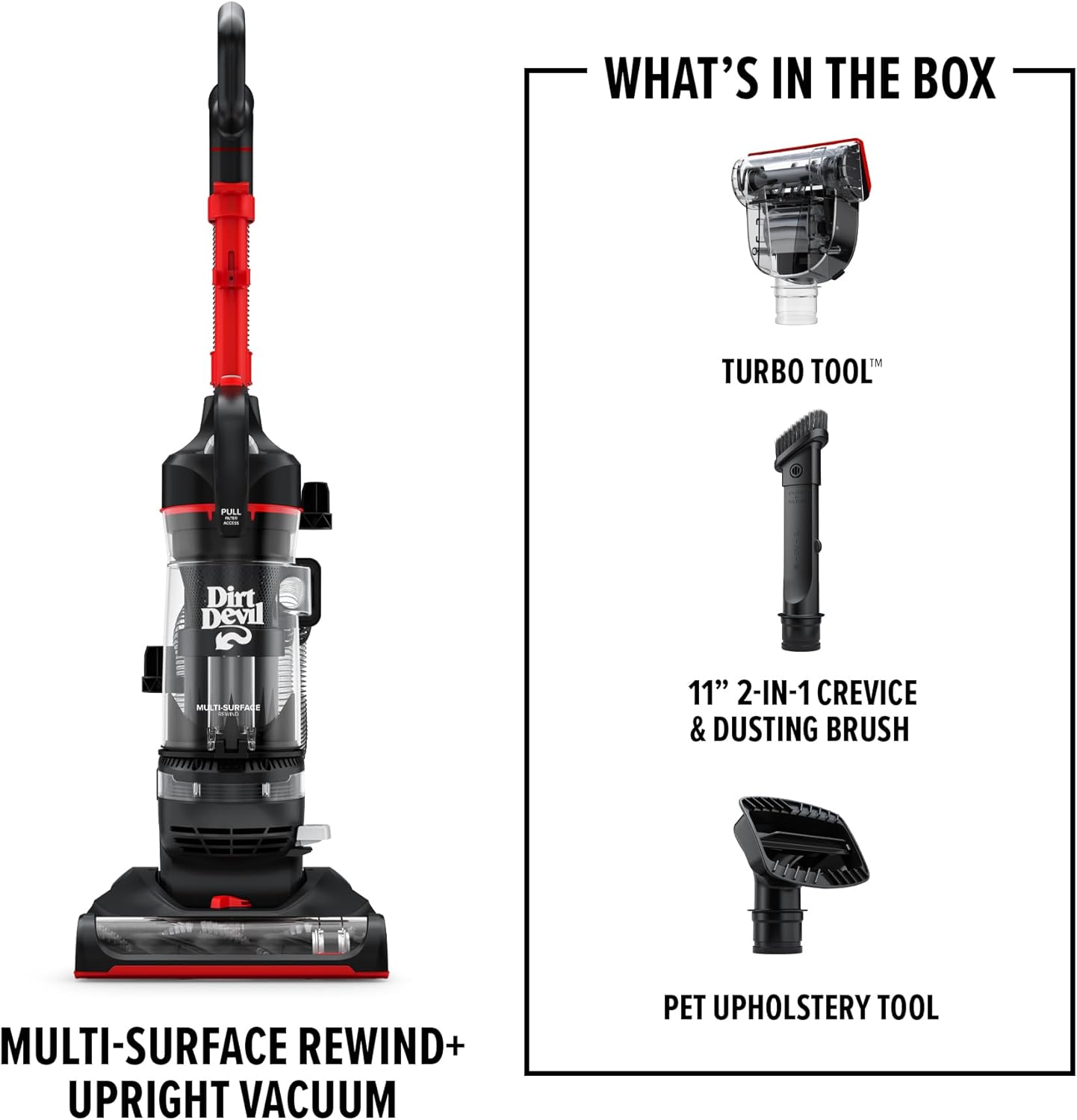
ຮູບທີ 1: ອົງປະກອບລວມ
- Handle Assembly: ໃສ່ມືຈັບດ້ານເທິງເຂົ້າໄປໃນຕົວດູດຝຸ່ນຫຼັກຈົນກວ່າມັນຈະຄລິກເຂົ້າທີ່ຢ່າງແໜ້ນໜາ.
- ການເຊື່ອມຕໍ່ທໍ່: Connect the flexible hose to the designated port on the vacuum body. Ensure a tight fit to maintain suction.
- ການເກັບຮັກສາເຄື່ອງມື: Attach the included cleaning tools (Pet Upholstery tool, Turbo tool, 2-in-1 Dusting Brush and Crevice tool) to the onboard storage clips for easy access.

Figure 2: Assembled Vacuum with Tools
2. ຄໍາແນະນໍາການດໍາເນີນງານ
2.1 ການເປີດ/ປິດ
Plug the power cord into a suitable electrical outlet. To turn the vacuum on, step on the power pedal located near the base. Step on it again to turn the vacuum off.
2.2 ການທໍາຄວາມສະອາດພື້ນຜິວ
The Multi-Surface Rewind+ is designed for effective cleaning on both carpets and hard floors. The PowerPass Technology helps prevent dust and dirt from scattering on hard surfaces.

Figure 3: Multi-Surface Cleaning
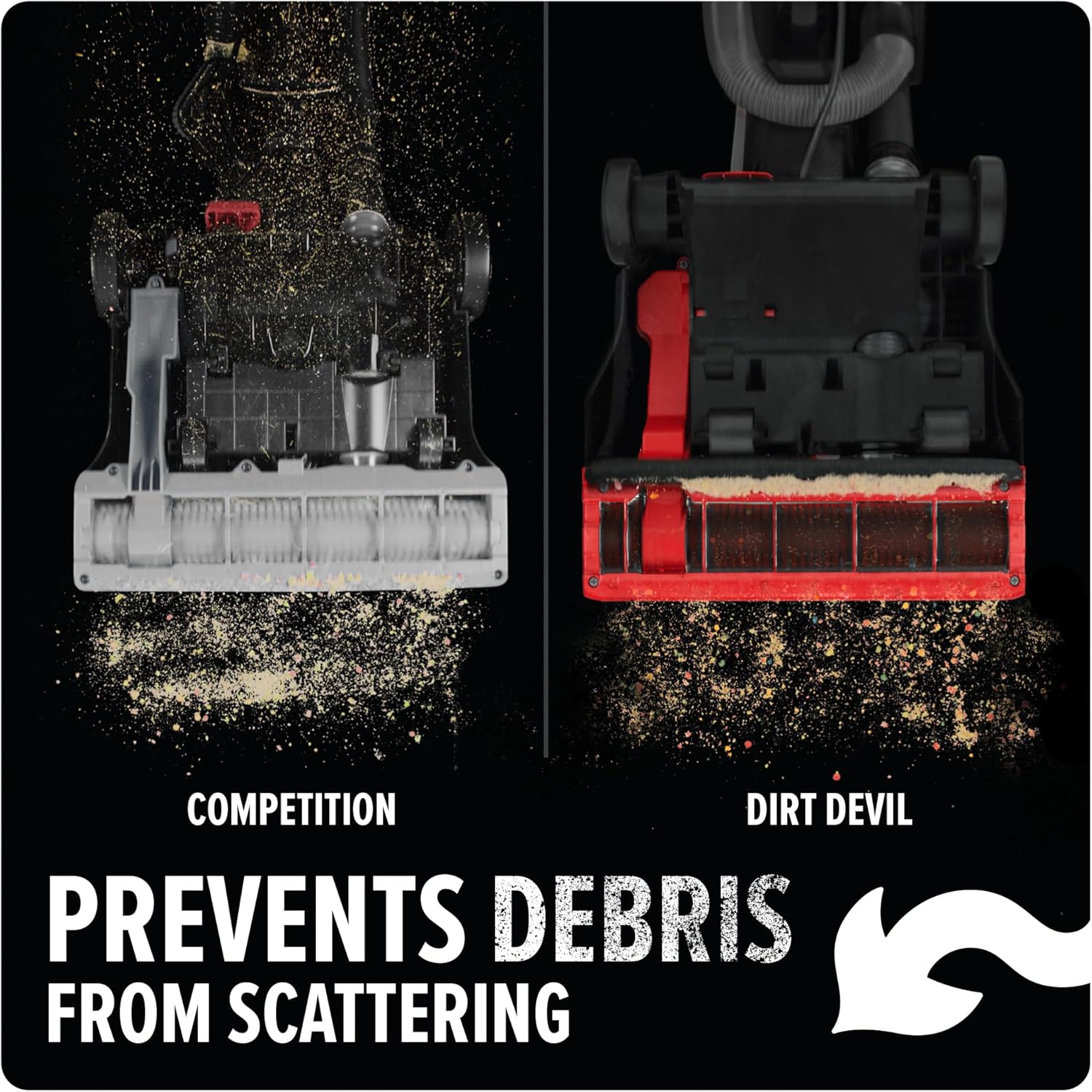
Figure 4: Debris Containment
2.3 ການນໍາໃຊ້ໄຟລ໌ແນບ
The removable wand and Click Lock tool kit allow for versatile cleaning. Detach the wand and attach the desired tool for above-floor cleaning, upholstery, or tight spaces.
- ເຄື່ອງມື ສຳ ລັບສັດລ້ຽງ: Ideal for removing pet hair from furniture and stairs.
- ເຄື່ອງມື Turbo: Provides concentrated suction for stubborn dirt and debris.
- 2-in-1 Dusting Brush and Crevice Tool: Use the brush for dusting delicate surfaces and the crevice tool for narrow gaps.
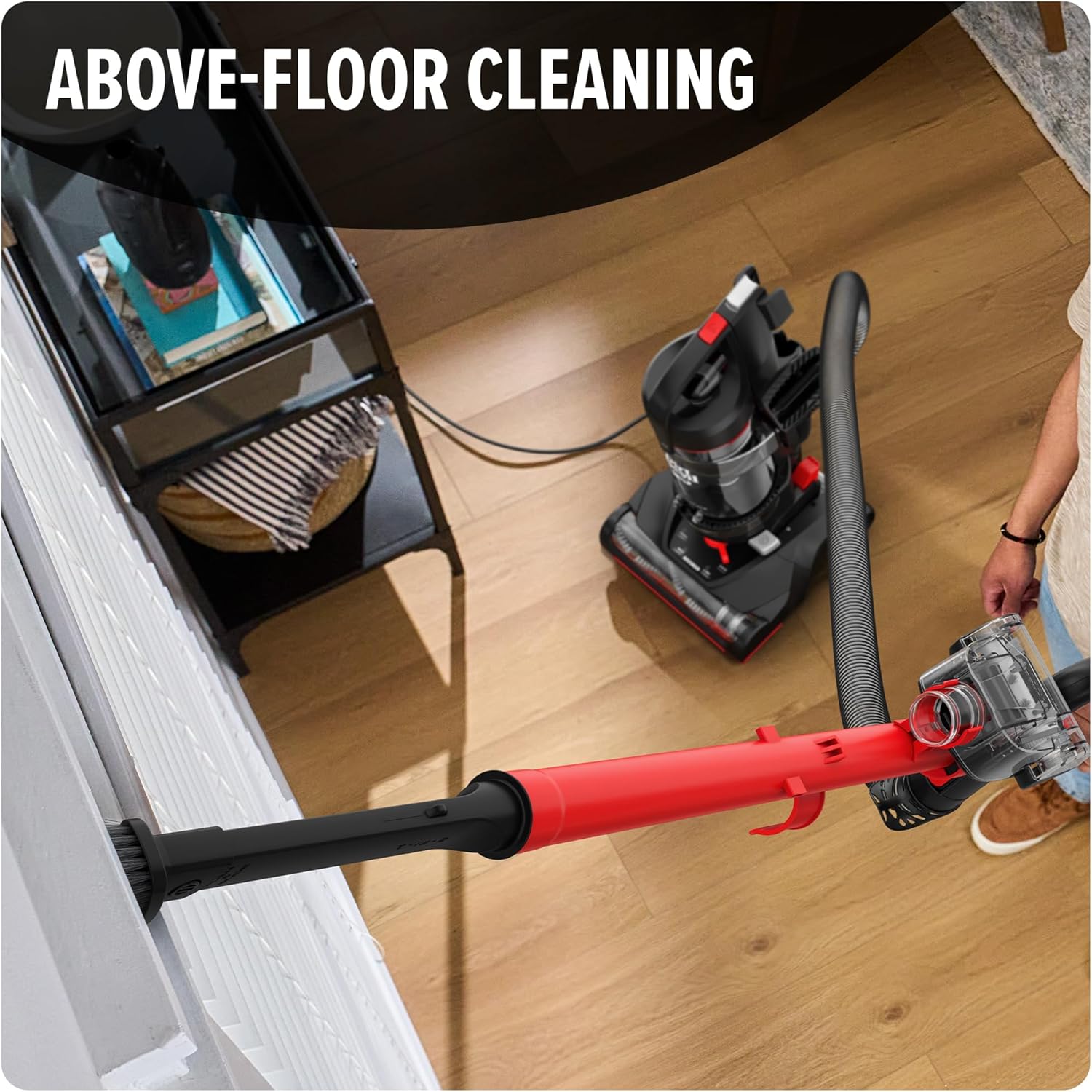
Figure 5: Above-Floor Cleaning
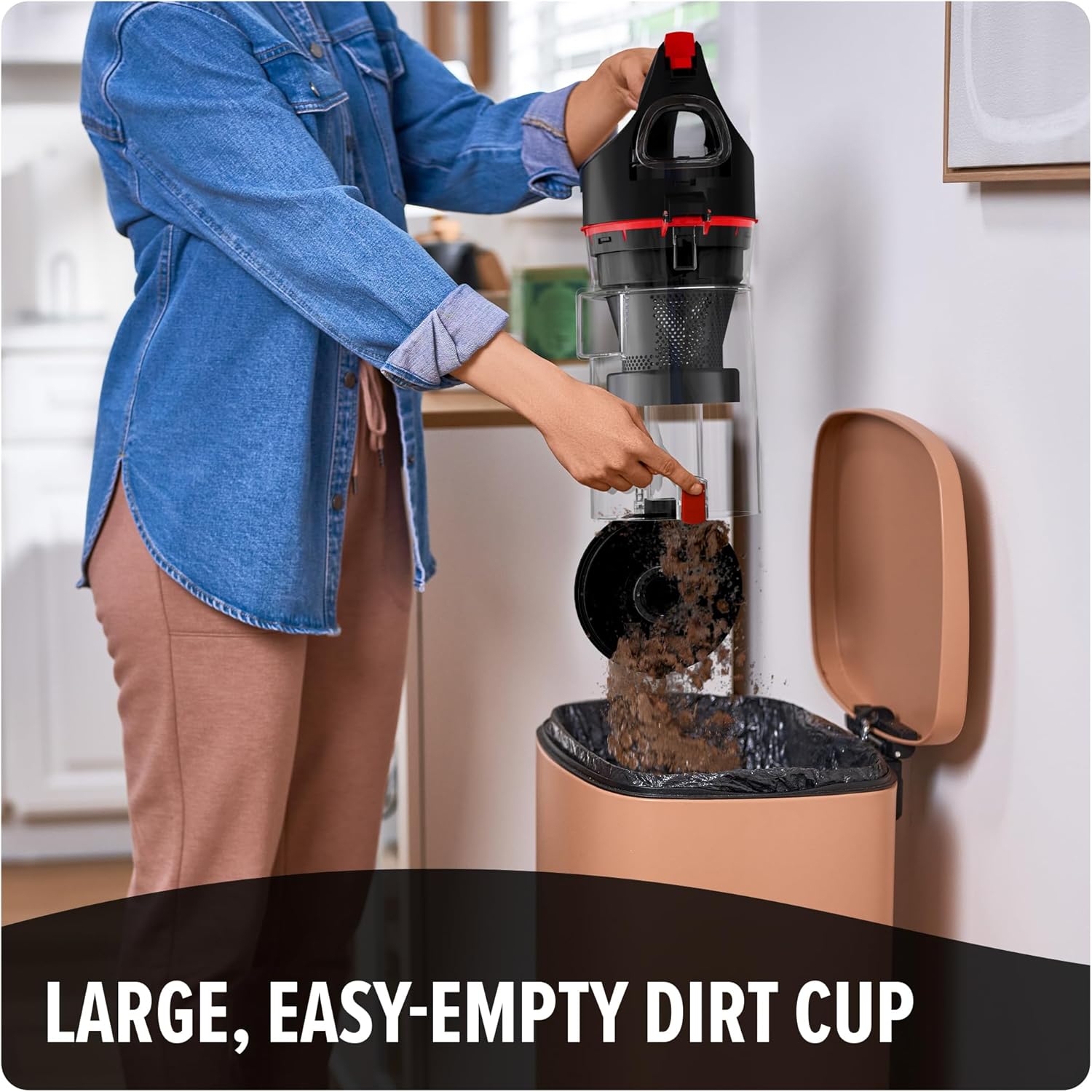
Figure 6: Pet Hair Cleaning
2.4 ການຈັດການສາຍໄຟ
The vacuum features a one-touch cord rewind system. To retract the power cord, gently press the cord rewind pedal located on the side of the vacuum.

Figure 7: One-Touch Cord Rewind
3. ບໍາລຸງຮັກສາ
3.1 ການຖອກຝຸ່ນອອກຈາກຈອກ
For optimal performance, empty the dirt cup regularly, especially when debris reaches the 'Max Fill' line. The large, easy-release dirt cup features a one-touch button for convenient emptying.
- ໃຫ້ແນ່ໃຈວ່າສູນຍາກາດຖືກຖອດອອກ.
- Press the dirt cup release button to detach the dirt cup from the vacuum.
- Position the dirt cup over a trash receptacle.
- Press the one-touch button on the bottom of the dirt cup to open the lid and release debris.
- Close the lid and reattach the dirt cup to the vacuum until it clicks into place.
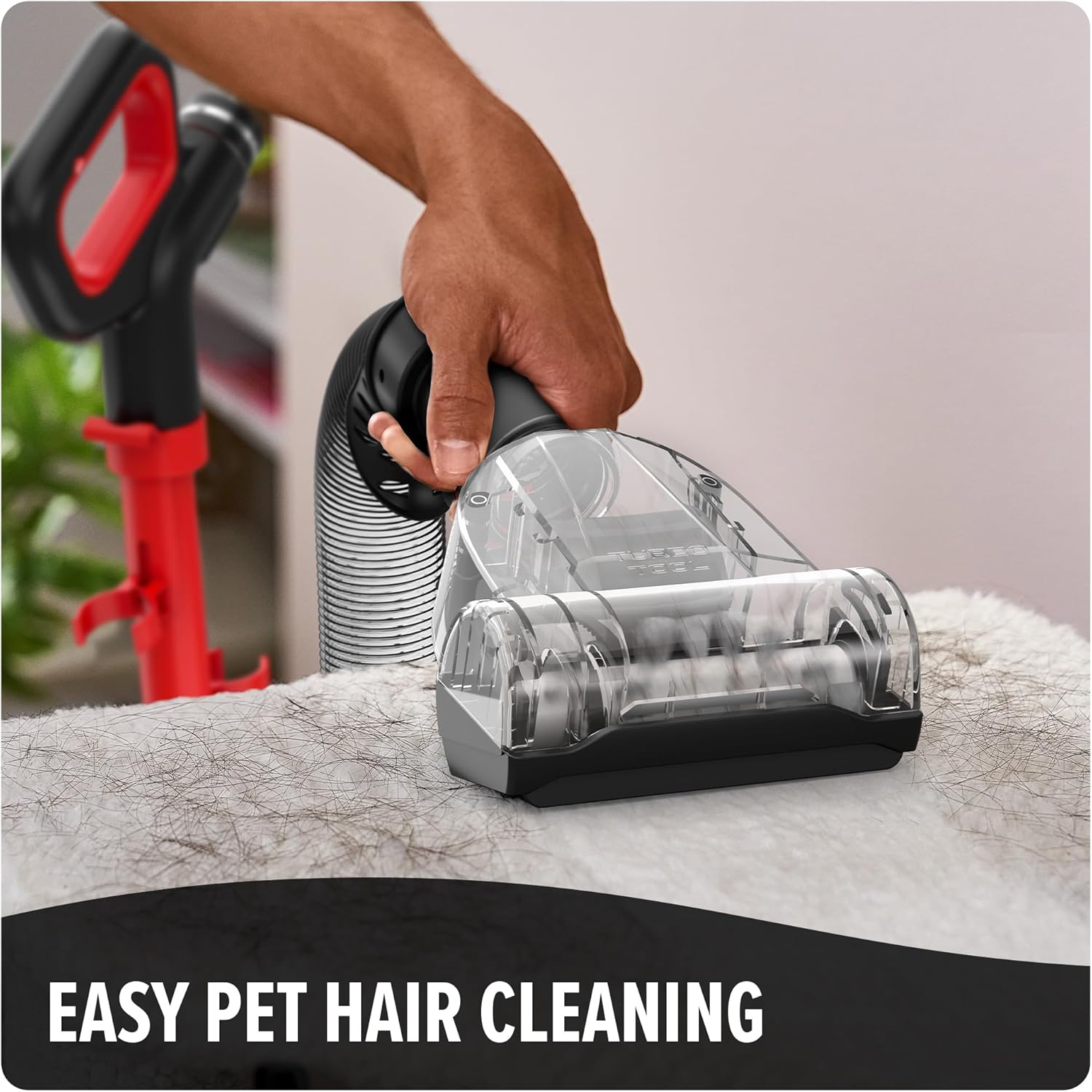
Figure 8: Emptying the Dirt Cup
3.2 ການບໍາລຸງຮັກສາການກັ່ນຕອງ
The vacuum features extended life filtration with a washable filter. Regularly check and clean the filter to maintain suction power and reduce dust particles released into the air.
- ຖອດເຄື່ອງດູດຝຸ່ນອອກ ແລະເອົາຈອກຝຸ່ນອອກ.
- Locate and remove the filter assembly from the dirt cup.
- Tap the filter over a trash can to remove loose dirt.
- ລ້າງຕົວກອງພາຍໃຕ້ນ້ຳທີ່ໄຫຼຈົນກວ່ານ້ຳຈະໃສ. ຫ້າມໃຊ້ຜົງຊັກຟອກ.
- Allow the filter to air dry completely for at least 24 hours before reinserting it into the vacuum. Do not operate the vacuum with a wet filter.
3.3 ການເຮັດຄວາມສະອາດມ້ວນແປງ
Periodically inspect the brush roll for tangled hair or debris. Unplug the vacuum before attempting to clean the brush roll. Use scissors to carefully cut away any tangled hair or threads.
4. ການແກ້ໄຂບັນຫາ
ຖ້າເຈົ້າພົບບັນຫາກັບສູນຍາກາດຂອງເຈົ້າ, ໃຫ້ອ້າງອີງເຖິງບັນຫາ ແລະວິທີແກ້ໄຂບັນຫາທົ່ວໄປຕໍ່ໄປນີ້:
| ບັນຫາ | ສາເຫດທີ່ເປັນໄປໄດ້ | ການແກ້ໄຂ |
|---|---|---|
| ສູນຍາກາດບໍ່ເປີດ | Not plugged in; no power to outlet; thermal protector activated | Check power cord connection; check circuit breaker; allow vacuum to cool for 30 minutes if thermal protector activated. |
| ການສູນເສຍການດູດ | Dirt cup full; filter clogged; hose or nozzle clogged | Empty dirt cup; clean or replace filter; check hose and nozzle for obstructions. |
| ມ້ວນແປງບໍ່ spinning | Brush roll jammed; belt broken | Unplug vacuum and remove obstructions from brush roll; contact customer support if belt is broken. |
| ຂີ້escapຸ່ນພົ້ນອອກຈາກສູນຍາກາດ | Dirt cup not properly installed; filter missing or damaged | Ensure dirt cup is securely latched; check that filter is correctly installed and undamaged. |
If the problem persists after attempting these solutions, please contact Dirt Devil customer support.
5. ຂໍ້ມູນຈໍາເພາະຂອງຜະລິດຕະພັນ
| ຄຸນສົມບັດ | ຂໍ້ມູນຈໍາເພາະ |
|---|---|
| ຍີ່ຫໍ້ | ຜີມານຮ້າຍ |
| ຊື່ຕົວແບບ | Dirt Devil Multi-Surface Rewind+ Upright Vacuum |
| ໝາຍເລກຕົວແບບ | UD76800V |
| ຂະໜາດ (L x W x H) | 18.25" x 12.75" x 44" |
| ນ້ໍາຫນັກລາຍການ | 14.21 ປອນ |
| ຄວາມອາດສາມາດ | 1.5 ລິດ |
| ປະເພດການກັ່ນຕອງ | ສາມາດຊັກໄດ້ |
| ອົງປະກອບລວມ | Crevice Tool, Dusting Brush, Pet Upholstery Tool, Turbo Tool |
| ບໍ່ມີສາຍບໍ? | ບໍ່ |
| ການນໍາໃຊ້ທີ່ແນະນໍາ | Carpet, Hard Floor, Rug, Bare Floor |
| ວິທີການຄວບຄຸມ | ແຕະ (ປຸ່ມກົດ) |
6. ການຮັບປະກັນແລະການສະຫນັບສະຫນູນ
For information regarding product warranty, please refer to the documentation included with your purchase or visit the official Dirt Devil website. For additional support, parts, or service, you may also visit the Dirt Devil Store on Amazon.