
ແນະນຳ
Thank you for choosing the HOCO W40 Bluetooth Headphones. These wireless headphones are designed to provide a high-quality audio experience with deep bass, clear calls, and comfortable wear. This manual will guide you through the setup, operation, and maintenance of your new headphones.
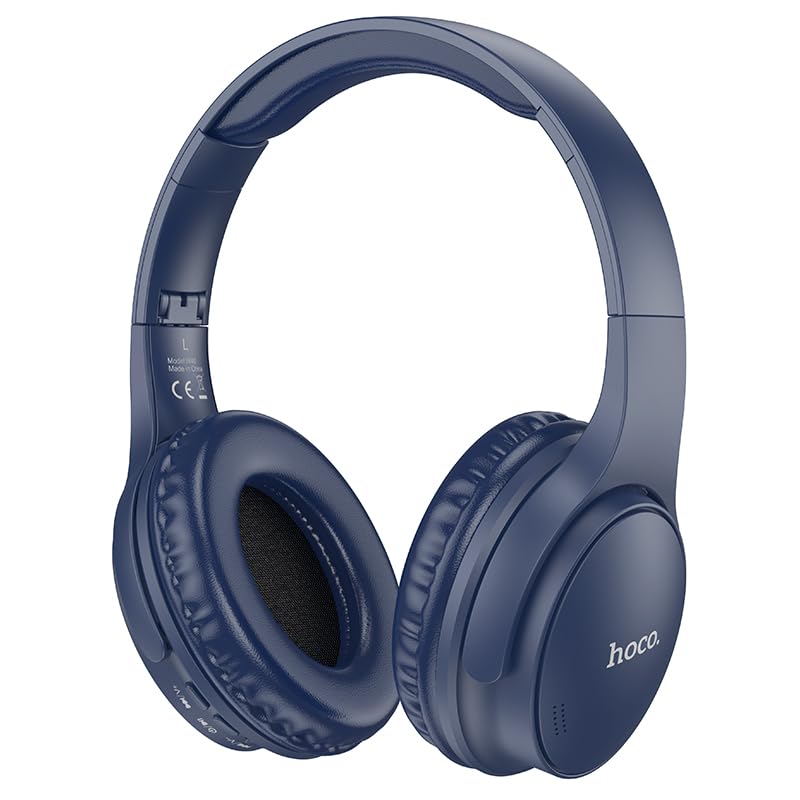
Image: HOCO W40 Bluetooth Headphones in a folded position, showcasing the earcups and headband. The headphones are blue.
ແມ່ນຫຍັງຢູ່ໃນກ່ອງ
ກະລຸນາກວດສອບເນື້ອໃນຂອງຊຸດຂອງທ່ານເພື່ອໃຫ້ແນ່ໃຈວ່າລາຍການທັງຫມົດມີຢູ່:
- HOCO W40 Bluetooth Headphones
- ເບາະຫູ
- ສາຍຮັດຫົວ (ປະສົມປະສານກັບຫູຟັງ)
The package includes the HOCO W40 Bluetooth Headphones, along with ear cushions and the integrated headband for comfortable use.
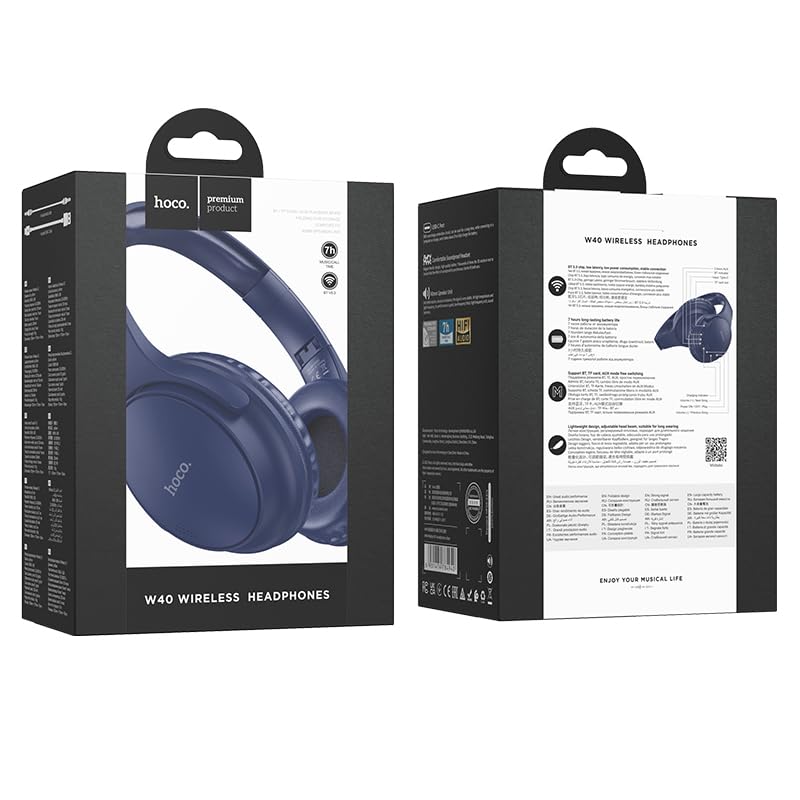
Image: Retail packaging for the HOCO W40 Wireless Headphones, showing the product image and some features on the box.
ສິນຄ້າເກີນview
ຄຸ້ນເຄີຍກັບສ່ວນຕ່າງໆ ແລະ ການຄວບຄຸມຕ່າງໆຂອງຫູຟັງ HOCO W40 ຂອງທ່ານ.
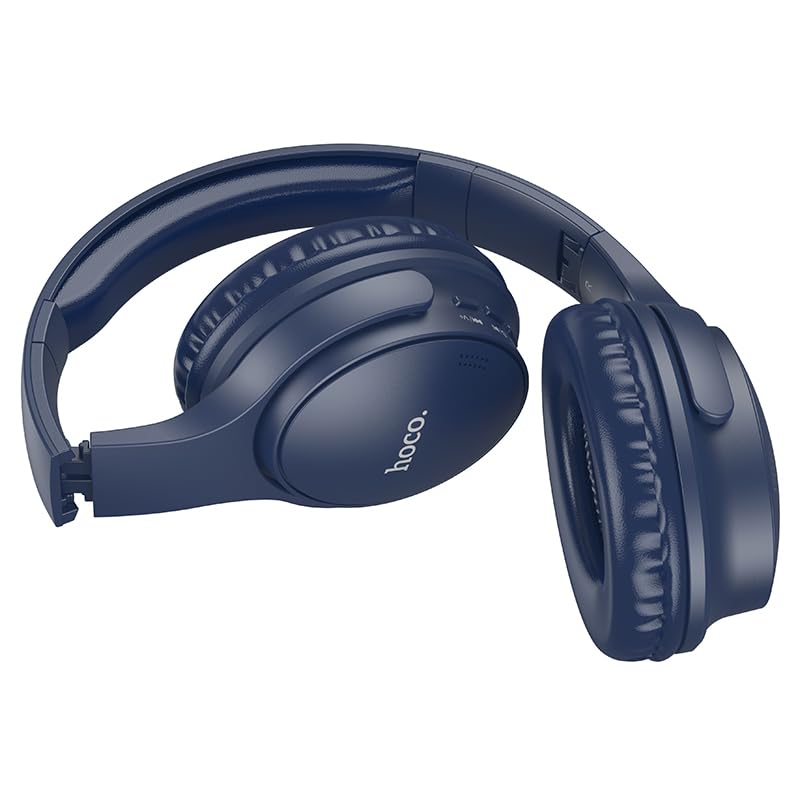
ຮູບພາບ: ຂ້າງ view of the HOCO W40 Bluetooth Headphones, highlighting the earcup and headband design. The controls are visible on the right earcup.
ການຄວບຄຸມ ແລະຕົວຊີ້ວັດ:
- ປຸ່ມເປີດປິດ: Used to power the headphones on/off and initiate pairing.
- ການຄວບຄຸມລະດັບສຽງ: Adjusts the listening volume using touch controls.
- ປຸ່ມຫຼາຍຟັງຊັນ (MFB): For play/pause, answer/end calls.
- ໄມໂຄຣໂຟນ: ມີໃນຕົວສຳລັບການໂທແບບບໍ່ຕ້ອງໃຊ້ມື.
- ຊ່ອງສາກໄຟ: ສໍາລັບການເຊື່ອມຕໍ່ສາຍສາກໄຟ.
- ຕົວຊີ້ວັດ LED: ສະແດງສະຖານະພະລັງງານ, ໂໝດຈັບຄູ່ ແລະ ສະຖານະການສາກໄຟ.
The headphones feature touch controls for volume adjustment and other functions, along with a built-in microphone for clear communication.
ຕັ້ງຄ່າ
1. ການສາກຫູຟັງ
ກ່ອນການນຳໃຊ້ຄັ້ງທຳອິດ, ໃຫ້ສາກຫູຟັງຂອງທ່ານໃຫ້ເຕັມ. ການສາກໄຟໃຫ້ເຕັມໃຊ້ເວລາປະມານ 1 ຊົ່ວໂມງ.
- Connect the charging cable (not included in the JSON's 'whats_in_the_box' but typically provided) to the charging port on the headphones.
- ເຊື່ອມຕໍ່ອີກສົ້ນຂອງສາຍກັບແຫຼ່ງໄຟ USB (ເຊັ່ນ: ຄອມພິວເຕີ, ອະແດັບເຕີຝາ).
- The LED indicator will show the charging status (e.g., red while charging, blue/off when fully charged).
Once fully charged, the headphones provide up to 12 ຊົ່ວໂມງ of continuous playtime.
2. ການຈັບຄູ່ກັບອຸປະກອນ Bluetooth
The HOCO W40 headphones use Bluetooth 5.3 for stable and seamless connectivity. They are compatible with smartphones, tablets, laptops, and other Bluetooth-enabled devices (iOS, Android).
- ກວດໃຫ້ແນ່ໃຈວ່າປິດຫູຟັງແລ້ວ.
- Press and hold the Power Button until the LED indicator flashes rapidly (usually blue and red alternately), indicating pairing mode.
- ໃນອຸປະກອນຂອງທ່ານ, ເປີດໃຊ້ Bluetooth ແລະຊອກຫາອຸປະກອນທີ່ມີຢູ່.
- ເລືອກ "HOCO W40" ຈາກລາຍຊື່ອຸປະກອນທີ່ພົບ.
- Once paired, the LED indicator will stop flashing and may turn solid blue or off, depending on the model.
- The headphones have a wireless range of up to 10 ແມັດ.
If pairing is unsuccessful, turn off both devices, wait a few seconds, and repeat the steps.
ຄໍາແນະນໍາການດໍາເນີນງານ
ເປີດ/ປິດ
- ເປີດ: ກົດປຸ່ມເປີດປິດຄ້າງໄວ້ປະມານ 3 ວິນາທີຈົນກວ່າໄຟ LED ຈະສະຫວ່າງຂຶ້ນ.
- ປິດພະລັງງານ: ກົດປຸ່ມເປີດປິດຄ້າງໄວ້ປະມານ 5 ວິນາທີຈົນກ່ວາຕົວຊີ້ວັດ LED ປິດ.
ການຄວບຄຸມດົນຕີ
- ຫຼິ້ນ/ຢຸດ: Short press the Multi-function Button (MFB).
- ປະລິມານຂຶ້ນ: Tap the designated touch control area for volume up.
- ປະລິມານລົງ: Tap the designated touch control area for volume down.
- ເພງຕໍ່ໄປ: Double-tap the MFB or use the designated touch control.
- ຕິດຕາມກ່ອນ ໜ້າ ນີ້: Triple-tap the MFB or use the designated touch control.
Note: Specific touch control gestures may vary slightly. Refer to the quick start guide included with your product for precise details.
ການຄວບຄຸມການໂທ
- ຮັບ/ສາຍໂທ: Short press the Multi-function Button (MFB).
- ປະຕິເສດການໂທ: ກົດ MFB ຄ້າງໄວ້ 2 ວິນາທີ.
- ໂທຫາເບີສຸດທ້າຍ: ກົດປຸ່ມ MFB ສອງເທື່ອເມື່ອບໍ່ຢູ່ໃນສາຍ.
ບໍາລຸງຮັກສາ
Proper care will extend the life of your HOCO W40 headphones.
- ທໍາຄວາມສະອາດ: ໃຊ້ຜ້າອ່ອນ, ແຫ້ງເພື່ອເຮັດຄວາມສະອາດຫູຟັງ. ຢ່າໃຊ້ເຄື່ອງເຮັດຄວາມສະອາດຂັດຫຼືສານລະລາຍ.
- ການເກັບຮັກສາ: ເກັບຮັກສາຫູຟັງໄວ້ໃນບ່ອນທີ່ເຢັນ, ແຫ້ງ, ຫ່າງຈາກແສງແດດໂດຍກົງ ແລະອຸນຫະພູມທີ່ຮ້າຍກາດ.
- ຄວາມຕ້ານທານນ້ໍາ: The headphones are water resistant, making them suitable for workouts and outdoor activities. However, they are not designed for submersion in water. Avoid prolonged exposure to heavy rain or direct water jets.
- ການດູແລຫມໍ້ໄຟ: ເພື່ອຮັກສາອາຍຸແບັດເຕີຣີ, ໃຫ້ສາກຫູຟັງເປັນປະຈຳ, ເຖິງແມ່ນວ່າບໍ່ໄດ້ໃຊ້ເລື້ອຍໆກໍຕາມ. ຫຼີກລ້ຽງການປະຈຸຫມໍ້ໄຟຢ່າງເຕັມທີ່ສໍາລັບໄລຍະເວລາຕໍ່ໄປ.
ການແກ້ໄຂບັນຫາ
| ບັນຫາ | ການແກ້ໄຂທີ່ເປັນໄປໄດ້ |
|---|---|
| ຫູຟັງບໍ່ເປີດ. | Ensure the headphones are charged. Connect them to a power source and try again after a few minutes. |
| ບໍ່ສາມາດຈັບຄູ່ກັບອຸປະກອນໄດ້. |
|
| ບໍ່ມີສຽງ ຫຼືສຽງຕໍ່າ. |
|
| ຄຸນນະພາບການໂທບໍ່ດີ. |
|
ຂໍ້ມູນຈໍາເພາະ
| ຕົວແບບ | W40 |
| ຍີ່ຫໍ້ | HOCO |
| ເຕັກໂນໂລຊີການເຊື່ອມຕໍ່ | ໄຮ້ສາຍ (Bluetooth 5.3) |
| ຊ່ວງ Bluetooth | 10 ແມັດ |
| ຊີວິດຫມໍ້ໄຟ | ສູງສຸດ 12 ຊົ່ວໂມງ |
| ເວລາສາກໄຟ | ປະມານ 1 ຊົ່ວໂມງ |
| ປະເພດໄດເວີສຽງ | ໄດນາມິກໄດເວີ |
| ການຄວບຄຸມສິ່ງລົບກວນ | ການແຍກສຽງ |
| ລະດັບຄວາມຕ້ານທານນ້ໍາ | ກັນນ້ຳ |
| ປະເພດການຄວບຄຸມ | ການຄວບຄຸມລະດັບສຽງ (ສຳຜັດ) |
| ໄມໂຄຣໂຟນໃນຕົວ | Yes, for Hands-Free Calls |
| ອຸປະກອນທີ່ເຂົ້າກັນໄດ້ | Smartphones, Tablets, Laptops (Universal Compatibility) |
| ວັດສະດຸ | ພາດສະຕິກ |
| ນ້ໍາຫນັກລາຍການ | 180 g |
ວິດີໂອຜະລິດຕະພັນຢ່າງເປັນທາງການ
ເບິ່ງວິດີໂອຜະລິດຕະພັນຢ່າງເປັນທາງການສໍາລັບການເບິ່ງເຫັນview of the HOCO W40 Bluetooth Headphones and their key features.
ວິດີໂອ: ຜະລິດຕະພັນຢ່າງເປັນທາງການຫຼາຍກວ່າview of the HOCO W40 Bluetooth Headphones, demonstrating its features, battery life, design, and device compatibility.
ການຮັບປະກັນແລະການສະຫນັບສະຫນູນ
For warranty information and customer support, please refer to the documentation included with your purchase or visit the official HOCO webເວັບໄຊ. ຮັກສາຫຼັກຖານການຊື້ຂອງທ່ານສໍາລັບການຮຽກຮ້ອງການຮັບປະກັນໃດໆ.
ສຳລັບການຊ່ວຍເຫຼືອເພີ່ມເຕີມ, ທ່ານຍັງສາມາດຕິດຕໍ່ຮ້ານຄ້າປີກທີ່ຊື້ຜະລິດຕະພັນໄດ້.