
ແນະນຳ
This manual provides essential instructions for the proper use, setup, and maintenance of your HOCO X89 Type-C to Lightning Charging Data Cable. Please read this manual thoroughly before using the product to ensure optimal performance and safety.
ສິນຄ້າເກີນview
The HOCO X89 is a high-quality Type-C to Lightning cable designed for efficient charging and data transfer between compatible devices. It features a durable braided wire exterior and aluminum alloy joints for enhanced longevity.
ຄຸນນະສົມບັດທີ່ສໍາຄັນ:
- ຄວາມຍາວ: 1 ແມັດ (3.2 ຟຸດ)
- ນ້ຳໜັກ: 26 ກຣາມ
- ວັດສະດຸນອກ: Braided wire for durability and tangle resistance.
- Joint Material: Aluminum alloy for robust connections.
- ຮອງຮັບການສາກໄຟ: Supports Power Delivery (PD) 20W fast charging for compatible Apple devices.
- ການເຊື່ອມຕໍ່: Type-C to Lightning connectors.
ມີຫຍັງຢູ່ໃນກ່ອງ:
- 1 x HOCO X89 Type-C to Lightning Charging Data Cable
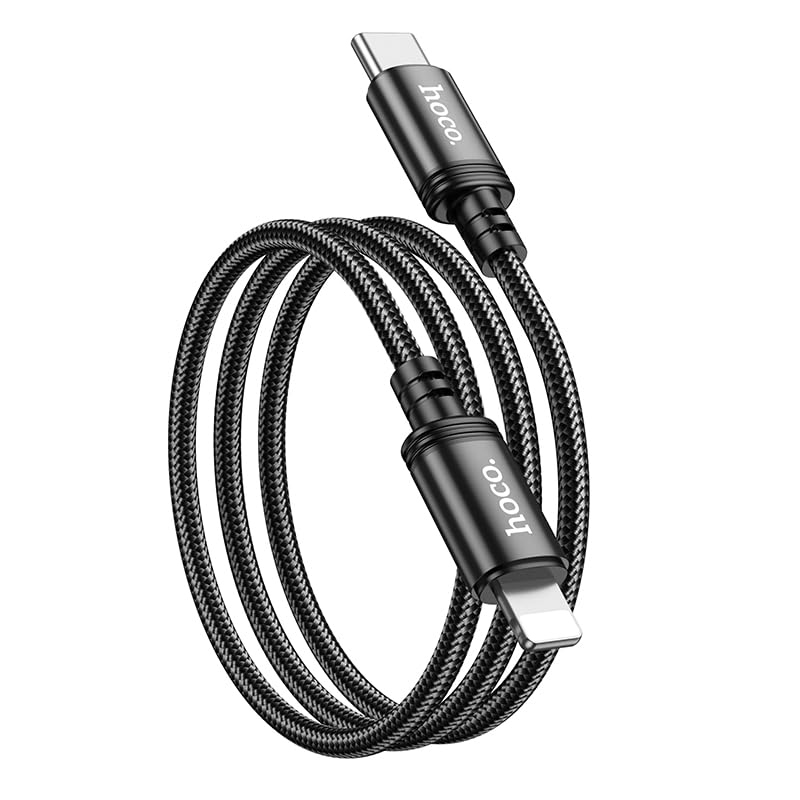
Image: The HOCO X89 cable, coiled, displaying both the Type-C connector and the Lightning connector.
ຕັ້ງຄ່າ
The HOCO X89 cable is designed for plug-and-play functionality. No software installation is required.
- ລະບຸຕົວເຊື່ອມຕໍ່: The cable has two distinct ends: a USB Type-C connector and a Lightning connector.
- Connect to Power Source/Data Port: Insert the USB Type-C end of the cable into a compatible power adapter (e.g., a PD-enabled wall charger) or a device with a Type-C port (e.g., a laptop, power bank).
- ເຊື່ອມຕໍ່ຫາອຸປະກອນ: Insert the Lightning end of the cable into the charging/data port of your compatible Apple device (e.g., iPhone, iPad).
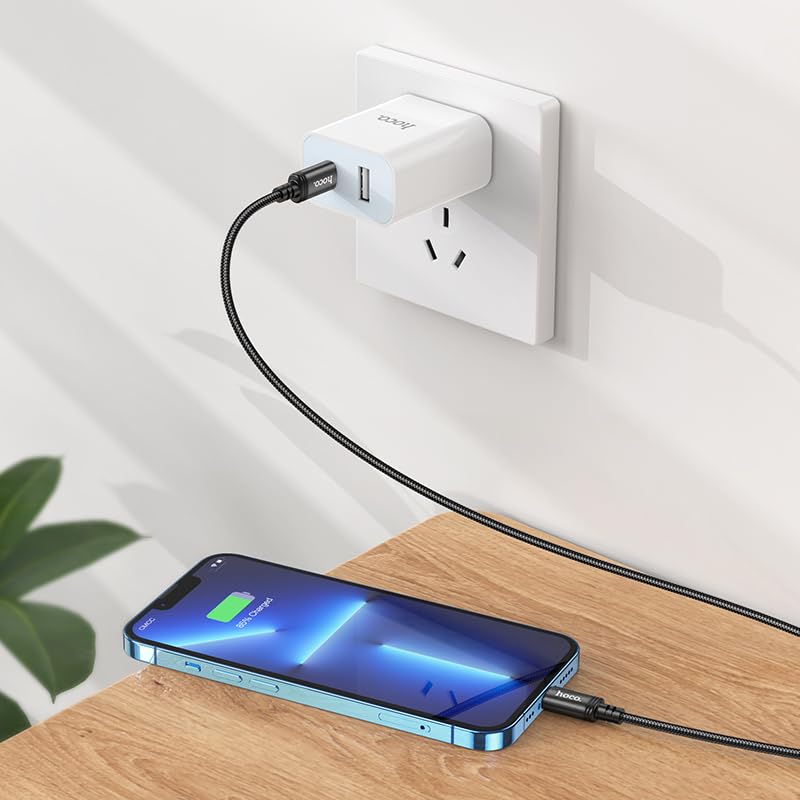
Image: The HOCO X89 cable in use, connecting an iPhone to a wall charger for charging.
ຄໍາແນະນໍາການດໍາເນີນງານ
ສາກໄຟອຸປະກອນຂອງທ່ານ:
- Ensure the Type-C end is connected to a power source (wall adapter, power bank, computer). For fast charging, use a Power Delivery (PD) compatible adapter.
- ເຊື່ອມຕໍ່ປາຍສາຍ Lightning ກັບອຸປະກອນ Apple ຂອງທ່ານ.
- The device should indicate that it is charging. The HOCO X89 supports up to 20W PD charging, allowing for faster charging times on compatible devices.
ການໂອນຂໍ້ມູນ:
- Connect the Type-C end to a computer or laptop.
- ເຊື່ອມຕໍ່ປາຍສາຍ Lightning ກັບອຸປະກອນ Apple ຂອງທ່ານ.
- ຄອມພິວເຕີຂອງທ່ານຄວນຈະຮັບຮູ້ອຸປະກອນທີ່ເຊື່ອມຕໍ່, ເຊິ່ງຊ່ວຍໃຫ້ທ່ານສາມາດໂອນຍ້າຍ files, sync data, or perform backups. Follow your device's operating system instructions for data management.
ການບໍາລຸງຮັກສາແລະການດູແລ
- ທໍາຄວາມສະອາດ: Use a soft, dry cloth to wipe the cable and connectors. Avoid using liquids or abrasive cleaners.
- ການເກັບຮັກສາ: ເກັບຮັກສາສາຍໄຟໄວ້ໃນບ່ອນທີ່ເຢັນ, ແຫ້ງ ແລະ ຫຼີກລ່ຽງແສງແດດໂດຍກົງ ແລະ ອຸນຫະພູມສູງເກີນໄປ. ຫຼີກລ່ຽງການມ້ວນສາຍໄຟໃຫ້ແໜ້ນ ຫຼື ງໍສາຍໄຟໃນມຸມແຫຼມເພື່ອປ້ອງກັນຄວາມເສຍຫາຍພາຍໃນ.
- ການຈັດການ: ຈັບຫົວຕົວເຊື່ອມຕໍ່ສະເໝີເມື່ອສຽບ ຫຼືຖອດສາຍ, ແທນທີ່ຈະດຶງສາຍເອງ.
- ຫຼີກເວັ້ນການເສຍຫາຍ: Do not expose the cable to water, excessive force, or sharp objects.
ການແກ້ໄຂບັນຫາ
- ອຸປະກອນບໍ່ໄດ້ສາກໄຟ:
- ໃຫ້ແນ່ໃຈວ່າທັງສອງສົ້ນຂອງສາຍເຄເບີ້ນຖືກເຊື່ອມຕໍ່ຢ່າງປອດໄພ.
- ກວດສອບວ່າອະແດັບເຕີໄຟໃຊ້ງານໄດ້ຖືກຕ້ອງ ແລະສຽບໃສ່ປລັກສຽບໄຟ.
- ລອງອະແດັບເຕີໄຟ ຫຼືພອດ USB ອື່ນ.
- ກວດສອບວ່າພອດສາກໄຟຂອງອຸປະກອນຂອງທ່ານສະອາດ ແລະ ບໍ່ມີສິ່ງເສດເຫຼືອຫຼືບໍ່.
- ການສາກໄຟຊ້າ:
- Ensure you are using a Power Delivery (PD) compatible wall adapter for fast charging.
- ປິດແອັບພລິເຄຊັນທີ່ບໍ່ຈໍາເປັນໃນອຸປະກອນຂອງທ່ານ.
- ຫຼີກລ່ຽງການໃຊ້ອຸປະກອນຂອງທ່ານໜັກໃນຂະນະທີ່ສາກໄຟ.
- ບັນຫາການໂອນຂໍ້ມູນ:
- Ensure the Type-C end is connected to a data-enabled USB port on your computer.
- Restart both your computer and your Apple device.
- Check your device's settings for data transfer permissions.
- ລອງໃຊ້ພອດ USB ອື່ນໃນຄອມພິວເຕີຂອງທ່ານ.
ຂໍ້ມູນຈໍາເພາະ
| ຊື່ຕົວແບບ | X89_C To I |
| ຍີ່ຫໍ້ | HOCO |
| ປະເພດຕົວເຊື່ອມຕໍ່ | USB Type-C to Lightning |
| ປະເພດສາຍ | ສາກແລະສາຍຂໍ້ມູນ |
| ຄວາມຍາວ | 1 ແມັດ (3.2 ຟຸດ) |
| ນ້ຳໜັກ | 26g |
| ວັດສະດຸນອກ | Braided Wire |
| Joint Material | ໂລຫະປະສົມອາລູມິນຽມ |
| ພິທີການສາກໄຟ | Supports Power Delivery (PD) 20W |
| ອຸປະກອນທີ່ເຂົ້າກັນໄດ້ | iPhones (6/6S/7/7+/8/8+/10/11/12/13), iPads, and other Apple devices with Lightning port; Laptops and power adapters with Type-C port. |
| ສີ | ດຳ |
ຂໍ້ມູນຄວາມປອດໄພ
- ຢ່າພະຍາຍາມຖອດອອກ ຫຼື ດັດແປງສາຍໄຟ.
- ຮັກສາໃຫ້ໄກຈາກເດັກນ້ອຍ.
- ຫຼີກລ່ຽງອຸນຫະພູມ, ຄວາມຊຸ່ມຊື່ນ ແລະ ສະພາບແວດລ້ອມທີ່ກັດກ່ອນຢ່າງຮຸນແຮງ.
- ຖ້າສາຍໄຟເສຍຫາຍ, ໃຫ້ຢຸດໃຊ້ທັນທີ.
- Use only with compatible and certified power adapters.
ການຮັບປະກັນແລະການສະຫນັບສະຫນູນ
For warranty information and customer support, please refer to the product packaging or contact your retailer. HOCO products are designed for reliability and performance.