
ຫູຟັງ HOCO EQ3
ຄູ່ມືການໃຊ້ຫູຟັງໄຮ້ສາຍ HOCO EQ3 ແທ້
ຮຸ່ນ: ຫູຟັງ EQ3
ແນະນຳ
Thank you for choosing the HOCO EQ3 True Wireless Earbuds. This manual provides detailed instructions on how to set up, operate, and maintain your earbuds to ensure optimal performance and longevity. Please read this manual carefully before using the product.
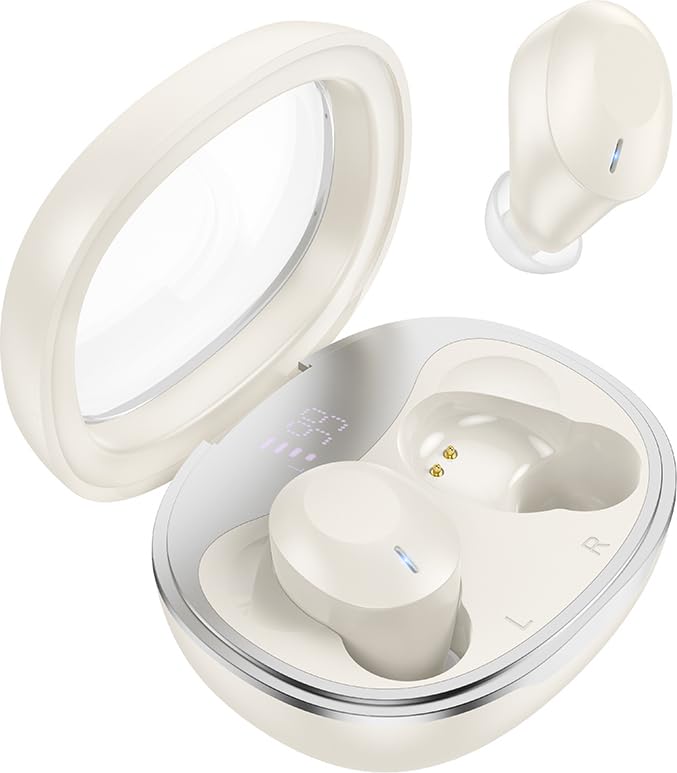
Image: HOCO EQ3 True Wireless Earbuds in their charging case, showcasing the transparent lid and compact design.
ຂໍ້ມູນຄວາມປອດໄພ
- ຢ່າຖອດຫຼືດັດແປງຜະລິດຕະພັນ.
- ຮັກສາຫູຟັງຫູຟັງ ແລະກ່ອງສາກໃຫ້ຢູ່ຫ່າງຈາກອຸນຫະພູມ, ຄວາມຊຸ່ມຊື່ນ ແລະຂອງແຫຼວທີ່ຮຸນແຮງທີ່ສຸດ.
- ຫຼີກເວັ້ນການສໍາຜັດກັບລະດັບສຽງສູງເປັນເວລາດົນນານເພື່ອປ້ອງກັນຄວາມເສຍຫາຍຂອງການໄດ້ຍິນ.
- Clean the earbuds regularly as instructed in the maintenance section.
- ກໍາຈັດຜະລິດຕະພັນຢ່າງມີຄວາມຮັບຜິດຊອບຕາມລະບຽບການທ້ອງຖິ່ນ.
ເນື້ອໃນຊຸດ
ກວດສອບວ່າລາຍການທັງຫມົດແມ່ນມີຢູ່ໃນຊຸດຂອງທ່ານ:
- ຫູຟັງໄຮ້ສາຍ HOCO EQ3 ແທ້ (ຊ້າຍ ແລະ ຂວາ)
- ກ່ອງສາກ
- ສາຍສາກ USB-C
- Ear Cushions (XS/S/M/L sizes)
- ຄູ່ມືຜູ້ໃຊ້ (ເອກະສານນີ້)
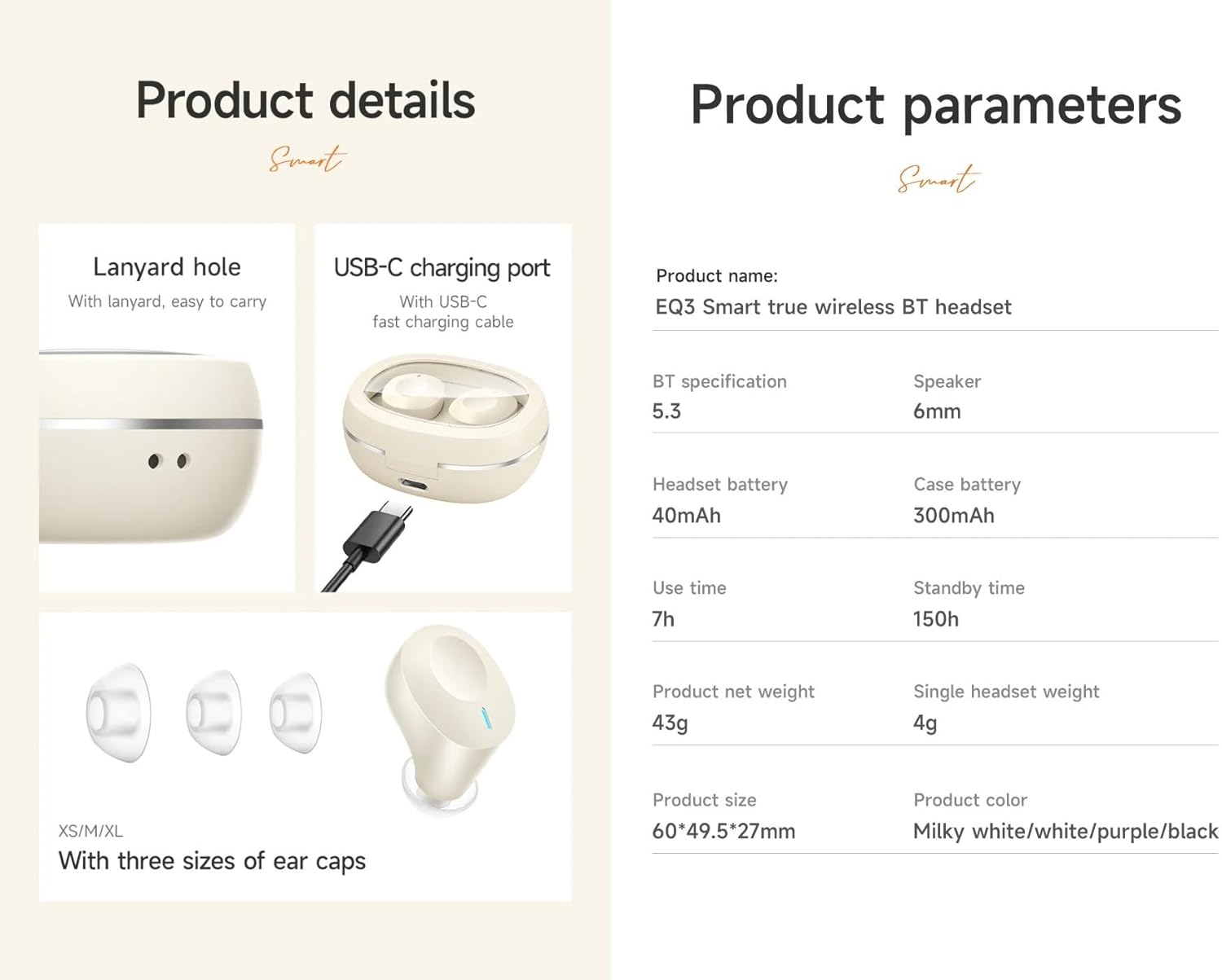
Image: Visual representation of the product details, including the USB-C charging port, lanyard hole, and various ear cap sizes.
ສິນຄ້າເກີນview
The HOCO EQ3 earbuds feature a transparent charging case with an intelligent digital power display. The earbuds are designed for a comfortable, semi-in-ear fit and offer high-fidelity sound.
ຄຸນນະສົມບັດທີ່ສໍາຄັນ:
- Bluetooth 5.3 for stable and quick connectivity.
- Transparent charging case with digital power display.
- ການຄວບຄຸມສໍາລັບການປະຕິບັດໄດ້ງ່າຍ.
- Up to 7 hours of use time for earbuds, 28 hours total with charging case.
- Water-resistant design.
- Support for master-slave switching and voice assistant activation.

Image: Infographic highlighting key features such as 28 hours total listening time, Hi-Fi sound quality, Bluetooth 5.3, LED digital display, magnetic switch, lightweight design, TWS stereo, and touch control.
ຕັ້ງຄ່າ
1. ການສາກຫູຟັງ ແລະ ເຄສ
- ວາງຫູຟັງໃສ່ກະເປົ໋າສາກໄຟ. ໃຫ້ແນ່ໃຈວ່າພວກເຂົານັ່ງຢ່າງຖືກຕ້ອງ.
- Connect the USB-C charging cable to the charging port on the case and plug the other end into a USB power adapter (not included).
- The digital display on the case will show the charging status. A full charge is indicated when the display shows 100%.
- ແນະນຳໃຫ້ສາກໄຟຫູຟັງ ແລະ ກ່ອງໃຫ້ເຕັມກ່ອນການນຳໃຊ້ຄັ້ງທຳອິດ.
2. ການຈັບຄູ່ກັບອຸປະກອນຂອງທ່ານ
- ເປີດກ່ອງສາກໄຟ. ຫູຟັງເອຍບັດຈະເຂົ້າສູ່ໂໝດຈັບຄູ່ໂດຍອັດຕະໂນມັດ, ແລະໄຟສັນຍານຂອງມັນຈະກະພິບ.
- ໃນອຸປະກອນຂອງທ່ານ (ໂທລະສັບສະຫຼາດ, ແທັບເລັດ, ແລະອື່ນໆ), ເປີດໃຊ້ Bluetooth.
- ຊອກຫາ "HOCO EQ3" ໃນລາຍຊື່ອຸປະກອນ Bluetooth ທີ່ມີຢູ່.
- Select "HOCO EQ3" to connect. Once connected, the earbud indicator lights will turn off, and you will hear a confirmation tone.
- The earbuds support master-slave switching, meaning either earbud can be used independently.

Image: Illustration showing the earbuds connecting to a smartphone automatically upon opening the charging case, emphasizing the magnetic absorption feature.
ຄໍາແນະນໍາການດໍາເນີນງານ
ໃສ່ຫູຟັງ
Select the appropriate ear tip size (XS/S/M/L) for a comfortable and secure fit. Gently insert the earbuds into your ear canal and rotate them slightly until they feel snug and stable.
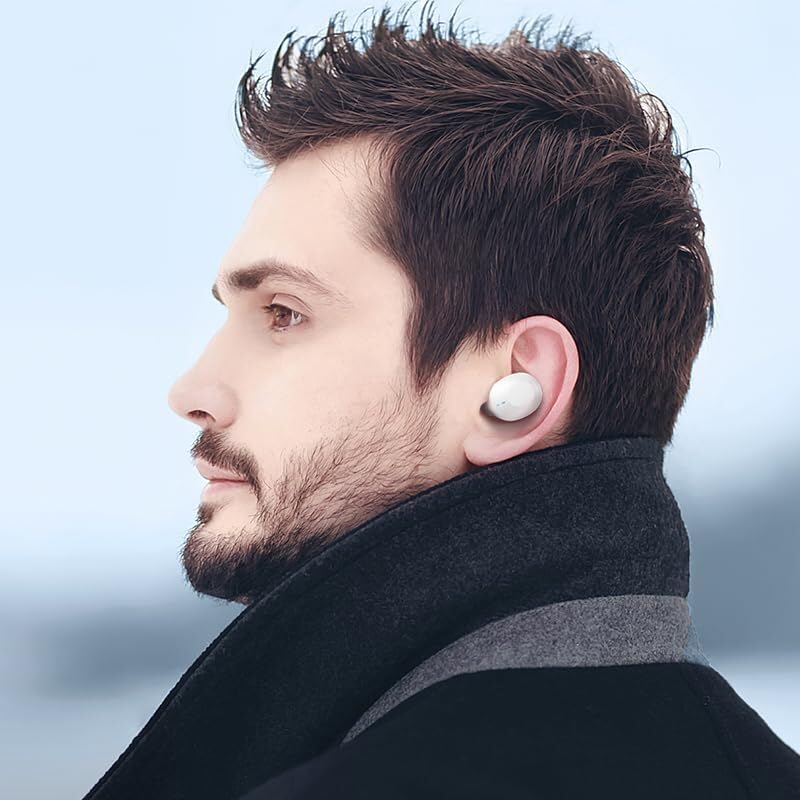
Image: A person wearing the HOCO EQ3 earbuds, demonstrating their discreet and comfortable fit.
ແຕະການຄວບຄຸມ
The HOCO EQ3 earbuds feature intuitive touch controls on each earbud. The functions are as follows:
| ການປະຕິບັດ | ຟັງຊັນ |
|---|---|
| ແຕະພື້ນທີ່ສຳຜັດ (ຊ້າຍ/ຂວາ) | ຫຼິ້ນ/ຢຸດດົນຕີ |
| ແຕະສອງເທື່ອໃສ່ພື້ນທີ່ສຳຜັດ (ຊ້າຍ/ຂວາ) | ຕິດຕາມຕໍ່ໄປ |
| ແຕະສາມເທື່ອໃສ່ພື້ນທີ່ສຳຜັດ (ຊ້າຍ/ຂວາ) | ເພງກ່ອນໜ້າ |
| ກົດຄ້າງໄວ້ທີ່ພື້ນທີ່ສຳຜັດເປັນເວລາ 2 ວິນາທີ (ຊ້າຍ/ຂວາ) | ເປີດໃຊ້ຜູ້ຊ່ວຍສຽງ (Siri, Google Assistant, ແລະອື່ນໆ) |
| Tap the touch area (L/R) during a call | ຮັບສາຍ/ວາງສາຍ |
| Long press the touch area for 2 seconds (L/R) during a call | ປະຕິເສດການໂທ |

Image: Detailed guide on touch controls for the HOCO EQ3 earbuds, illustrating single, double, triple tap, and long press functions.
ບໍາລຸງຮັກສາ
ທໍາຄວາມສະອາດ
- ໃຊ້ຜ້າແພທີ່ອ່ອນ, ແຫ້ງ, ບໍ່ມີເສັ້ນດ່າງເພື່ອທຳຄວາມສະອາດຫູຟັງຫູຟັງ ແລະ ກ່ອງສາກ.
- For ear tips, remove them from the earbuds and wash with mild soap and water. Ensure they are completely dry before reattaching.
- ຢ່າໃຊ້ເຄື່ອງເຮັດຄວາມສະອາດຂັດ, ເຫຼົ້າ, ຫຼືສານລະລາຍສານເຄມີ.
- ເຮັດຄວາມສະອາດຈຸດສາກໄຟຢູ່ທັງຫູຟັງ ແລະ ກ່ອງເປັນປະຈຳເພື່ອຮັບປະກັນການສາກໄຟທີ່ຖືກຕ້ອງ.
ການເກັບຮັກສາ
- ເມື່ອບໍ່ໄດ້ໃຊ້, ໃຫ້ເກັບຮັກສາຫູຟັງໃສ່ໃນກະເປົ໋າສາກໄຟສະເໝີເພື່ອປົກປ້ອງພວກມັນ ແລະ ຮັກສາໃຫ້ມັນສາກ.
- ເກັບຮັກສາຜະລິດຕະພັນໄວ້ໃນບ່ອນທີ່ເຢັນ, ແຫ້ງ, ຫ່າງຈາກແສງແດດໂດຍກົງ ແລະ ອຸນຫະພູມສູງສຸດ.
ການແກ້ໄຂບັນຫາ
| ບັນຫາ | ການແກ້ໄຂທີ່ເປັນໄປໄດ້ |
|---|---|
| ຫູຟັງບໍ່ຈັບຄູ່ກັບອຸປະກອນ. | Ensure earbuds are charged. Turn off and on Bluetooth on your device. Forget "HOCO EQ3" from your device's Bluetooth list and re-pair. |
| ຫູຟັງຫູຟັງອັນດຽວເຮັດວຽກໄດ້. | Place both earbuds back into the charging case, close the lid, wait a few seconds, then open the lid again. Ensure both earbuds are charged. |
| ຫູຟັງບໍ່ສາກ. | Check the charging cable and adapter. Ensure the charging contacts on both earbuds and case are clean and free of debris. |
| ລະດັບສຽງຕໍ່າ ຫຼືຄຸນນະພາບສຽງບໍ່ດີ. | Adjust volume on your device. Ensure ear tips are properly sealed in your ear. Clean ear tips and earbud mesh. |
| ການຄວບຄຸມການສໍາພັດບໍ່ຕອບສະຫນອງ. | Ensure your fingers are clean and dry. Try resetting the earbuds by placing them in the case and closing the lid. |
ຂໍ້ມູນຈໍາເພາະ
| ຄຸນສົມບັດ | ລາຍລະອຽດ |
|---|---|
| ຊື່ຕົວແບບ | ຫູຟັງ EQ3 |
| ລຸ້ນ Bluetooth | 5.3 |
| ຊິບ Bluetooth | JL AC6983D2 |
| ຄວາມອາດສາມາດຫມໍ້ໄຟ Earbud | 40mAh |
| ຄວາມອາດສາມາດຂອງຫມໍ້ໄຟ Case Charging | 300mAh |
| Single Earbud Use Time | 7 ຊົ່ວໂມງ |
| ເວລາຫຼິ້ນທັງໝົດ (ພ້ອມກໍລະນີ) | 28 ຊົ່ວໂມງ |
| ເວລາສະແຕນບາຍ | 150 ຊົ່ວໂມງ |
| ຂະ ໜາດ ກ່ອງສາກໄຟ | 60 x 49.5 x 27 ມມ |
| ນ້ຳໜັກລວມ (ຫູຟັງ + ກະເປົ໋າ) | 43g |
| ລະດັບຄວາມຕ້ານທານນ້ໍາ | ກັນນ້ຳ |
| ປະເພດການຄວບຄຸມ | ແຕະການຄວບຄຸມ |
| ອົງປະກອບລວມ | ສາຍໄຟ, ເບາະຫູຟັງ, ກ່ອງປ້ອງກັນ, ກ່ອງສາກໄຟໄຮ້ສາຍ |

Image: Visual detailing the 28-hour long battery life with the charging case and the lightweight, comfortable design of the semi-in-ear earbuds.
ການຮັບປະກັນແລະການສະຫນັບສະຫນູນ
The HOCO EQ3 True Wireless Earbuds come with a standard manufacturer's warranty. For specific warranty terms and conditions, please refer to the warranty card included in your package or contact HOCO customer support.
ສຳລັບການຊ່ວຍເຫຼືອດ້ານເຕັກນິກ, ການຊ່ວຍເຫຼືອໃນການແກ້ໄຂບັນຫາ ຫຼື ການຮຽກຮ້ອງການຮັບປະກັນ, ກະລຸນາຕິດຕໍ່ບໍລິການລູກຄ້າຂອງ HOCO ຜ່ານຊ່ອງທາງການໃຫ້ບໍລິການຢ່າງເປັນທາງການຂອງເຂົາເຈົ້າ webເວັບໄຊ ຫຼືຂໍ້ມູນການຕິດຕໍ່ທີ່ສະໜອງໃຫ້ກັບການຊື້ຂອງທ່ານ.
ໝາຍເຫດ: An extended warranty for 1 year is available for purchase separately. Please check Amazon product page for details.
Ask a question about this manual
Ask about setup, troubleshooting, compatibility, parts, safety, or missing instructions. Manuals+ will review the question and use this page’s manual context to help answer it.