
1. ບົດແນະນຳ
This manual provides comprehensive instructions for the safe and effective operation, maintenance, and troubleshooting of your Sofirn HS41 4000 Lumen Rechargeable LED Headlampກະລຸນາອ່ານຄູ່ມືນີ້ຢ່າງລະອຽດກ່ອນທີ່ຈະນໍາໃຊ້ຜະລິດຕະພັນເພື່ອຮັບປະກັນປະສິດທິພາບທີ່ດີທີ່ສຸດແລະອາຍຸການໃຊ້ງານທີ່ຍາວນານ.
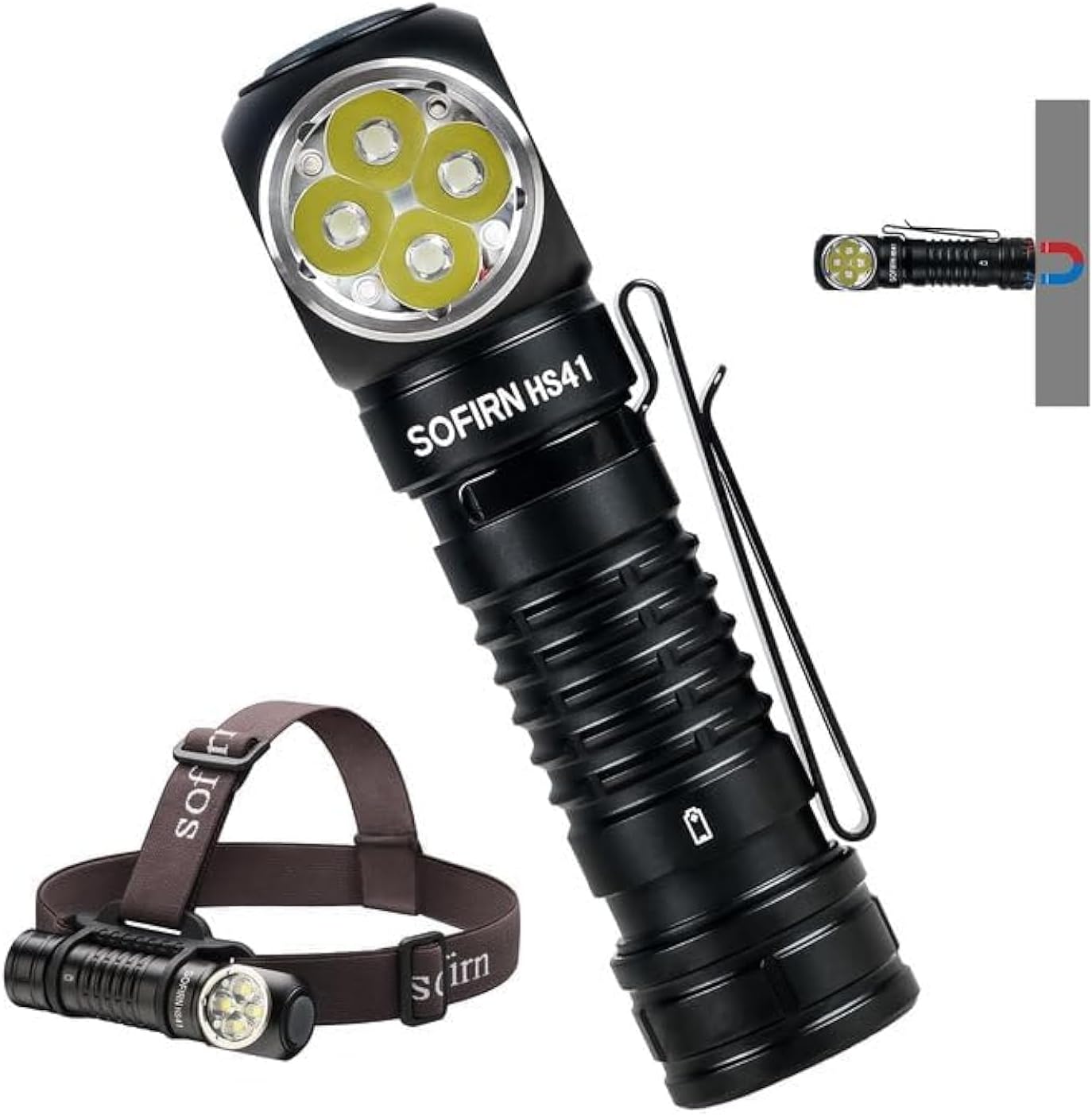
The Sofirn HS41 can be used as a headlamp with the included headband or as a versatile right-angle flashlight, featuring a magnetic base for hands-free operation.
2. ຜະລິດຕະພັນເກີນview
ຄຸນນະສົມບັດທີ່ສໍາຄັນ
- ຜົນຜະລິດສູງ: Equipped with 4*SST20 LEDs, delivering up to 4000 lumens with a beam distance of 325 meters.
- ການສາກ USB-C: Built-in Type-C port for convenient and fast charging.
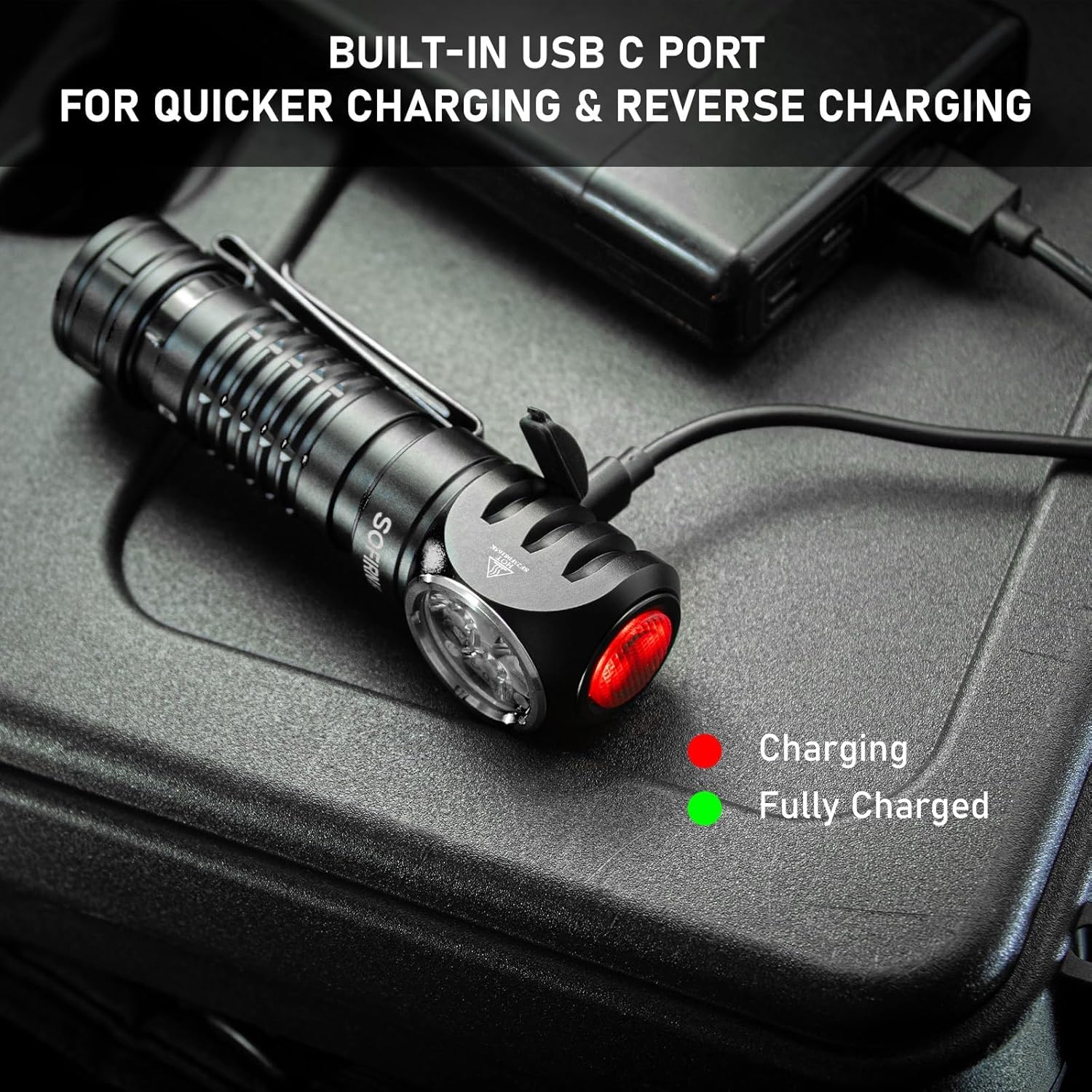
- ຂະຫຍາຍເວລາແລ່ນ: Up to 29.5 days of usage in Moonlight mode on a single charge.
- ໂໝດແສງຫຼາຍ: 9 modes including Moonlight, Eco, Low, Medium, High, Turbo, Strobe, SOS, and Beacon.
- ການອອກແບບທົນທານ: IPX8 waterproof rating and impact resistance up to 1 meter.
- ການນໍາໃຊ້ອະເນກປະສົງ: 90-degree L-shape design allows use as a headlamp or right-angle flashlight with a powerful magnetic tailcap.
- ຄຸນນະສົມບັດຄວາມປອດໄພ: Advanced Temperature Regulation (ATR) and Low Voltage ການປົກປ້ອງ.

This image highlights the main features of the HS41, such as its multiple lighting modes, extended battery life, convenient USB-C charging, and robust IP68 waterproof design.
ແມ່ນຫຍັງຢູ່ໃນກ່ອງ
- Sofirn HS41 ຫົວamp
- 1x Rechargeable Lithium Polymer Battery
- 1x Sturdy Head Band
- 1x ສາຍສາກ Type-C
- 1x ຄູ່ມືຜູ້ໃຊ້
3. ຄໍາແນະນໍາຄວາມປອດໄພ
- Do not shine the light directly into eyes. The high lumen output can cause temporary vision impairment.
- ຮັກສາໃຫ້ໄກຈາກເດັກນ້ອຍ.
- Use only the specified battery type. Incorrect battery usage can lead to damage or safety hazards.
- ຢ່າຖອດຫົວຫົວອອກamp, as this may void the warranty and cause damage.
- ຫຼີກເວັ້ນການເປີດເຜີຍຫົວamp ຕໍ່ກັບອຸນຫະພູມທີ່ຮຸນແຮງ ຫຼືແສງແດດໂດຍກົງເປັນເວລາດົນ.
- Ensure the USB-C port cover is securely closed when not charging to maintain water resistance.
4. ຕັ້ງຄ່າ
ການຕິດຕັ້ງຫມໍ້ໄຟ
- Unscrew the tail cap of the headlamp.
- Insert the included 18650 Lithium Polymer battery with the positive (+) end facing towards the head of the light.
- Screw ຝາຫາງກັບຄືນໄປບ່ອນແຫນ້ນເພື່ອຮັບປະກັນການຕິດຕໍ່ທີ່ເຫມາະສົມແລະການຕໍ່ຕ້ານນ້ໍາ.
ກຳລັງສາກໄຟ
The HS41 features a built-in USB-C charging port.
- ຊອກຫາພອດສາກໄຟ USB-C ຢູ່ດ້ານຂ້າງຂອງຫົວamp and open its protective cover.
- Connect the provided Type-C charging cable to the headlamp and to a USB power source (e.g., wall adapter, power bank, computer).
- ແສງຊີ້ບອກຢູ່ຫົວamp will show the charging status:
- ສີແດງ: ກຳລັງສາກຢູ່.
- ສີຂຽວ: ສາກເຕັມ.
- Charging typically takes approximately 2.5 hours for a full charge.
- Once charging is complete, disconnect the cable and securely close the USB-C port cover to maintain water resistance.
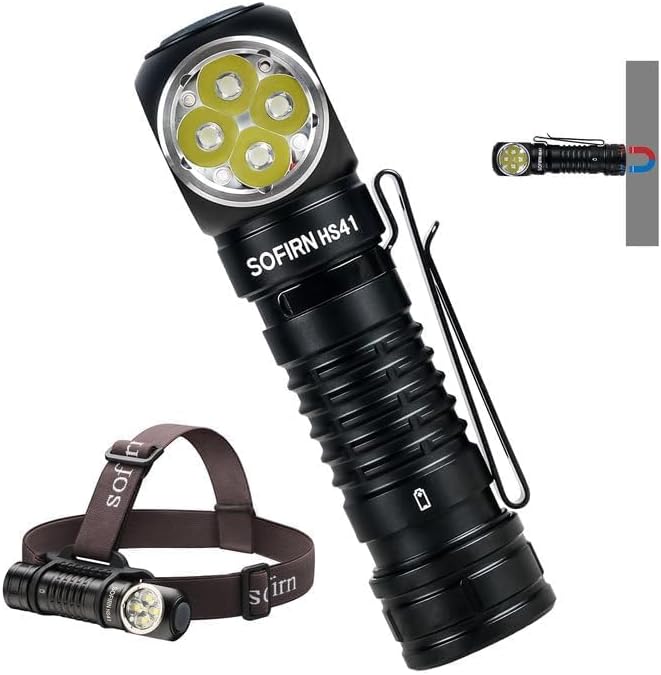
ຫົວamp features a built-in USB-C port for convenient and fast charging. The indicator light changes color to show charging status.
5. ຄໍາແນະນໍາການດໍາເນີນງານ
The HS41 is operated via a single side switch.
ການດໍາເນີນງານພື້ນຖານ
- ເປີດ/ປິດ: Single click the switch to turn the light on or off.
- Change Brightness (Rampໃນ): When the light is on, press and hold the switch to cycle through brightness levels (Moonlight, Eco, Low, Medium, High, Turbo). Release the switch at your desired brightness.
- ໜ່ວຍຄວາມຈຳຮູບແບບ: ຫົວamp will remember the last used brightness level (except for special modes like Strobe, SOS, Beacon).
ໂໝດການເຂົ້າເຖິງດ່ວນ
- ແສງເດືອນ: From OFF, press and hold the switch for 1 second to activate Moonlight mode.
- ໂໝດສູງ: From OFF, double-click the switch to directly activate High mode.
- ໂໝດ Strobe: From OFF, triple-click the switch to activate Strobe mode.
ຫົວamp's single button allows for quick access to frequently used modes: press and hold for Moonlight, double-click for High, and triple-click for Strobe.
Special Modes (Strobe, SOS, Beacon)
- From ON, triple-click the switch to enter Strobe mode.
- While in Strobe mode, double-click to cycle through SOS and Beacon modes.
- Single click to turn off or return to the previous brightness level.

The HS41 delivers a powerful 4000 lumens, providing extensive illumination for outdoor activities. The image shows the light beam and icons representing modes like Moonlight, Eco, Low, Medium, High, Turbo, Strobe, Beacon, and SOS.
ຟັງຊັນການລັອກ
To prevent accidental activation, the HS41 features a lockout mode.
- ເປີດໃຊ້ງານລັອກ: From OFF, perform four quick clicks of the switch. The LED will blink twice to confirm lockout mode is active.
- ປິດການໃຊ້ງານ Lockout: Perform four quick clicks of the switch. The light will turn on to the last used mode.

ຫົວamp features a lockout mode to prevent accidental activation. It is engaged by four quick clicks when the light is off, indicated by two blinks.
ຕົວຊີ້ວັດພະລັງງານ
The power indicator displays the battery level for 5 seconds every time the light is turned on.
- ສີຂຽວ: Remaining battery power is good (70% - 100%).
- ສີແດງ: Remaining battery power is poor (30% - 69%).
- ກະພິບສີແດງ: Critical power (less than 30%). Recharge the battery as soon as possible.
The integrated power indicator provides real-time battery status: green (70-100%), red (30-69%), and flashing red (below 30%), prompting timely recharging.
ຕ່ ຳtage ຄໍາເຕືອນ
ໃນເວລາທີ່ຫມໍ້ໄຟ voltage drops below 3V, the indicator will flash red, and the headlamp will vibrate twice with a 1-minute interval between each vibration. This signals that the battery needs to be recharged immediately.

ໃນເວລາທີ່ຫມໍ້ໄຟ voltage ຫຼຸດລົງຕ່ໍາກວ່າ 3V, headl ໄດ້amp's indicator will flash red, and the device will vibrate twice with a one-minute interval, signaling a low voltage ເງື່ອນໄຂ.
6. ບໍາລຸງຮັກສາ
ທໍາຄວາມສະອາດ
- ເຊັດຫົວamp ມີອ່ອນ, damp ຜ້າເພື່ອເອົາຝຸ່ນແລະສິ່ງເສດເຫຼືອ.
- ຢ່າໃຊ້ນໍ້າຢາທໍາຄວາມສະອາດທີ່ມີສີຂັດ ຫຼື ຕົວລະລາຍ ເພາະມັນອາດຈະທໍາລາຍຊັ້ນເຄືອບ ຫຼື ອົງປະກອບພາຍໃນໄດ້.
- Clean the threads of the tail cap and O-rings periodically. Apply a thin layer of silicone grease to the O-rings to maintain water resistance.
ການດູແລຫມໍ້ໄຟ
- Recharge the battery regularly, especially if the headlamp ຈະບໍ່ຖືກໃຊ້ເປັນໄລຍະເວລາ.
- ເກັບຮັກສາຫມໍ້ໄຟໃນບ່ອນທີ່ເຢັນ, ແຫ້ງ.
- If storing for a long time, remove the battery from the headlamp to prevent parasitic drain.
ການເກັບຮັກສາ
- ເກັບຮັກສາຫົວamp in a dry environment, away from direct sunlight and extreme temperatures.
- ຮັບປະກັນຫົວamp is in lockout mode or the battery is removed during storage to prevent accidental activation.
7. ການແກ້ໄຂບັນຫາ
| ບັນຫາ | ສາເຫດທີ່ເປັນໄປໄດ້ | ການແກ້ໄຂ |
|---|---|---|
| ແສງບໍ່ເປີດ | ແບັດເຕີຣີົດ Battery incorrectly inserted Tail cap loose ຫົວamp in lockout mode | ສາກແບັດເຕີຣີ ກວດເບິ່ງຂົ້ວຂອງຫມໍ້ໄຟ ຮັດຫາງ Deactivate lockout mode (4 clicks) |
| ແສງສະຫວ່າງ flickers ຫຼືມືດມົວ | ແບັດເຕີຣີຕໍ່າ Poor contact between battery and terminals Dirty threads/contacts | ສາກແບັດເຕີຣີ Ensure battery is fully inserted Clean threads and contacts with a cotton swab |
| ການສາກໄຟບໍ່ເຮັດວຽກ | ສາຍສາກຂັດຂ້ອງ USB power source insufficient ຊ່ອງສາກໄຟເປື້ອນ | ລອງໃຊ້ສາຍ USB-C ອື່ນ Use a reliable USB power adapter Clean the USB-C port gently |
| ຫົວamp gets hot quickly | Operating in Turbo/High mode for extended periods ATR (Advanced Temperature Regulation) is active | This is normal. The ATR system will automatically reduce brightness to prevent overheating. Reduce brightness manually if desired. |
8. ຂໍ້ມູນຈໍາເພາະ
| ຄຸນສົມບັດ | ຂໍ້ມູນຈໍາເພາະ |
|---|---|
| ຕົວແບບ | HS41 |
| ແຫຼ່ງແສງ | 4*SST20 LEDs |
| ຄວາມສະຫວ່າງສູງສຸດ | 4000 Lumens |
| ໄລຍະຫ່າງ Beam | 325 ແມັດ |
| ແຫຼ່ງພະລັງງານ | 1x Rechargeable Lithium Polymer Battery (included) |
| ພອດສາກໄຟ | USB Type-C |
| ວັດສະດຸ | ໂລຫະປະສົມອາລູມິນຽມ |
| ການຕໍ່ຕ້ານນ້ໍາ | IPX8 (submersible up to 2 meters for 30 minutes) |
| ຄວາມຕ້ານທານຜົນກະທົບ | 1 ແມັດ |
| ຂະໜາດ | 1" ເລິກ x 1" ກວ້າງ x 1" ສູງ (ປະມານ 30.1 ມມ x 29 ມມ x 115 ມມ) |
| ນ້ຳໜັກ | 0.71 Pounds (approx. 11.4 ounces / 79g without battery) |
| ຄຸນນະສົມບັດພິເສດ | Adjustable Light Modes, Adjustable Strap, Magnetic Base, Low Voltage Warning, Advanced Temperature Regulation |
9. ການຮັບປະກັນແລະການສະຫນັບສະຫນູນ
For warranty information or technical support, please contact the seller, 77 Outdoor Shop, or the manufacturer, Sofirn, directly through their official channels. Please retain your proof of purchase for any warranty claims.