
1. ບົດແນະນຳ
The Sofirn SC03 is a versatile 2-in-1 lighting tool designed for various indoor and outdoor activities. It combines a powerful flashlight with a wide-area lantern, offering flexible illumination options. This manual provides essential information for the safe and effective use of your SC03 device.
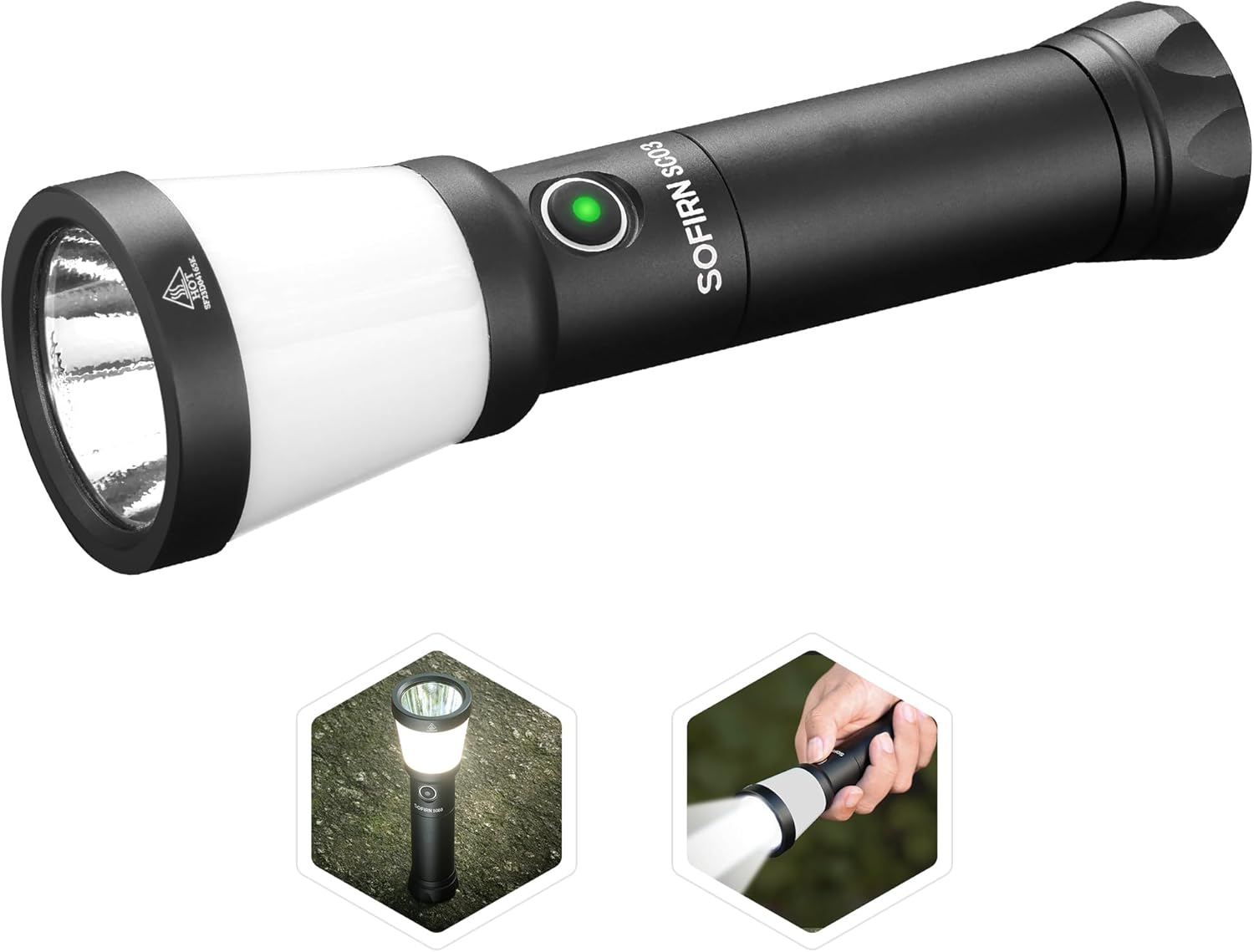
Figure 1: Sofirn SC03 2-in-1 Camping Lantern LED Flashlight. This image displays the main product, highlighting its dual functionality as both a focused flashlight and a diffused lantern.
ຄຸນນະສົມບັດທີ່ສໍາຄັນ:
- ການທໍາງານສອງ: Combines a 2000-lumen flashlight with a 508-meter throw and a 500-lumen 360-degree lantern.
- Rechargeable & Reverse Charging: Built-in USB-C port for convenient charging and power bank functionality.
- ໂໝດແສງຫຼາຍ: Five modes (Low, Medium, High, Turbo, Strobe) for both flashlight and lantern.
- ການອອກແບບແບບພົກພາ: Compact and lightweight for easy carrying and comfortable grip.
- ການກໍ່ສ້າງທົນທານ: IPX8 waterproof rating and robust aluminum body for harsh conditions.
2. ສິ່ງທີ່ຢູ່ໃນກ່ອງ
ເມື່ອເປີດກ່ອງ Sofirn SC03 ຂອງທ່ານແລ້ວ, ທ່ານຄວນພົບລາຍການຕໍ່ໄປນີ້:
- Sofirn SC03 Flashlight
- 1x 21700 Lithium Polymer Battery (5000mAh)
- ສາຍສາກ USB-C
- ສາຍສາກ
- ອະໄຫລ່ O-rings
- ຄູ່ມືຜູ້ໃຊ້
Video 1: Sofirn SC03 Lantern Flashlight. This video provides a brief overview of the product and its components as found in the box.
3. ຕັ້ງຄ່າ
ການຕິດຕັ້ງຫມໍ້ໄຟ
- ຖອດຝາປິດຫາງຂອງໄຟສາຍ.
- ໃສ່ແບັດເຕີຣີ 21700 ທີ່ໃຫ້ມາໂດຍໃຫ້ປາຍບວກ (+) ຫັນໄປທາງຫົວຂອງໄຟສາຍ.
- ໝວກຝາຫາງຄືນຢ່າງປອດໄພ.
ກຳລັງສາກໄຟ
The SC03 features a built-in USB-C charging port for convenience. It can be fully charged in approximately 3 hours.
- Locate the USB-C port on the side of the flashlight, protected by a rubber gasket.
- Open the rubber gasket.
- Connect the provided USB-C cable to the flashlight and to a power source (e.g., wall adapter, power bank, computer).
- The power indicator on the side switch will show charging status:
- Flashing Red: 1-9% charge
- Red: 10-39% charge
- Flashing Green: 40-69% charge
- Green: 70-100% charge
- Once fully charged, disconnect the cable and close the rubber gasket to maintain water resistance.
Reverse Charging (Power Bank Function)
In emergencies, the SC03 can charge other devices via its USB-C port.
- Connect a USB-C to C cable (not included) from the SC03 to your device.
- The SC03 will begin charging your device.

Figure 2: Sofirn SC03 Charging and Reverse Charging. This image illustrates how to charge the flashlight and use its reverse charging function to power other devices.
4. ຄໍາແນະນໍາການດໍາເນີນງານ
Power On/Off & Mode Switching
The SC03 features a single side switch for all operations.
- ເປີດ/ປິດ: Press and hold the side switch for approximately 0.5 seconds. The flashlight will turn on/off in the last used mode (memory function).
- ໂໝດຄວາມສະຫວ່າງຮອບວຽນ: While the light is on, single-click the side switch to cycle through Low, Medium, High, and Turbo modes.
- Switch Between Flashlight/Lantern: Double-click the side switch to toggle between the main flashlight beam and the side lantern illumination.
- ເປີດໃຊ້ Strobe: Triple-click the side switch to activate the Strobe mode (SOS signal).
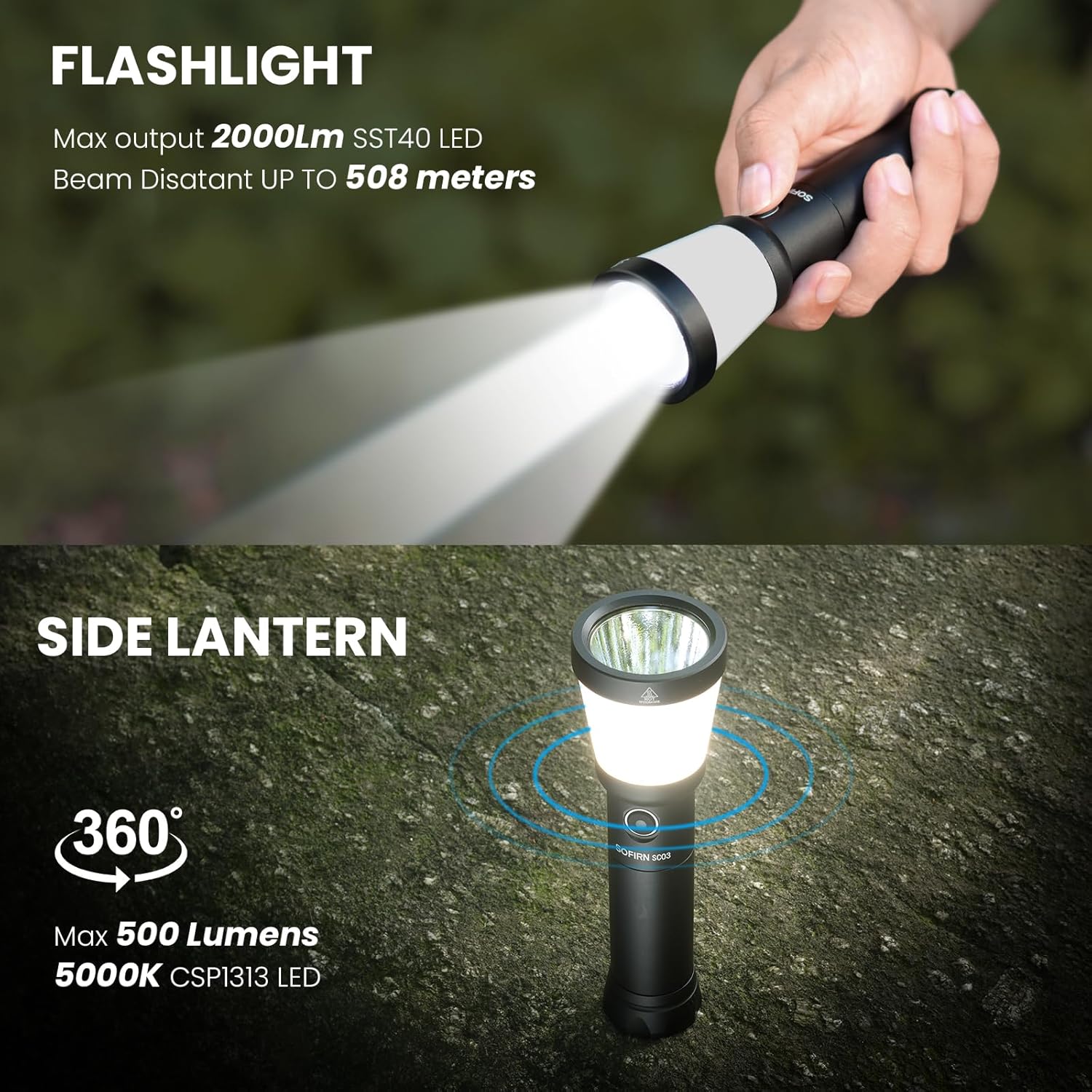
Figure 3: Sofirn SC03 Flashlight and Lantern Modes. This image demonstrates the two primary lighting modes: a focused flashlight beam and a 360-degree side lantern.

Figure 4: Sofirn SC03 Different Light Modes. This image displays the various brightness levels available for both the long-throw flashlight and the side lantern.
Auto Lockout Mode
The SC03 features an automatic lockout function to prevent accidental activation and conserve battery life. After 1 minute of inactivity, the flashlight will enter lockout mode.
- ປົດລັອກ: Double-click the side switch to unlock the flashlight.
- Moonlight Mode (from locked): Press and hold the switch to access moonlight mode directly from lockout.
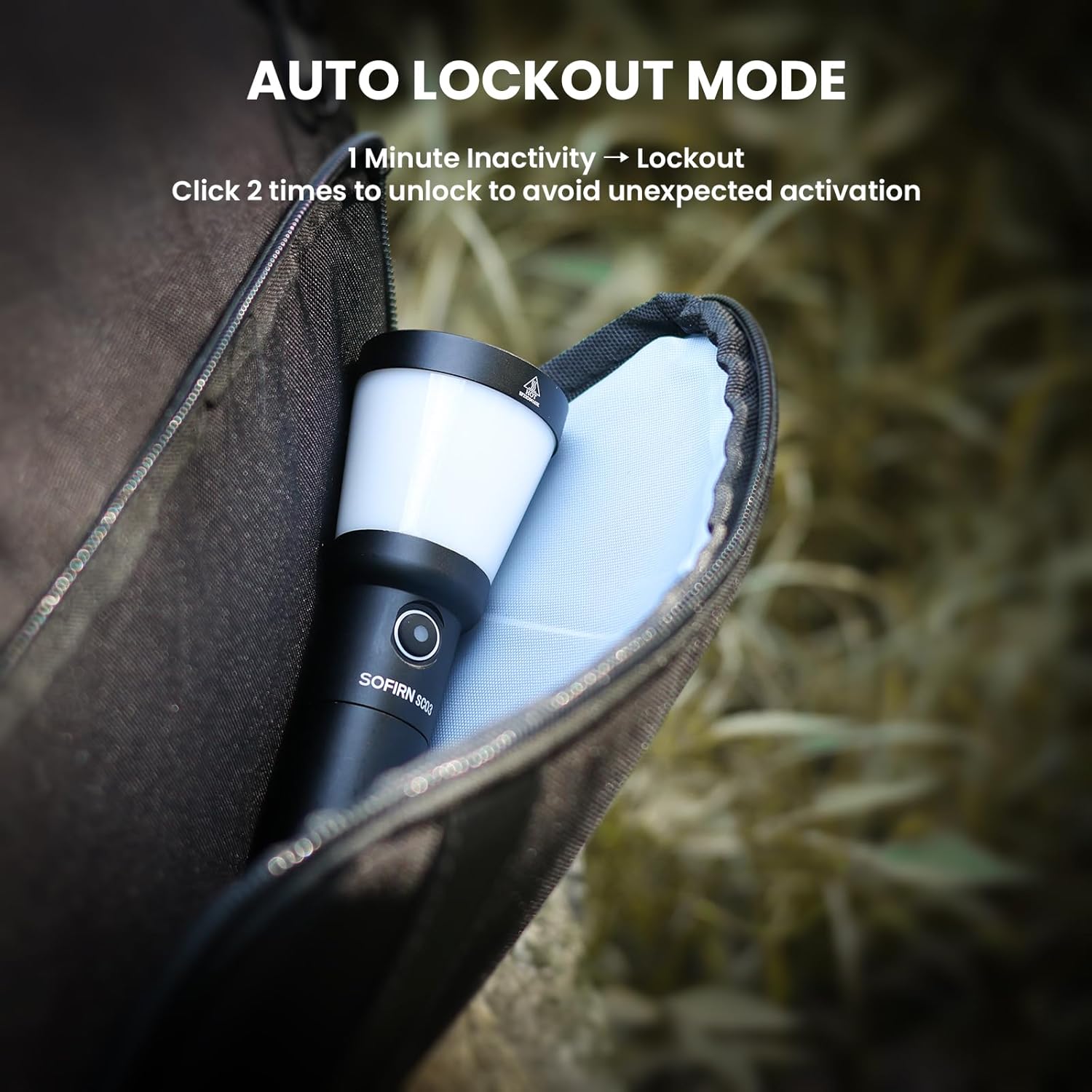
Figure 5: Sofirn SC03 Auto Lockout Mode. This image demonstrates the auto-lock feature, which prevents accidental activation when the flashlight is inactive for one minute.
5. ຜະລິດຕະພັນເກີນview
The Sofirn SC03 is constructed from durable aluminum, providing a robust and lightweight design. Its compact size makes it easy to carry and handle.
- ວັດສະດຸຮ່າງກາຍ: 6061-T6 aluminum alloy and PC.
- Diffuser: The white diffuser for the lantern mode is made of plastic and screws directly into the light head.
- ແສງສະທ້ອນ: Features an orange peel reflector for a balanced beam of flood and throw.
- ຝາປິດຫາງ: The tail cap has textured details and a lanyard hole for attachment.

Figure 6: Sofirn SC03 Portable Size. This image highlights the compact dimensions and lightweight nature of the flashlight, making it easy to carry.
6. ການປະຕິບັດ
The SC03 delivers powerful illumination with a maximum output of 2000 lumens and a throw distance of 508 meters for the main flashlight beam. The side lantern provides 500 lumens of 360-degree soft illumination.
Video 2: Sofirn SC03 lantern flashlight for camping. This video demonstrates the flashlight's performance in a camping scenario, showcasing its brightness and utility.
Runtime and Output
The SC03 is designed for sustained output, with intelligent thermal regulation to prevent overheating. The runtime varies depending on the selected brightness mode.
- On Turbo mode (flashlight), the light maintains near 100% output for over 1 minute before stepping down.
- On High mode (flashlight), it holds 100% output for 2 minutes before stepping down to 50%.
- On Medium mode (flashlight), it maintains 100% output throughout the test duration.
- On Turbo mode (side light), it lasts past 1 minute 15 seconds before stepping down to just over 40% output.
- On High mode (side light), it maintains 95-100% output past the 10-minute mark.
7. ຂໍ້ມູນຈໍາເພາະ
| ຄຸນສົມບັດ | ມູນຄ່າ |
|---|---|
| ຄຸນນະສົມບັດພິເສດ | Portable, Rechargeable |
| ແຫຼ່ງພະລັງງານ | ພະລັງງານຫມໍ້ໄຟ |
| ປະເພດແຫຼ່ງແສງ | LED |
| ວັດສະດຸ | ອາລູມີນຽມ |
| ຄວາມສະຫວ່າງສີຂາວ | 2000 Lumens |
| ອົງປະກອບລວມ | ແບັດເຕີຣີ |
| ຂະໜາດສິນຄ້າ | 5.6"D x 1.7"W x 5.6"H |
| ສະບັບtage | 3.7 ໂວນ |
| ອົງປະກອບຂອງຈຸລັງຫມໍ້ໄຟ | ໂພລີເມີ |
| ຈໍານວນຫມໍ້ໄຟ | 1 ຫມໍ້ໄຟ Lithium Polymer ຕ້ອງການ. (ລວມ) |
| ລະດັບຄວາມຕ້ານທານນ້ໍາ | ກັນນໍ້າ (IPX8) |
| ນ້ໍາຫນັກລາຍການ | 9.6 ອອນ |
8. ບໍາລຸງຮັກສາ
To ensure the longevity and optimal performance of your Sofirn SC03, follow these maintenance guidelines:
- ທໍາຄວາມສະອາດ: Wipe the flashlight body with a clean, soft cloth. For the lens, use a lens cleaning cloth to avoid scratches.
- O-rings: Regularly inspect the O-rings for wear and tear. Replace them if damaged to maintain the IPX8 waterproof rating. Apply silicone grease to the O-rings periodically to keep them supple.
- ກະທູ້: Keep the threads of the tail cap clean and lubricated to ensure smooth operation and proper electrical contact.
- ການດູແລຫມໍ້ໄຟ: ເກັບຮັກສາຫມໍ້ໄຟໃນບ່ອນທີ່ເຢັນ, ແຫ້ງໃນເວລາທີ່ບໍ່ໄດ້ໃຊ້. ຫຼີກລ້ຽງການປະຈຸຫມໍ້ໄຟຢ່າງເຕັມທີ່ສໍາລັບໄລຍະເວລາຕໍ່ໄປ.
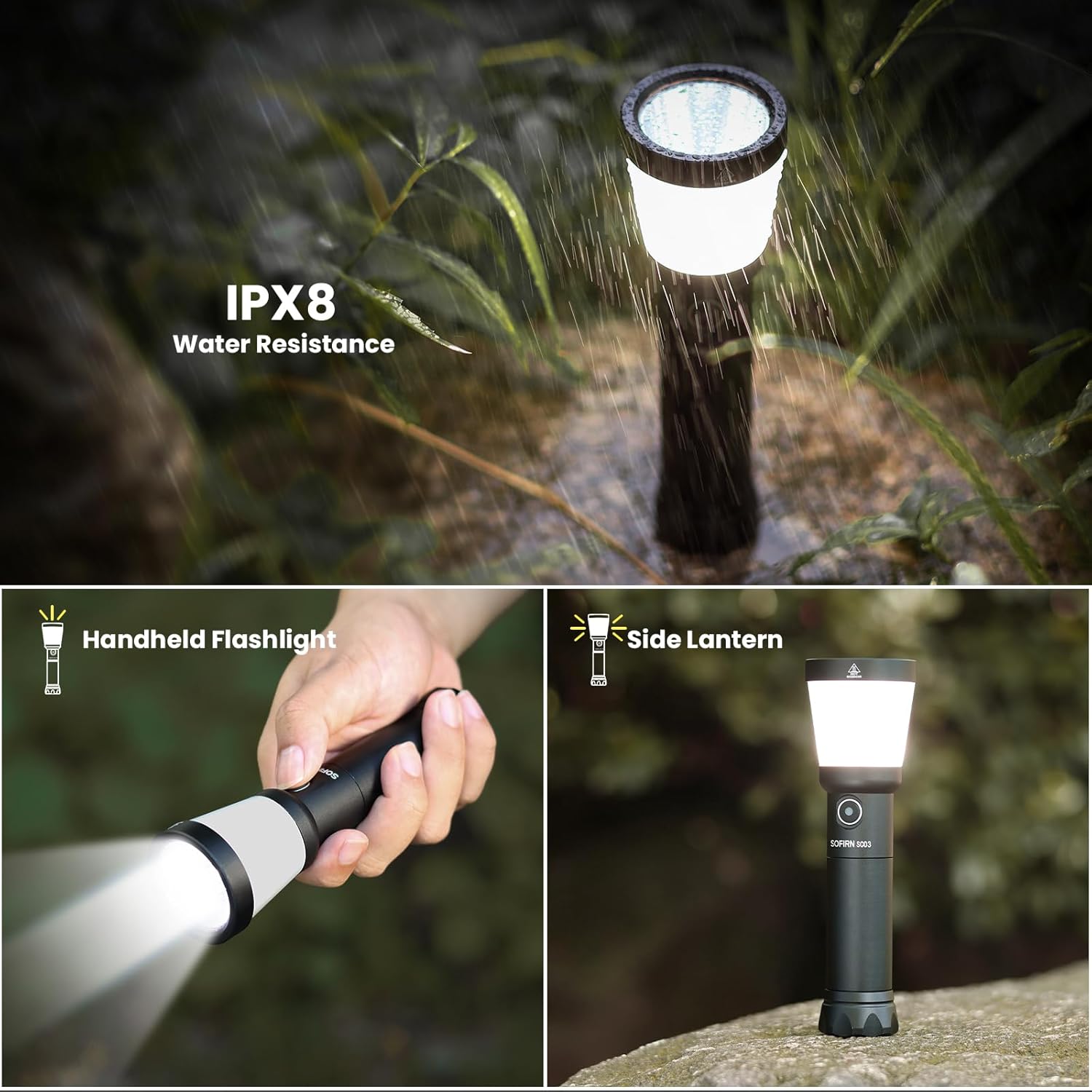
Figure 7: Sofirn SC03 IPX8 Water Resistance. This image highlights the flashlight's IPX8 waterproof rating, suitable for use in wet conditions.
9. ການແກ້ໄຂບັນຫາ
If you encounter issues with your SC03, refer to the following common troubleshooting tips:
- ແສງບໍ່ເປີດ:
- ກວດສອບວ່າແບັດເຕີຣີຖືກໃສ່ຢ່າງຖືກຕ້ອງໂດຍໃຫ້ປາຍບວກ (+) ໄປທາງຫົວ.
- Ensure the tail cap is screwed on tightly.
- The flashlight might be in auto lockout mode. Double-click the side switch to unlock it.
- Check battery charge level using the indicator. Recharge if necessary.
- ບັນຫາການສາກໄຟ:
- Ensure the USB-C cable is securely connected to both the flashlight and the power source.
- ລອງໃຊ້ສາຍ USB-C ຫຼືແຫຼ່ງພະລັງງານອື່ນ.
- Verify the charging indicator light is functioning.
- Accidental Activation: The auto lockout mode is designed to prevent this. Ensure the flashlight enters lockout mode after 1 minute of inactivity.
10. ການຮັບປະກັນແລະການສະຫນັບສະຫນູນ
The Sofirn SC03 comes with a limited warranty. Please refer to the product packaging or contact Sofirn customer support for detailed warranty information and assistance.
- ປະເພດການຮັບປະກັນ: ການຮັບປະກັນຈໍາກັດ
- ການຊ່ວຍເຫຼືອລູກຄ້າ: For any questions or issues, please visit the official Sofirn store or contact their customer service.